Having security tools built right into your browser sounds convenient. It suggests simple, one-click protection without needing to install extra software. So, what browser has a built-in VPN? Several browsers like Opera, Brave, and Microsoft Edge offer them, but there are important catches you need to understand.
These built-in tools are great for basic privacy, but they work very differently from standalone VPN apps. Before you rely on one for security, it is critical to know what it can and cannot do.
Key takeaways:
- Several browsers (like Opera, Brave, and Edge) offer built-in ‘VPNs’ or similar privacy features.
- It is crucial to know the difference: some are true VPNs (often paid), while many free ones are simpler ‘secure proxies’.
- These tools only protect your browser traffic, not your entire device (like email or gaming apps).
- Free options often come with limits on speed, servers, or potential privacy trade-offs.
1. What browser has a built-in VPN? The 2025 list
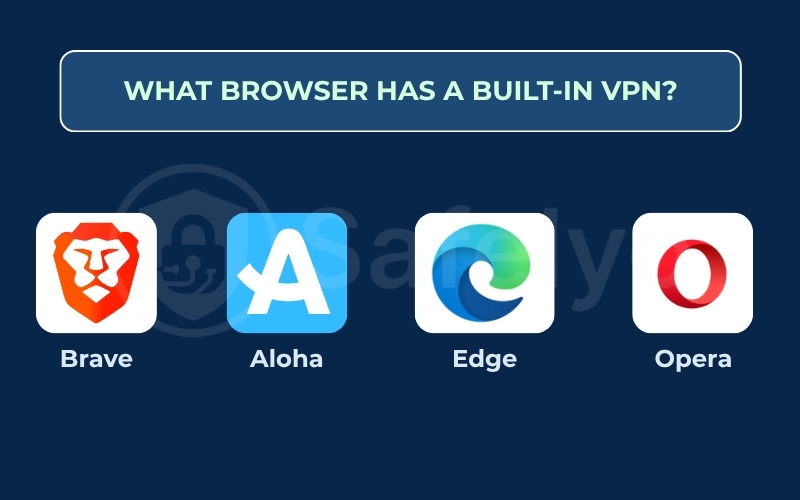
A few popular browsers now include a VPN or a similar privacy feature. The most well-known options are:
- Opera: The long-standing choice, known for its free, built-in ‘browser VPN’ (which is technically a proxy).
- Brave: A privacy-first browser that offers a full, paid, system-wide VPN as an add-on.
- Microsoft Edge: The default Windows browser, which now includes a free, data-limited ‘Secure Network’ VPN.
- Aloha Browser: A mobile-first browser (iOS and Android) built around a free and paid-tier VPN.
The next section will explain the crucial differences between them.
2. Understanding “browser VPNs”: Key differences
Before you pick a browser with built-in VPN, it’s important to understand what these tools actually do. These differences are critical for your online privacy.
2.1. Browser VPN vs. standalone VPN app: What’s the real difference?
Think of it this way: A browser VPN is like putting a secure lock only on your browser window. A standalone VPN app (like ExpressVPN or NordVPN) is like building a private, secure tunnel around your entire house.
The standalone app protects everything: your email client, your games, your cloud sync tools, and all background updates. The browser VPN only protects what you do inside that specific browser.
2.2. Is it a true VPN or a secure proxy?
This is the most important technical difference.
- A true VPN (like Brave’s paid option) creates a highly encrypted tunnel for your data. It’s built for security.
- A secure proxy (like Opera’s free version) mainly routes your traffic through a different server. It hides your IP address but often has weaker encryption.
Both can change your location, but a true VPN offers much stronger protection.
2.3. Free vs. paid built-in VPNs (e.g., Opera’s free vs. Brave’s paid)
Free services always have a catch. They might limit your speed, offer very few server locations, or have a questionable privacy policy. Paid services (like Brave’s subscription) usually offer a strict no-logs policy, faster performance, and more features because you are the paying customer.
3. The best browsers with built-in VPNs or privacy features
Here are the top browsers offering these features, with a detailed breakdown of what each one really provides.
3.1. Opera: The original free “browser VPN”
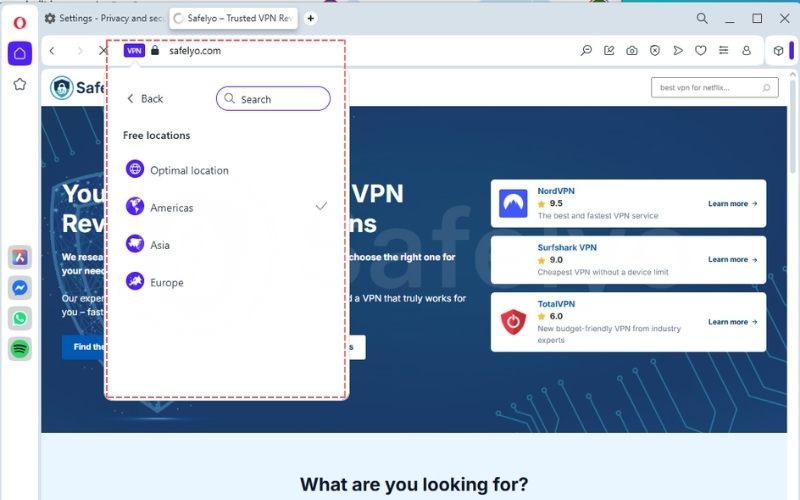
Opera’s “Browser VPN” is one of the most well-known features. It is a free, secure proxy built directly into the browser, not a true VPN. It is enabled with a single click.
It is important not to confuse this with Opera VPN Pro, which is a separate, paid subscription service. While managed through the browser, the Pro version functions like a standalone VPN, offering device-wide protection that secures all applications on your computer, not just the browser.
This section will focus on the free built-in proxy that most users are familiar with.
Key features
- Protection scope: Browser-only. It does not protect other apps.
- Data limit: Unlimited.
- Performance: Speeds can be inconsistent. Because it’s a free service, servers can get crowded, leading to slower download speeds.
- Privacy policy: This is a common concern. Opera claims no-logs for browsing activity but does collect some device and usage data.
- Servers: You cannot choose a specific city, only broad regions (e.g., Americas, Europe, Asia).
Pros and cons
| Pros | Cons |
| Completely free | Not a true VPN (it’s a proxy) |
| Unlimited data | Only protects browser traffic |
| Very easy to use (one-click) | Inconsistent speeds |
| Vague privacy policy | |
| Cannot select specific server locations |
From my own experience, Opera’s ‘VPN’ is incredibly convenient for a quick bit of public Wi-Fi protection or to get around a simple content block. However, I noticed the speed drop during peak hours and personally wouldn’t use it for sensitive tasks due to that ‘free product’ privacy trade-off.
Best for: Casual users who want simple, free protection on public networks.
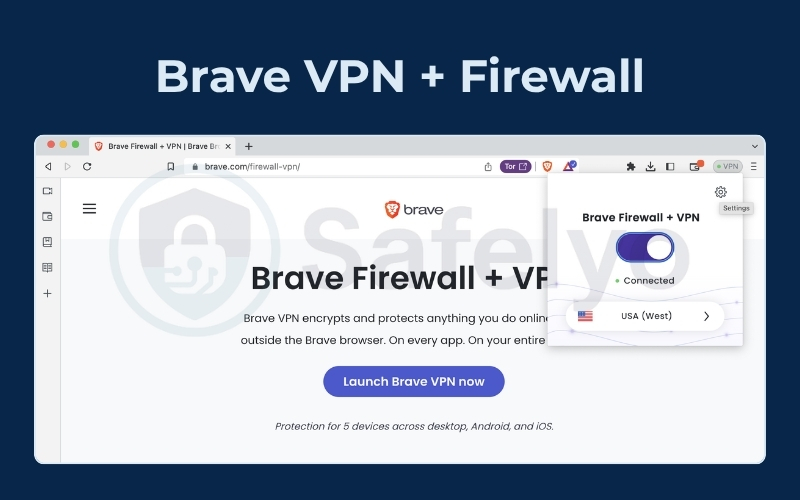
3.2. Brave: The firewall + VPN (paid add-on)
Brave is a privacy-first browser that blocks ads and tracking by default. It offers a premium, full-featured VPN called “Brave VPN” as a paid subscription add-on.
Key features
- Protection scope: Device-wide protection. This is its key difference. It protects your entire computer or mobile device, not just the Brave browser.
- Data limit: Unlimited (as it is a paid service).
- Performance: Generally very fast. As a premium service, it is suitable for streaming and downloading.
- Privacy policy: Has a strict, verified no-logs policy.
- Servers: You can select from dozens of specific server locations around the world.
Pros and cons
| Pros | Cons |
| True, full-featured VPN | Paid service (requires a subscription) |
| Protects your entire device | Not “built-in” for free |
| Excellent speeds | |
| Strict no-logs policy | |
| Many server locations |
I view this less as a “browser VPN” and more as a standalone VPN that happens to be sold by a browser company. The main benefit is for users who already love and trust the Brave ecosystem and want to bundle their privacy tools.
Best for: Privacy-conscious users who want a high-speed, secure, system-wide VPN and are willing to pay for it.
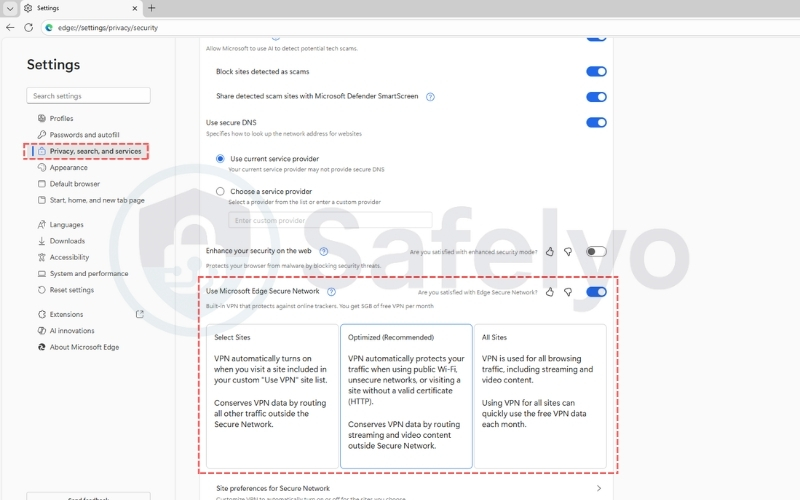
3.3. Microsoft Edge: The “Secure Network” (VPN)
Microsoft has recently added a “Secure Network” feature to its Edge browser. This is a true VPN built directly into the browser and powered by Cloudflare.
Key features
- Protection scope: Browser-only. It only protects traffic inside Microsoft Edge.
- Data limit: Free, but limited. You get 5GB of free data per month.
- Performance: Speeds are generally good since it uses Cloudflare’s large network.
- Privacy policy: Cloudflare (the provider) maintains a no-logs policy for this service.
- Servers: It is automatic. You cannot choose your server location. It is designed for security, not for bypassing geo-restrictions.
Pros and Cons
| Pros | Cons |
| True VPN technology (not a proxy) | 5GB monthly data limit |
| Free to use (up to the limit) | Browser-only protection |
| Good speeds | Cannot choose your server location |
| Not suitable for streaming or torrenting |
The 5GB data limit is the most important factor. I found it perfect for short, sensitive tasks, like logging into my bank or email from a hotel Wi-Fi. It’s not designed for streaming video or as an ‘always-on’ service.
Best for: Occasional security on public Wi-Fi or for users who need to protect sensitive logins for short periods.
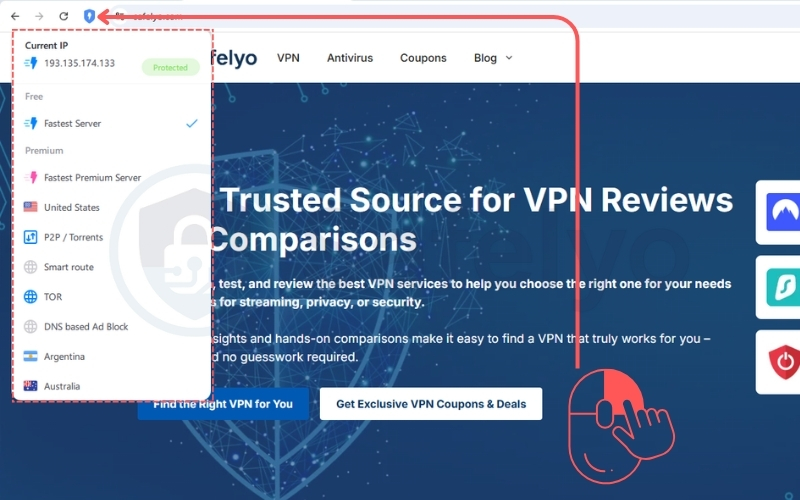
3.4. Aloha Browser: The mobile-first choice
Aloha is a browser built from the ground up for mobile (iOS and Android) with privacy as its main selling point. It features a built-in VPN that operates on a ‘freemium’ model.
Key features
- Protection scope: Primarily browser-only in the free version. The paid tier offers device-wide protection on mobile.
- Data limit: Unlimited (for the browser VPN).
- Performance: The free version can be slow and is ad-supported. The paid premium tier unlocks faster speeds and better servers.
- Privacy policy: Claims a no-logs policy, but the free version is ad-supported.
- Servers: The free version has limited server selection. The paid version unlocks more countries.
Pros and cons
| Pros | Cons |
| Good free option for mobile | Free version is ad-supported |
| Unlimited data (in-browser) | Free version can be slow |
| Paid tier offers device-wide protection | Primarily for mobile devices |
This is purely a mobile solution. From my testing, the free version feels a bit slow, but it works. The premium upgrade makes it much more usable and competes with other paid mobile VPNs.
Best for: Mobile users (especially on iOS) who want an all-in-one browser and VPN solution.
4. What about other major browsers?
You are probably wondering why the world’s most popular browsers are not on the main list. Here is the status for Chrome, Firefox, and Safari.
4.1. Does Google Chrome have a built-in VPN?
No, Google Chrome does not have a built-in VPN. Google does offer a ‘VPN by Google One’ as part of its paid Google One subscription. This is a separate, standalone app that works on your device, but it is not integrated into the Chrome browser itself.
4.2. Does Mozilla Firefox have a built-in VPN?
Yes, this is a recent and exciting development, but it’s important to understand the two different versions Mozilla offers.
- 1. Firefox VPN (Free, Experimental): Mozilla is currently beta testing a new, free, built-in VPN directly in the Firefox browser. It is only available to a small, random group of users in the US for testing. It is a browser-only feature (like Opera’s) and is not yet available to the general public.
- 2. Mozilla VPN (Paid, Standalone): This is Mozilla’s main, full-featured product. It is a separate, subscription app that you must download and pay for. It is known for excellent privacy and provides device-wide protection for your entire computer or phone.
So, while a free, built-in version is being tested, the main, widely available option from Mozilla is its premium, standalone VPN.
4.3. Does Apple’s Safari have a built-in VPN?
No, Safari does not have a built-in VPN. For iCloud+ subscribers, Apple offers a feature called iCloud Private Relay. This is similar to a proxy service. It hides your IP address and encrypts your Safari traffic, but it is not a full, configurable VPN and only works with Safari and Mail.
5. The risks of using a free browser VPN
While ‘free’ is tempting, it’s important to know the hidden costs and risks before you rely on a free browser VPN for your data protection.
5.1. Data logging policies and privacy concerns
If you are not paying for the product, you often are the product. Many free services log your browsing history or other user data and sell it to advertisers. This completely defeats the purpose of a privacy tool.
I make it a habit to read the privacy policy. If the language about ‘anonymized data’ is vague or the policy is confusing, I just assume they are logging my activity and I avoid it.
5.2. Limited protection: Browser vs. device
This is the biggest limitation. Even if your browser is secure, what about your other apps? Your email client, cloud storage (like Dropbox), or gaming platform are all still connecting to the internet unprotected. They are vulnerable to cyber threats.
5.3. Performance issues and server limitations
Free services are often slow. Their servers get overcrowded, which means slow download speeds and constant buffering when streaming. You will also have very few server locations to choose from.
6. When to use a browser VPN vs. a standalone VPN
So, how do you choose? Here is a simple guide based on your needs:
- Use a browser VPN when: You need a quick, temporary layer of protection on public Wi-Fi (like at a coffee shop) or you want to bypass a simple geo-restriction on a website.
- Use a standalone VPN when: You need serious online privacy, you want to protect all apps on your device, you are streaming content from abroad, or you are handling sensitive work data.
7. FAQs about What browser has a built-in VPN
Here are some quick answers to common questions about built-in browser VPNs.
Is a browser VPN enough to stay anonymous online?
No. It only hides your IP address from the websites you visit. True anonymity is much more complex. Your Internet service provider (ISP) can still see that you are connected to a VPN (or proxy), and the browser itself may collect data.
Can a browser with a VPN unblock Netflix or other sites?
Sometimes, but it’s not reliable. Major streaming services are very good at detecting and blocking free proxies. Paid, standalone VPNs have a much better success rate.
Which browser has the fastest built-in VPN?
Paid options, like the one offered by Brave, will almost always have better performance and faster speeds than free options, like the proxy in Opera.
Is the Opera VPN actually a VPN or a proxy?
Opera’s free, built-in feature is technically a secure proxy. It routes your browser traffic, but it doesn’t use the same strong encryption protocols or offer the system-wide protection of a true VPN.
8. Conclusion
So, what browser has a built-in VPN? While options like Opera, Brave, and Edge exist, it is clear they are not all created equal.
- Browsers like Opera offer a free proxy, which is good for basic location masking.
- Browsers like Brave offer a true, paid VPN that provides stronger security and device-wide protection.
- Free browser VPNs always have limitations, whether in performance, security, or data privacy.
From my own experience, a built-in browser proxy is fine for casual browsing at a cafe. But for any serious work, streaming, or when I need true privacy, I always rely on a dedicated, paid standalone VPN. The difference in protection and peace of mind is well worth it.
For more guides on staying safe online, explore the Privacy & Security Basics category at Safelyo.