Is Urban VPN extension safe? No, the Urban VPN extension is not considered safe by most cybersecurity experts.
While it is a popular 100% free tool, it operates on a high-risk model. It functions as a peer-to-peer (P2P) proxy service, logs your browsing data, and lacks critical security features.
The appeal of a free VPN extension to unblock geo-restricted content is understandable. However, this extension’s business model makes your personal data the real product. Before you install it, it is crucial to understand the risks you are accepting.
Key takeaways:
- Urban VPN is not safe, raising major privacy concerns because it logs your personal browsing data.
- It uses a peer-to-peer (P2P) network that shares your IP address with others.
- The extension lacks basic security features like a kill switch.
- Safer, reputable free alternatives are a better choice for your privacy.
CRITICAL UPDATE: AI DATA THEFT
A Dec 15, 2025 investigation by Koi Research confirmed that Urban VPN has been harvesting and selling your private AI conversations since July 2025. They collect your data from platforms like ChatGPT and Gemini even when the extension is disabled.
We strongly recommend avoiding this service. If you currently have it installed, please read the Urban VPN review.
1. The short answer: Is Urban VPN extension safe?
No. I do not recommend the Urban VPN extension for anyone concerned with privacy or security. Cybersecurity experts widely criticize this service because its risks far outweigh the benefits of it being free.
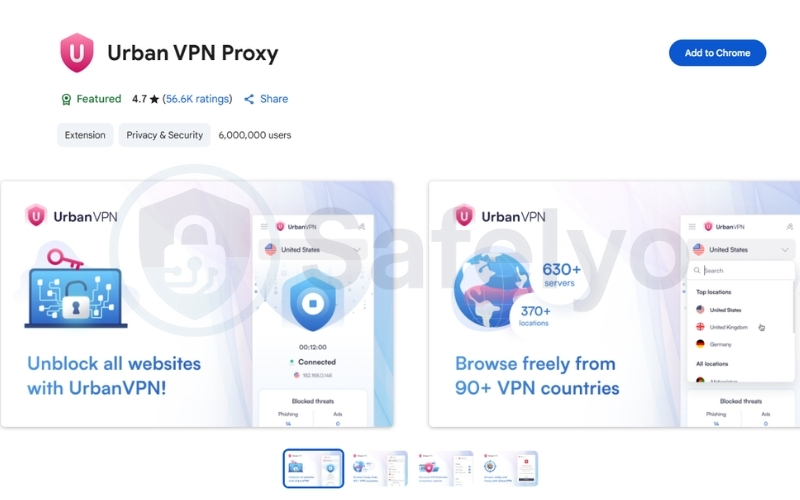
It is more accurate to call it a peer-to-peer (P2P) proxy system than a true, secure VPN. A traditional VPN protects you by sending your traffic through its own private, encrypted servers. Urban VPN does not do this. It instead routes your traffic through other users’ devices. This model exposes you to significant privacy and legal dangers.
2. What is the Urban VPN extension and how does it work?
To understand why this extension is so risky, you must first understand its “community-powered” model. This system is fundamentally different from the secure, dedicated server networks used by reputable VPN providers.
2.1. Understanding the peer-to-peer (P2P) network model
Urban VPN does not operate its own network of dedicated VPN servers. Instead, it uses an Urban VPN peer-to-peer (P2P) network.
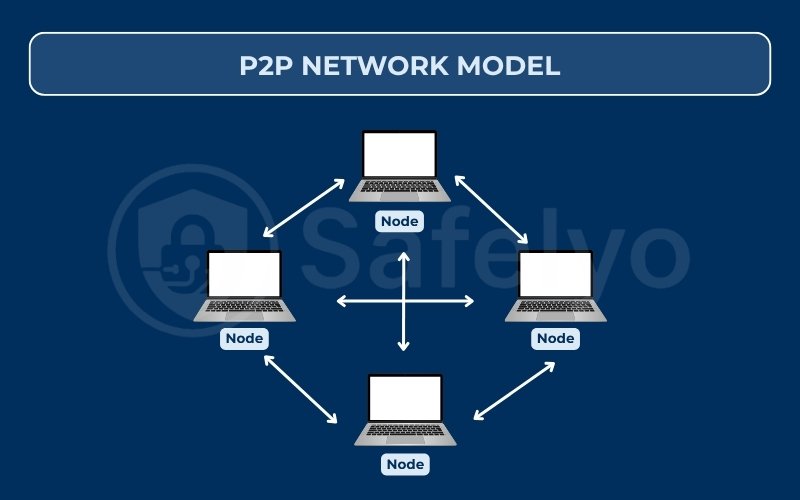
When you install and use the service, you agree to become a “peer” in this network. This means you allow other Urban VPN users to route their internet traffic through your device. In exchange, your traffic is routed through someone else’s device. You share your IP address and bandwidth with a community of strangers.
2.2. Is the extension a real VPN or just a proxy?
The Urban VPN extension functions like a P2P proxy service. A proxy’s only job is to change your IP address. It may not encrypt your traffic. This means your Internet Service Provider (ISP) or other snoopers could still see what you are doing online.
A true VPN creates a secure, encrypted tunnel around your entire internet connection. This tunnel protects your data from being read by anyone else. Urban VPN’s extension does not provide this comprehensive protection, focusing only on changing your IP within the browser.
Read more:
2.3. How the P2P model puts your IP address at risk
The Urban VPN peer-to-peer system creates a serious legal and security risk. When another person uses your IP address, their online activity becomes linked to you.
If another user conducts illegal activities while using your IP, such as hacking or downloading copyrighted material, that activity could be traced back to your home network. You could be held responsible for actions you never took. This is the most significant danger of a P2P proxy model.
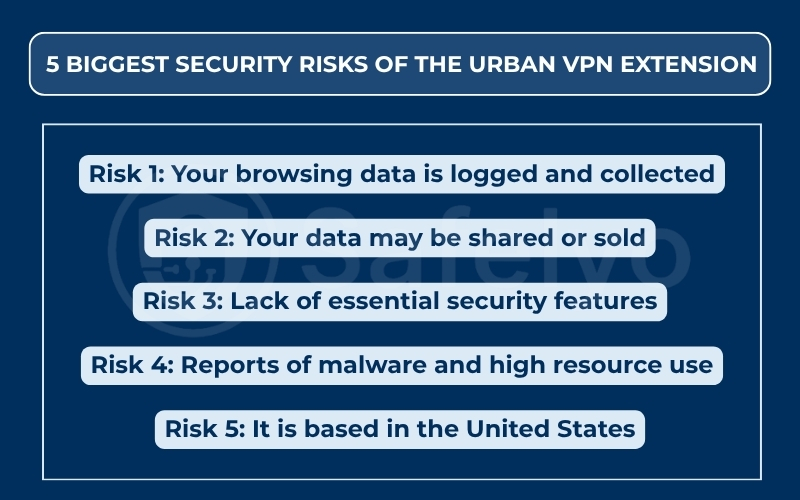
3. The 5 biggest security risks of the Urban VPN extension
Beyond the P2P network, this extension has several other red flags. The Urban VPN extension risks range from invasive data collection to a lack of basic security tools.
3.1. Risk 1: Your browsing data is logged and collected
A VPN’s primary purpose is to protect your privacy. The Urban VPN privacy policy does the opposite. The policy openly states that it collects “web browsing data, which includes search engine results page, the web pages you visited, and clicked stream data.”
This data logging practice means the company records your online activity. A trustworthy VPN should have a strict, audited no-logs policy (no-logs claim).
3.2. Risk 2: Your data may be shared or sold
Urban VPN’s business model is built on this data. The Urban VPN privacy policy also states that it shares this web browsing data with “affiliated” companies.
This confirms the old saying: if the product is free, you are the product. The service stays free by collecting and monetizing your personal browsing history, which it then provides to its partners for business purposes.
3.3. Risk 3: Lack of essential security features
The Urban VPN extension is missing critical security features. The most important missing feature is a kill switch.
A kill switch is a standard tool in all reputable VPNs. It automatically blocks your internet access if the VPN connection ever drops. This prevents your real IP address from being accidentally exposed. Without a kill switch, a simple connection flicker can reveal your true identity. The service also lacks any independent audits to verify its claims.
3.4. Risk 4: Reports of malware and high resource use
My own research into user experiences found numerous complaints. On forums like Reddit, users frequently report that the extension causes extremely high CPU usage, slowing their computers to a crawl.
Worse, some users report that their antivirus software flags the Urban VPN installer as malware or a “Potentially Unwanted Program” (PUP). These user reports are a major red flag for the software’s safety.
3.5. Risk 5: It is based in the United States
Urban VPN’s parent company is based in the United States. The US is a founding member of the 5 Eyes Alliance. This is an intelligence-sharing agreement between the US, UK, Canada, Australia, and New Zealand.
A company based in a 5 Eyes country can be legally compelled by the government to hand over user data. For a service that logs your browsing history, this is a severe privacy risk.
4. Does the Urban VPN extension have any good features?
To provide a balanced view, the extension does have some “pros”. It is 100% free to use, and it does not have any bandwidth limits, which is rare for a free service. The extension also includes a built-in ad-blocker.
However, these features are a poor trade-off. Giving up your online privacy, sharing your IP address with strangers, and having your browsing data logged are not worth the price of a “free” service.
5. What are safer alternatives to the Urban VPN extension?
Now that the risks are clear, you can find safer alternatives to Urban VPN. “Free” does not have to mean “unsafe,” as long as you choose a reputable provider with a transparent business model.
5.1. Reputable free VPN services
The safest free options are “freemium” services. These are limited free versions of respected, paid VPNs. They make money from paying customers, so they have no incentive to log or sell your data.
- Proton VPN Free: Offers unlimited bandwidth but limits you to servers in 3 countries. It has a proven, audited no-logs policy.
- Windscribe Free: Offers more server locations but has a 10GB per month data cap.
These freemium VPN services are safe, secure, and transparent about their limitations.
Read more:
5.2. Why paid VPN extensions are a safer choice
The most secure option is a paid, premium VPN. Their business model is simple: you pay a small monthly fee, and in return, they provide a secure, fast, and private service.
Paid VPNs provide audited no-logs policies, dedicated servers for better connection speeds, and robust encryption.
They also typically include vital features like torrenting support, reliable customer support, and options for unlimited connections.
Trusted, paid services from providers like NordVPN, ExpressVPN, or Surfshark offer secure browser extensions that actually protect your privacy.
6. FAQs about Urban VPN extension safety
Here are quick answers to other common questions about Urban VPN.
Does the Urban VPN extension hide my IP address?
Yes, it does. But it replaces your IP address with another user’s IP address. At the same time, it gives your IP address to someone else in the P2P network.
Is Urban VPN extension legal to use?
While using the extension itself is legal, it puts you at legal risk. You could be held responsible if another user performs illegal acts, like downloading pirated content, while using your IP address.
Does the Urban VPN extension work with Netflix?
It is unreliable. Because it uses residential IPs from other users, it may work sometimes. However, performance is not guaranteed, and you will likely experience slow speeds and buffering.
How do I uninstall the Urban VPN extension?
You can remove it easily from your browser’s extension settings.
- On Chrome: Right-click the Urban VPN icon, select “Remove from Chrome,” and confirm.
On Firefox: Right-click the icon, select “Remove Extension,” and confirm.
7. Conclusion
Choosing a tool for your online privacy is an important decision. When asking is Urban VPN extension safe, the answer is a clear no. The service compromises your security for the sake of being free.
- It uses a dangerous P2P network that shares your IP address.
- It logs your browsing history and search queries.
- It lacks essential security features like a kill switch.
When I test cybersecurity tools, the first thing I check is the privacy policy. Urban VPN’s policy, which admits to logging browsing data, was an immediate red flag. A tool designed for privacy should never collect the very data it claims to protect.
I strongly recommend you uninstall the Urban VPN extension. Instead, protect yourself by using a reputable, audited VPN service. Even if it means using a limited free plan from a trusted provider.
For more simple and practical tech tutorials, explore the “Privacy & Security Basics” section at Safelyo.