Need to bypass a firewall or mask your IP address quickly? A “Free Proxy” often seems like the perfect, cost-free solution. But are proxies safe?
The short answer is: Mostly no, especially if you rely on public ones. Think of a free proxy as a “curious mailman” – they deliver your data, but they can easily peek inside before sending it off.
If you are looking for quick answers on proxy safety, here is the breakdown of what you need to know:
- Are free proxies safe?
→ No. They often log your data, inject malware, or steal cookies. - Do proxies encrypt traffic?
→ Generally, no. Unlike VPNs, most proxies leave your data exposed in plain text. - Proxy vs. VPN: Which is better?
→ A VPN is far superior because it offers full, system-wide encryption. - Are proxy extensions safe?
→ Risky. Some proxy extensions have been caught collecting browsing data or injecting ads, especially those from unknown publishers. - When is it okay to use a proxy?
→ Only for non-sensitive tasks like web scraping; never for banking or login.
In this guide, I will expose the critical security risks – from data theft to shady browser extensions – and explain why a VPN is the reliable bodyguard you actually need. Before you connect, read this warning from Safelyo.
1. Are proxies safe? It depends on what you pay for
When asking “Are proxies safe?”, the answer usually comes down to the price tag. Free public proxies are the digital equivalent of the “Wild West”. They are extremely risky and unpredictable. Because setting up and maintaining a server costs money, you have to ask yourself why someone is letting you use theirs for free. In many cases, these open proxies are honeytraps set up by hackers or shady data collection organizations specifically to harvest your personal information.
In contrast, paid private proxies are a different story. Legitimate providers operate with a clear business model and are generally considered safe for specific business tasks, such as web scraping or SEO verification. These companies have a reputation to uphold and are unlikely to risk their standing by stealing client data.
However, here is the core concept you must understand: Most proxies lack end-to-end encryption. Unlike a secure VPN tunnel, a proxy server simply acts as a middleman. This means the proxy owner has the technical ability to view your internet traffic.
Ultimately, your safety depends entirely on the ethics of the person owning the server. If you are using a random free proxy, you are effectively handing your unlocked digital life to a total stranger.
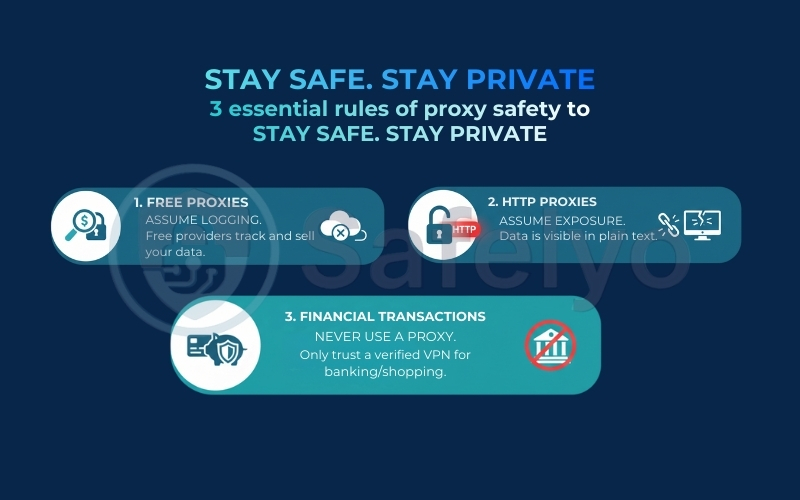
Key takeaways: The 3 rules of proxy safety
To keep it simple, memorize these three rules before connecting:
- If it is free, assume logging. Free providers almost always track and sell your data to pay the bills.
- If it is HTTP, assume exposure. Without HTTPS, your passwords and messages are visible in plain text.
- If it involves money, never use a proxy. For banking or shopping, only trust a verified Virtual Private Network.
2. 5 risks of using a proxy server
There is an old saying in the tech world: “If the product is free, then you are the product”. Nowhere is this truer than in the world of free proxies. While they promise anonymity and unrestricted access, the reality is often the exact opposite. Running a server requires electricity, hardware, and bandwidth – so if a provider isn’t charging you money, they are monetizing you in other, often darker ways.
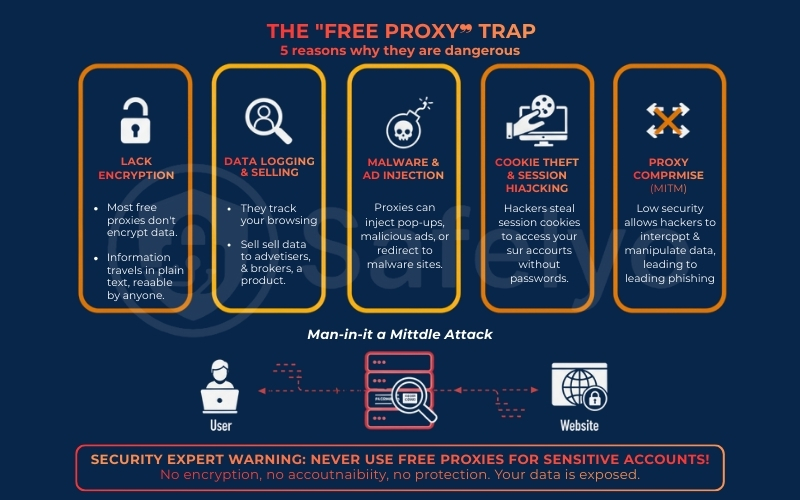
Here are the five critical risks associated with using free proxies that every user must know.
2.1. Lack of encryption
The biggest misconception about proxies is that they protect your data as a VPN does. They don’t. A standard proxy server simply acts as a forwarder. It takes your request and passes it to the website. Crucially, most free proxies lack end-to-end encryption.
This means your data often travels in plain text. If you are sending emails or entering passwords on a non-secure site (HTTP), the proxy owner – and anyone else listening in on the network – can read your information as easily as reading a postcard. There is no cryptographic tunnel protecting you.
“HTTPS encrypts the data sent between a client and server, preventing attackers from reading or modifying it in transit.”
– Cloudflare – What is HTTPS?“Unencrypted communication channels expose sensitive data to interception and manipulation.”
– OWASP Foundation
2.2. Data logging & selling
Have you ever wondered how these services pay their bills? The most common business model for free proxies is data logging. Because all your traffic flows through their server, they have a front-row seat to your digital life.
They can track which websites you visit, how long you stay there, and what you search for. This data is aggregated and sold to third-party advertisers, data brokers, or even surveillance agencies. Effectively, you are using a tool to hide your identity, but the tool itself is doxxing your browsing habits to the highest bidder.
“When a service is free, users often pay with their data.”
– EFF – Surveillance Self-Defense“Consumer data collected by online services is frequently shared or sold to third parties.”
– FTC – Data Brokers: A Call for Transparency and Accountability
2.3. Malware & ad injection
Ad injection is a rampant issue with free proxies. Because the proxy sits between you and the website, it can modify the content of the page before it reaches your screen. You might see annoying pop-ups or banner ads on websites that usually don’t have them.
In worst-case scenarios, these ads aren’t just annoying; they are dangerous. Malicious proxies can redirect you to sites hosting malware or unknowingly force your browser to download viruses. There have been documented cases where malicious middleboxes and ad-injection networks led users to malware or ransomware payloads.
2.4. Cookie theft & session hijacking
This is a nightmare scenario for anyone logged into social media or email. When you log into a site like Facebook, the site gives your browser a “session cookie” – a digital ID card that keeps you logged in.
A hacker operating a malicious proxy can intercept and steal these cookies. This is known as Session Hijacking. Once they have your active cookie, they can access your accounts without even needing your password or 2FA code. They essentially become you on the internet.
2.5. What happens if a proxy is compromised?
Even if the proxy owner has good intentions, their security standards are often low. If a hacker breaches their server, they can perform a Man-in-the-Middle (MITM) attack.
In this scenario, the attacker can manipulate the data you see. For example, you might type in yourbank.com, but the compromised proxy silently redirects you to a visually identical phishing site. You enter your credentials thinking you are safe, but you are actually handing your login details directly to a cybercriminal.
“MITM attacks allow attackers to intercept, modify, or inject malicious content into communications.”
– OWASP Foundation
Security Expert Warning: Using a free proxy for personal accounts (Banking, Email, Social Media) is equivalent to handing your unlocked phone to a stranger. There is no encryption, no accountability, and no legal protection. If you value your digital identity, avoid logging into sensitive accounts while connected to a free proxy.
3. Are browser proxy extensions safe?
For many users, manually configuring a proxy server feels too technical. The easy alternative? Installing a “Free Proxy” or “Free VPN” extension directly from the Chrome Web Store or Firefox Add-ons. It seems harmless – just one click, and you are bypassing geo-blocks. However, this convenience often hides a significant security loophole.
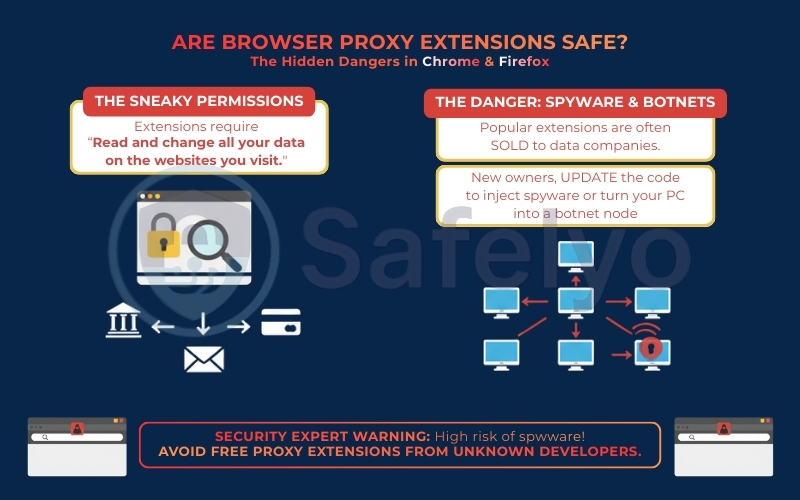
The danger lies in the permissions these extensions require. To function, they almost always ask for the ability to “Read and change all your data on the websites you visit”. Most users click “Allow” without hesitation. But stop and think about what that means: you are giving that little icon in your toolbar the power to capture everything displayed on your screen, including bank balances, personal emails, and credit card numbers.
“Extensions that request ‘Read and change all your data on the websites you visit’ can access sensitive information.”
– Google – Chrome Extension Permissions
Furthermore, there is a notorious trend in the browser extension market. A developer might launch a clean, legitimate extension to build a large user base. Once it becomes popular, they sell ownership to a third-party data company. The new owners then quietly update the code to inject spyware or turn your computer into a botnet node – using your internet connection to route traffic for others.
“Malicious extensions may collect browsing data or inject unwanted content.”
– Mozilla – Add-on Security
My advice is simple: Be extremely skeptical of free proxy extensions from unknown developers. Unless the extension is released by a globally recognized cybersecurity company, the risk of it being spyware in disguise is dangerously high.
4. Proxy vs. VPN: The battle for safety
If you are serious about protecting your digital footprint, you need to understand the fundamental difference between these two tools. While both can hide your IP address, their approach to security is night and day.
To visualize Proxy vs VPN safety, imagine driving a car.
- Using a Proxy is like driving a convertible with a fake license plate. The traffic camera (the website) sees a different plate, but anyone standing on the side of the road (hackers or ISPs) can look right inside the car and see exactly who you are and what you are carrying.
- Using a VPN is like driving a heavily armored truck with tinted windows. Not only is the license plate changed, but the entire vehicle is sealed. No one outside can see who is driving or what is inside.
This difference exists because of one critical factor: Encryption. Do proxies encrypt traffic? Generally, no. They simply reroute it. A VPN, however, wraps your entire internet connection in an encrypted tunnel.
Here is a breakdown of why a VPN is the superior bodyguard:
| Feature | Proxy Server | VPN |
| Encryption | None or Weak. Your data is often visible to the server owner. | Bank-Grade (AES-256). Your data is unreadable to everyone, even the VPN provider. |
| Coverage | Browser Only. Only protects traffic from your web browser. Apps and games remain exposed. | System-Wide. Protects every app, game, and background service on your device. |
| Privacy | Low. Server logs are often kept for debugging or selling. | High. Reputable VPNs operate under a strict “No-Logs Policy.” |
| Speed | Faster. Less processing means slightly higher speeds. | Slightly Slower. Encryption takes a split second, but modern protocols like WireGuard minimize this. |
In short, if you just want to hop over a virtual fence to watch a video, a proxy might suffice. But if you want to be invisible while doing it, a VPN is the only real option.
5. When is it safe to use a proxy?
Despite the warnings above, I want to be clear: proxies are not inherently evil. They are simply specialized tools that were designed for specific technical tasks, not for personal privacy. If you understand their limitations, there are scenarios where using a proxy is perfectly acceptable.
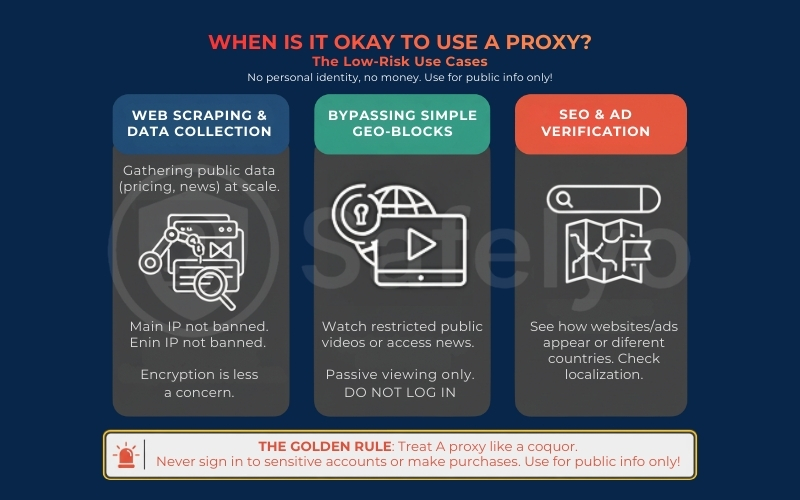
Here are the low-risk use cases where a proxy is actually the right tool for the job:
- Web scraping & data collection: This is the most legitimate use case for developers and marketers. If you need to gather public pricing data from a competitor’s website or aggregate news headlines, a proxy allows you to do this at scale without your main IP address getting banned. Since you are accessing public data, encryption is less of a concern.
- Bypassing simple geo-blocks: If you just want to watch a YouTube video or access a news article that is restricted in your region, a proxy works fine. However, there is a catch: Only do this for passive viewing. Do not log into your YouTube or Google account while the proxy is active.
- SEO & ad verification: Marketing professionals often use proxies to see how Google search results (SERPs) or advertisements appear to users in different countries. It helps ensure that localization strategies are working correctly.
The Golden Rule: Treat a proxy like a public computer. It is fine for looking up information or watching a public video, but you should never use it to sign in to your bank, check your email, or make a credit card purchase. If your task involves your personal identity or money, turn the proxy off.
6. Quick tests + checklist: How to tell if a proxy is safe
If you find yourself in a situation where you absolutely must use a proxy, do not just connect blindly. Follow this 4-step safety check to minimize the risks before you start browsing.
1. Check the Protocol (HTTPS/SOCKS5 Only)
First, identify how the proxy connects. Never use a standard HTTP proxy for anything other than reading public text, as these connections are completely unencrypted. Always ensure you are using HTTPS proxies (which support SSL encryption) or SOCKS5 proxies (which are more versatile and secure).
2. Run an IP leak test
A proxy is useless if it secretly reveals your identity. Before visiting any sensitive sites, go to a tool like DNSLeakTest.com.
- The test: Connect to the proxy and run the test.
- The result: If the results show your actual ISP’s location or your real IP address instead of the proxy server’s details, the tool is failing. Disconnect immediately.
3. Verify the provider & privacy policy
If you are using a paid service, do not skip the fine print. Search their privacy policy for keywords like “logs”, “data retention”, or “third-party sharing”. A trustworthy provider will explicitly state that they do not sell your activity logs to advertisers. If the provider is unknown or anonymous, assume they are logging everything.
4. Apply the "zero-trust" rule
This is your ultimate safety net. Never input your credit card number, passwords, or personal ID while connected to a free or unverified proxy. Even if the proxy passes the steps above, treat the connection as compromised by default and only use it for passive browsing.
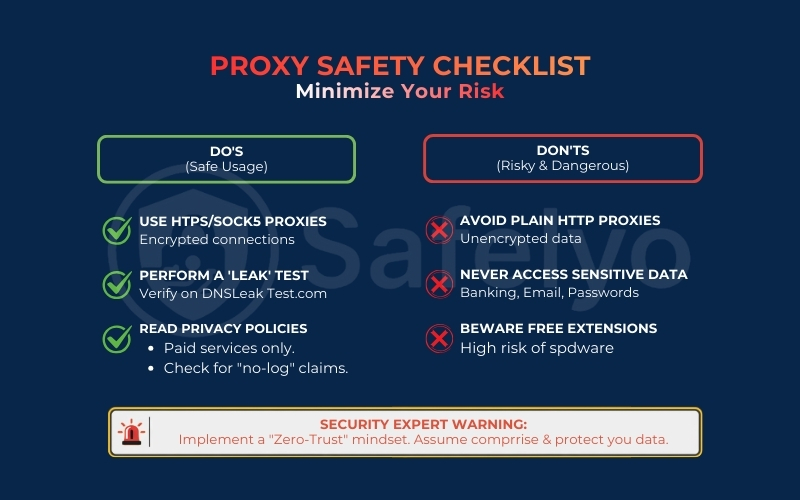
The proxy safety checklist
To make these safety checks easier to remember, here is a quick reference table summarizing what you should and shouldn’t do when using a proxy.
| Safety factor | The safe way (Do) | The risky way (Don’t) |
| Protocol | Use HTTPS or SOCKS5 protocols to ensure a baseline of security. | Never use HTTP proxies for anything other than reading public text. |
| Provider | Choose Paid Private Proxies with a clear business model. | Avoid Free Public Proxies lists found on random websites. |
| Activity | Use for Web Scraping or Geo-testing (passive tasks). | Never use for Banking, Email, or Online Shopping. |
| Verification | Always test for IP/DNS Leaks before starting your task. | Don’t trust the connection status icon blindly; verify it yourself. |
7. FAQs about proxy safety
To wrap up this guide, I have gathered the most common questions Safelyo readers ask about proxy safety. Here are the direct answers to help you navigate the confusion between legality, privacy, and technology.
Are proxies illegal?
No, using a proxy server is completely legal in most countries. It is a legitimate tool for technical tasks and privacy. However, using a proxy to commit crimes – such as hacking, carding, or accessing illegal content – remains illegal. The tool is legal; how you use it determines the legality.
Can a proxy steal my passwords?
Yes, absolutely. If you use a standard HTTP proxy (which does not encrypt data), the proxy owner can see your usernames and passwords in plain text. Even with HTTPS, a malicious proxy can attempt a Man-in-the-Middle attack to capture your credentials.
Are VPN proxies safe?
This term usually refers to browser extensions marketed as “VPNs”. Most of these are actually just encrypted proxies. They are generally safer than random open proxies because they encrypt browser traffic, but they are less secure than a full VPN application because they don’t protect other apps on your device.
Can a proxy be traced?
Yes. While a proxy hides your IP from the website you visit, your connection to the proxy itself is visible to your Internet Service Provider (ISP). Furthermore, the proxy provider holds logs of your real IP address. If law enforcement requests those logs, you can be traced.
Is a free VPN better than a free proxy?
Not necessarily. Both often rely on selling user data to survive. A shady free VPN carries the same risks as a free proxy (logging, malware, ads). For genuine safety, a premium VPN is superior to both because it guarantees a strict no-logs policy and military-grade encryption.
What is the safest proxy?
The safest proxy is a Private (Dedicated) Proxy or a Residential Proxy that you pay for. These are provided by reputable companies (like Oxylabs or Bright Data) that verify their infrastructure. Avoid “Public” or “Open” proxy lists at all costs.
8. Conclusion
To sum it up, using a free proxy is a digital gamble where the odds are stacked against you. While they offer a quick fix for bypassing a blocked website, the hidden cost often involves your personal data, security, and peace of mind.
If your goal is genuine anonymity and system-wide protection – not just a temporary mask for your browser – a paid VPN is the only realistic option.
Ready to secure your connection properly with Safelyo? Explore the expert-reviewed recommendations for the best proxy servers for privacy in 2026 to truly protect your digital life. You can also dive deeper into our VPN Guides category to stay one step ahead of online threats.