You cannot access TikTok because your school network blocks it, or your internet connection is too slow for videos to load. This frustration prevents you from watching content or going Live to interact with your audience.
Finding the Best VPN for TikTok is the essential tool to solve these issues immediately. It works by masking your location to bypass strict bans and encrypting your traffic to stop ISP throttling, ensuring seamless access.
In this guide, we analyze the top VPN services based on critical factors like upload speeds, mobile app efficiency, and stealth capabilities to help you get back online.
Here are the top 3 VPNs that keep you scrolling without interruptions.
| Rank | VPN Provider | Best For |
|---|---|---|
| #1 | NordVPN | Overall performance & speed |
| #2 | Surfshark | Best value & unlimited devices |
| #3 | ExpressVPN | Best for consistent & reliable access |
Safelyo is reader-supported. When you buy through links on our site, we may earn an affiliate commission to help maintain our operations. This does not affect our independent testing process.
Note: All information and data were recorded on Jan 2026. Information may change and vary over time. The judgments and evaluations in this article are for reference purposes only.
1. Selection criteria: What makes a good TikTok VPN?
Most standard VPN reviews focus on desktop performance or torrenting features, which does not apply to the mobile-first experience of TikTok. To find the true best VPN for TikTok, we shifted our testing focus to the metrics that actually matter for scrolling and creating on your phone.
- High-speed uploads & downloads: While download speed is important for watching videos without buffering, upload speed and low latency are critical for creators. If you post content or go Live, you need a stable upload connection to prevent lag and ensure your stream does not cut out.
- Stealth & obfuscation: Simple VPNs often get blocked by school networks or strict national firewalls because they look like VPN traffic. A top-tier choice must have “Stealth” modes, also known as obfuscation, to hide your VPN usage. This makes it look like regular web browsing so you can bypass even the toughest blocks.
- Mobile battery efficiency: TikTok is already a battery-intensive app. Running a VPN in the background can drain your phone even faster if the app is not optimized. We looked for VPNs with lightweight protocols that run efficiently on iOS and Android without overheating your device.
- Global server variety: If you want to influence your “For You Page” (FYP) trends or see what is viral in other countries, you need access to a wide variety of global servers. Accessing US or UK servers is particularly vital for users wanting to reach those specific audiences.
2. Best VPN for TikTok 2026: Top 7 tested & ranked
We analyzed dozens of providers to find the ones that actually work with TikTok’s mobile-first platform. Below is our ranked list of the top 7 VPNs that successfully bypassed restrictions while maintaining the speed needed for seamless scrolling and uploading.
2.1. NordVPN: Best overall performance & speed
NordVPN is widely recognized as the market leader in the VPN industry, offering a powerful combination of advanced security features and blistering speeds.
Below is a quick overview of NordVPN’s key specifications and features for TikTok users.
| Specs & features | Details |
|---|---|
| Starting price | From $2.99/mo |
| Servers | 8,400+ in 178 locations |
| Jurisdiction | Panama |
| No-logs policy | Audited no-logs policy |
| Obfuscation | NordWhisper (New stealth) & obfuscated servers |
| TikTok optimization | NordLynx & NordWhisper |
| Simultaneous connections | 10 Devices |
| Streaming | Netflix, Hulu, BBC iPlayer, Disney+, Amazon Prime, DAZN, YouTube TV |
| Guarantee | 30-day money-back guarantee |
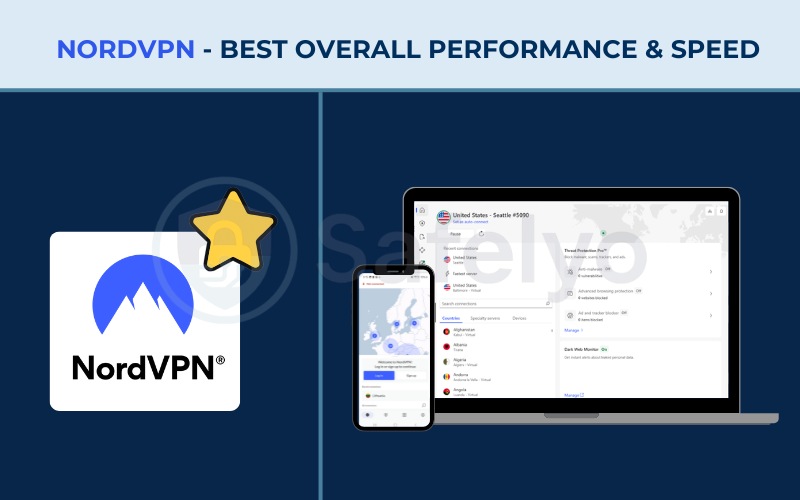
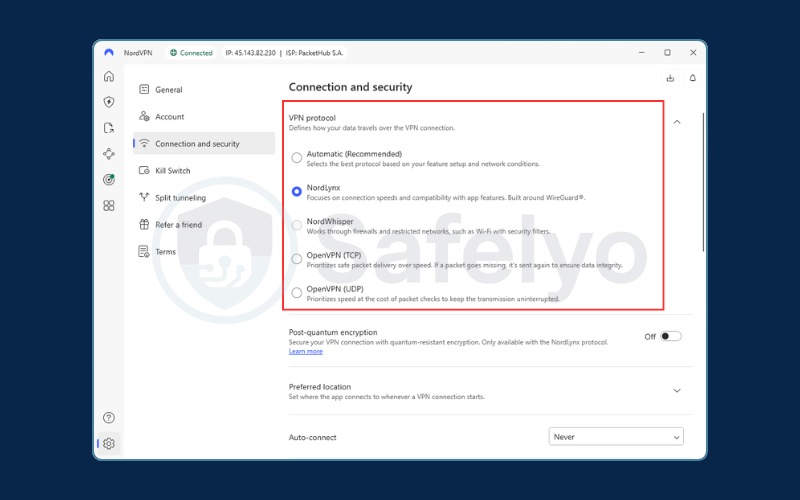
NordWhisper: The most effective protocol for bans
NordVPN remains the top choice for bypassing restrictions largely due to its new NordWhisper protocol. This stealth technology is specifically designed to bypass deep packet inspection (DPI).
DPI is the method school firewalls and restrictive governments use to detect and block VPNs. Unlike older obfuscation methods that significantly slowed down connections, NordWhisper maintains high speeds while masking VPN traffic as regular HTTPS.
This significantly improves connectivity, helping TikTok load more reliably even in strict network environments where standard VPNs often struggle.
Speed performance & 4K streaming
The performance of the NordLynx protocol is genuinely impressive. Our test results showed consistent high performance, with download speeds ranging from 140 Mbps to over 300 Mbps across key locations like the US, UK, and Japan.
These speeds are optimized for 4K and even 8K streaming. This means users will experience zero buffering on the “For You” page.
This massive throughput is supported by a 10 Gbps backbone infrastructure, ensuring that even during peak hours, your scroll remains smooth.
Security & Threat Protection Pro
Beyond just the connection, NordVPN offers advanced security features like Threat Protection Pro™. This feature actively blocks malware and ads, which is crucial for TikTok users who might accidentally click on suspicious bio links or third-party ads.
Additionally, the infrastructure runs on RAM-only servers. This means data is wiped every time a server reboots.
Combined with the audited no-logs policy and Panama’s privacy-friendly jurisdiction, your scrolling history is never recorded or stored.
| Pros | Cons |
|---|---|
| Fastest protocol (NordLynx) | Renewal price increases |
| New NordWhisper stealth tech | Dedicated IP costs extra |
| Massive server network (8,400+) | |
| Threat Protection Pro included |
Best for: Most users who want an automated solution that guarantees access.
2.2. Surfshark: Best value & unlimited devices
Surfshark has quickly established itself as a top-tier provider by offering premium features at a budget-friendly price point, making it ideal for households.
Here are the main specifications that make Surfshark a great value option.
| Specs & features | Details |
|---|---|
| Starting price | $1.99/mo (Starter) |
| Servers | 4,500+ in 100 countries |
| Jurisdiction | Netherlands (9-Eyes) |
| No-logs policy | Audited No-Logs (Deloitte verified) |
| Obfuscation | Camouflage Mode (OpenVPN) |
| TikTok optimization | IP Rotator & Bypasser |
| Simultaneous connections | Unlimited |
| Streaming | Netflix (16+ Libs), Disney+, Hulu, HBO Max |
| Guarantee | 30 days |
Unlimited connections for families
Surfshark’s unique selling point is its unlimited simultaneous connections policy. This is perfect for students living in dorms or households that want to secure every single device, including phones, tablets, and laptops, under one subscription.
For a price of just $1.99/mo, you can effectively share the account with roommates or family members.
This makes the cost-per-user incredibly low while ensuring everyone can access TikTok freely on their own devices without kicking anyone else off.
Privacy tools: IP Rotator, EverLink & CleanWeb
We were particularly impressed by the IP Rotator feature. It automatically changes your IP address at set intervals without disconnecting the VPN. This makes tracking your location significantly harder for TikTok’s algorithm, giving you an extra layer of privacy.
A standout addition is the EverLink technology. This feature provides a seamless auto-reconnect capability that significantly lowers the risk of IP leaks when transitioning between networks, such as switching from Wi-Fi to mobile data. This serves as a vital safeguard for mobile users on the go.
Furthermore, the CleanWeb feature blocks ads and malicious trackers, providing a cleaner browsing experience.
Although Surfshark is based in the Netherlands (part of the 9-Eyes alliance), their strict no-logs policy has been verified by Deloitte. This ensures your user data remains private.
Speed & global performance
Using the WireGuard protocol, Surfshark delivers excellent speed capabilities. Our tests showed consistently high speeds ranging from 350 Mbps to over 470 Mbps across servers in Asia, Europe, and Australia.
This proves it can handle high-bandwidth content easily.
While upload speeds can fluctuate depending on the region (ranging from ~50 Mbps to ~180 Mbps), it remains a top-tier performer for HD streaming and general browsing.
| Pros | Cons |
|---|---|
| Unbeatable price ($1.99/mo) | Netherlands jurisdiction |
| Unlimited devices | Upload speeds can fluctuate on distant servers |
| IP Rotator feature | |
| Fast WireGuard speeds |
Best for: Students on a budget and households with multiple devices.
2.3. ExpressVPN: Best for consistent & reliable access
ExpressVPN is synonymous with premium quality, prioritizing privacy and seamless connectivity above all else for a superior user experience.
Check out the core features that drive ExpressVPN’s consistent performance.
| Specs & features | Details |
|---|---|
| Starting price | $2.79/mo |
| Servers | 3,000+ in 105 countries |
| Jurisdiction | British Virgin Islands (Safe) |
| No-logs policy | Audited & Court Proven |
| Obfuscation | Automatic (Built into Lightway) |
| TikTok optimization | Lightway Protocol |
| Simultaneous connections | 10-14 Devices |
| Streaming | Netflix (18-20+ Libs), Hulu, Disney+, Amazon Prime, BBC iPlayer |
| Guarantee | 30 Days |
Unmatched stability & consistency
If you simply want a VPN that works every single time you tap “connect”, ExpressVPN is the industry leader in stability. Our testing showed that it maintains a rock-solid connection without the sudden drops or lag spikes that plague cheaper alternatives.
This consistency is vital for seamless TikTok scrolling and ensures your “For You” page loads instantly, regardless of where you are. It proves to be an excellent choice for both content creators requiring stable uploads and everyday users seeking a frustration-free scrolling experience.
Lightway protocol & automatic obfuscation
One of the best features for mobile users is the ease of use provided by the Lightway protocol. Unlike other VPNs where you must manually toggle specific settings to hide your traffic, ExpressVPN’s obfuscation is built-in and automatic.
It adapts to network restrictions on the fly, making it reliable in strict regions.
Furthermore, Lightway is designed to be lightweight. This means it connects instantly and uses less battery on mobile devices, which is vital for creators filming on the go.
Global access & reliability
With a network of 3,000+ servers in 105 countries, ExpressVPN makes it easy to target specific global audiences. It has a proven ability to unblock over 18 Netflix libraries and other platforms like Hulu and Disney+.
The British Virgin Islands jurisdiction combined with a court-proven no-logs policy guarantees that creator data and browsing history are never compromised.
This provides peace of mind for high-profile accounts.
| Pros | Cons |
|---|---|
| Rock-solid stability & consistency | Slightly fewer servers than competitors |
| Automatic obfuscation | Price is higher than budget options |
| 10-14 connections | |
| Proven privacy |
Best for: Users who value stability and a frustration-free experience.
2.4. CyberGhost: Best for beginners & streaming
CyberGhost allows users to easily navigate the complex world of VPNs with its specialized servers designed specifically for streaming and gaming.
Review the technical details behind CyberGhost’s massive server network.
| Specs & features | Details |
|---|---|
| Best deal | ~$2.03/mo |
| Servers | 11,000+ in 100 countries |
| Jurisdiction | Romania (Privacy-friendly) |
| No-logs policy | Audited No-Logs (Deloitte x2) |
| Obfuscation | No (Standard protocols only) |
| TikTok optimization | NoSpy Servers |
| Simultaneous connections | 7 Devices |
| Money-back guarantee | 45 Days (for plans > 6 months) |
Massive server network & NoSpy servers
CyberGhost boasts a massive network of over 11,000 servers, which ensures users rarely face congestion even during peak internet hours.
A standout feature is their NoSpy Servers. These are independently managed in-house by CyberGhost in Romania.
These servers offer extended bandwidth and higher hardware specs, providing an extra layer of speed and security for users who want to scroll TikTok without any third-party interference.
User-friendly automation
This VPN is ideal for beginners due to its automation features. “Smart Rules” allows you to configure the VPN to automatically launch and connect to a specific server the moment the TikTok app is opened.
This fully automated approach ensures that even non-tech-savvy users never have to worry about browsing unprotected.
It removes the friction of remembering to turn your VPN on before opening the app.
Privacy & extended guarantee
Being based in Romania places CyberGhost outside the 14-Eyes surveillance alliance. Their privacy claims are backed by a twice-audited no-logs policy from Deloitte.
They also offer a generous 45-day money-back guarantee, which gives users ample time to test the service risk-free compared to the standard 30 days offered by competitors.
However, note the lack of obfuscation features makes it less suitable for highly restrictive school firewalls or strict censorship regimes.
| Pros | Cons |
|---|---|
| Huge server network (11,000+) | No obfuscation (bad for strict bans) |
| NoSpy servers included | Fewer connections (7) than Surfshark/PIA |
| 45-day refund period | |
| Very affordable |
Best for: Beginners in free countries who want to unblock US/UK content easily.
Note: The figure of 11,000+ servers is confirmed by multiple independent sources, although it may not be explicitly listed on their official website.
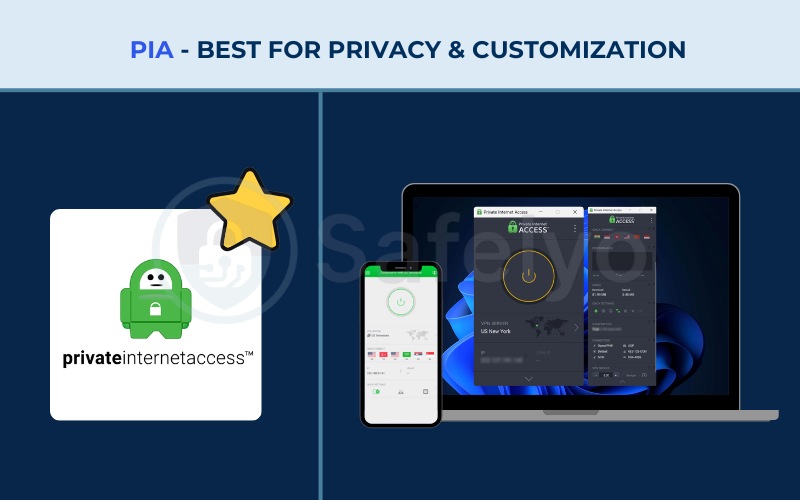
2.5. Private Internet Access (PIA): Best for privacy & customization
Private Internet Access (PIA) is a veteran in the cybersecurity space, highly favored by tech enthusiasts for its customizable settings and proven commitment to privacy.
Here is a breakdown of PIA’s privacy-focused features and specifications.
| Specs & features | Details |
|---|---|
| Starting price | $1.98/mo |
| Servers | 30,000+ in 91 countries |
| Jurisdiction | USA (5 Eyes Member) |
| No-logs policy | Audited & Court Proven |
| Obfuscation | Shadowsocks (Proxy) |
| Connections | Unlimited |
| Protocols | WireGuard, OpenVPN, IKEv2 |
| Streaming | Netflix, Hulu, Disney+, Amazon Prime |
| Guarantee | 30 Days |
Court-proven privacy in the USA
PIA is unique because its no-logs policy has been verified in actual court cases, not just through independent audits. Despite being based in the US, which is a member of the 5-Eyes alliance, this proven track record builds immense trust.
Users concerned about surveillance can rely on PIA because it has historically demonstrated in legal settings that it has no data to hand over to authorities when subpoenaed.
Massive network & US content access
PIA offers a staggering server count of 30,000+ servers across 91 countries, which is significantly higher than most competitors.
This massive density is especially prominent in the US, where speed tests showed 200+ Mbps.
This makes it an excellent choice for international users specifically looking to access the US version of TikTok Shop or US-specific trends without facing server congestion.
Performance & customization
Our analysis of speed performance showed robust results, particularly in Asia, with download speeds nearly reaching 400 Mbps in Japan.
PIA is a favorite for tech-savvy users because of the customization options available. These include Port Forwarding support and the ability to tweak encryption settings to optimize for speed on older devices.
The Unlimited Connections policy further adds value, allowing you to secure an entire household’s devices.
| Pros | Cons |
|---|---|
| Proven privacy (Court-tested) | Based in US (5 Eyes) |
| Massive server count (30k+) | Slower speeds in some regions like Singapore |
| Unlimited connections | |
| Port Forwarding supported |
Best for: Tech-savvy users who prioritize privacy and US content access.
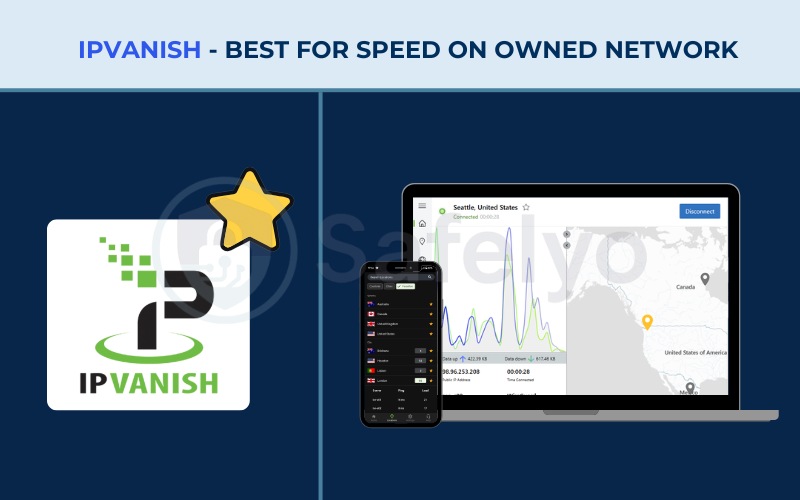
2.6. IPVanish: Best for speed on owned network
IPVanish distinguishes itself by owning and managing its entire server infrastructure, providing high-speed connections that are perfect for data-intensive tasks.
Take a look at the specifications of IPVanish’s owned infrastructure.
| Specs & features | Details |
|---|---|
| Starting price | $2.19/mo (2yr plan) |
| Servers | 3,200+ in 110+ countries |
| Jurisdiction | USA (5 Eyes Member) |
| No-logs policy | Audited (Schellman – 2025) |
| Connections | Unlimited |
| Protocols | WireGuard, OpenVPN, IKEv2 |
| Streaming | Netflix (8+ Libs), Hulu, Disney+, HBO Max |
| Support | Live Chat + Phone |
Owned infrastructure advantage
IPVanish stands out because it owns and manages its physical server network of 3,200+ servers, unlike many competitors who rent their infrastructure. This control allows for better optimization of speeds and stability in key regions.
Our speed tests consistently exceeded 400 Mbps in the US.
This demonstrates that this owned infrastructure delivers elite performance for North American users who need fast, reliable connections.
Security & audit history
While IPVanish is based in the US, it operates under a strict no-logs policy that was audited by Schellman in 2025. This recent audit provides assurance that user activity is not recorded.
The app includes essential features like a Kill Switch and Leak Protection.
These features passed our tests successfully, ensuring that your real IP address is never exposed to TikTok or your ISP if the connection drops.
Unlimited access & support
Similar to Surfshark and PIA, IPVanish offers an Unlimited Connections policy, making it a solid alternative for families.
Additionally, it highlights a unique customer support offering: Live Chat + Phone support.
Being able to actually pick up the phone and call for help is a rarity in the VPN industry. It is incredibly beneficial for users who prefer verbal troubleshooting over typing in a chat box.
| Pros | Cons |
|---|---|
| Owned network (fast in US) | US Jurisdiction |
| Unlimited devices | Significantly slower speeds in Asia/Europe |
| Phone support available | |
| Recent 2025 Audit |
Best for: Families in the US who want stable speeds and phone support.
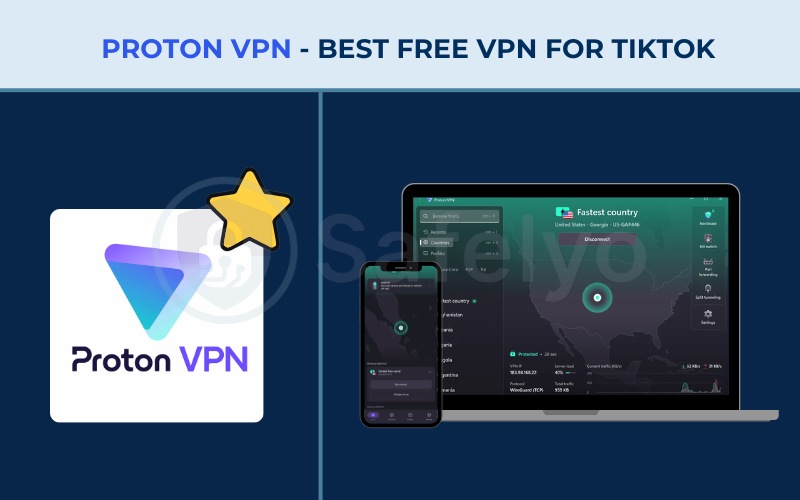
2.7. Proton VPN: Best free VPN for TikTok
Created by CERN scientists, Proton VPN is best known for its unwavering commitment to security and offering one of the few truly safe free VPN plans available.
Here are the key details of Proton VPN’s offering, including its free tier.
| Specs & features | Details |
|---|---|
| Best price | $2.99/mo (2-yr) |
| Servers | 6,000+ Paid |
| Jurisdiction | Switzerland |
| No-logs policy | Audited |
| Protocols | WireGuard, Stealth, OpenVPN, IKEv2 |
| Connections | 10 (Paid) |
| Streaming | Netflix, Disney+, HBO Max, Prime Video |
| Guarantee | 30 days (prorated) |
High-speed performance (Even for paid)
Proton VPN delivered impressive speed test results during our review. With speeds ranging between 450 Mbps to 480+ Mbps in Asian hubs like Singapore and Japan, it rivals the top premium contenders.
This performance is powered by the WireGuard protocol and their proprietary VPN Accelerator technology.
Even US servers clocked in at a respectable 250+ Mbps, ensuring buffer-free scrolling regardless of where you are connecting.
Swiss privacy & stealth protocol
Being based in Switzerland gives Proton VPN a significant advantage, as the country has some of the world’s strongest privacy laws.
The service also includes a Stealth Protocol designed specifically to bypass censorship and firewalls. This makes it a powerful tool for users in restrictive environments.
Their audited no-logs policy ensures that your data remains safe and private.
Free vs. paid experience
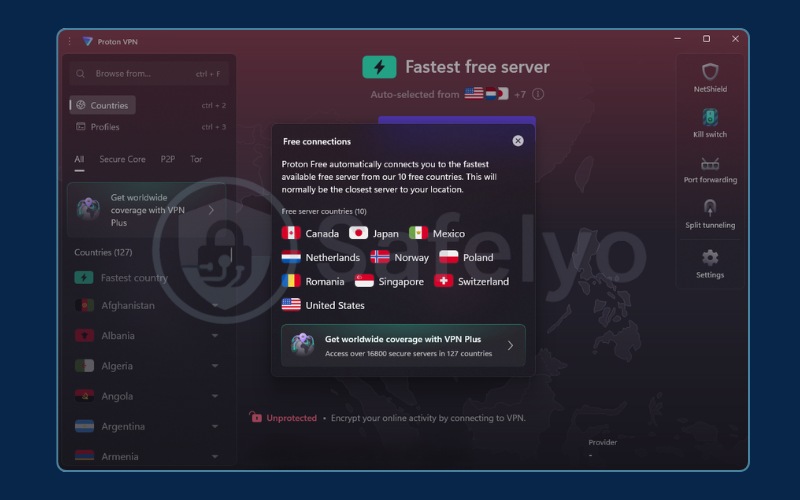
Proton VPN offers a robust free tier with unlimited bandwidth, which is a rarity in the market. This allows users to browse and scroll through TikTok without worrying about hitting data caps.
However, the free plan connects you to a random server from a limited selection of 10 countries, and you cannot manually select a specific location. To gain the ability to freely choose from the full global network of servers and target specific regions, the paid plan at $2.99/mo is the necessary upgrade path.
Note that the 30-day money-back guarantee is prorated, meaning you only get back the unused portion of your subscription.
| Pros | Cons |
|---|---|
| Excellent speeds in Asia (450+ Mbps range) | Money-back guarantee is prorated |
| Swiss Jurisdiction | Support requires login |
| Stealth Protocol | |
| Unlimited bandwidth on Free plan |
Best for: Students and users who need a free solution without data limits.
3. Best free VPN for TikTok: Proton VPN vs. alternatives
There is a high search volume for “Free VPNs“, but you need to be careful. Many “sketchy” free VPNs (like SuperVPN or Hola) monetize their service by selling your user data to advertisers. The old adage holds true here: “If you aren’t paying for the product, you are the product.”
Proton VPN wins in this category primarily because of its Unlimited Data allowance. Compare this to competitors like Windscribe (10GB cap) or TunnelBear (2GB cap).
A 2GB cap allows for only approximately 1 hour of TikTok usage, rendering those services impractical for daily use.
However, you should still expect a reality check: free VPNs will inevitably buffer more and may struggle to unblock specific regional trends compared to Premium VPNs.
4. How to use VPN for TikTok on iPhone & Android
Getting started is straightforward. Follow these steps to unlock TikTok on your mobile device.
1. Download & install:
Go to the Apple App Store or Google Play Store and download the VPN app for your chosen provider. Log in with your credentials.
2. Connect to the right server:
For the best speed, connect to a server closest to your physical location. However, if you specifically want to see content trends from the US or UK, select a server in that country.
3. The "Split Tunneling" trick:
If your VPN supports it, use Split Tunneling. This feature allows you to route only the TikTok app through the VPN while your other apps (like Maps or Banking) use your regular connection. This saves battery life and improves your overall phone speed.
4. Verify access:
Once connected, open TikTok. You can verify the location switch was successful by checking if the currency in ads or the TikTok Shop has changed to match the country you connected to.
5. Does your VPN change your For You Page? (Algorithm logic)
Many users assume a VPN instantly changes their “For You Page” (FYP), but TikTok’s algorithm is sophisticated. It primarily uses your SIM Card information and Watch History to determine your location, treating the IP address from your VPN as a secondary signal.
The "SIM Card Problem":
If you are in a restricted region like India or China, simply using a VPN might not be enough because your SIM card identifies your carrier location.
Browser vs. App tip:
The desktop or browser version of TikTok is significantly easier to “trick” regarding location than the mobile app. This is because the browser lacks access to hard-coded location data like your GPS or SIM card information. If the mobile app refuses to switch regions, logging in via Chrome or Safari on your computer often works immediately.
The workaround:
To force a region change on mobile, you may need to remove your SIM card and connect solely via Wi-Fi with the VPN active.
While the FYP remains personalized based on your history, a VPN will successfully unlock region-specific “Trends” and “Sounds” in the Discovery tab.
6. Will TikTok detect or ban your VPN?
There is often anxiety regarding “Shadowbans”, where your content is suppressed without notice. Generally, extensive usage of VPNs does not lead to shadowbanning. TikTok is primarily concerned with content violations, not connection methods.
Safety tips:
- Avoid rapid switching: Don’t jump from a UK server to a Japan server in 5 minutes. This looks suspicious.
- Use obfuscated servers: Use features like NordVPN’s NordWhisper or Surfshark’s Camouflage Mode to make your traffic look like regular browsing.
- Dedicated IP: If you are a serious creator, consider getting a Dedicated IP. This prevents you from sharing an IP address with other users who might have been banned for bad behavior.
7. Troubleshooting: Fix TikTok network errors & lag
If you encounter “Network Error” or “No Internet Connection” messages while the VPN is active, try these fixes:
- Switch protocol: Change your protocol from OpenVPN to WireGuard or NordLynx. These modern protocols are faster and less likely to be throttled.
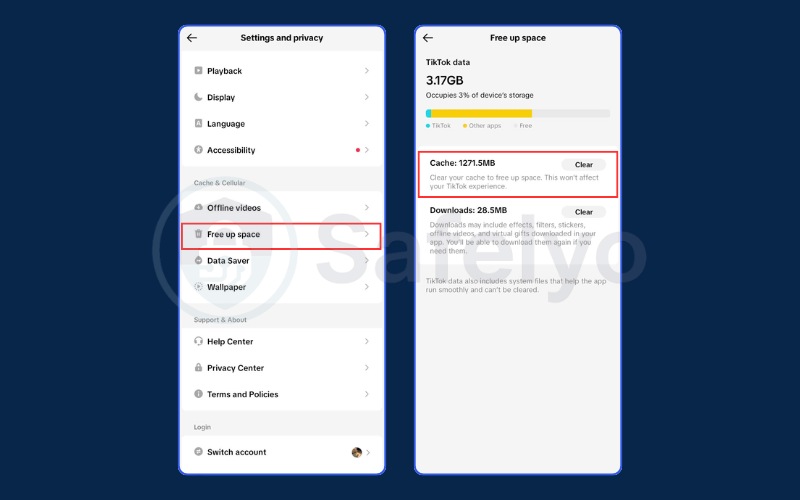
- Clear cache: Go to TikTok Settings -> “Free up space” -> Clear (Cache). This removes old location data that might conflict with your new IP.
- Leak protection: Check if IPv6 is leaking your real location. You may need to disable IPv6 in your VPN settings if the app doesn’t handle it automatically.
- Mobile data vs Wi-Fi: Sometimes school Wi-Fi blocks specific VPN ports. Simply switching to mobile data can often bypass this local block immediately.
8. FAQs about Best VPNs for TikTok
Which VPN works best for TikTok?
NordVPN is the best overall choice due to its balance of speed and stealth capabilities (NordWhisper), which effectively bypasses bans without causing lag.
Will TikTok still work with a VPN?
Yes, and it often improves connection speed if your ISP is throttling specific video apps. It also allows you to access the app in regions where it is banned.
Can TikTok tell if you use a VPN?
They can technically detect VPN IP addresses, but using obfuscation (stealth mode) hides this fact. They rarely penalize users simply for using a VPN.
Which country is best to use TikTok?
The US and UK are best for accessing English content trends. For the best connection speeds, however, choose a country geographically close to you.
Is it legal to use a VPN for TikTok?
Yes, using a VPN to bypass a ban is generally not illegal for individual users. However, you should always check local laws if you are in a country with extreme internet censorship regimes.
Does a VPN drain battery on TikTok?
Yes, typically a VPN will drain battery 10-15% faster. We suggest using WireGuard protocols (like NordLynx or Lightway) to minimize this battery drain.
Can I use a VPN to access TikTok Shop?
Yes, but you may need a payment method that matches the region of the server you are connected to in order to complete purchases.
9. Conclusion
Choosing the Best VPN for TikTok is the key to scrolling freely, safely, and without interruptions. Whether you are battling a school firewall or just want to see what is trending on the other side of the world, the right tool makes all the difference.
If you want the most effective solution regarding stealth and speed, NordVPN is your best bet. If you are a student sharing expenses with friends, Surfshark offers incredible value. For those who absolutely need a free option, Proton VPN is the safest choice.
Don’t let bans stop the scroll. Pick a Best VPN and get back to your FYP today with Safelyo.