If you’re an ExpressVPN user, you’ve likely seen the word ‘Lightway’ in your protocol settings. It sounds fast, but what exactly is it? Understanding what is Lightway protocol helps you appreciate the powerful technology working behind the scenes to keep your online activity both fast and secure.
As someone who tests and analyzes VPNs for a living, I’ve learned that the protocol is the heart of any VPN service. Think of it as the engine in a car. Some are old and reliable workhorses, while others are modern, high-performance machines. Lightway is ExpressVPN’s custom-built, hybrid engine, designed from the ground up for the modern digital world.
Key takeaways:
- Lightway is ExpressVPN’s exclusive protocol, built from the ground up for speed, stability, and security.
- It competes directly with WireGuard, offering similar top-tier performance but with unique features like seamless network switching.
- It is open-source and has been independently audited, proving its strong security claims.
- ExpressVPN built it for total control over security and deep integration with their server network.
Let me walk you through the advanced technology that powers one of the world’s top VPNs.
Lightway protocol in 30 seconds
Lightway is the exclusive, custom-built VPN protocol from ExpressVPN. Think of it as a high-performance engine designed for speed, stability, and security. It’s significantly faster and more battery-efficient than older protocols like OpenVPN and competes directly with the modern WireGuard protocol. Its key advantage is being deeply integrated into ExpressVPN’s network for optimal, seamless performance.
1. VPN protocols explained: The engine of your VPN
Before we pop the hood on Lightway, let’s quickly cover what a VPN protocol actually is. In simple terms, a protocol is the set of rules for the tunneling process that determines how your data securely travels. It’s the core technology that makes a VPN work.
I’ve tested many VPNs, and the protocol you choose greatly shapes your experience, influencing your connection speed and even your phone’s battery life. To make it easier to understand, let’s stick with our car engine analogy:
- OpenVPN: This is the reliable, heavy-duty V8 engine of the VPN world. For years, it has been the industry standard, using SSL/TLS for rock-solid security and its ability to bypass tough firewalls. However, like a classic V8, it can be a bit slower and heavier on resources.
- WireGuard: This is the modern, sleek electric engine. It’s incredibly fast, lightweight, and uses state-of-the-art security methods. It quickly became the new benchmark for pure performance that other providers started adopting.
- Lightway: This is ExpressVPN’s custom-built hybrid engine. They set out to build a protocol that offers the blazing speed of WireGuard but with unique features and optimizations tailored specifically for their own network.
>> You may also be interested in: Does VPN slow down the internet? YES, but here’s why & 10 ways to fix it!
2. What is Lightway protocol? The key benefits
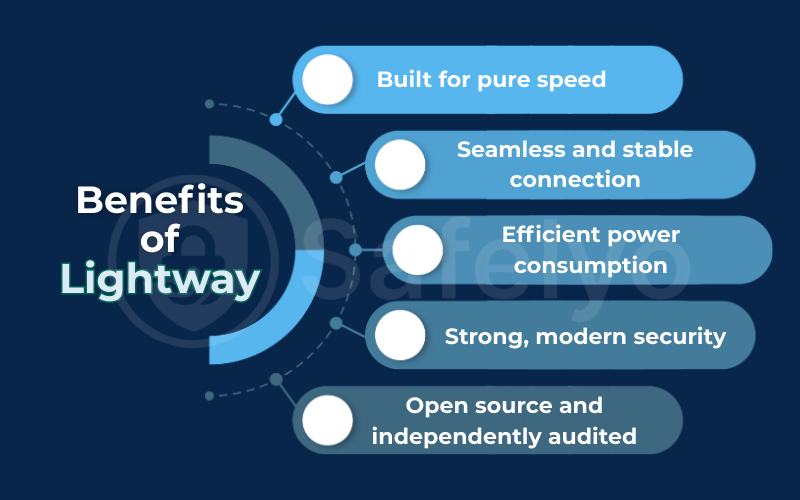
So, ExpressVPN built its own engine. But what does that actually mean for you? Lightway was engineered from the ground up to excel in five key areas, and in my experience, these aren’t just marketing claims – they make a noticeable difference in day-to-day use.
Built for pure speed
With a small codebase, Lightway is incredibly lean, which reduces the potential attack surface. Compare that to OpenVPN, which has over 70,000 lines. Think of it like a computer trying to read an instruction manual. Lightway’s manual is a short booklet, while OpenVPN’s is a massive encyclopedia. This lean design allows it to establish connections faster and deliver higher speeds, which is great for torrenting.
Seamless and stable connection
This is one of my favorite features. Lightway is designed to stay connected even when you switch networks. Have you ever walked out of your house while on a call, and the connection drops as your phone switches from Wi-Fi to 4G/5G? Many older VPN protocols do the same. Lightway, however, maintains the connection seamlessly. This provides a form of Always-on Protection, as your VPN session remains active without the frustrating drop and reconnect cycle.
Efficient power consumption
A heavy engine burns more fuel, and a heavy VPN protocol drains your battery. Because Lightway is so lightweight, it uses significantly less battery power on your phone, tablet, and laptop. I’ve often left ExpressVPN running on my phone all day, and thanks to Lightway, I barely notice an impact on my battery life.
Strong, modern security
Of course, speed is useless without security. Lightway uses wolfSSL, a highly respected security library. The wolfSSL library has been third-party audited to protect your data. It secures your traffic with the AES-256 encryption standard, the same robust encryption used by banks and security professionals worldwide. So yes, the Lightway protocol is absolutely safe.
Open source and independently audited
ExpressVPN didn’t just ask you to take their word for it. They made Lightway’s core code open source, meaning anyone can inspect it for vulnerabilities. More importantly, they hired the independent German cybersecurity firm Cure53 to perform a rigorous security audit. The results? The audit verified that Lightway is secure and well-built.
Safelyo’s expert insight:
Why an “audit” matters
A third-party audit isn’t just a stamp of approval; it’s a professional stress test. When a firm like Cure53 audits Lightway, its experts are actively trying to break it. They hunt for flaws, vulnerabilities, and logical errors in the code. The fact that they found no significant issues means the protocol isn’t just secure in theory – it’s robust and resilient in practice. For you, the user, an audit is the difference between a company saying their technology is safe and them proving it.
3. Lightway vs. WireGuard vs. OpenVPN
Theory is one thing, but performance is what matters. To see where Lightway truly stands, it’s essential to put it head-to-head with the two other most important protocols in the VPN world. I’ve spent countless hours testing these “engines,” and here’s how they compare in a side-by-side breakdown.
| Feature | Lightway (ExpressVPN) | WireGuard (Industry Standard) | OpenVPN (The Classic) |
| Speed | Excellent | Excellent | Good, but slower |
| Codebase | Very lightweight (~2,000 lines) | Extremely lightweight (~4,000 lines) | Very heavy (~70,000+ lines) |
| Security | Excellent (AES-256, audited) | Excellent (Modern cryptography) | Excellent (AES-256, heavily vetted) |
| Stability | Excellent (Handles network changes) | Very good | Good (Can drop on network change) |
| Battery Use | Low | Very low | High |
For most modern uses like streaming, gaming, torrenting, and everyday browsing, Lightway and WireGuard are the clear winners. They are both significantly faster and more efficient than the old workhorse, OpenVPN.
So, what's the tie-breaker?
From my testing, Lightway’s main advantage is its seamless stability when switching networks and its perfect, deep integration with ExpressVPN’s infrastructure. While WireGuard is a fantastic open-source engine, Lightway is a finely tuned engine built specifically for one car – and that optimization shows.
That doesn’t make OpenVPN obsolete. I still consider it a solid backup for compatibility, particularly for bypassing strict firewalls.
4. How to use Lightway in your ExpressVPN app
One of the best things about Lightway is that ExpressVPN makes it incredibly simple to use. For most people, I recommend leaving the setting on ‘automatic’. The app is smart enough to choose the optimal protocol for your network conditions.
However, if you want to select it manually or just confirm you’re using it, the process is straightforward.
- Open the ExpressVPN app on your device.
- Navigate to Options (on desktop) or Settings (on mobile).
- Go to the Protocol tab.
- Select “Lightway – UDP” from the list.
You'll notice two Lightway options: UDP and TCP. While they sound technical, the choice is simple.

Lightway UDP vs. TCP: Which to choose?
| Option | Best For |
| Lightway – UDP | Almost everything: Streaming, gaming, and daily browsing. It prioritizes speed. |
| Lightway – TCP | Unstable networks or networks with firewalls (like at work or school) that might block VPNs. It prioritizes reliability over speed. |
My personal advice
Always start with UDP. It’s the default and the fastest option. Only switch over to TCP if you’re experiencing frequent disconnections or can’t get a stable connection on a particular network. For over 99% of my usage, UDP works flawlessly.
5. Why did ExpressVPN build Lightway instead of just using WireGuard?
This is a fantastic question, and it’s one that really gets to the heart of what makes ExpressVPN different. With WireGuard being so fast and open-source, why would they invest the time and money to build their own protocol from scratch?
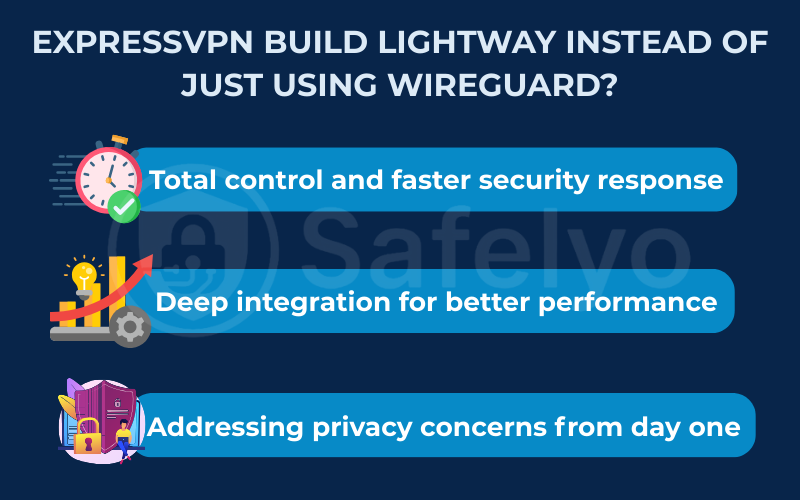
From my analysis of the VPN industry, this wasn’t just about performance; it was about ownership and control. There are a few key strategic reasons:
Total control and faster security response.
By owning the entire codebase, ExpressVPN can update and patch security vulnerabilities instantly. They don’t have to wait for an external development team or a public release schedule. If a threat emerges, their team can fix it and deploy the solution across their network immediately.
Deep integration for better performance.
They can optimize Lightway specifically for their global server network. This lets them fine-tune the protocol to match their server hardware, unlocking better performance and reliability than a standard WireGuard setup.
Addressing privacy concerns from day one.
Early versions of WireGuard had some privacy challenges related to how it assigned static IP addresses, which wasn’t ideal for a no-logs commercial VPN service. By building Lightway (though inspired by WireGuard’s best ideas), ExpressVPN could design a system that met its strict privacy and no-logs standards from its very inception.
To me, it’s a shift from using a good third-party engine to becoming a Formula 1 team that builds its own engine, chassis, and software for maximum performance. By controlling every component, they ensure everything works together perfectly to deliver a superior experience.
6. FAQ about Lightway protocol
We’ve covered a lot of ground, but you might still have a few questions. Here are quick, direct answers to some of the most common queries about Lightway and other VPN protocols.
What is the Lightway protocol?
Lightway is the exclusive VPN protocol developed entirely by ExpressVPN. It was designed from the ground up to be faster, more reliable, and more secure than older protocols. Think of it as ExpressVPN’s custom-built engine, engineered for the highest possible performance on its network.
Is Lightway open source?
Yes, the core library of Lightway is open source. This means security researchers and the public can freely inspect its code. This transparency is a huge plus, as it adds a significant layer of trust and accountability to ExpressVPN’s security claims.
What does it mean that Lightway was “audited”?
It means ExpressVPN hired an independent firm (Cure53) to conduct an in-depth security assessment of Lightway’s code. The audit’s purpose was to find flaws before bad actors could. It confirmed that the protocol and its use of libraries like wolfSSL are secure and well-built.
What is Lightway on Mac?
Lightway on Mac is simply the name for the Lightway protocol when it’s running within the ExpressVPN application for macOS. It offers the exact same benefits of speed, security, and stability to Mac users as it does on any other platform, like Windows, iOS, or Android. It is not a different version, just the implementation for that specific operating system.
Is Lightway better than NordVPN’s Nordlynx?
Both are excellent, modern protocols. NordLynx is NordVPN’s custom implementation built on top of WireGuard, while Lightway was built from scratch by ExpressVPN. In my performance and security tests, they are very comparable. The choice often comes down to the overall VPN service and ecosystem you prefer, as you can’t use one protocol on the other’s service.
What is the difference between VPN and WireGuard?
This is a common point of confusion. A VPN is the entire service that provides secure tunneling for your connection. WireGuard is a protocol, which is one specific technology – like an engine – that a VPN service can use to create that secure connection.
What VPN protocol should I use on NordVPN?
If you are using NordVPN, your best option for performance and security is NordLynx. Just like Lightway is ExpressVPN’s optimized protocol, NordLynx is NordVPN’s custom-built solution based on WireGuard, and it’s designed to deliver the best results on their network.
7. Conclusion
In the world of VPN “engines,” Lightway stands out as a custom-built powerhouse. It was designed by ExpressVPN for one clear purpose: to deliver a superior experience with wide device compatibility. It represents a significant step forward from older, heavier protocols and proves the company’s commitment to cutting-edge technology.
When you choose ExpressVPN, you’re not just choosing a network of servers; you’re choosing the advanced, proprietary technology of Lightway that powers it. At Safelyo, we believe technology like Lightway is what separates the best VPNs from the rest. To see how ExpressVPN and its protocol stack up against the competition, explore our definitive guide to the best VPN services in our Privacy & Security Basics category.