A free, unlimited VPN built directly into a popular browser – Opera’s built-in VPN sounds like an unbelievably good deal. But that very fact raises a critical question for anyone who values their privacy: Is Opera Browser VPN safe?
In an industry where security is everything, the word “free” often comes with a hidden cost, usually paid for with your personal data. Is Opera VPN a genuine tool that ensures online privacy, or is it just a convenient way to collect user information that undermines your cybersecurity?
This guide will dive deep into the safety and privacy of the Opera VPN. We will examine its security features and scrutinize its logging policy. Most importantly, we will clarify what this service actually is. This will help you make an informed decision about whether to trust it with your online activity. Let’s uncover the truth behind Opera’s free “VPN.”
Opera’s free, built-in VPN is a tempting offer, but is it actually safe to use? Here’s the direct answer and the critical facts you need to know before you trust it with your data.
- The direct answer: It’s safe for casual use, but it’s not a true VPN. It’s an encrypted web proxy, meaning it only protects your activity inside the Opera browser, leaving all your other apps (email, gaming, torrents) completely exposed.
- Its biggest weaknesses are privacy-related. While it claims to be “no-log,” its general privacy policy allows for significant data collection. Furthermore, its ownership by a Chinese consortium raises major trust issues for anyone serious about their privacy.
- It’s for basic, not serious, protection. The tool is decent for adding a layer of encryption on public Wi-Fi. However, Opera VPN is not safe or suitable for torrenting, serious anonymity, or bypassing Internet censorship because it lacks essential Internet security features like a kill switch.
- A standalone VPN is a much safer choice. For complete security, a dedicated, paid VPN is far superior. A real VPN protects your entire device, is backed by an audited no-logs policy, and includes the critical features that Opera’s free tool is missing.
1. Is Opera Browser VPN safe?
So, let’s get straight to the point: Is the Opera Browser VPN safe? For casual, low-stakes situations, it’s safer than using nothing at all. It provides a basic layer of encryption that is genuinely useful, especially on an unsecured public Wi-Fi network. While it improves the user experience by blocking ads, relying solely on Opera VPN for sensitive tasks carries risks.
However – and this is a very big however – it is nowhere near as safe or private as a true, standalone VPN service. The issue is complicated because Opera’s “VPN” isn’t really a VPN in the traditional sense of the word. It’s more accurately described as an encrypted browser proxy. This distinction is absolutely critical to understanding the scope of your security.
As a security analyst, I often advise people to think of it like this: Opera’s VPN is a good raincoat for your browser. It’ll keep your web browsing activity dry and hidden from local snoops. But it’s not a full suit of armor for your entire device. Any activity you do outside of the Opera browser itself remains completely unprotected and visible.
2. Opera VPN’s security features: What it does well
Before we dive into the drawbacks, it’s only fair to acknowledge what Opera’s tool does right. For a free, built-in feature, it offers a few legitimate benefits that enhance your browsing experience and provide a baseline level of Opera VPN security.
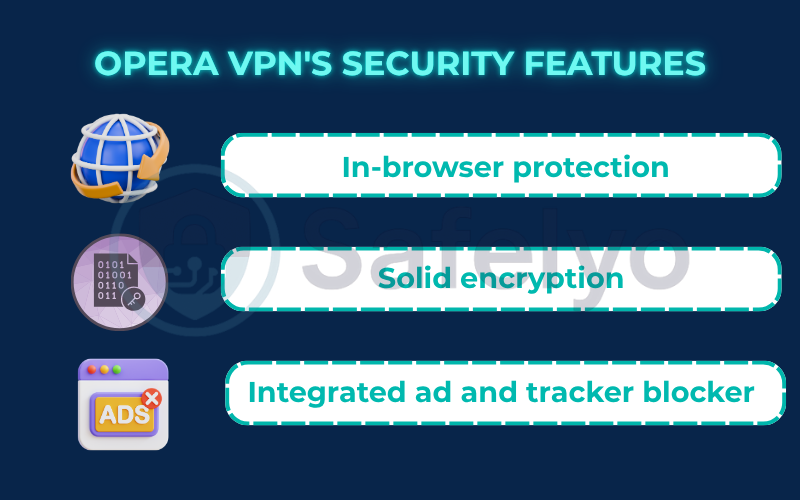
2.1. In-browser protection
The greatest strength of Opera’s “VPN” is its seamless convenience. The clean user interface makes enabling Opera VPN incredibly easy for beginners. With a single click, it encrypts all the traffic inside the Opera browser. This is genuinely useful for hiding your web surfing from the administrator of your local Wi-Fi network (at a cafe, for example) or from your Internet Service Provider (ISP).
For basic browsing, it effectively shields your activity from immediate onlookers. It manages to do this while maintaining a reasonable browsing speed for loading standard web pages.
2.2. Solid encryption
Opera VPN states that it uses AES-256 encryption, which is the gold standard in the security industry. This is the same level of encryption used by premium VPN services, banks, and governments. With AES-256 encryption, Opera VPN ensures your local data packets are scrambled effectively. It means that the data traveling between your browser and Opera’s proxy servers is well-protected from being deciphered by an outside party who might intercept it.
2.3. Integrated ad and tracker blocker
One of my favorite features of the browser itself, which complements the VPN, is its built-in ad and tracker blocker. By blocking intrusive ads and the invisible trackers that follow you across the web, Opera helps reduce your digital footprint. It improves page load times and offers a cleaner, more private browsing experience overall. This feature works independently but adds to the privacy features of Opera VPN, effectively removing annoying ads.
3. The privacy concerns: Where Opera VPN falls short
While the basic encryption is a good start, a deep dive into the service reveals significant limitations and privacy issues that prevent it from being a true security solution. As a privacy expert, these are the red flags that stand out to me.
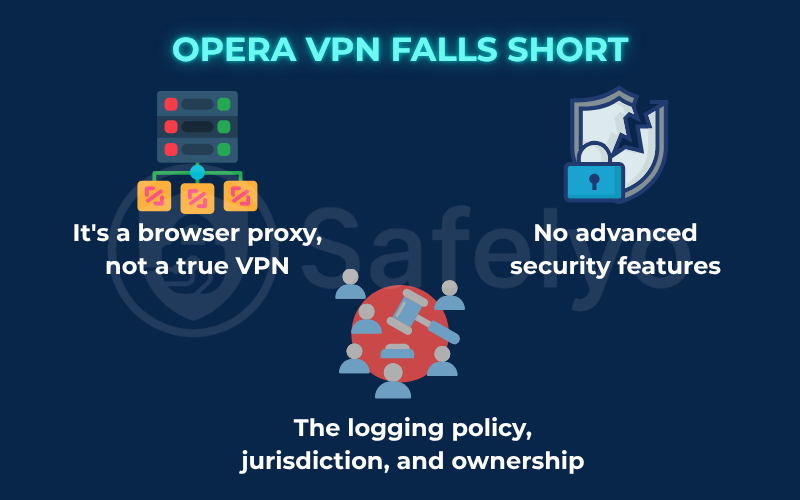
3.1. It’s a browser proxy, not a true VPN
This is the most critical limitation to understand. The Opera “VPN” only protects traffic coming from the Opera browser itself. It does absolutely nothing for any other application on your computer or phone.
This means your other apps, such as your email client (Outlook or Apple Mail), are still using your regular, unencrypted internet connection. The same applies to your cloud storage (Dropbox), gaming client (Steam), music app (Spotify), or any torrenting software. Their traffic is completely exposed, and they are all broadcasting your real IP address for the world to see. A true VPN, by contrast, creates a system-wide tunnel that protects all internet traffic leaving your device, regardless of the app.
3.2. The logging policy, jurisdiction, and ownership
This is where things get murky from a privacy standpoint.
- Logging: While Opera claims its VPN is a “no-log” service for your browsing activity, its general browser privacy policy is another story. The policy states they collect a significant amount of data, including device information, hardware specifications, and consumption information. This raises concerns about potential third-party data collection when using Opera VPN. They assign your browser a unique ID to track this. While this might be anonymized, it’s far from the zero-knowledge privacy offered by premium VPNs.
- Ownership: Perhaps the biggest concern for many is that Opera was acquired by a Chinese consortium of investors in 2016. Given the extensive surveillance and censorship apparatus in China, this ownership structure raises legitimate questions. It concerns the potential for user data to be accessed by state authorities. As a result, the Opera VPN logging policy and its promises become a point of concern for serious privacy advocates.
- Jurisdiction: Opera is based in Norway. While Norway has strong data protection laws, it is also a member of the Nine Eyes intelligence-sharing alliance. This is a cooperative group of countries that shares surveillance data, which is not ideal for a privacy service.
>> Read more:
3.3. No advanced security features
When you use a standalone VPN, you get a suite of advanced security tools. The Opera VPN has none of these, leaving you vulnerable in ways a real VPN wouldn’t. You will not find:
- A Kill Switch: This is a crucial feature that cuts your internet if the VPN connection drops, preventing your real IP from leaking. Opera doesn’t have one. This omission makes torrenting particularly dangerous, as a sudden disconnection would instantly reveal your real IP address.
- DNS Leak Protection: Premium VPNs have dedicated systems to ensure your DNS queries are secure. Opera’s protection here is opaque at best.
- A choice of protocols: You are stuck with whatever VPN protocol Opera VPN uses. Unlike premium tools that offer OpenVPN or IKEv2/IPsec for a better balance, Opera VPN limits your control. You can’t switch to a more secure protocol or optimize your access speed using modern standards like WireGuard.
4. IP & DNS leak tests: Does it actually hide your IP?
Claims are one thing, but real-world performance is what matters. To verify the effectiveness of Opera’s “VPN,” I ran a series of standard leak tests on a clean installation of the browser. I also tested if Opera VPN could bypass geo-restrictions without sacrificing too much speed. The goal was to see if it successfully hides a user’s real IP address under different conditions.
Here’s what I found:
- IP Leak Test (Basic): The result here was positive. When the VPN was enabled, websites like whatismyip.com correctly displayed the IP address of one of Opera’s servers, not my actual home IP address. For basic IP masking, it does the job.
- DNS Leak Test: The results here were also generally good. The tests showed that my DNS requests (the “phonebook lookups” for websites) were being routed through Opera’s servers. This is important, as it prevents your ISP from seeing which sites you are looking up.
- WebRTC Leak Test: This is where a potential problem emerged. WebRTC is a communication protocol built into modern browsers that can, under certain circumstances, bypass a proxy or VPN and reveal your true IP address. In my tests, I found that with the default settings, a WebRTC leak was possible. While this can be mitigated by adjusting settings within the browser, it remains a vulnerability that many users may not be aware of. Premium VPNs are specifically designed to block this issue by default.
This is a perfect example of the difference between a simple proxy and a comprehensive security tool. While it covers the basics, it can fail on more advanced, technical fronts.
5. Opera free VPN vs. Opera VPN pro vs. a standalone VPN
To further complicate the matter, Opera now offers a paid subscription service called VPN Pro. This adds another layer to the decision-making process. So, how do these three options stack up?
As part of my Opera VPN review, I’ve found that the best way to understand the trade-offs is to see them side-by-side. The free “VPN” is a browser feature, while VPN Pro and standalone VPNs are true, system-wide security products. Opera VPN also suffers from limited device compatibility and fewer server locations compared to paid options.
Here’s a breakdown of what you get at each level:
| Feature | Opera Free “VPN” | Opera VPN Pro (Paid) | Standalone VPN (e.g., ExpressVPN, NordVPN) |
|---|---|---|---|
| Protection Scope | Browser Only (just Opera) | Full Device (all apps) | Full Device (all apps) |
| Server Count | Very few, generic regions | Limited (~3,000 servers in 30+ countries) | Thousands (5,000–10,000+ servers in 60–100+ countries) |
| Advanced Features | None (no kill switch, etc.) | Basic (kill switch included) | Extensive (kill switch, split tunneling, ad blockers, etc.) |
| Trust & Audits | Questionable (no audits, privacy policy concerns) | Better, but still tied to Opera’s data policies | Best (independent, third-party audits of no-logs policies) |
| Cost | Free | Paid Subscription | Paid Subscription |
This table makes the hierarchy clear. The free service is a basic browser add-on. VPN Pro is a step up to a real VPN, but it still operates within the ecosystem and privacy framework of Opera. A top-tier standalone VPN offers the most features, a vast array of server locations, and, most importantly, the highest level of trust due to transparent, audited privacy policies.
6. The final verdict: So, is Opera VPN safe to use?
After dissecting its features, privacy policies, and performance, we can now answer the core question with the nuance it deserves. Is the free Opera “VPN” safe? The answer depends entirely on what you need it for.
Let’s break it down by use case:
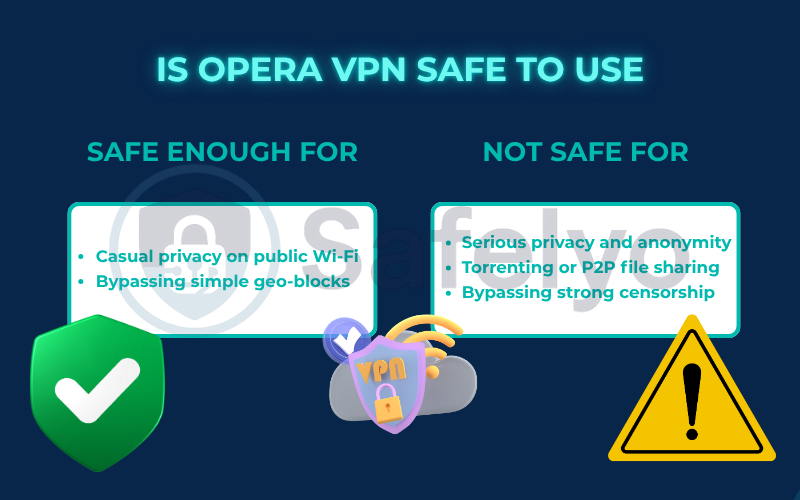
Safe enough for...
Casual privacy on public Wi-Fi: Yes, for this, it’s a decent tool. If you’re at a coffee shop and want to prevent the network owner from snooping on your browsing, turning on the Opera VPN is a good option. It’s much better than doing nothing. It provides that essential layer of encryption for your web traffic.
Bypassing simple geo-blocks and streaming services: Very unlikely. In our tests, Opera VPN consistently struggled to unlock Netflix due to insufficient speed. Users aiming to access Netflix US or Netflix Japan often find that the VPN of Opera is detected and blocked.
Additionally, connection speeds drop significantly, making HD viewing impossible. Unlike dedicated streaming services that enhance speed for video, Opera VPN lacks the required capabilities. If you prioritize access to Netflix and fast performance, Opera VPN is not the solution.
Most streaming services readily blacklist the IP addresses of Opera VPN. Ultimately, for uninterrupted Netflix viewing and dependable speed, you will need a more robust tool than Opera VPN.
Absolutely not safe for...
- Serious privacy and anonymity: No. The combination of its proxy-only nature (leaving other apps exposed), a questionable logging policy, and the concerns surrounding its ownership makes it a poor choice for anyone serious about privacy.
- Torrenting or P2P file sharing: Definitely not. Since Opera VPN offers slow speeds and doesn’t protect P2P traffic, your real IP is exposed.
- Bypassing strong censorship: No. It lacks the advanced obfuscation features needed to reliably bypass sophisticated national firewalls.
In essence, it’s a tool of convenience, not a tool of robust security.
7. FAQs about Opera Browser VPN
Let’s tackle some final questions to make sure everything about Opera’s VPN is crystal clear.
Is the Opera Browser VPN safe?
It is safe for casual browsing on public Wi-Fi, where it’s much better than no protection. However, it is not safe for serious privacy needs, torrenting, or bypassing strong censorship due to its proxy-only nature and questionable privacy policies.
Is the Opera VPN a real VPN?
No, the free version is not a real VPN. It’s an encrypted web proxy. This means it only protects the traffic inside the Opera browser itself, leaving all your other computer applications (email, gaming, etc.) completely unprotected.
Does Opera VPN keep logs?
This is a grey area. Opera claims the VPN service itself is “no-log,” but the browser’s overall privacy policy allows for the collection of significant device and usage data. Combined with its ownership and jurisdiction, this is a major concern for privacy-focused users.
Is Opera VPN Pro a good alternative?
Opera VPN Pro is a full, system-wide VPN and a significant step up from the free version. However, it still operates under Opera’s privacy framework. For a similar price, you can get a standalone VPN from a top-tier provider with a fully audited no logs policy and more robust security features.
8. Conclusion
So, after our deep dive, is the Opera Browser VPN safe? It’s safe enough for basic tasks, but it is absolutely not the comprehensive security tool that you should trust with your most sensitive data. Its value is in convenience, not in robust protection.
Ready to get that ‘bank vault’ level of protection? Explore the expert rankings of the best and most secure VPN services to find your digital fortress, and continue learning in the Privacy & Security Basics category of Safelyo.