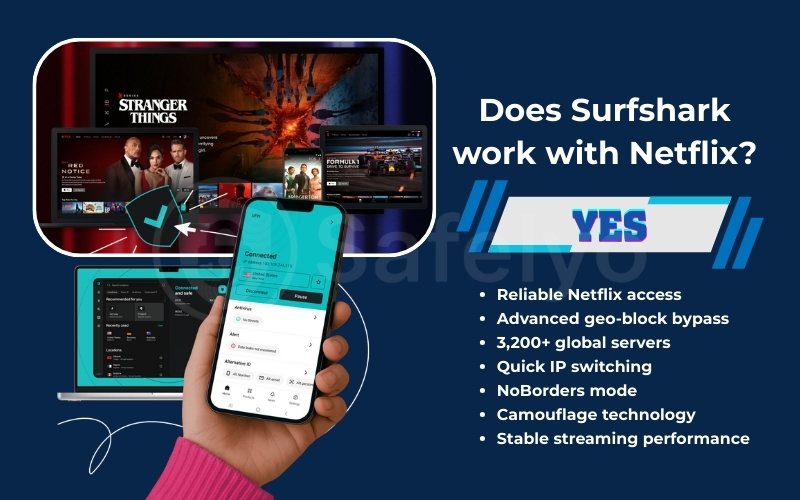
Does Surfshark work with Netflix? Yes – and it’s one of the most reliable VPNs we’ve tested.
Netflix constantly updates its VPN detection systems, causing many services to stop working without warning. During our latest tests, Surfshark successfully unblocked 15+ Netflix libraries, including the US, UK, Japan, and South Korea, with smooth HD and 4K streaming. In this guide, you’ll see exactly which Netflix regions work, how to fix proxy errors, and how to use Surfshark on all devices so you can stream without interruptions.
Key takeaways:
- Surfshark works with Netflix in 2026, reliably unblocking 15+ libraries, including Netflix US, UK, Japan, and South Korea.
- Surfshark uses advanced obfuscation, NoBorders mode, and frequent IP refreshes to bypass Netflix VPN detection.
- With WireGuard speeds and streaming-optimized servers, Surfshark delivers smooth HD and 4K Netflix streaming without buffering.
- Unlimited simultaneous connections make Surfshark ideal for families and multi-device households.
- Surfshark supports Netflix on all major devices, including Smart TVs, Apple TV (tvOS 17+), Fire TV, consoles (via Smart DNS), and mobile apps.
1. Does Surfshark work with Netflix in 2026?
Yes, Surfshark is a top-tier VPN for accessing Netflix in 2026. It consistently bypasses advanced geo-blocks and proxy detectors, enabling users to stream restricted content globally without interruptions.
The service utilizes a massive network of 3,200+ servers, ensuring high availability. If a specific IP address is flagged, users can instantly switch to an alternative server to maintain constant access to streaming libraries.
Additionally, Surfshark employs NoBorders mode and camouflage technology to mask VPN traffic. This makes your connection appear as standard internet traffic, effectively preventing Netflix from blocking your access.
2. Which Netflix libraries can Surfshark unblock?
Surfshark successfully unlocks over 15 major international libraries. The table below provides a quick summary of our 2026 testing results, including reliability scores and the best server locations for optimal performance.
| Netflix Library | Status | Reliability Score | Best Server Locations |
|---|---|---|---|
| Netflix US | Verified | 10/10 | New York, Los Angeles, Miami, Detroit |
| Netflix UK | Verified | 9/10 | London, Manchester, Glasgow |
| Netflix Japan | Verified | 9/10 | Tokyo (Static IP servers recommended) |
| Netflix South Korea | Verified | 9/10 | Seoul |
| Netflix Canada | Verified | 8/10 | Toronto, Vancouver, Montreal |
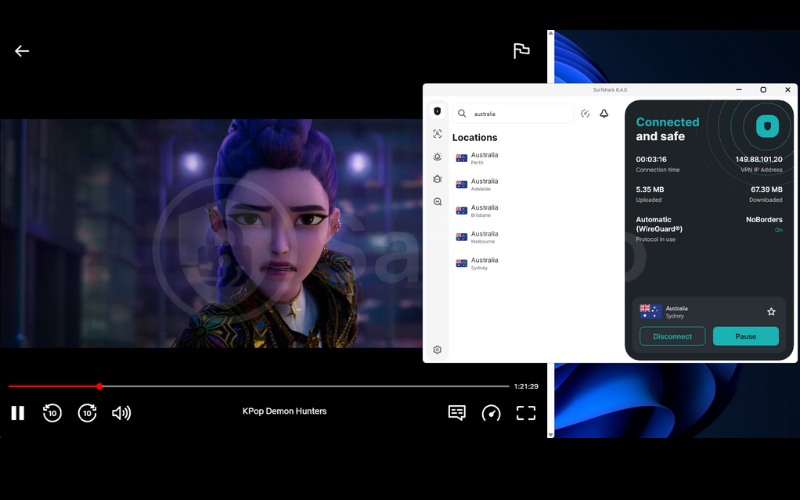
| Netflix Australia | Verified | 8/10 | Sydney, Melbourne, Brisbane |
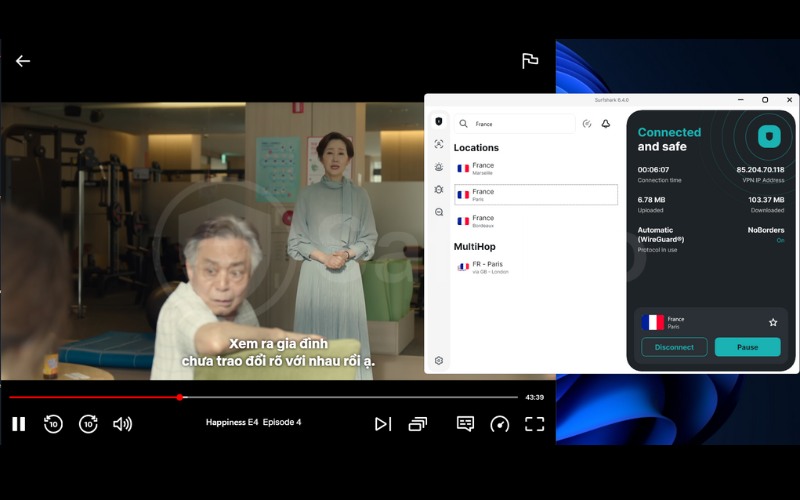
| Netflix France | Verified | 7/10 | Paris, Marseille |
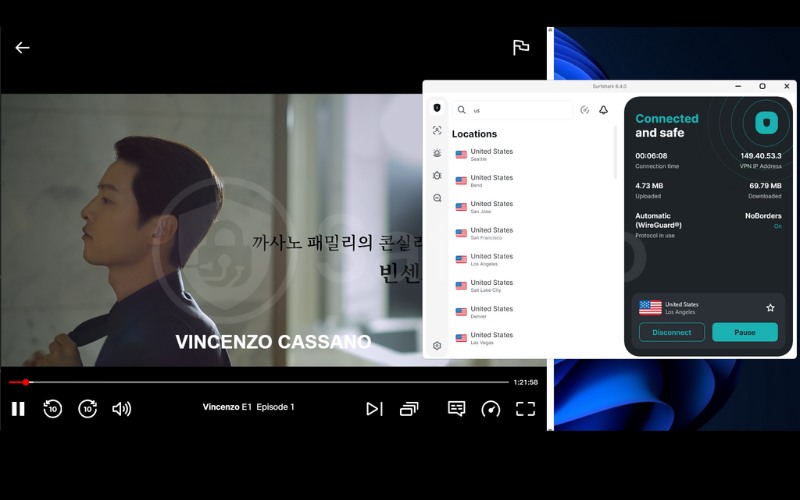
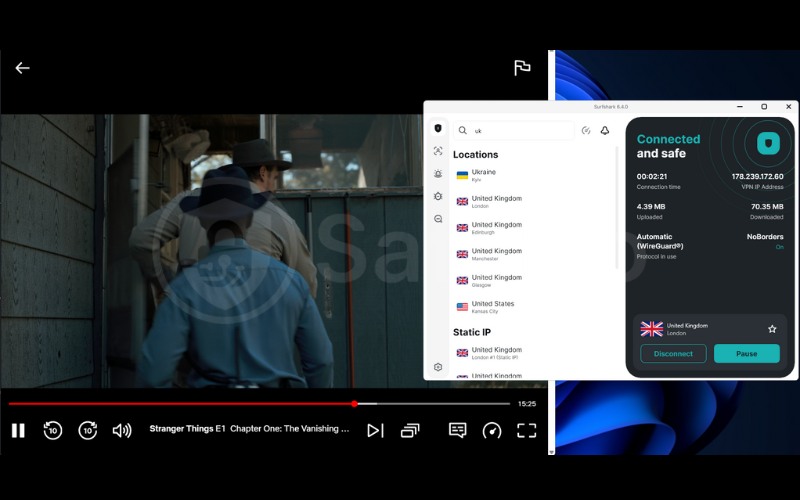
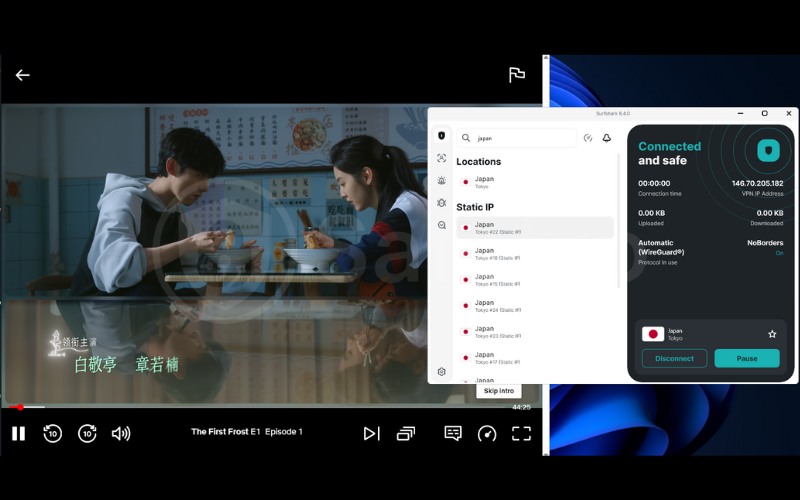
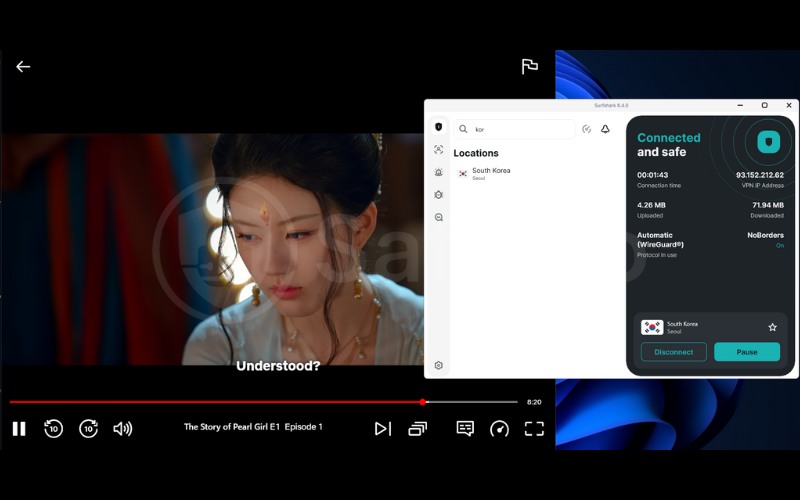
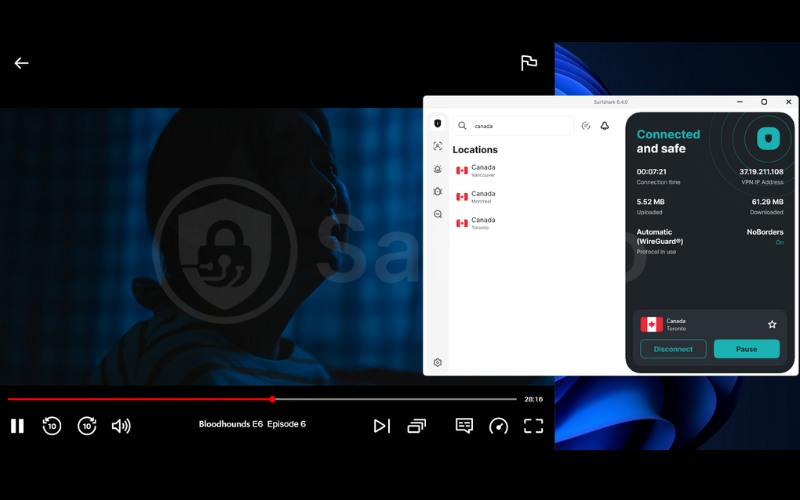
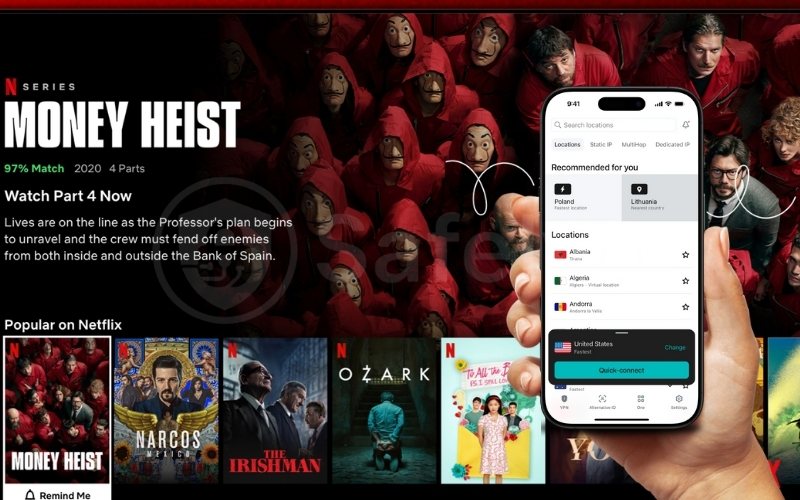
In our real-world testing conducted in January 2026, we tested Surfshark with Netflix across 7 different servers in the US, UK, Japan, South Korea, Canada, Australia, and France. The images below demonstrate how Surfshark VPN successfully unblocks major Netflix libraries by using optimized regional servers, delivering reliable access and smooth streaming performance.
3. Five reasons why Surfshark is perfect for Netflix streaming
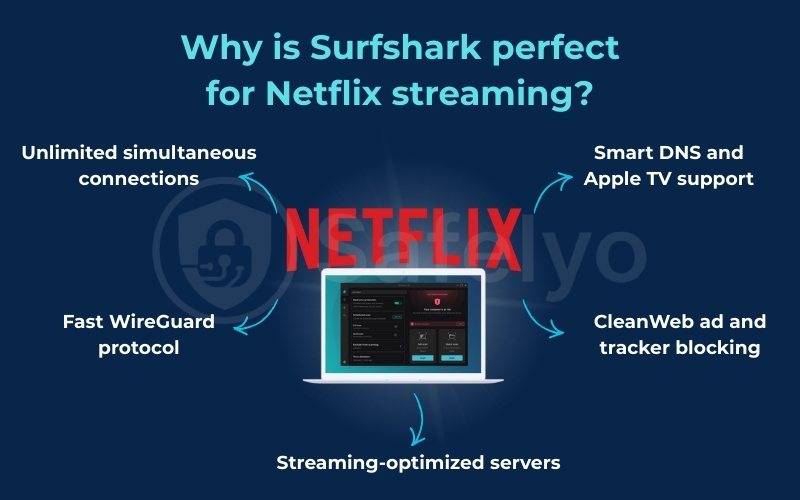
Surfshark stands out in the crowded VPN market because it combines unlimited device access with high-speed WireGuard technology, making it a highly cost-effective solution for households. It directly addresses common streaming pain points like buffering, strict geo-blocks, and device compatibility issues.
3.1. Unlimited simultaneous connections
Most premium VPNs restrict you to 5 – 7 devices, but Surfshark allows unlimited simultaneous connections under a single subscription. This unique feature is perfect for large families or shared households, ensuring everyone can watch their favorite shows on their own phones, tablets, or smart TVs at the same time without logging anyone out.
3.2. Fast WireGuard protocol
Connection speed is critical for streaming 4K Ultra HD and HDR content without the frustration of buffering. Surfshark utilizes the modern, lightweight WireGuard protocol, which delivers significantly faster data transfer rates compared to older standards like OpenVPN, guaranteeing a smooth and uninterrupted viewing experience.
3.3. Streaming-optimized servers
Unlike some competitors that force you to select specific niche servers, Surfshark’s entire network is engineered to bypass Netflix’s proxy detection. The servers automatically handle obfuscation, allowing you to connect to a regular US or UK location and immediately access the library without complex manual configuration.
3.4. Smart DNS and Apple TV support
Many devices, such as Apple TV, older Smart TVs, and gaming consoles (PlayStation/Xbox), do not support native VPN apps. Surfshark solves this with its Smart DNS feature, which allows you to unblock streaming content directly on these devices by changing DNS settings, eliminating the need for complicated router setups.
3.5. CleanWeb ad and tracker blocking
Security remains a priority even while relaxing with a movie. Surfshark’s CleanWeb feature runs in the background to block tracking scripts and malicious ads. This prevents Internet Service Providers (ISPs) and third-party data brokers from profiling your streaming habits and ensures a cleaner, safer digital environment.
Read more:
4. How to use Surfshark with Netflix step-by-step
Setting up Surfshark to unblock Netflix is a straightforward process that takes less than five minutes. Follow these four simple steps to bypass geo-restrictions and start watching your favorite global content immediately.
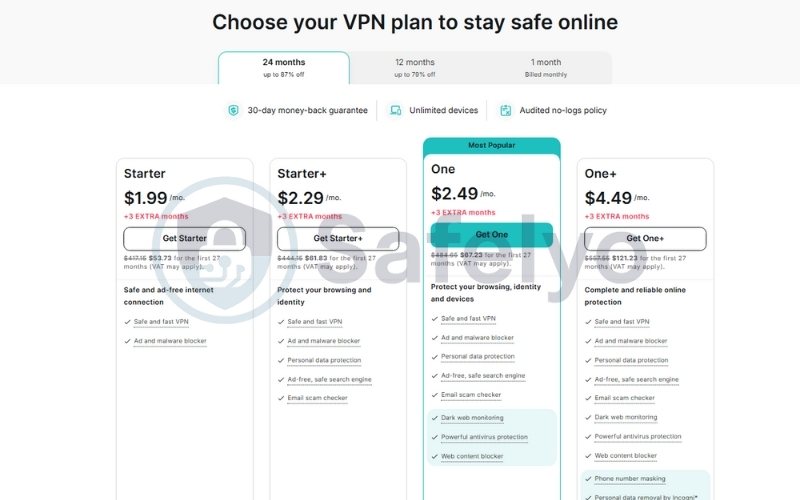
Step 1: Get a Surfshark subscription
Visit the official Surfshark website to create an account and select a subscription plan. We recommend choosing a plan that includes their 30-day money-back guarantee, which allows you to fully test the service with Netflix risk-free before making a long-term commitment.
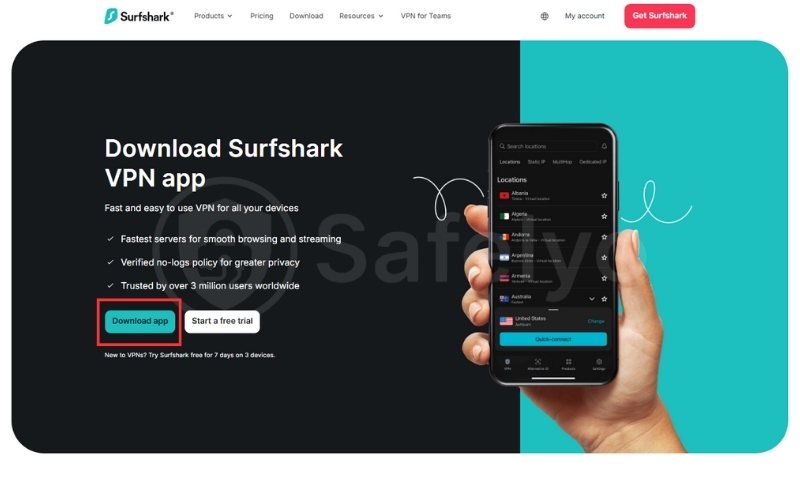
Step 2: Download and install the Surfshark app
Download the correct application for your specific device from the Surfshark website or your device’s app store. Surfshark offers native, easy-to-install apps for all major platforms, including Windows, macOS, iOS, Android, and Amazon Fire TV Stick.
Step 3: Log in and connect to a Netflix-compatible server
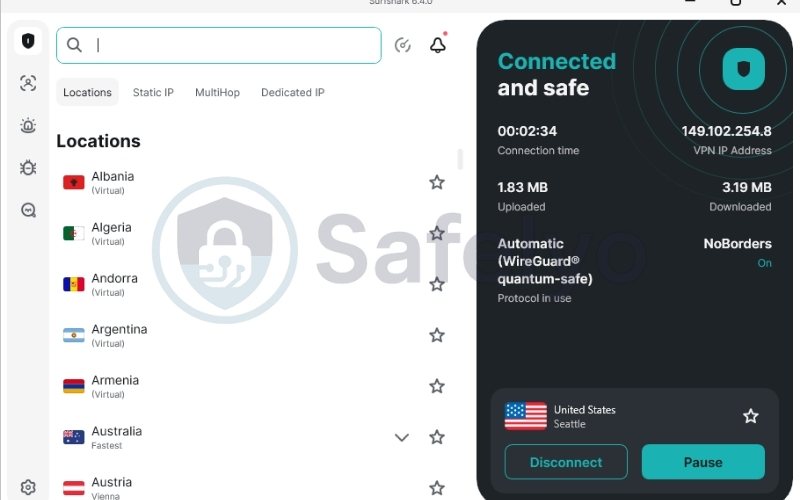
Open the app and log in with your credentials. Use the search bar to find a server in the country corresponding to the Netflix library you wish to access. For example, connect to a US server (like New York or Los Angeles) to unlock the American catalog.
Step 4: Open Netflix and start streaming
Wait for the connection to be established (usually indicated by a green light). Open your Netflix app or refresh your browser window. You should now have access to the new library. If you still see your local content, clear your browser cache and reload the page.
5. Does Surfshark work with Netflix on all devices?
Surfshark offers extensive cross-platform compatibility, ensuring you can stream restricted content on virtually any screen in your home. Whether you are using a mobile device on the go or a dedicated home theater setup, there is a specific solution available.
- Smartphones and tablets: You can download user-friendly apps directly from the Apple App Store or Google Play Store for iOS and Android devices. These mobile clients allow you to switch regions instantly, making them ideal for streaming during commutes or casting content to larger screens via AirPlay or Chromecast.
- Smart TVs and streaming devices: Surfshark provides dedicated applications for Android TV, Amazon Fire TV Stick, and Chromecast with Google TV. This native support allows you to install the VPN directly onto your streaming hardware, eliminating the need for complex external wiring or router configurations to unblock shows.
- Apple TV: For users running tvOS 17 or later, Surfshark offers a native Apple TV app for seamless integration and control. Alternatively, on older software versions, you can utilize the Smart DNS feature, which changes your virtual location without encryption to maximize streaming speeds.
- Gaming consoles: Consoles like PlayStation (PS5/PS4) and Xbox Series X do not support VPN apps natively. To watch Netflix on these devices, you simply configure Smart DNS settings within the console’s network menu or install Surfshark on your Wi-Fi router to cover all connected hardware.
6. Surfshark not working with Netflix? Here’s how to fix it
Even the most reliable VPNs occasionally encounter temporary blocks due to Netflix’s aggressive filtering updates. If you see the dreaded “proxy detected” error, simple troubleshooting steps like switching servers or clearing your cache usually resolve the issue immediately.
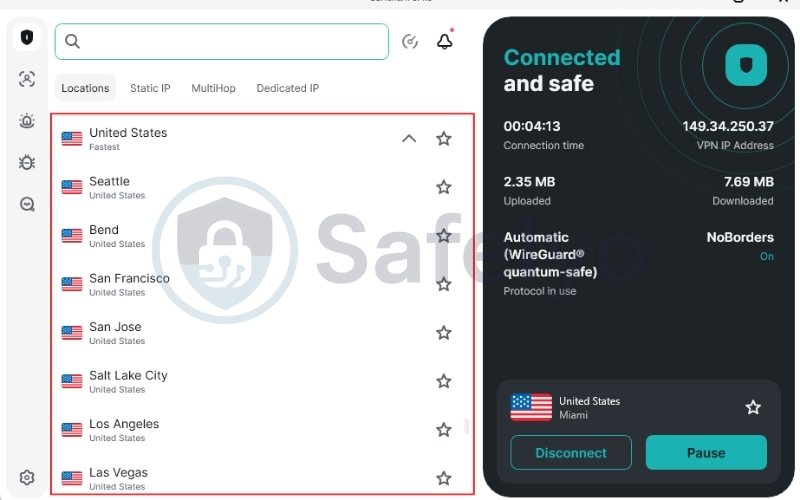
6.1. Switch to a different server in the same region
Netflix often flags specific IP addresses rather than blocking the entire VPN service. If your current connection fails, disconnect and select a different city or server location within the same country (e.g., switch from New York to Miami) to obtain a fresh, unblocked IP address.
6.2. Clear browser cache and cookies
Old location data stored in your browser can conflict with your VPN’s virtual location, revealing your true identity. Clearing your cookies and cache removes these digital footprints, forcing Netflix to reload its library based solely on your new VPN IP address.
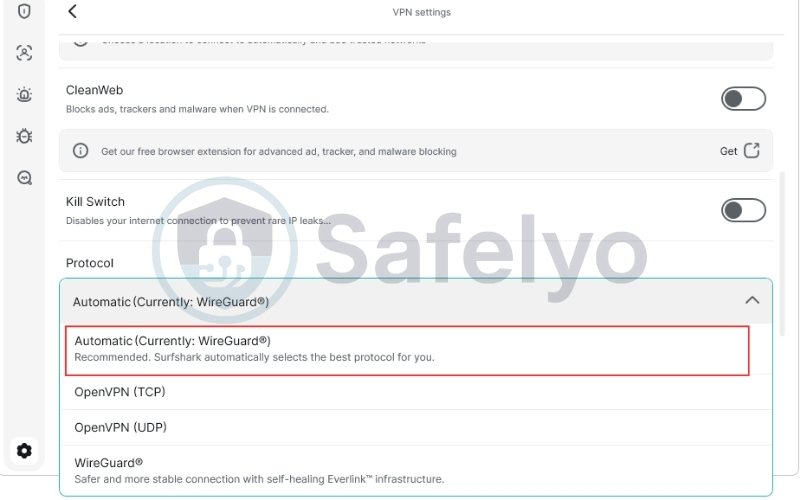
6.3. Change VPN protocols to WireGuard
Different protocols handle data packaging differently, and some are easier to detect than others. Go to the app’s settings and manually select WireGuard, which is not only faster for streaming but currently offers better success rates against blocks compared to older OpenVPN configurations.
6.4. Disable IPv6 on your device
Many VPNs primarily tunnel IPv4 traffic, meaning your real location could leak through an IPv6 connection. To prevent this, go to your device’s network settings and disable IPv6, ensuring 100% of your traffic is routed securely through the encrypted VPN tunnel.
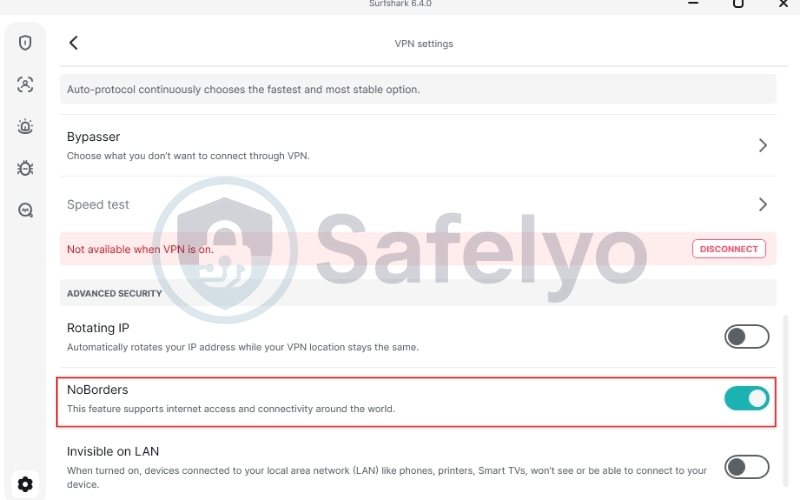
6.5. Enable NoBorders mode in Surfshark
If standard connections are failing, enable NoBorders mode in the Surfshark app’s advanced settings. This feature is designed to bypass heavy network restrictions and obfuscate your traffic, helping to sneak past Netflix’s most sophisticated proxy detection systems.
6.6. Contact Surfshark’s 24/7 live chat support
When all else fails, Surfshark’s support team can provide immediate assistance. Reach out via 24/7 live chat to ask for a list of specific servers that are currently working for your desired Netflix region, saving you time on manual trial and error.
7. Why does Netflix block VPNs like Surfshark?
Netflix restricts content not to annoy users, but to comply with strict global licensing agreements that define where movies and shows can be broadcast. To enforce these contracts, the platform employs sophisticated technology designed to identify and block traffic coming from Virtual Private Networks.
- Mechanisms for detecting proxy traffic
Netflix uses advanced algorithms to analyze incoming connection requests for non-residential behavior. They look for specific technical signatures and DNS discrepancies that reveal the use of a proxy server, instantly blocking access if the traffic does not appear to originate from a standard home internet connection.
- Automatic IP address blacklisting
The most common detection method relies on monitoring IP address activity. Since VPNs route thousands of users through a single server, Netflix sees massive traffic volume coming from one IP. This abnormal pattern triggers automatic IP address blacklisting, as it clearly indicates a commercial server rather than a private household.
- How do premium VPNs bypass blocking technology?
Premium providers stay ahead of these blocks by constantly refreshing their IP pools and adding new servers. Surfshark also employs obfuscation technology that disguises VPN packets as regular HTTPS web traffic, making it extremely difficult for Netflix’s filters to distinguish the VPN connection from normal browsing.
8. Surfshark vs other VPNs for Netflix
While Surfshark is a powerhouse, it operates in a competitive market alongside giants like NordVPN and ExpressVPN. The table below compares their key features to help you understand which service offers the best value for your specific streaming needs.
| Feature | Surfshark | NordVPN | ExpressVPN |
|---|---|---|---|
| Best For | Budget & Families | Speed & Security | Consistency & Travel |
| Netflix Unblocking | Excellent. Unblocks 15+ libraries (US, UK, JP, KR). | Excellent. Unblocks most major libraries reliably. | Excellent. Consistent access to 105+ countries. |
| Device Limit | Unlimited | 10 Devices | 8 Devices |
| Streaming Speed | Fast (WireGuard) | Very Fast (NordLynx) | Very Fast (Lightway) |
| Price Range | $ (Cheapest) | Moderate | $ (Expensive) |
| Server Count | 3,200+ in 100 countries | 6,000+ in 60 countries | 3,000+ in 105 countries |
When Surfshark is the better choice for streaming
Surfshark is the superior choice for households with multiple users and a variety of devices. Its unique policy of unlimited simultaneous connections allows a family to stream Netflix on iPads, Smart TVs, and phones simultaneously under one affordable subscription, eliminating the need to buy multiple accounts.
9. Is using Surfshark for Netflix legal and safe?
Using a VPN to watch Netflix is a common practice, but it exists in a grey area between legality and platform rules. While it is perfectly legal to use a VPN in most countries to secure your internet connection, doing so to bypass geo-restrictions conflicts with the streaming service’s user agreement.
- Netflix terms of service vs local laws
In the vast majority of jurisdictions, accessing geo-blocked content via VPN is not a crime. However, it does violate Netflix’s Terms of Use, which state that you may only view content in the country where you are physically located. While Netflix reserves the right to terminate accounts, in practice, they block the specific IP address rather than ban paying customers.
- Privacy and security considerations
Using Surfshark is significantly safer than streaming without protection. The service uses AES-256 encryption to hide your activity from your Internet Service Provider (ISP), preventing them from throttling your connection speed during peak hours. Additionally, Surfshark’s strict no-logs policy ensures that your viewing habits remain private and are never recorded.
- Risks of using free VPNs for Netflix
Unlike premium services, free VPNs are often dangerous and ineffective for streaming. Most free providers sell user data to third-party advertisers to cover costs and lack the security features needed to protect your identity. Furthermore, they rarely work with Netflix, as they cannot afford to refresh their small pool of IP addresses once blacklisted.
- Transparency & limitations
Netflix regularly updates its VPN detection systems, meaning no VPN can guarantee permanent access to every library. Our results reflect independent testing at the time of writing and may vary depending on server availability and location.
We do not receive special access or whitelisted servers from Surfshark or Netflix. All conclusions in this guide are based on hands-on testing, documented troubleshooting, and publicly available VPN technologies such as IP rotation and traffic obfuscation. When access issues occur, Surfshark’s frequent IP refreshes and responsive support make recovery faster than most competitors.
10. FAQs
Can Surfshark unblock Netflix US reliably?
Yes, Surfshark is highly reliable for accessing the US library. With over 25 server locations across the United States, users can easily find a fast, uncongested connection to stream American exclusives like The Office or Grey’s Anatomy without interruption.
Does Netflix block Surfshark?
No, Surfshark is not permanently blocked. While Netflix occasionally flags specific IP addresses to restrict access, Surfshark constantly updates its server network. If you encounter an error, simply switching to a different server location usually restores access immediately.
Does Surfshark work with Netflix on Apple TV?
Yes, Surfshark works seamlessly on Apple TV. For the latest models running tvOS 17, you can download the native VPN app. For older versions, Surfshark’s Smart DNS feature allows you to unblock content by configuring your network settings without complex router installation.
Can a free VPN work with Netflix?
Generally, no. Free VPNs have limited server networks that are easily detected and blacklisted by Netflix. They also suffer from slow speeds and data caps, making them unsuitable for streaming high-quality video content compared to premium services like Surfshark.
How many devices can I use Surfshark on?
You can use Surfshark on an unlimited number of devices simultaneously. This policy makes it the ideal choice for large households, allowing every family member to stream their own Netflix content on phones, laptops, and TVs under a single subscription.
11. Conclusion
For users seeking reliable streaming access, the answer to does Surfshark work with Netflix is a definitive yes. It stands out as the most effective method to bypass geo-blocks, ensuring your entertainment options are never limited by your physical location. Its premium architecture guarantees a smooth, high-quality viewing experience free from common proxy errors.
Consistency is key to digital freedom. With its unique unlimited device policy, Surfshark ensures your entire household enjoys global content without compromise. To discover the best security setups or compare providers, explore our comprehensive VPN Guides at Safelyo. Our expert resources are designed to help you navigate the world of cybersecurity with ease and confidence.