Deciding between a router VPN vs device VPN setup is a common dilemma for privacy-conscious users.
A router setup protects your entire home instantly, while device apps offer significantly better speed and simplicity.
This guide compares the performance, security, and usability of both methods to help you choose the right setup for your network.
Key takeaways:
- Device VPN (App): Best for speed, ease of use, and travel. It uses your device’s powerful processor.
- Router VPN: Best for protecting devices that cannot run apps (like Apple TV or PlayStation).
- Speed impact: Router VPNs are typically slower than device VPNs due to weaker hardware.
- Setup: Device apps are “plug-and-play,” while routers often require technical configuration.
- Recommendation: Use device apps for daily browsing and router VPNs only if you need whole-home coverage.
1. The short answer: Router VPN vs device VPN explained
If you are in a rush, here is the fundamental difference:
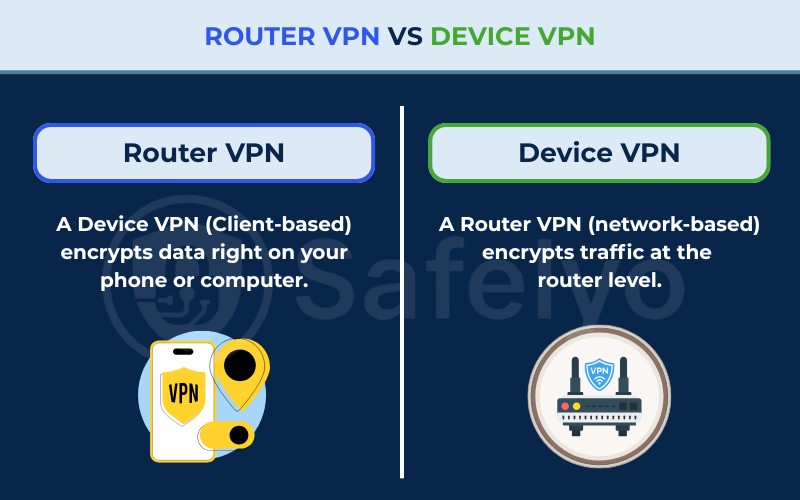
A Device VPN (Client-based) encrypts data right on your phone or computer. The data is scrambled before it ever leaves your device. This usually offers the best speed because phones and laptops have powerful processors to handle the encryption.
A Router VPN (network-based) encrypts traffic at the router level. Data travels from your device to the router over the local network, then enters the VPN tunnel before accessing the internet. This protects every device on your Wi-Fi, but it also places a heavy processing load on the router, which can reduce overall speed.
2. What is a device VPN? (Client-based)
This is the standard way most people use a Virtual Private Network. You download an app from your provider (like NordVPN, ExpressVPN, or Surfshark) and install it directly on your smartphone, tablet, or computer.
When you press “Connect,” the app creates an encrypted tunnel between that specific device and the VPN server.
2.1. Pros of using a VPN on a device
Using an app directly on your device offers several distinct advantages regarding performance and usability:
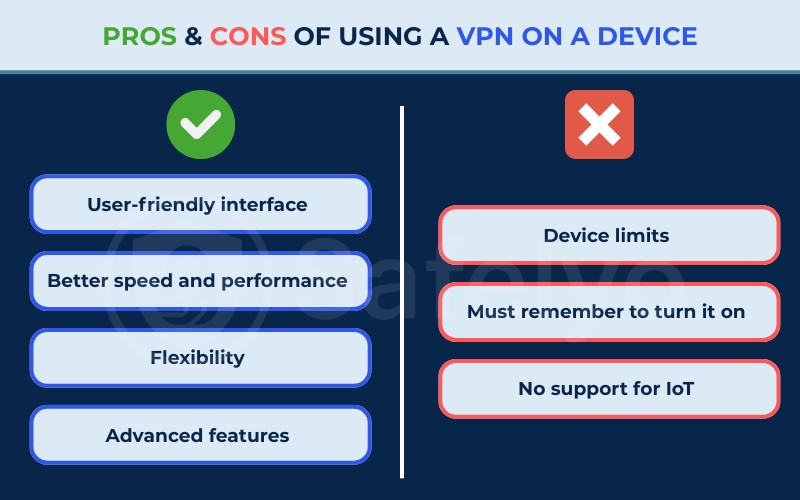
- User-friendly interface: You get a visual map or list. You can switch your location from New York to London in two clicks to check regional content.
- Better speed and performance: Modern smartphones and laptops have powerful CPUs (processors). They can handle complex data encryption mathematics without slowing down your internet speed.
- Flexibility: This is essential for travelers. If you take your laptop to a coffee shop, the protection travels with you.
- Advanced features: Apps give you easy access to vital security tools. You can toggle the Kill Switch, Split Tunneling, or change protocols (like WireGuard) directly in the settings menu.
2.2. Cons of using a VPN on a device
Despite the convenience, relying solely on apps does have some limitations:
- Device limits: Most plans cap connections at 5–10 devices. This is rarely a practical issue, as few households need to actively secure that many devices simultaneously.
- Inconvenience: You must remember to turn it on. Users often find themselves browsing for ten minutes before realizing they forgot to open the VPN app.
- No support for IoT: You cannot install a VPN app on most Smart TVs, PlayStation, Xbox, or smart home gadgets.
3. What is a router VPN? (Network-based)
A router VPN works at the gateway level. Instead of using an app, you configure the VPN connection inside the router’s firmware.
Once active, every bit of traffic flowing through that router is encrypted. The router acts as a funnel, securing everything connected to it.
3.1. Pros of using a VPN on a router
Configuring your VPN at the router level provides comprehensive benefits for the entire household:
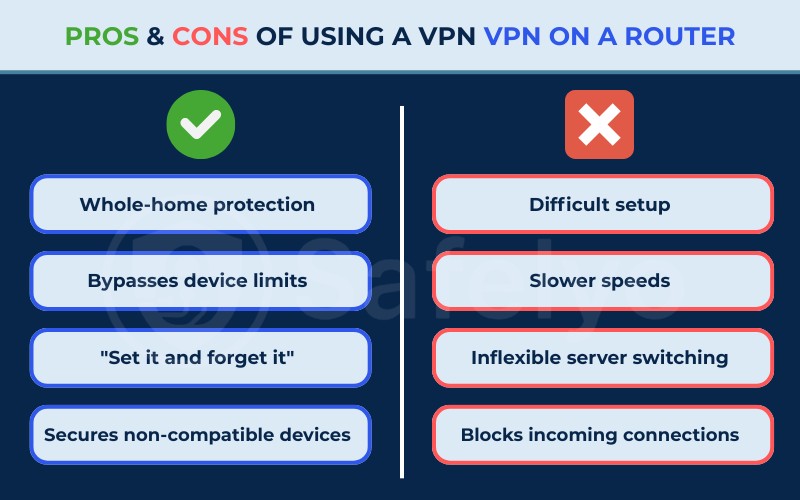
- Whole-home protection: As soon as a device connects to your Wi-Fi, it is secure. This includes guests who visit your house.
- Bypasses device limits: The VPN provider only sees one connection (your router). You can have 50 devices connected to your Wi-Fi, and it still counts as just one slot on your subscription.
- “Set it and forget it”: The connection is always on. You never have to worry if you remembered to enable protection before checking your bank account.
- Secures non-compatible devices: This is the only way to protect “dumb” devices. It covers Apple TV, Roku, gaming consoles, and smart fridges that do not have screens or app stores.
3.2. Cons of using a VPN on a router
While powerful, running a VPN on your router comes with significant technical and performance drawbacks:
- Difficult setup: It is not for beginners. You often need to flash custom firmware (like DD-WRT or Tomato) or manually input server configuration files.
- Slower speeds: This is the biggest drawback. Most consumer routers have weak processors. They struggle to encrypt data in real-time, which can result in noticeable speed reductions (often significant on low- to mid-range routers, especially with OpenVPN).
- Inflexible server switching: Changing your location is tedious. You usually have to log into the router’s admin panel (192.168.x.x) via a browser just to pick a different server.
- Blocks incoming connections: Since the router acts as a strict shield, you might face issues accessing your home devices remotely or hosting a server.
Read more: How to set up a VPN on a router
4. Comparison table: Router VPN vs device VPN features
Here is a side-by-side look to help you visualize the differences.
| Feature | Device VPN (App) | Router VPN |
|---|---|---|
| Setup Difficulty | Easy (Install & Click) | High (Manual Config) |
| Speed | Fast (High Performance) | Slow (Hardware limited) |
| Device Limit | Limited (e.g., 5-10 slots) | Unlimited (Counts as 1) |
| Switching Servers | Instant | Difficult (Admin Panel) |
| Encryption Processing Power | High (Device CPU) | Limited (Router CPU) |
| Travel Friendly | Yes | No (Stationary) |
| Protects IoT/TVs | No | Yes |
5. Key differences between router level VPN and app VPN
To truly understand VPN on router vs device, we need to look closer at performance and usability. These are the factors that will impact your daily life.
5.1. Speed and performance impact
This is where the device VPN usually wins. Encryption requires mathematical processing power.
Smartphones and computers are equipped with powerful processors designed to handle complex tasks like encryption effortlessly.
In contrast, most home routers are built with low-power chips intended only to direct data traffic, not to process heavy encryption algorithms. This hardware limitation causes significant speed bottlenecks.
Tests typically show that using OpenVPN on a standard mid-range router causes download speeds to drop noticeably compared to the direct line speed.
This happens because the router’s processor hits 100% usage trying to encrypt the traffic. Unless you invest in a high-end router with a specialized crypto-processor (like AES-NI support), you will likely experience a similar bottleneck.
However, investing in a high-end or dedicated VPN router with a powerful processor changes the situation. With such hardware, the speed difference becomes minimal and can effectively match device VPN performance.
5.2. Setup and ease of use
Device VPNs are designed for everyone. You download the app, sign in, and press a button.
Router VPNs require patience. First, you must ensure your router supports VPN client mode (many ISP-provided modems do not). If it does not, you have to replace the firmware, which carries a risk of “bricking” (breaking) the device.
Even after setup, managing it is clumsy. If Netflix blocks your current server, swapping to a new one on a router takes several minutes of admin work.
5.3. Security and encryption protocols
Apps on devices update automatically. They easily support modern, lightweight protocols like WireGuard, which offers great speed and security.
Routers, especially older ones, often rely on OpenVPN. While OpenVPN is very secure, it is heavy and requires more processing power. This further contributes to the speed issues mentioned earlier.
6. When should you use a VPN on a router vs device?
Neither solution is perfect for everyone. Your choice depends on your specific lifestyle and hardware.
6.1. Best scenarios for device VPNs
You should stick to installing the VPN app directly on your devices in the following situations:
- Travelers and remote workers: If you use public Wi-Fi at coffee shops or airports, you need the protection on your laptop or phone. A home router cannot protect you there.
- Gamers: You need low latency (ping). A device VPN lets you turn off the connection while gaming to maximize speed. Alternatively, you can use “Split Tunneling” to encrypt only Discord chat while keeping game traffic fast.
- Beginners: If you are not comfortable navigating technical network settings, stick to the app.
6.2. Best scenarios for router VPNs
A router-based setup is the better choice if you fit into these specific user categories:
- Large families: If you have 20+ devices in your home, managing apps on all of them is a nightmare. A router covers everyone instantly.
- Streaming enthusiasts: If you want to watch geo-blocked content on your Smart TV or Roku stick, a router VPN is often the only way to change the location of those devices.
- Privacy absolutists: If you are anxious about smart home devices (like baby monitors or smart speakers) “phoning home” with your data, a router VPN blocks those leaks.
7. Can you use a VPN on both router and device? (Double VPN)
You might be wondering, is it better to put VPN on router or device, or can I do both?
Technically, you can connect a device with a VPN app enabled to a Wi-Fi network that is also running a VPN. This creates a “Double VPN” setup. Your data is encrypted twice.
However, I generally advise against this for daily use.
Running double encryption will drastically reduce your internet speed. It can also cause connection instability due to “Double NAT” (Network Address Translation) conflicts.
Unless you are a whistleblower or journalist requiring extreme anonymity, the performance cost is not worth the marginal security gain.
8. FAQs about router VPN vs device VPN
What is the difference between a VPN and a VPN router?
A VPN is a service or software that encrypts your internet connection.
A VPN router is a physical hardware device that has this software pre-installed or configured at the system level.
Think of the VPN as the fuel, and the VPN router as a specific type of engine built to use that fuel for the whole house.
What are the downsides of VPN on a router?
The main downsides are speed loss and lack of flexibility. Because routers have weaker processors than phones, they process encryption slower, leading to lagging internet. Also, it is harder to turn the VPN off for just one device (like if a banking site rejects the VPN connection).
Should NordVPN be on a router or device?
It depends on your goal.
For the fastest speeds and access to features like “Threat Protection,” use the NordVPN app on your device.
Only install it on your router if you specifically need to secure devices like a PlayStation or Apple TV that cannot run the app themselves.
Can I set up a VPN on my ISP router?
Likely not. Most standard modems/routers provided by Internet Service Providers (ISPs) are “locked down.” They rarely support VPN Client mode. You usually need to buy a separate third-party router (like Asus, Linksys, or Netgear) to use this feature.
Does a router VPN work on iOS devices connected to Wi-Fi?
Yes. If your iPhone or iPad connects to a Wi-Fi network that is running a VPN on the router, the iOS device is automatically protected. You do not need to open the VPN app on the phone.
9. Conclusion
When choosing between router VPN vs device VPN, the decision comes down to a trade-off between convenience and control versus raw performance.
For 90% of users, Device VPNs are the superior choice. They are faster, easier to manage, and travel with you. However, if you need to secure a smart home ecosystem or bypass geo-blocks on a Smart TV, a Router VPN is an indispensable tool.
For helpful VPN tutorials and guides, visit our VPN Guides category or explore Safelyo for more digital safety tips.