A VPN client is software installed on your device that creates a secure, encrypted connection to a VPN server. Instead of routing your internet traffic directly through your ISP, the client directs it through a private tunnel. This process masks your actual IP address and helps protect your online activity on unsecured networks.
This guide covers exactly what is a VPN client and how does it work, the main types available, which protocols a VPN client uses, and how to choose the right VPN client for your network needs.
Key takeaways:
- A VPN client is the software on your device that handles encryption and server connection.
- A VPN client protects your traffic on public Wi-Fi, hides your IP address, and bypasses geo-restrictions.
- Paid VPN clients include a kill switch, leak protection, and protocol flexibility, while free VPN clients typically do not.
- The three main types are consumer apps, enterprise clients, and built-in or router-based clients.
- WireGuard, OpenVPN, and IKEv2/IPsec are the core protocols you will encounter.
1. What is a VPN client?
A VPN client is the specific software installed on your device (computer, smartphone, or tablet) that establishes and maintains a secure connection to a VPN server, acting as the control center for your privacy.
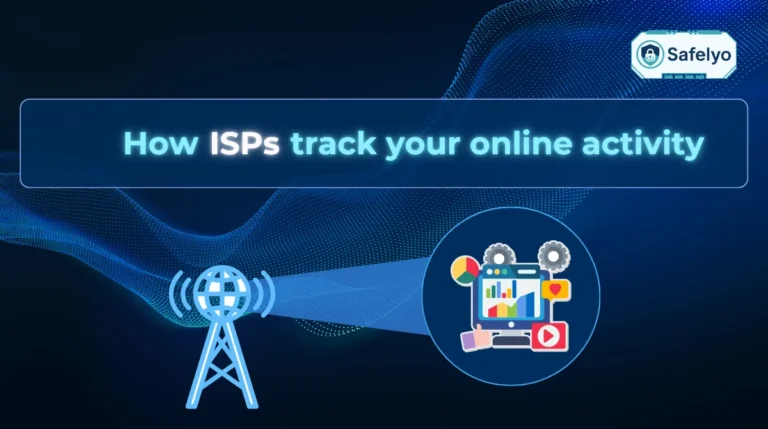
A Virtual Private Network (VPN) itself is a broader security technology that encrypts your internet traffic and routes it through a private data tunnel. This underlying process keeps your online activity hidden from Internet Service Providers (ISPs), advertisers, and potentially malicious actors.
In practice, a VPN client takes several forms depending on how you connect. Most commonly, it acts as a standalone VPN app, such as the NordVPN application on iOS or the ExpressVPN program on Windows. However, a VPN client can also be a lightweight browser extension, a built-in feature within your device’s network settings, or specialized firmware operating directly on your home router.
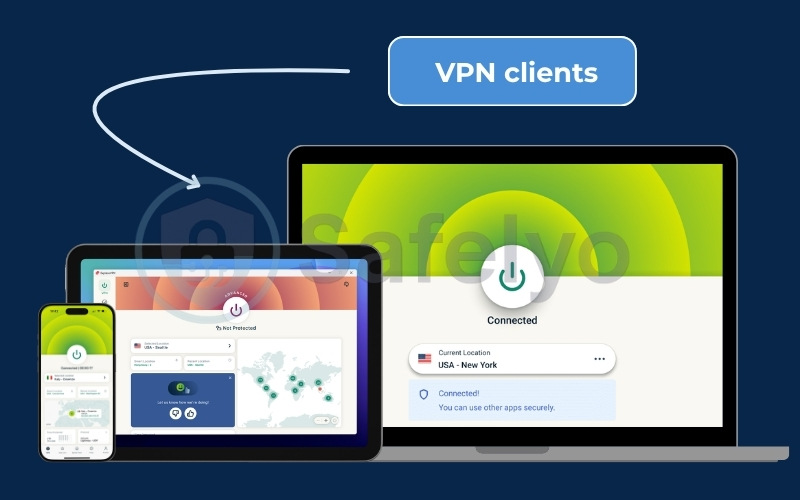
The VPN client handles the complex tasks of authentication, encryption, and configuration automatically, giving you a simple interface to protect your digital life. When you open the VPN client and click connect, the VPN client performs three essential actions:
- Authenticates your identity with the VPN server using your credentials or cryptographic keys.
- Applies encryption protocols to lock your internet traffic inside a secure code.
- Creates a data tunnel that routes all your network requests through the VPN server instead of your ISP’s direct connection.
Modern VPN clients typically feature an intuitive graphical user interface. This dashboard allows you to easily check your connection status, select servers in different countries, and toggle advanced settings like split tunneling or a kill switch. Most reputable VPN providers offer VPN clients for all major operating systems, including Windows, macOS, iOS, Android, and Linux.
Note: In everyday terms, when you hear someone say "I use a VPN", they are actually talking about using a VPN client.
2. VPN client vs. VPN service vs. VPN server
These three terms represent distinct parts of your secure network setup. The VPN client is the application running locally on your device, the VPN service is the company providing the subscription, and the VPN server is the remote hardware routing your traffic.
| Component | What it does | Who controls it | Typical examples |
|---|---|---|---|
| VPN client | The software on your device that initiates the connection and encrypts data. | You, the user | The NordVPN app on your phone, OpenVPN Connect, WireGuard client |
| VPN service | The commercial provider that manages the network infrastructure and accounts. | The VPN company | ExpressVPN, Surfshark, Proton VPN |
| VPN server | The remote physical or virtual machine that decrypts and routes your traffic. | The provider or IT admin | Servers located in New York, London, Tokyo, etc. |
While the provider manages the servers and the broader network infrastructure, the VPN client acts as your local command center. Every secure session begins directly within this software, triggering the background processes that establish the encrypted connection.
3. How a VPN client works
Behind the user-friendly interface, the VPN client executes a specific sequence of cryptographic actions to lock your traffic before it reaches the public internet.
When you click the connect button, the VPN client performs a seamless four-step mathematical process to secure your data.
- Handshake and authentication: The VPN client first verifies the identity of the server. This initial check ensures you are connecting to a legitimate server and not a malicious honeypot set up by hackers.
- Public and private key exchange: The VPN client sends the server a public key to encrypt data. The server then uses a private key to decrypt that information. This exchange mechanism protects your data even if the traffic is intercepted on the network.
- Encryption negotiation: The two endpoints agree on a protocol and a cipher to decide exactly how your data will be scrambled.
- Tunnel establishment: A secure VPN tunnel is created. All traffic leaving your device is encrypted into unreadable gibberish.
You can visualize this operation as sending a letter inside a locked steel box rather than a transparent plastic envelope. Only the VPN server has the key to open the box, read the request, and forward it to the internet.
4. Key security features of a VPN client
While all VPN clients handle basic encryption, their feature sets vary. Built-in operating system tools typically offer only fundamental connectivity. Most modern dedicated VPN clients include specific tools to manage security risks and prevent data leaks. A standard dedicated client usually provides the following features:
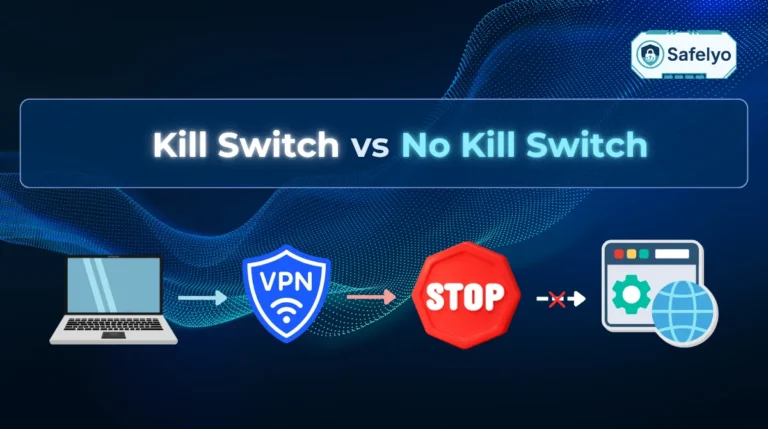
- Kill switch: This feature instantly blocks all internet traffic if your VPN connection drops unexpectedly, preventing your real IP address from leaking.
- Leak protection: High-quality VPN clients ensure your DNS requests and IPv6 traffic do not bypass the encrypted tunnel.
- Auto-connect: This setting activates the VPN client automatically when your device starts up or joins an untrusted Wi-Fi network.
- Split tunneling: This tool lets you choose which apps use the VPN client and which apps connect directly to the internet.
- MultiHop (Double VPN): This option routes traffic through two servers for extra encryption layers.
- Obfuscation or stealth protocol: This technology hides your VPN traffic to make it look like regular HTTPS browsing, helping you bypass Deep Packet Inspection firewalls.
- Ad-blocking: Some VPN clients include built-in tools that block annoying ads and malicious domains.
- Multi-factor authentication (MFA): This login option provides extra security for enterprise VPN clients.
Together, these tools transform a basic VPN connection into a smart and adaptive privacy system that keeps your information secure wherever you connect.
2026 Security Update: The Rise of Post-Quantum Encryption (PQE)
The cybersecurity landscape has shifted due to the “Harvest Now, Decrypt Later” threat, where attackers hoard encrypted data to crack later with future quantum computers. To combat this risk, modern VPNs have adopted Post-Quantum Encryption. Industry leaders like NordVPN and ExpressVPN now enable this quantum-resistant protection, ensuring your data remains secure against both today’s hackers and tomorrow’s supercomputers.
5. Why use a VPN client?
You should use a dedicated VPN client because the VPN client provides an easy graphical interface, advanced security features, and automatic updates that manual configurations lack. Most operating systems include basic VPN functionality, but dedicated VPN clients from premium providers go well beyond that baseline.
5.1. Ease of use and visual management
The primary benefit is simplicity. A VPN client provides a graphical interface that replaces complex manual configuration. Instead of typing server addresses and importing certificates, you simply click a location on a map or a list.
- Instant access: You can switch from a server in London to one in Tokyo in seconds.
- Visual feedback: The VPN client clearly shows your connection status, current IP address, and server load, so you know exactly when you are protected.
5.2. Access to advanced features
Manual connections often lack the sophisticated security tools found in dedicated VPN clients.
- Feature availability: Essential tools like the kill switch, split tunneling, and Double VPN are typically only available through the VPN client.
- Protocol flexibility: A VPN client lets you switch between tunneling protocols with a single click, whereas manual setups usually lock you into one protocol.
5.3. Automatic updates and maintenance
Security threats evolve constantly. VPN providers regularly update their VPN clients to patch vulnerabilities, improve encryption standards, and fix bugs. Using a VPN client ensures you always have the latest protection without needing to manually reconfigure your network settings every time a security update is released.
6. Common uses of a VPN client
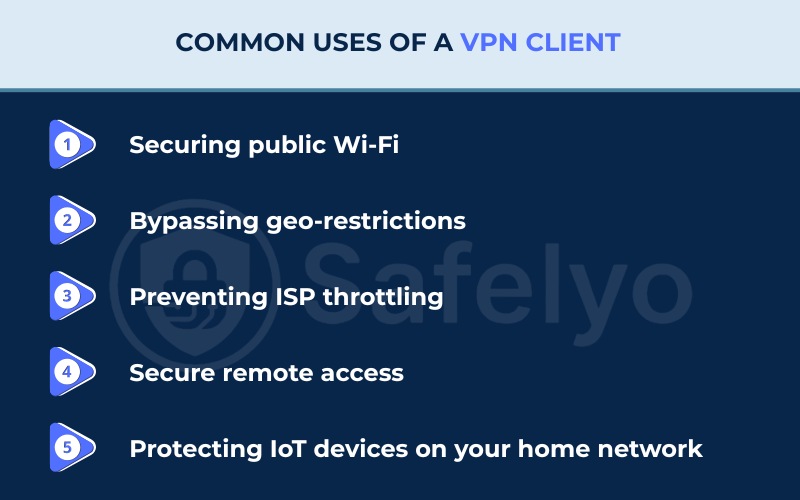
The most common uses of a VPN client include securing public Wi-Fi, bypassing geo-restrictions, preventing ISP throttling, protecting remote network access, and shielding IoT devices. Beyond just technical encryption, a VPN client provides practical solutions for everyday internet activities.
6.1. Securing public Wi-Fi
Public networks in coffee shops, airports, and hotels are often unsecured, making them hunting grounds for hackers. A VPN client encrypts your traffic, ensuring that even if someone intercepts your data on these networks, they cannot read your passwords, credit card numbers, or emails. For optimal protection, you should always run the best VPN for public Wi-Fi before joining any open network.
6.2. Bypassing geo-restrictions
Many streaming platforms and websites limit access based on your location. By using a VPN client to connect to a server in a different country, you can mask your physical location. This capability allows you to access content that is otherwise blocked in your region, such as Netflix libraries, BBC iPlayer, or news sites.
6.3. Preventing ISP throttling
ISPs sometimes intentionally slow down your connection when they detect heavy bandwidth usage like streaming or gaming. Since the VPN client encrypts your traffic, your ISP cannot see what you are doing and is less likely to throttle your speed based on your activity.
6.4. Secure remote access
For remote workers, a VPN client is essential because the VPN client creates a secure tunnel to the company’s internal network. This tunnel allows employees to access sensitive files and resources safely from home or while traveling, without exposing the corporate network to outside threats.
6.5. Protecting IoT devices on your home network
Smart home devices like smart TVs, security cameras, and thermostats typically lack native VPN apps. A router-based VPN client provides an excellent solution by protecting all devices connected to your home network without requiring per-device installation. This setup hides your IoT hardware from the public internet, which significantly reduces your overall attack surface. Protecting IoT devices through the router ensures continuous network-wide security.
7. Types of VPN clients
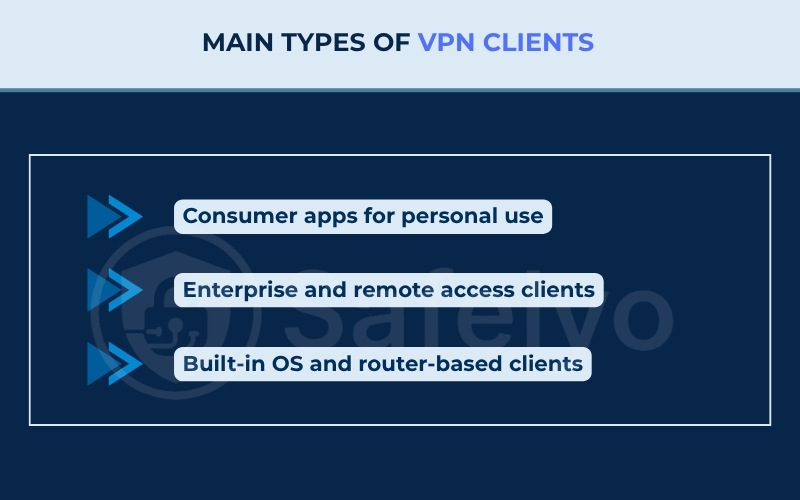
The three main types of VPN clients are consumer apps, enterprise clients, and built-in or router-based clients. Choosing the right VPN client depends on who you are and where you plan to deploy the network connection.
7.1. Consumer apps for personal use
These are the most common VPN clients available through app stores and provider websites. Consumer VPN clients focus on simplicity and performance rather than complex configuration.
A consumer VPN client typically includes:
- A user-friendly interface with one-click connection capability.
- Support for multiple operating systems such as Windows, macOS, Android, and iOS.
- Direct availability of a VPN Client APK for Android devices and official downloads via the Apple App Store.
- Built-in features like a kill switch, auto-connect, and split tunneling.
- Quick access to geo-blocked websites for streaming or browsing privately.
Because they are designed for everyday users, consumer VPN clients are ideal for anyone who wants immediate privacy protection without advanced setup.
7.2. Enterprise and remote access clients
Businesses and organizations use specialized VPN clients to protect connections between employees and corporate networks. Enterprise VPN clients are often managed by IT departments to ensure consistent security policies across devices.
An enterprise VPN client usually offers:
- Integration with company credentials through SSO or MFA.
- Device posture checks that verify if a laptop or mobile device meets security standards before connecting.
- Always-on profiles that keep sensitive data encrypted at all times.
- Centralized monitoring and configuration for compliance.
- Background-running clients with no user interface that connect automatically for seamless enterprise deployment.
While Zero Trust Network Access (ZTNA) is gradually replacing traditional enterprise VPNs in many corporate environments, enterprise clients remain widely used for secure remote access.
7.3. Built-in OS and router-based clients
Built-in OS clients exist natively on Windows, macOS, iOS, and Android. These native tools support protocols like IKEv2 or L2TP/IPsec and act as a simple container for connections. Built-in OS clients allow you to connect without extra downloads, but they lack advanced features like a kill switch or a visual server map.
Router-based clients operate at the hardware level to protect your entire network. Hardware solutions like the TP-Link VPN Client protect all connected devices, including smart TVs, game consoles, and IoT hardware. This method requires no per-device application installation.
- Advantages: Provides continuous, network-wide encryption for every connected device.
- Disadvantages: Offers a limited feature set, receives fewer updates, and removes per-device control.
8. Free vs. paid VPN client
The primary difference between a free and a paid VPN client lies in how the provider sustains their business operations. Free VPN providers typically sell your data or serve ads to make money, whereas paid VPN providers rely on a transparent subscription model.
| Feature | Free VPN client | Paid VPN client |
|---|---|---|
| Privacy | Often logs/sells data | Audited no-logs policy |
| Speed | Throttled, congested | Unlimited, high-speed (WireGuard) |
| Security | Weak/Outdated encryption | AES-256 encryption, kill switch, leak protection |
| Support | None/FAQ only | 24/7 live chat |
In our experience testing various services, paid VPN clients consistently provide a more stable connection. We frequently encountered buffering and dropped connections during peak hours on free VPN clients, whereas paid VPN clients maintained high speeds regardless of the time. You should also be highly cautious with free VPNs, as security researchers have found some free clients containing malware or hidden trackers.
While many free services pose these privacy risks, there are still safe options available. If you need a cost-free solution, you can review our guide to the best free VPN to find trustworthy providers. However, you must keep in mind that even the safest free clients typically enforce strict data limits and offer fewer server locations.
9. VPN protocols every client uses
Every VPN client relies on a tunneling protocol like WireGuard or OpenVPN to determine exactly how your data is encrypted and transmitted. Choosing the right protocol affects both your connection speed and your overall security.
9.1. WireGuard
WireGuard is a newer and lightweight protocol designed for simplicity and performance. It uses advanced cryptography to deliver faster speeds and lower latency compared to older options.
The codebase is very small, consisting of around 4,000 lines of code, which ensures fewer vulnerabilities. WireGuard is ideal for users who frequently switch between Wi-Fi and mobile data because the protocol reconnects almost instantly.
9.2. OpenVPN
OpenVPN is one of the most established protocols and remains the industry standard for privacy. It offers high flexibility, strong encryption, and wide compatibility with many operating systems. The OpenVPN client uses the TUN/TAP interface to create a virtual network adapter for secure routing. Users can choose between UDP for speed or TCP for stability, depending on their network environment.
9.3. IKEv2/IPsec
IKEv2, often paired with IPsec, provides a secure and stable connection that automatically reconnects when your device changes networks. It is especially useful for mobile users and enterprise setups. Its balance between speed, security, and reliability makes IKEv2/IPsec a popular choice on both iOS and Windows built-in clients.
9.4. L2TP/IPsec
L2TP (Layer 2 Tunneling Protocol) does not provide encryption on its own and must be combined with IPsec to secure data. This older protocol is still common on built-in clients across Windows, macOS, and iOS. L2TP/IPsec is typically slower than WireGuard due to its double encapsulation process.
We do not recommend this protocol as a primary choice, but L2TP/IPsec remains useful when connecting to older legacy systems. Note that security researchers no longer recommend this protocol due to potential vulnerabilities exposed in historical intelligence leaks.
9.5. Modern proprietary protocols
Many top-tier VPN services now develop proprietary protocols tailored specifically to their own infrastructure to maximize speed and bypass censorship.
- NordLynx: Developed by NordVPN, this protocol combines WireGuard’s speed with a custom double NAT system to ensure no user data is stored on the server.
- NordWhisper: Developed by NordVPN, this obfuscation-focused protocol bypasses strict firewalls by masking VPN traffic as regular HTTPS. Beyond bypassing local restrictions, the protocol maintains stable connections in regions with heavy internet censorship.
- Lightway: Created by ExpressVPN, Lightway is a lightweight protocol designed from the ground up for minimal battery drain and instant network switching.
- Dausos: A proprietary protocol launched by Surfshark, built specifically to provide optimal speeds for individual users.
- Stealth: Developed by ProtonVPN, the Stealth protocol is specifically designed to evade Deep Packet Inspection and bypass advanced internet censorship blocks.
Choosing the right protocol:
- Use WireGuard for the best performance on modern networks.
- Choose OpenVPN when you need strong encryption or support for routers and legacy systems.
- Pick IKEv2/IPsec for mobile stability and automatic reconnection.
- Use proprietary protocols (like NordLynx or Lightway) when utilizing the provider’s official VPN client for optimal performance.
- Use L2TP/IPsec only when connecting to older corporate servers that require it.
10. How to download and install a VPN client
The process from downloading the application to establishing a secure connection typically takes just a few minutes, allowing you to secure your network without dealing with manual configurations.
- Choose a provider and register: Select a VPN service and create an account on their website. We recommend prioritizing providers that maintain an independently audited no-logs policy.
- Download the VPN client: Navigate to the official download page or your operating system’s app store. Windows users will download an executable file, Mac users need a disk image file, and mobile users can visit the Google Play Store or Apple App Store. Linux users can install packages via the command line.
- Log in and connect: Open the installed VPN client, enter your account credentials, select your preferred server location, and hit the connect button.
Security Tip: Always download the VPN client directly from the provider's official website or official app stores. Avoid third-party APK sites or unverified download portals, as these platforms often bundle malware with the installation files.
11. Manual configuration vs. dedicated client
Choosing between manual configuration and a dedicated VPN client comes down to whether you want automatic protection or deep technical control. Most users should stick to the dedicated VPN client, but there are specific scenarios where manual configuration is necessary.
11.1. When to use the dedicated client
For the majority of users, the dedicated VPN client is the most effective choice. The official VPN client offers the highest level of security through the kill switch, easy server switching, automatic updates, and a full feature set. For users who want continuous, automatic protection without manual maintenance, the dedicated VPN client is the right choice.
11.2. When manual configuration is necessary
Manual setup is useful in niche situations where a native VPN client is unavailable or deeper network control is required.
- Specific smart TVs: Older Samsung models running early Tizen versions or LG TVs with WebOS often lack native VPN apps. In these cases, you must manually configure the DNS settings or use the Smart DNS feature provided by the VPN service.
- Basic routers: Many ISP-provided routers do not have a graphical interface for VPNs. To protect your home network, you may need to flash custom firmware like DD-WRT or manually upload OpenVPN configuration files to the router’s backend.
- Strict control: Network administrators or privacy enthusiasts might prefer using open-source tools like the official WireGuard app or OpenVPN client to maintain full transparency over the code running on their machine.
12. FAQs about VPN client
What is the difference between a VPN and a VPN client?
A VPN (Virtual Private Network) is the overarching technology and network infrastructure that secures your internet connection.
A VPN client is the specific software application installed on your device that you use to connect to that network. Think of the VPN as the service and the VPN client as the remote control you use to access it.
Is a VPN client safe?
Yes, a VPN client is safe if the VPN client comes from a reputable, paid provider. Legitimate VPN clients encrypt your data and protect your identity. However, you must be cautious with obscure free VPN clients, as cybersecurity analysts have found some VPN clients containing malware or trackers that compromise your privacy instead of protecting it.
Can you tell if someone is using a VPN on your WiFi?
As a network administrator, you cannot easily see what someone is doing if they use a VPN, but you can definitely identify that a VPN is active. You might notice traffic directed to a known VPN server IP address, or see encrypted traffic using a specific port like UDP 1194 for OpenVPN or UDP 51820 for WireGuard. Deep Packet Inspection (DPI) tools can also identify the unique signatures of VPN protocols.
Can I use any VPN client?
Not always. While third-party VPN clients like OpenVPN Connect or Tunnelblick work with many providers, they require manual configuration files. Generally, it is best to use the proprietary VPN client provided by your VPN service. The official VPN client is optimized for their network and includes specific features like their proprietary protocols.
Does Windows 10 have a VPN client?
Yes, Windows 10 and Windows 11 have a built-in VPN client located in the Network & Internet settings. However, it is just a container for connection profiles. You still need to subscribe to a VPN service and manually enter the server address, username, and password to use it. The native tool lacks the advanced features found in dedicated VPN clients.
Is a VPN client the same as a VPN app?
Yes. In most cases, a VPN client and a VPN app refer to the exact same thing. Both terms describe the software that connects your device to a VPN server. The only difference is that “VPN client” is the technical term, while “VPN app” is the consumer-friendly name used in app stores and marketing.
Do I need a dedicated VPN client if my OS has one built in?
Most operating systems include a basic VPN tool, but dedicated VPN clients from VPN providers offer more control and stronger protection. A built-in OS client can handle standard connections, but it often lacks features such as a kill switch, leak protection, or automatic updates. If privacy and ease of use are priorities, a dedicated VPN client is the better choice.
Can a VPN client make me completely anonymous online?
No VPN can make you completely anonymous. A VPN client hides your IP address and encrypts your data, but websites can still track you using cookies, browser fingerprints, or third-party analytics. A VPN client is one layer of online security, not a full anonymity tool. For stronger privacy, combine the VPN client with safe browsing habits, private search engines, and cookie blockers.
13. Conclusion
Understanding exactly what is a VPN client helps you see how this single application translates complex network security into a tool you can control with one click. For most personal users, the best move is straightforward. We highly recommend picking a paid provider with an audited no-logs policy, installing their dedicated app, and enabling WireGuard. Businesses, on the other hand, should look toward enterprise clients or Zero Trust Network Access (ZTNA).
When setting up your connection for the first time, prioritize features like a reliable kill switch and automatic updates. Keep in mind that a VPN client is just one layer of your overall privacy stack. It works best when paired with safe browsing habits, a private search engine, and a reliable cookie blocker.
To explore more in-depth privacy tutorials or to find the right application for your device, check out the VPN Guides section on Safelyo.