You likely trust Malwarebytes to keep your computer virus-free, but does that expertise translate to building a solid VPN? In this comprehensive Malwarebytes VPN review, we find that Malwarebytes Privacy VPN is a bundled solution that functions well if you are already a customer of their security suite.
However, as a standalone product, it does not compete well with dedicated market leaders due to its restrictive device limits and smaller server network. Here is a quick summary of our findings before we dive into the details.
Key takeaways:
- Malwarebytes is a globally trusted cybersecurity company famous for malware removal, and Malwarebytes Privacy VPN functions as an integrated component within its wider security ecosystem.
- Speed is a gamble, with our tests showing solid performance on nearby servers but a drastic 97% drop when connecting internationally to the US or UK.
- The Premium + Privacy bundle is the only smart buy, offering the VPN for effectively ~$1.25/mo, whereas the standalone plan is overpriced and restrictive.
- Windows users face a forced integration, as the lightweight standalone VPN app has been discontinued in favor of the heavier full security suite.
Safelyo is reader-supported. When you buy through links on our site, we may earn an affiliate commission to help maintain our operations. This does not affect our independent testing process.
Note: All information and data were recorded on February 6, 2026. Figures and details may vary depending on your location. These tests are for reference purposes only.
1. Malwarebytes VPN review 2026: Overview
Malwarebytes is a veteran in the cybersecurity industry, famous for its aggressive anti-malware software that cleans up infected computers when traditional antivirus fails.
For years, it has been the “second opinion” scanner on millions of PCs. Leveraging this trust, the company expanded into privacy tools, launching Malwarebytes Privacy VPN to offer users a secure connection alongside their device protection.
Malwarebytes has shifted its VPN strategy to focus on owned, dedicated infrastructure rather than relying on third-party partners, notably through its 2024 acquisition of AzireVPN. This removes renters from the equation, which significantly improves physical control over the servers.
However, despite this technical improvement, the service remains best suited for users who want a simple add-on to their existing antivirus protection rather than a feature-rich standalone VPN.
VPN Score:
6.1 / 10
Best for Malwarebytes security suite users
| Feature | Details |
| No-logs policy | Claimed (Not independently audited) |
| Streaming | Netflix (Yes), BBC iPlayer (No) |
| Gaming | High latency on international servers |
| Torrenting | Supported |
| Security | WireGuard, AES-256/ChaCha20 |
| Simultaneous connections | 1 Device (Base plan) to 5 Devices |
| Customer support | Automated Chatbot / Email Ticket |
Pros & cons
| Pros | Cons |
| Owned diskless infrastructure | Expensive 1-device limit on base plan |
| Trusted security brand | US Jurisdiction (Five Eyes) |
| Good local speeds | Inconsistent international speeds |
| Unblocks Netflix and HBO | Small server network compared to rivals |
Best for: Existing Malwarebytes customers who want a privacy tool integrated directly into their security dashboard.
2. Malwarebytes Privacy VPN: Speed and performance
Score: 5.5/10
We tested Malwarebytes Privacy VPN from Vietnam using the WireGuard protocol. Our baseline connection without a VPN was approximately 866 Mbps. The results showed a clear difference between local performance and long-distance connections.
| Server | Download speed | Upload speed | Ping | Performance verdict |
|---|---|---|---|---|
| Baseline (No VPN) | 866.18 Mbps | 694.22 Mbps | 3 ms | – |
| Singapore | 443.58 Mbps | 145.21 Mbps | 59 ms | Excellent for 4K streaming |
| Japan | 21.98 Mbps | 86.52 Mbps | 78 ms | Basic browsing only |
| Germany (Berlin) | 323.99 Mbps | 44.08 Mbps | 227 ms | Great for HD streaming |
| Australia | 17.60 Mbps | 97.65 Mbps | 187 ms | Basic browsing only |
| US (Seattle) | 22.97 Mbps | 2.16 Mbps | 196 ms | Good for basic browsing |
| US (New York) | 10.92 Mbps | 104.45 Mbps | 240 ms | Slow, buffering likely |
| UK (London) | 21.48 Mbps | 114.08 Mbps | 210 ms | Good for basic browsing |
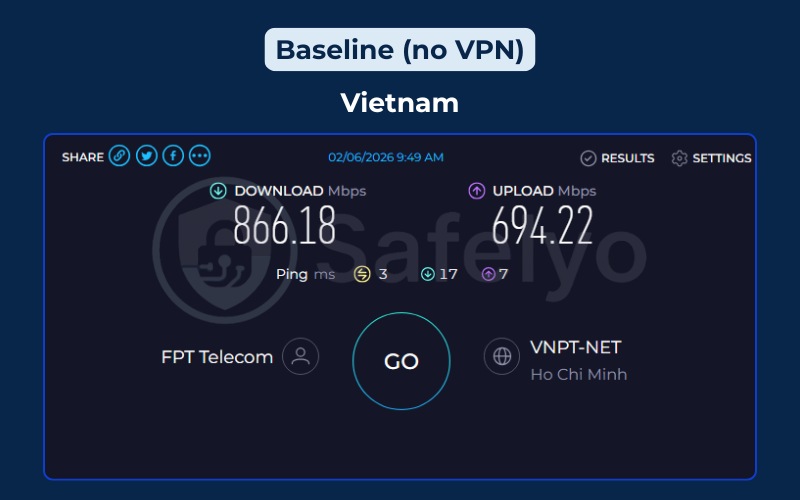
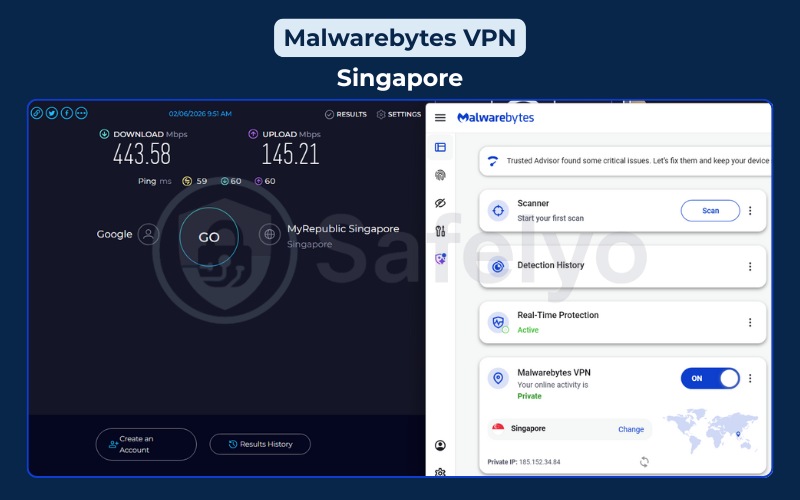
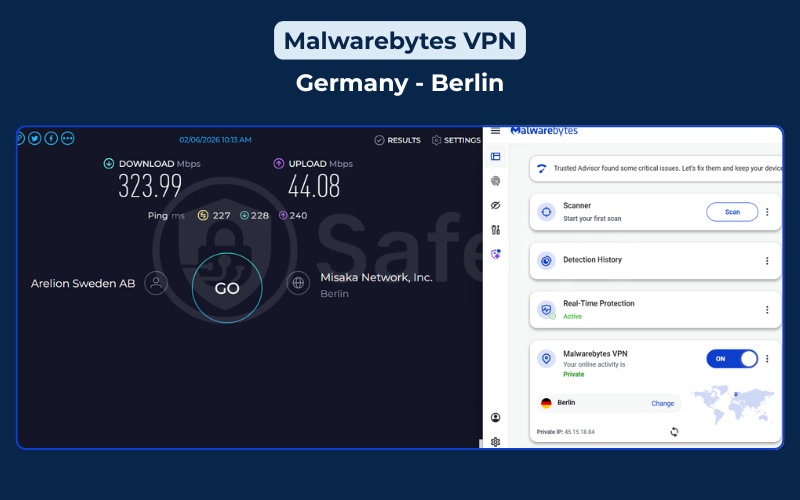
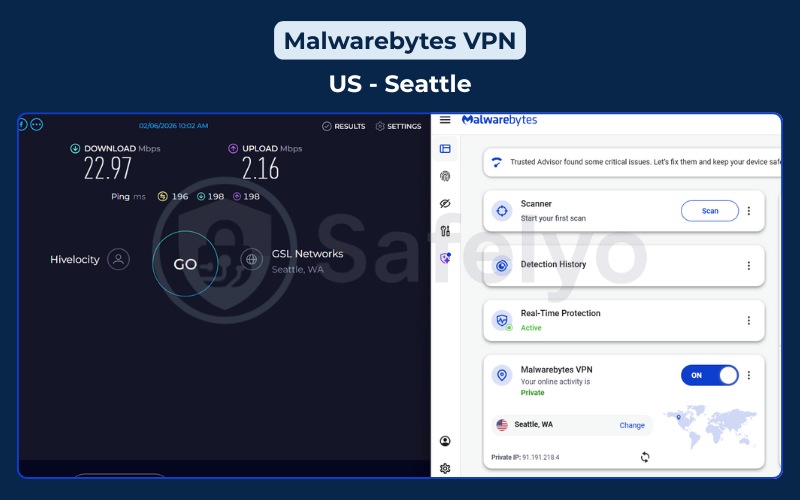
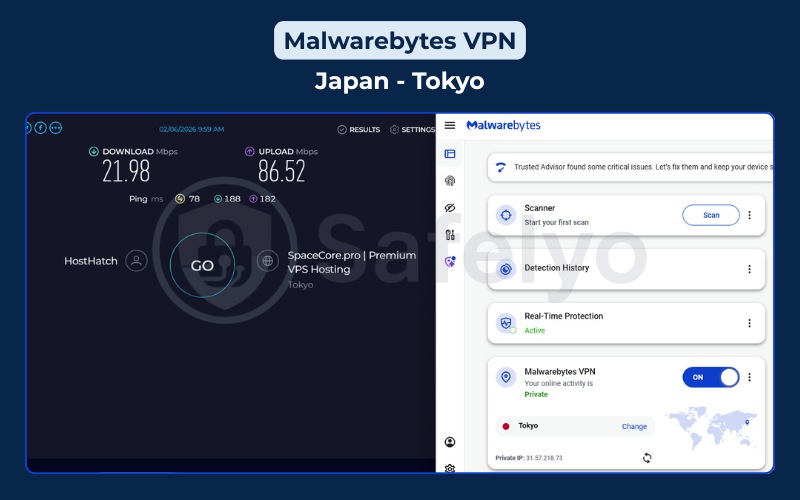
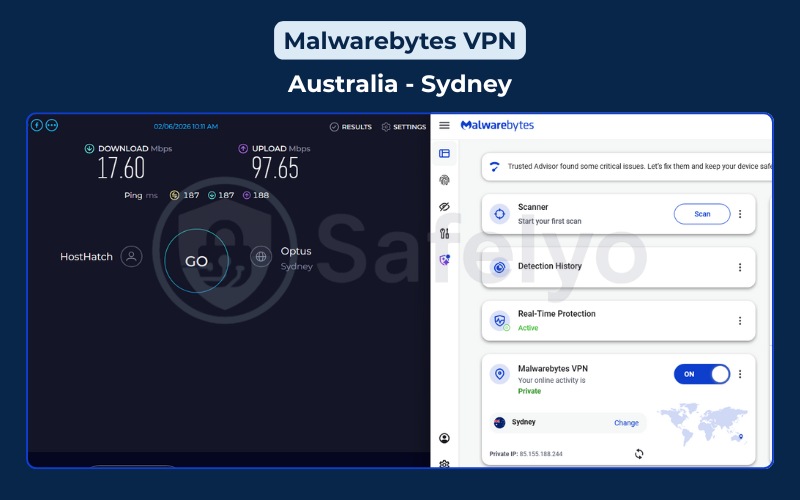
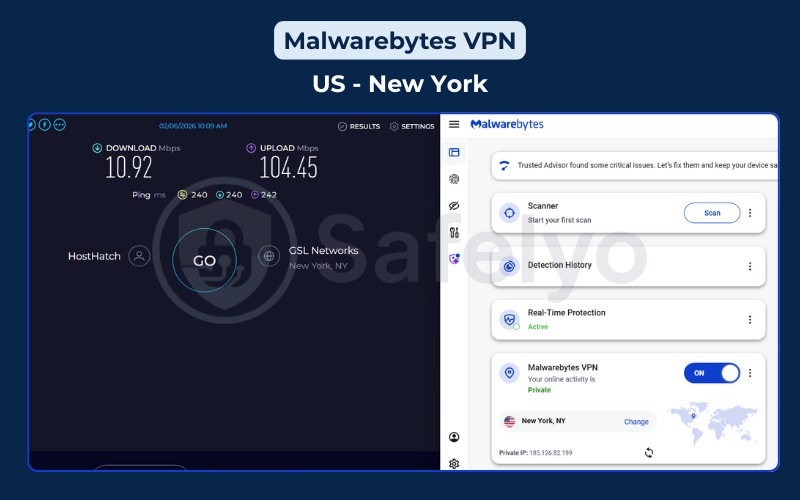
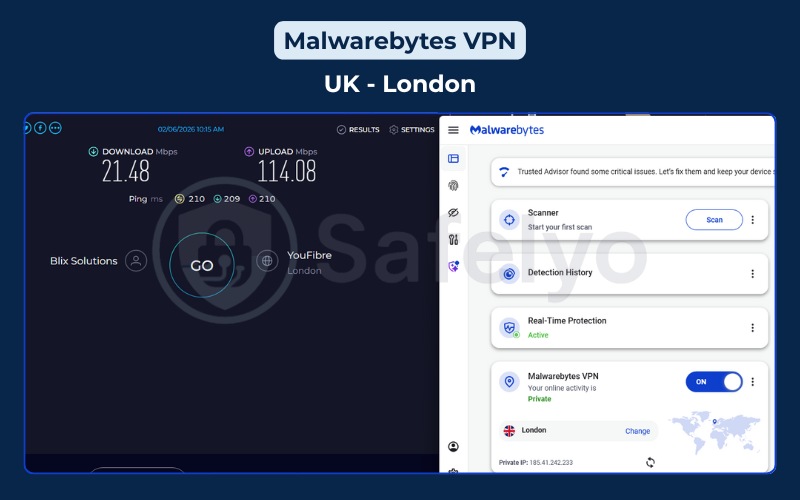
The performance data highlights a significant issue with consistency. When connecting to nearby servers like Singapore, or even mid-range distances like Germany, the VPN retains enough speed for demanding tasks like HD streaming or large file downloads. A speed of 300-400 Mbps is respectable and ensures that your browsing experience remains smooth.
However, the performance collapses on long-distance routes, particularly to the US and UK. A speed drop from 866 Mbps to under 23 Mbps represents a 97% loss, which is drastic. This suggests a bottleneck in the network infrastructure.
With a smaller server fleet compared to giants like NordVPN or ExpressVPN, Malwarebytes likely faces overcrowding on popular routes. For the user, this means that while your data is encrypted, your experience on American or British websites will feel sluggish, with potential buffering on videos and slow page loads.
3. Malwarebytes VPN: Streaming support
Score: 6.9/10
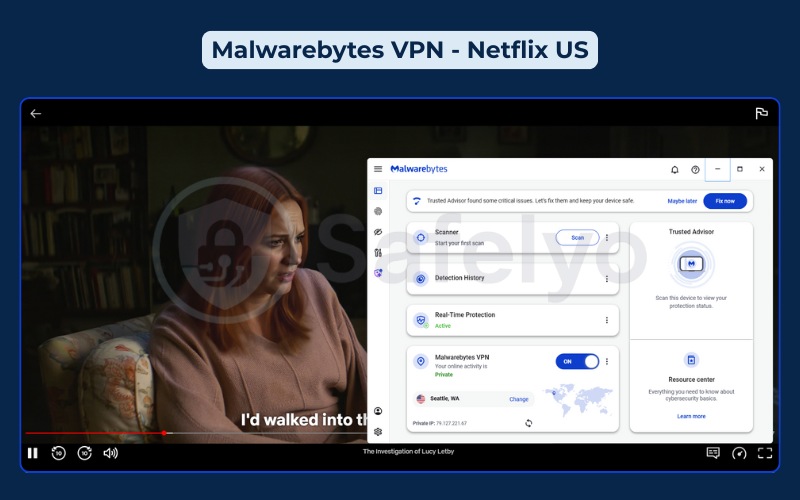
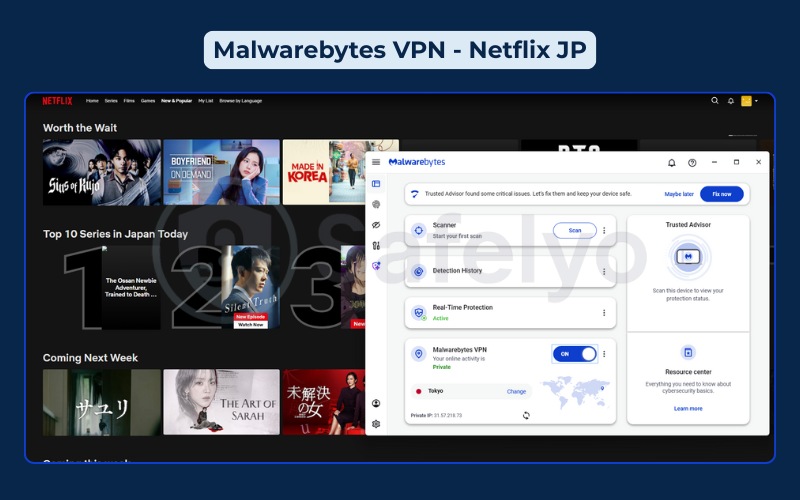
Despite the speed reductions, Malwarebytes successfully accesses geo-restricted platforms. It unlocks several major services, making it a functional option for users who do not require 4K quality on every server.
| Features | Malwarebytes Privacy VPN |
|---|---|
| Netflix | Yes (US, UK, JP, Ca, Fr, …) |
| Hulu | Yes |
| Disney+ | Yes |
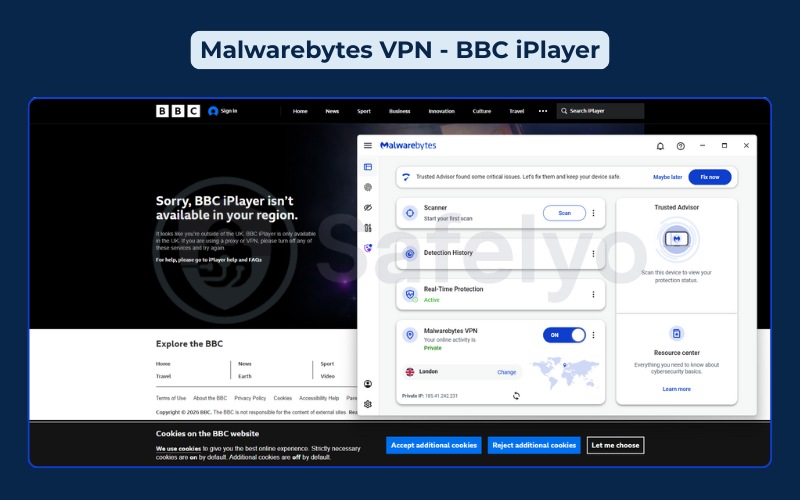
| BBC iPlayer | No |
| Amazon Prime Video | Yes |
| HBO Max | Yes |
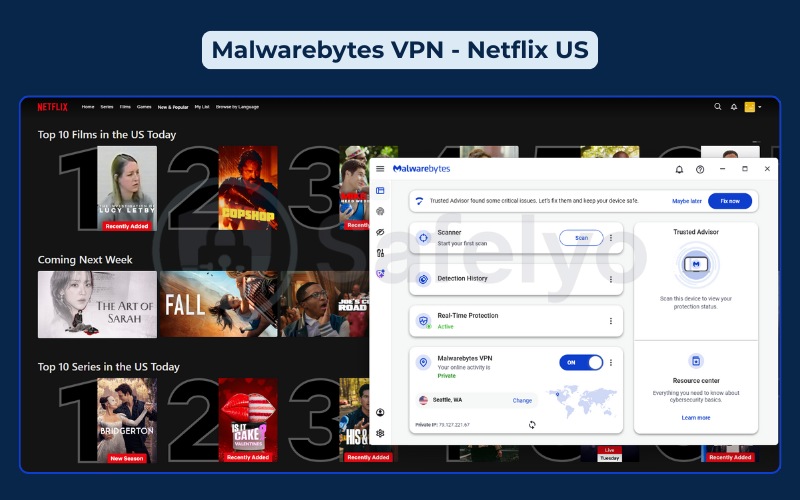
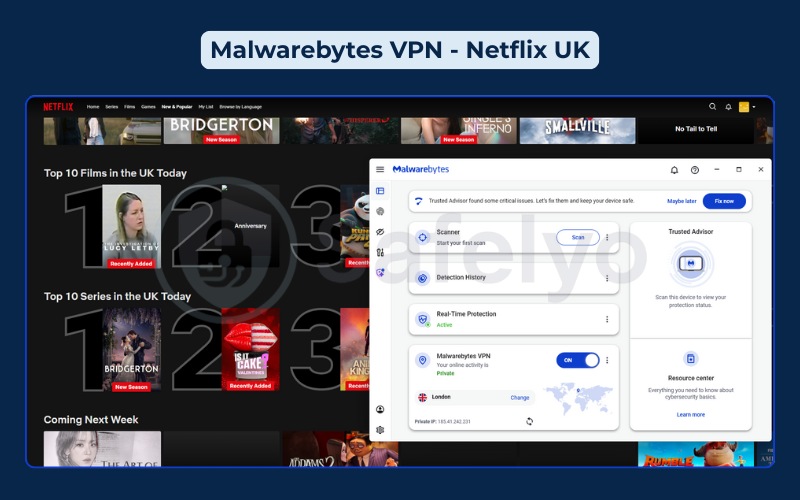
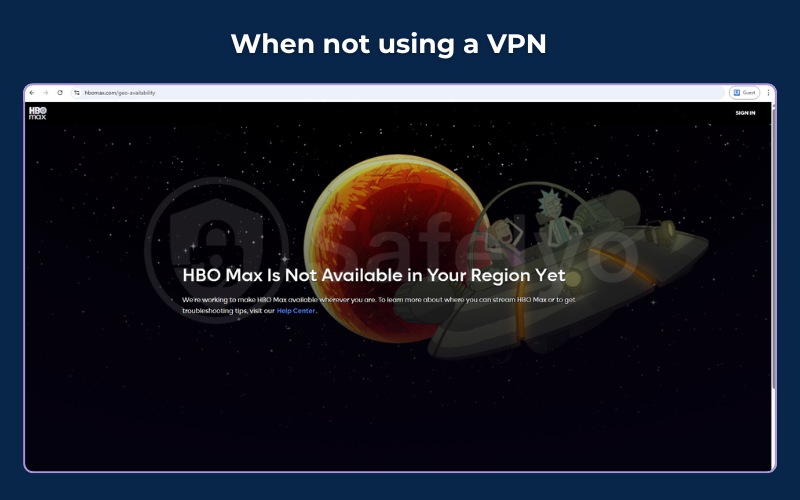
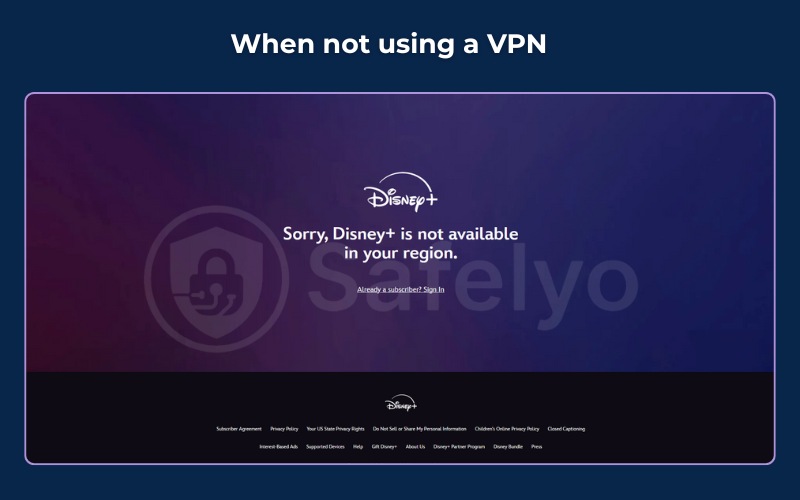
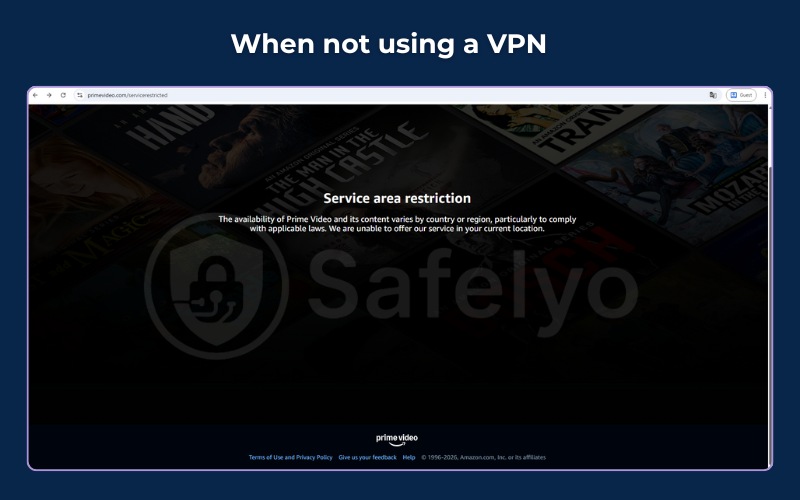
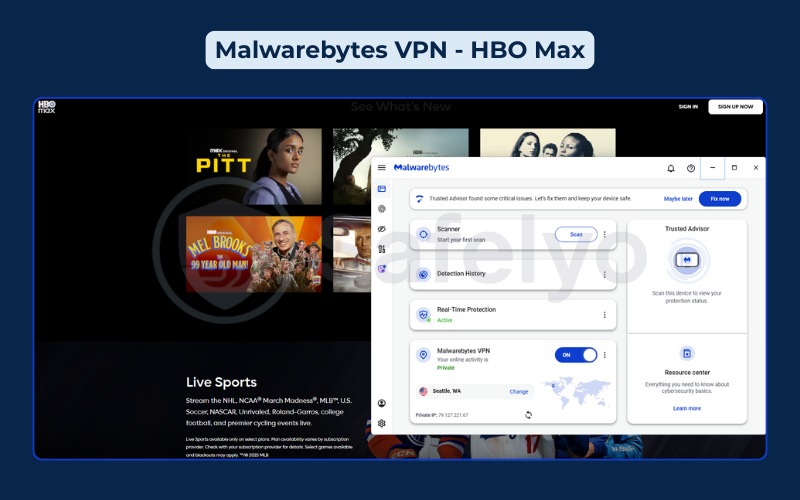
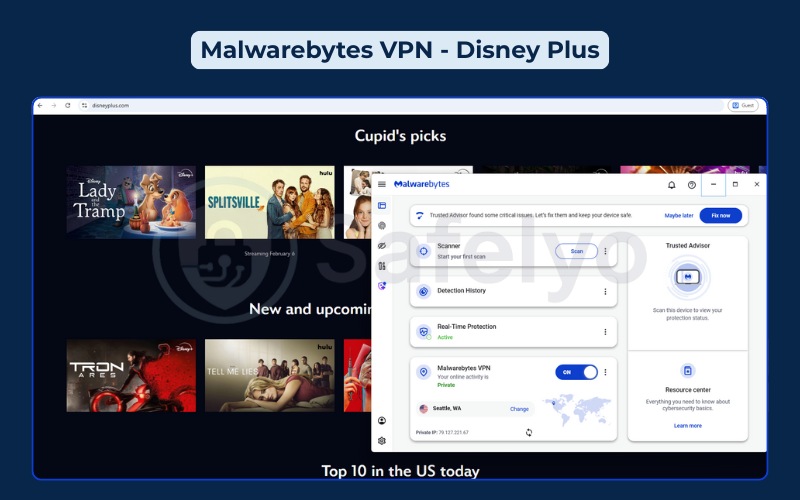
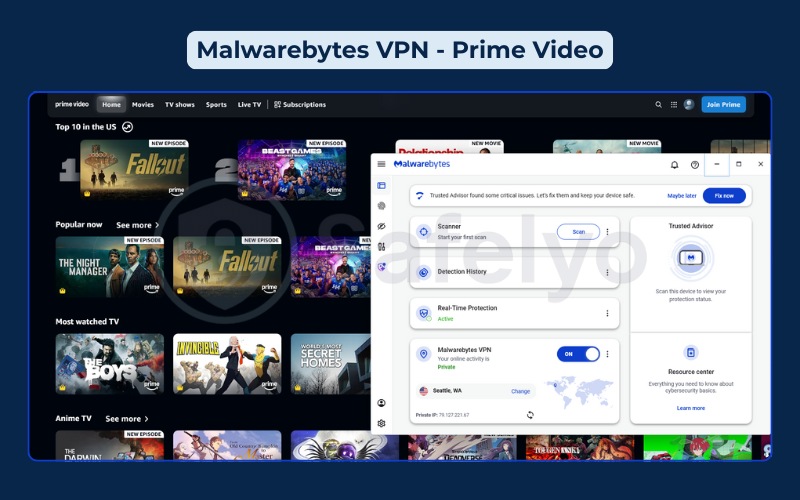
There is a distinct difference between “unblocking” a site and “watching” it comfortably. Malwarebytes succeeds at the first step; our tests confirmed instant access to Netflix libraries in the US, UK, and Canada, as well as HBO Max and Disney+. It navigates the geo-blocks effectively.
The problem lies in the viewing experience. Download speeds on US servers dropped to around 10-20 Mbps in our tests. Consequently, you may struggle to maintain a 4K UHD stream, which typically requires a stable 25 Mbps connection. You might encounter buffering or quality downgrades to 1080p.
Furthermore, the lack of dedicated apps for platforms like Amazon Fire Stick, Apple TV, or Android TV is a major limitation. You cannot install this VPN directly on your television, forcing you to use a laptop and HDMI cable, which is inconvenient for a living room setup.
Netflix:
HBO Max, Disney+/Hulu, Prime Video, and BBC iPlayer:
4. Malwarebytes VPN: Gaming support
Score: 4.0/10
Malwarebytes is not suitable for serious gaming. The latency increase we measured makes it ineffective for competitive play, especially on international servers.
| Feature | Result |
|---|---|
| Local ping impact | +56 ms (Singapore) |
| International ping | +200 ms (US/UK/Germany) |
| Packet loss | Low |
| Router support | No |
| DDoS protection | Built-in |
In online gaming, “Ping” (latency) is far more critical than download speed. A ping of roughly 59ms on local servers is acceptable for casual gaming or strategy titles where split-second reactions are not mandatory. You can play titles like League of Legends or Hearthstone without much frustration.
However, for First-Person Shooters (FPS) like Call of Duty or Valorant, the international latency is prohibitive. With ping times exceeding 196ms to US servers, you will experience significant lag and “rubber-banding,” where your character snaps back to a previous location.
Additionally, the complete lack of router support is a dealbreaker for console gamers. Since you cannot install Malwarebytes VPN on your router, your PlayStation 5 or Xbox Series X remains completely unprotected and unable to access geo-restricted game lobbies.
5. Malwarebytes VPN: Torrenting and P2P
Score: 6.0/10
Malwarebytes allows P2P traffic, but it lacks the specific features power users typically require.
| Feature | Malwarebytes status |
|---|---|
| P2P servers | Yes (All servers) |
| Port forwarding | No |
| SOCKS5 proxy | No |
| Kill switch | Yes |
| Logging policy | No-logs (Claimed) |
| DMCA policy | Forwarding likely |
For basic downloading, Malwarebytes is functional. You do not need to hunt for specific “P2P optimized” servers because the entire network supports file sharing. The inclusion of a system-wide Kill Switch is a vital safety feature. It instantly cuts your internet connection if the VPN drops to prevent your real IP address from being exposed to the torrent swarm.
However, for frequent torrent users, the limitations are clear. First, the US jurisdiction is a privacy risk; US companies are subject to strict copyright laws and DMCA requests.
Second, the absence of Port Forwarding is a significant technical handicap. Without Port Forwarding, you cannot effectively “seed” (upload) files to other users. This will severely hurt your ratio on private trackers and often results in slower download speeds because you cannot connect to as many peers in the swarm.
6. Malwarebytes Privacy: Security and logs
Score: 7.0/10
This is the strongest aspect of Malwarebytes, primarily due to their infrastructure control.
| Feature | Malwarebytes status |
|---|---|
| Logging policy | Claimed only (Not Audited) |
| Server infrastructure | RAM-only (Diskless) |
| Jurisdiction | USA (Five Eyes) |
| Encryption | AES-256 / ChaCha20 |
| Kill switch | System-wide (Windows/Mac) |
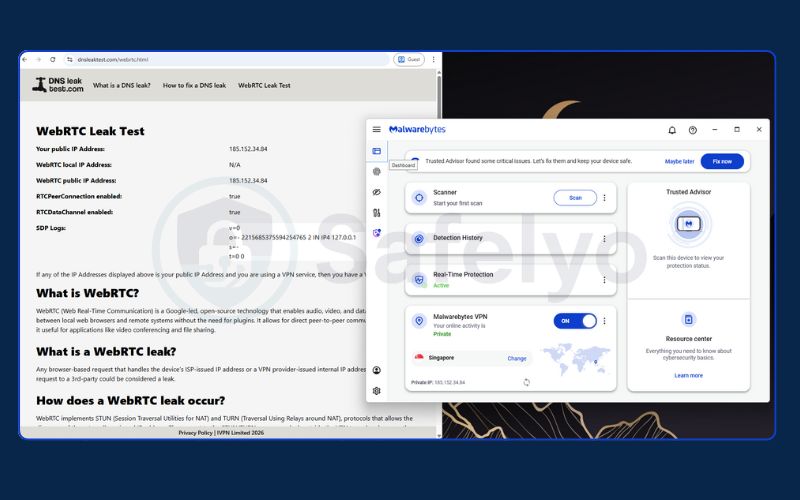
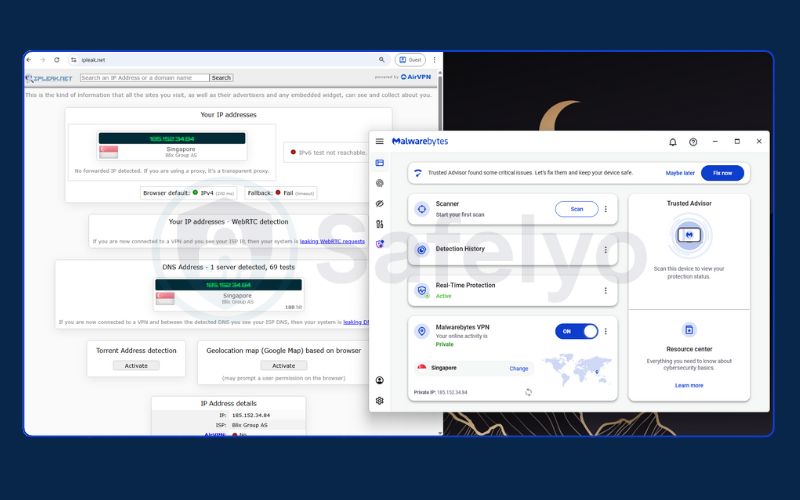
| DNS leaks | Pass |
| WebRTC leaks | Pass |
| Obfuscation | No |
The AzireVPN backbone & owned infrastructure
The strategic decision to acquire AzireVPN has moved Malwarebytes from renting servers to owning them. They now operate 153 dedicated diskless servers. This allows them to have full physical control over the hardware stack, eliminating the risks associated with third-party data centers. All servers run on RAM, meaning data is wiped instantly upon reboot.
Encryption standards
The service uses modern, secure standards. It relies on the WireGuard protocol with ChaCha20 encryption, which is efficient and secure. This is a solid standard that matches what top-tier VPNs use.
Leak protection: DNS, IP, and WebRTC
Our testing included checks for data leaks. The results indicated that Malwarebytes Privacy VPN successfully masked the real IP address and properly routed DNS requests through the encrypted tunnel. No DNS, IP, or WebRTC leaks were detected during the tests.
Lack of independent audit
Unlike NordVPN or Surfshark, which have undergone multiple public audits by firms like PwC or Deloitte, Malwarebytes Privacy VPN has not yet opened its logs for independent verification. You have to take their word for it.
Missing kill switch on mobile
A critical vulnerability exists in the mobile apps. While the Windows and Mac versions have a functional Kill Switch, this feature is missing on iOS and Android. If your connection drops on your phone, your data could be exposed without warning.
7. Malwarebytes VPN: Server network & locations
Score: 4.0/10
The server network is small but prioritizes owned hardware over high numbers.
| Feature | Malwarebytes stats |
|---|---|
| Total countries | 62 |
| Total servers | 153 |
| Infrastructure ownership | Colocated (Owned) |
| Virtual locations | Minimal |
| Static/Dedicated IP | Available |
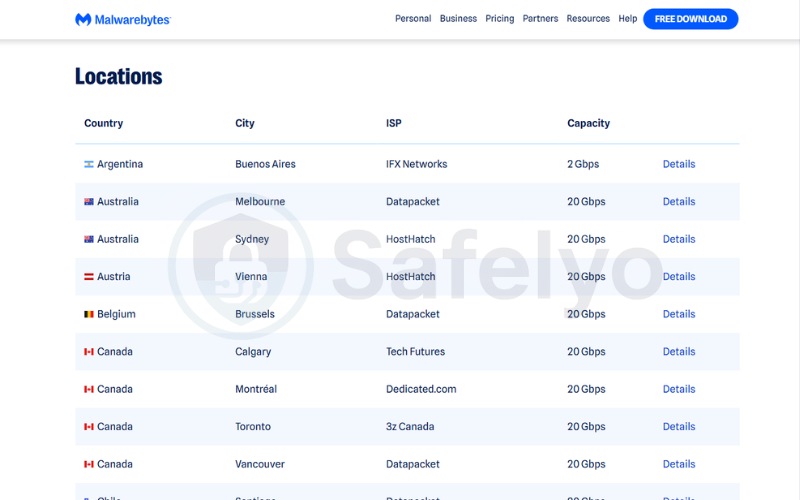
When you compare 153 servers to the 6,000+ servers offered by top competitors, the difference in scale is massive. While Malwarebytes covers a respectable 62 countries, the low physical server count creates a “density” problem. If thousands of users try to connect to the same handful of servers in London or New York, the bandwidth is split among them. This leads to the congestion and speed drops we observed.
The advantage of this small network is control, they own the hardware. But for the end user, the lack of capacity often outweighs the security benefit. You simply have fewer options to switch to if one server is slow.
Unlike larger providers that give you 20 different city options within the US, Malwarebytes limits you to just a few locations, reducing your ability to find a fast, uncongested connection.
8. Malwarebytes VPN: Apps & user experience
Score: 7.2/10
The user experience on Windows is now fully integrated into the main security suite.
| Feature | Details |
|---|---|
| Supported OS | Windows, Mac, iOS, Android |
| Windows app | Integrated into Security Suite |
| Browser extensions | Browser Guard included |
| Interface design | Clean, Dashboard-integrated |
| Setup difficulty | Requires full suite installation on Windows |
| Consistent features | Missing features on Mac/Mobile |
The integration of the VPN into the main security suite on Windows is a double-edged sword. For existing customers, it is convenient to have antivirus and VPN controls in one dashboard. However, for users who only want a VPN, this design is heavy and intrusive. You are forced to install the entire security platform, which consumes more system resources than a lightweight, standalone VPN client.
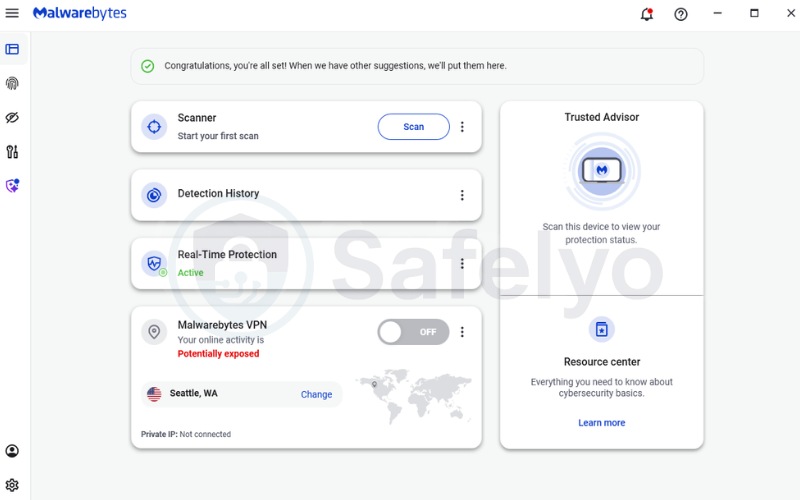
Furthermore, there is a lack of feature parity across devices. The Windows version includes useful features like “Connection Rules” (Split Tunneling), allowing you to route specific apps like your banking browser outside the VPN.
Unfortunately, these advanced customization options are often missing or limited on the macOS and mobile versions. This creates a disjointed experience where you have full control on your PC but a very basic, stripped-down experience on your phone.
9. Malwarebytes VPN: Pricing & the bundle value
Score: 6.0 / 10
The value depends on whether you bundle the VPN with the antivirus.
| Plans | Price (per year) | Monthly equivalent |
|---|---|---|
| 1 Device (1 Year) | $39.99 | ~$3.33/mo |
| 1 Device (2 Years) | $79.98 | ~$3.33/mo |
| 3 Devices (1 Year) | $49.99 | ~$4.17/mo |
| 3 Devices (2 Years) | $99.98 | ~$4.17/mo |
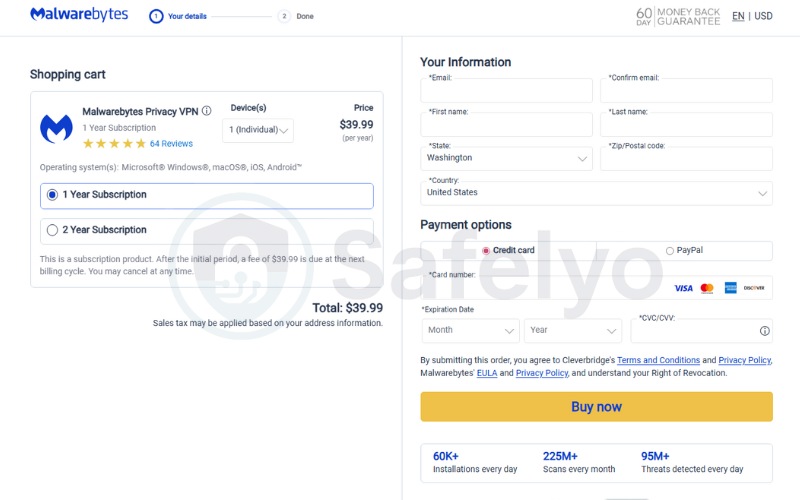
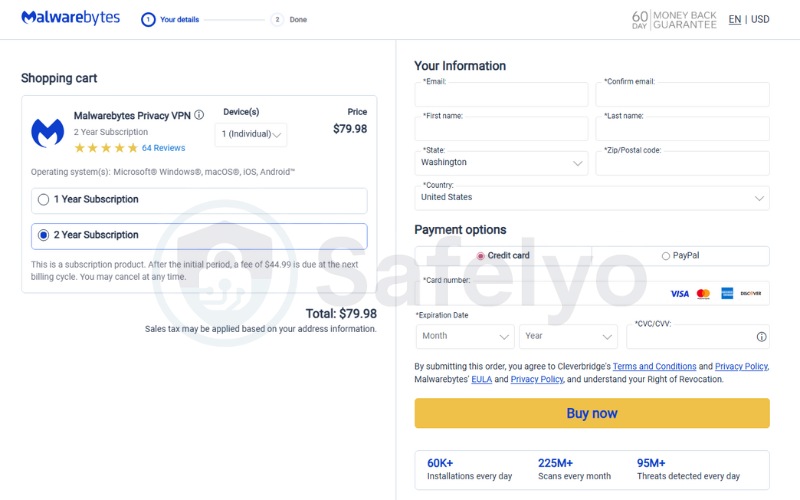
As a standalone purchase, Malwarebytes Privacy VPN is a poor deal. Paying roughly $40 a year for a single device connection is far above the market standard. Competitors like Surfshark or PIA offer unlimited device connections for a lower monthly price, giving you much more utility for your money.
If you have a laptop, a phone, and a tablet, buying the base Malwarebytes plan covers only one of them, which is impractical in 2026.
The math changes completely if you look at the Malwarebytes Plus bundle. Since the Premium Security antivirus software costs about $45/year on its own, upgrading to the bundle for $60/year means you are effectively adding the VPN for just $15.
At $1.25/month, the VPN becomes an excellent value add-on. It is affordable enough to use as a secondary backup VPN or a simple privacy switch for your main PC.
Note: We recorded these prices on February 7, 2026. Keep in mind that costs can shift depending on the day, the season, or where you are located.
10. Malwarebytes VPN: Customer support
Score: 6.0/10
Support options are limited and use automated systems.
| Feature | Malwarebytes service |
|---|---|
| Live chat | Bot First (No direct human chat) |
| Response time | Slow (Via Email) |
| Email support | < 24 Hours |
| Knowledge base | Text only |
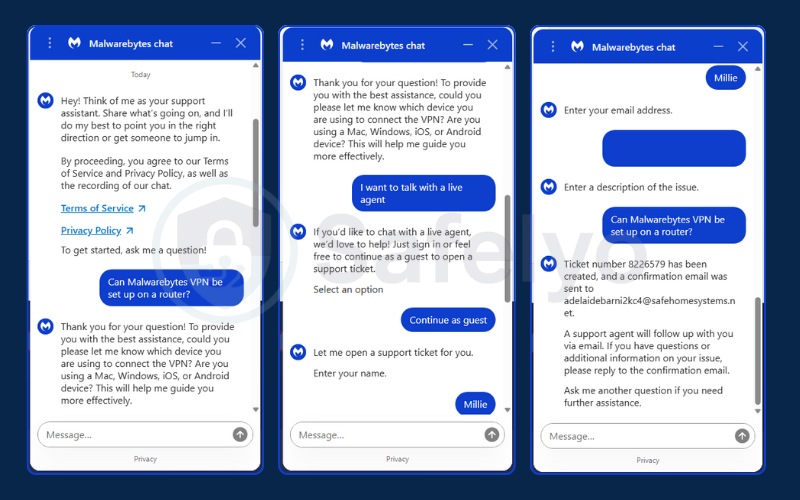
In the event of a technical failure, such as the VPN refusing to connect, speed of support is critical. Malwarebytes disappoints here by placing an automated “Chatbot” barrier between you and human help. The bot attempts to serve you generic support articles rather than solving complex issues.
If the bot fails, it does not transfer you to a live agent; instead, it generates an email ticket. This means you might wait 24 hours for a reply to a problem that a live chat agent at a competitor could solve in 5 minutes. Even the process of requesting a refund requires navigating this automated system, adding unnecessary friction to what should be a simple customer service interaction.
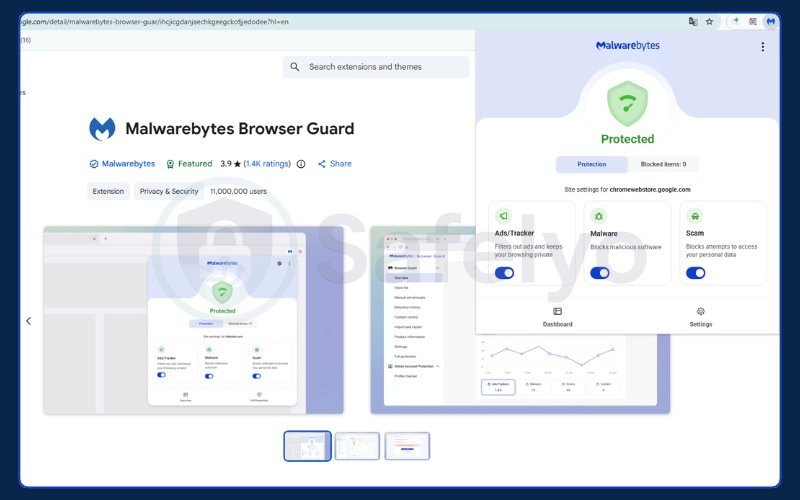
11. Browser Guard & ad blocking: Evaluating the add-on
Malwarebytes includes its “Browser Guard” extension, which is a strong part of the package. Unlike many VPN ad-blockers that miss ads, Browser Guard effectively blocks third-party trackers and ads on YouTube. This adds practical value to your daily browsing by speeding up page loads.
Most VPNs include a basic “DNS blocker” that stops some ads from loading, but these are often hit-or-miss. Malwarebytes Browser Guard is a full browser extension that operates at a deeper level. Because it leverages Malwarebytes’ massive database of known malicious sites and trackers (gathered from their antivirus operations), it is highly effective at identifying scam sites and phishing attempts.
The ability to block ads on YouTube is a standout feature that many paid ad-blockers struggle with. For users who want a cleaner, faster web browsing experience without installing multiple third-party extensions, Browser Guard is a significant value-add that complements the VPN’s privacy features.
12. Does Malwarebytes VPN work in China?
No, Malwarebytes VPN is not reliable for use in China.
Bypassing the Great Firewall of China requires sophisticated technology known as “obfuscation” or “stealth mode.” This technology disguises VPN traffic to look like regular HTTPS web traffic, allowing it to slip past Deep Packet Inspection (DPI).
Malwarebytes uses the WireGuard protocol, which is fast and secure but has a distinct digital signature that is easily recognized and blocked by Chinese censors. The service does not offer specialized obfuscated servers or a “Stealth” toggle in its settings. It is almost guaranteed to fail in highly restrictive regions like China, Iran, or Russia. Travelers should rely on providers that explicitly support these regions.
13. Identity theft insurance & Dark web monitoring
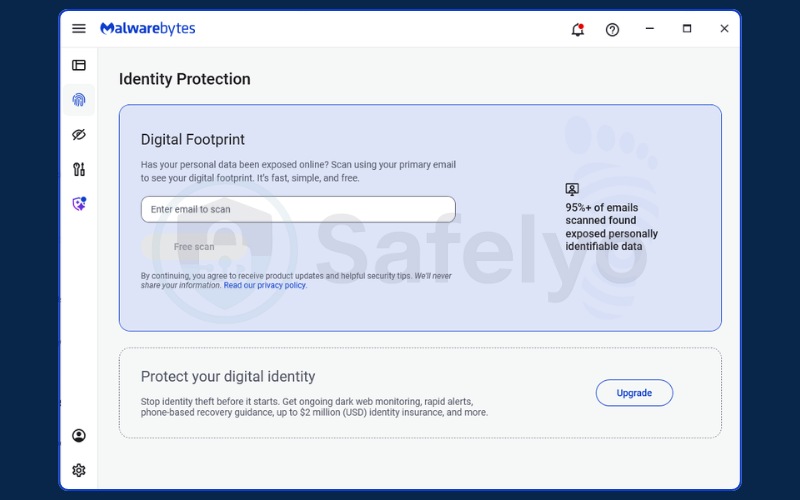
For users who want more than internet privacy, Malwarebytes offers an Identity Protection tier. This service monitors the dark web for your personal information.
This tier shifts the focus from digital privacy (hiding what you do online) to financial security (protecting who you are). The Dark Web Monitoring feature actively scans illicit marketplaces for your email addresses, credit card numbers, and social security details, alerting you if your data appears in a breach.
The most valuable component is the Identity Theft Insurance, which provides coverage (typically up to $1M or $2M) to cover legal fees and lost funds if your identity is stolen. For families or individuals who are anxious about the increasing rate of data breaches, this insurance offers peace of mind that a simple VPN connection cannot provide. It transforms the product from a technical tool into a financial safety net.
14. Better choices: Top 3 alternatives to Malwarebytes VPN
While Malwarebytes Privacy VPN is a decent add-on for existing customers, standalone users will find better value elsewhere. If you need more speed, features, or device flexibility, these top-tier alternatives are superior choices.
NordVPN:
The best all-around performer. With over 8,400 servers globally and the proprietary NordLynx protocol, it delivers significantly faster speeds than Malwarebytes. It also includes Threat Protection Pro for ad-blocking and boasts a fully audited no-logs policy, making it a more robust security tool for power users.
Surfshark:
The best value option. Surfshark’s standout feature is unlimited simultaneous connections, allowing you to protect every device in your household for one low price. Unlike Malwarebytes’ strict 1-5 device limit, Surfshark is perfect for families and includes advanced features like MultiHop and CleanWeb at a very competitive price point.
ExpressVPN:
The premium choice for travelers. If you prioritize reliability and the ability to connect from anywhere, including restrictive regions like China, ExpressVPN is unmatched. Its TrustedServer technology runs entirely on RAM but comes with a much larger network and dedicated apps for routers, ensuring protection for your entire home network.
15. How we tested Malwarebytes VPN
We conducted our review using a transparent testing methodology to ensure accurate results.
| Category | Weight | Description |
|---|---|---|
| Privacy & security | 30% | Logging policies, encryption, and jurisdiction checks. |
| Speed & performance | 20% | Local/International speed retention compared to baseline. |
| Server network | 10% | Global coverage & ownership of infrastructure. |
| Streaming | 10% | Unblocking capabilities for Netflix, Disney+, etc. |
| Pricing & value | 10% | Cost analysis & refund policy fairness. |
| Apps & UX | 5% | Ease of use & device support. |
| Gaming | 5% | Latency & stability tests. |
| Torrenting | 5% | P2P support & safety features. |
| Customer support | 5% | Response time & quality of help. |
Testing environment:
- Devices: Windows 11 PC.
- Tools: Ookla Speedtest for performance, IPLeak.net for DNS/WebRTC leaks, and dnsleaktest.com.
- Protocol: WireGuard was used for all speed tests.
For a deeper dive into our process, check out our guide on How we test and review VPNs.
16. FAQs about Malwarebytes Privacy VPN review
Is Malwarebytes VPN any good?
It is adequate for basic privacy and users who want a simple bundle. However, it is not recommended for power users due to speed inconsistency and device limits.
What is the cost of Malwarebytes VPN?
The standalone VPN starts at $39.99/year for 1 device. The best value is the bundle with Antivirus for roughly $60/year.
Is Malwarebytes VPN as good as NordVPN?
No. NordVPN offers over 6,000 servers, consistently faster speeds, audited logs, and covers 10 devices on its standard plan. Malwarebytes offers fewer features and lower performance.
Does Malwarebytes provide a VPN?
Yes, they provide a VPN service that is now powered by their own infrastructure.
Is Malwarebytes VPN free?
No, but they offer an unrestricted 7-day free trial and a 60-day money-back guarantee.
Does Malwarebytes VPN work with Netflix?
Yes, in our tests, it accessed Netflix libraries in the US, UK, and Canada.
What is the relationship between Malwarebytes and Mullvad?
Malwarebytes partnered with Mullvad in October 2019 to utilize their global network of VPN servers for its own application, Malwarebytes Privacy VPN. However, the situation shifted with the 2024 acquisition of AzireVPN, marking a transition to Malwarebytes’ own owned infrastructure.
How does the infrastructure change affect Malwarebytes Privacy?
It shifts the service from rented servers to 100% owned and dedicated diskless hardware. This improves physical security control but currently results in a smaller total server count compared to the old network.
17. Conclusion
To conclude this Malwarebytes VPN review, we determine that Malwarebytes Privacy VPN functions as a supplementary add-on rather than a comprehensive standalone solution. It is a logical choice if you are already purchasing Malwarebytes Antivirus and want to secure that specific computer for an extra ~$1.25/mo.
The shift to owned infrastructure improves security, but the current network size limits performance on international connections.
Buy it if: You are an existing Malwarebytes customer who wants a convenient privacy tool for a single PC.
Skip it if: You need to protect multiple devices like phones and tablets, or if you require consistent high-speed streaming for global content.
For more options, check out our VPN Reviews to find a provider that fits your specific needs. Safelyo recommends comparing standalone providers if speed is your top priority.