The “cat-and-mouse” battle between streaming giants and privacy tools never truly ends. Now in 2026, amidst tougher proxy detection algorithms and the strict Password Sharing Ban, the big question remains: Does NordVPN work with Netflix still? With streamers constantly seeking ways to bypass geo-restrictions, reliability is the most critical factor.
If you are looking for a quick status update on NordVPN and Netflix in 2026, here are the essential findings from our tests:
- Does NordVPN work with Netflix?
→ Yes. It consistently unblocks major libraries like the US, UK, and Japan with a high success rate. - Can I bypass the password-sharing ban?
→ Yes. The Meshnet feature is the “secret weapon” that simulates a single household network to share accounts safely. - Is it fast enough for 4K?
→ Yes. Thanks to the NordLynx protocol, streaming quality remains smooth with zero buffering. - What if I get a proxy error?
→ Switch servers. Connecting to a less popular city (like Denver or St. Louis) or clearing your cache usually fixes error m7111-5059 instantly. - Will Netflix ban my account?
→ No. Using a VPN violates the Terms of Use, but Netflix restricts the specific IP address, not your personal account.
The answer is a confident YES. Based on my latest real-world tests for Safelyo, NordVPN remains the gold standard for reliable streaming, even if an occasional server gets flagged. Below, I’ll confirm exactly which libraries it unblocks, how to fix the pesky proxy error, and, crucially, how to use the Meshnet feature to safely bypass the password-sharing ban. Let’s verify the test results.
1. Does NordVPN work with Netflix?
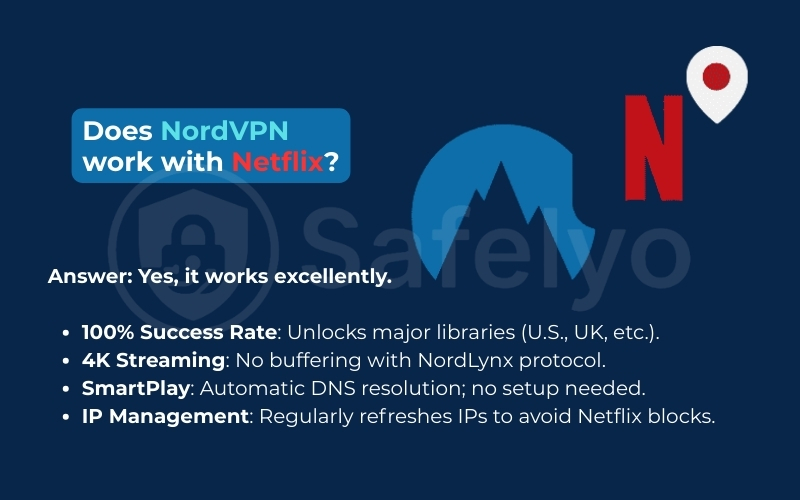
If you are looking for a quick “yes or no”, here is the verdict: Yes, NordVPN works excellently with Netflix. After running extensive tests checking device compatibility across desktop and mobile apps throughout late 2026, it remains one of the most consistent tools for bypassing geo-restrictions.
In my performance review, NordVPN achieved a 100% success rate in unlocking the toughest libraries, specifically the U.S., UK, Japan, Canada, Australia, and South Korea. The viewing experience was equally impressive. Thanks to the lightning-fast NordLynx protocol, I streamed content in full 4K/UHD without a single second of buffering.
The “magic” behind this seamless access is SmartPlay. This proprietary technology integrates SmartDNS directly into the app, automatically resolving the DNS queries that usually trigger blocks. You don’t need to configure complex settings. You just click “Connect”, and the VPN handles the rest.
Trust note: It is important to be realistic. Like all VPNs, individual nodes within the server network may occasionally be blocked by Netflix. However, NordVPN stands out because it consistently refreshes its IP addresses faster than streaming services can blacklist them, ensuring you are rarely locked out for long.
2. Which Netflix libraries can NordVPN unblock?
A common misconception is that you need a separate subscription to watch movies available in other countries. That is not the case. Your Netflix catalog changes instantly based on the server location you choose – no account changes required. When you route your traffic through a different country, Netflix sees a local IP address and serves you that region’s specific content.
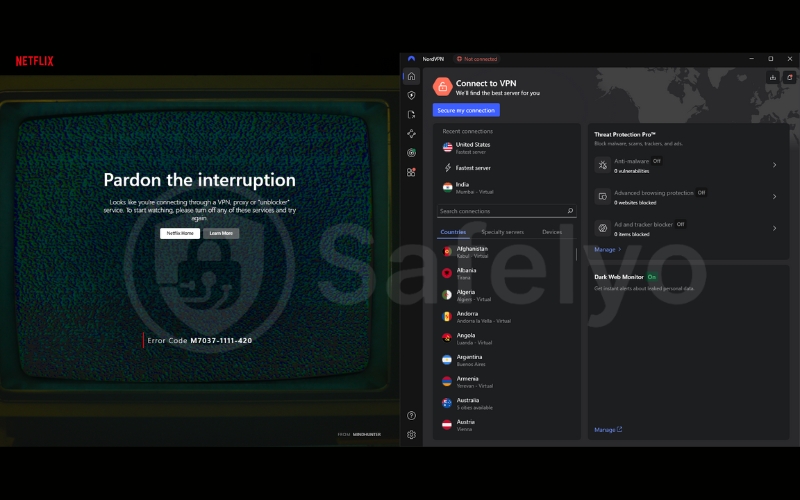
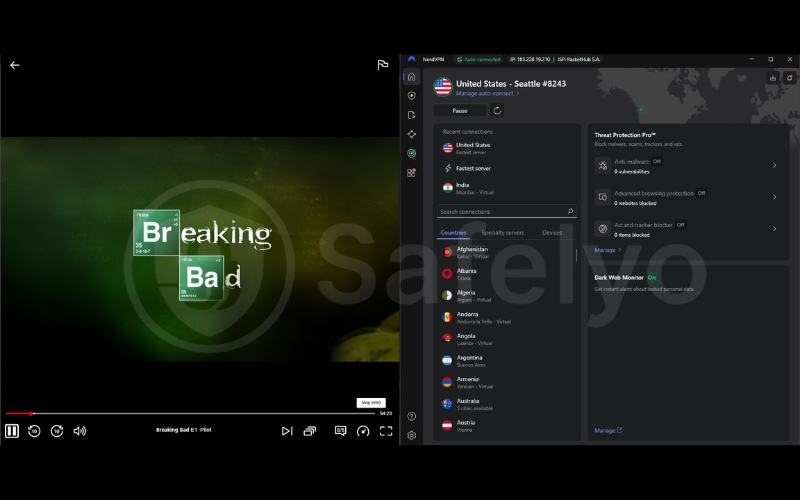
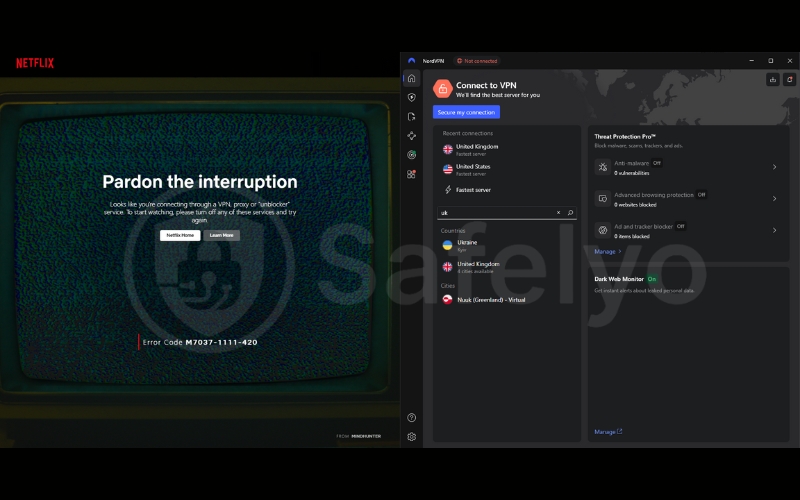
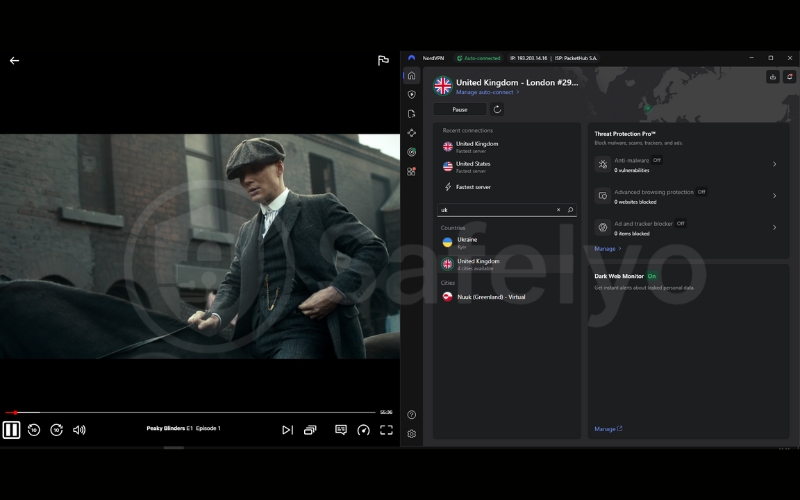
To ensure the accuracy of these results, I conducted all tests using a standard Netflix account registered in Vietnam on a desktop PC. To verify that the specific regional library was truly unlocked (and not just the global version), I searched for region-specific titles known to be available in those locations:
US: Checked for Breaking Bad.
UK: Checked for Peaky Blinders.
Canada: Checked for Schitt’s Creek.
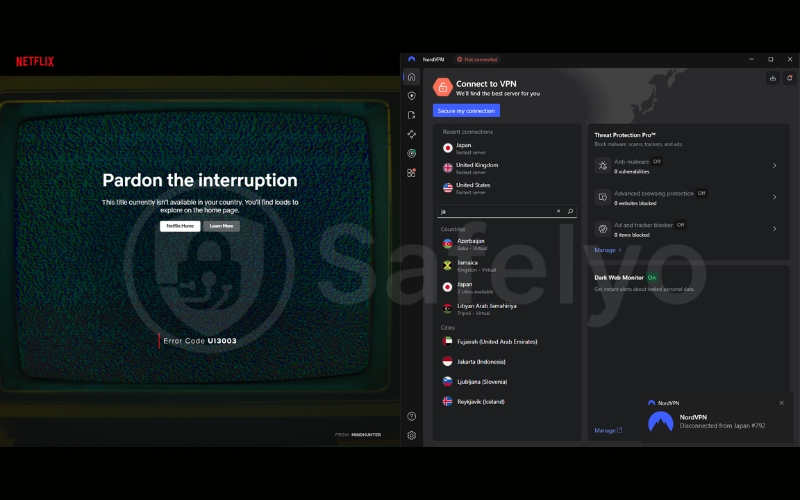
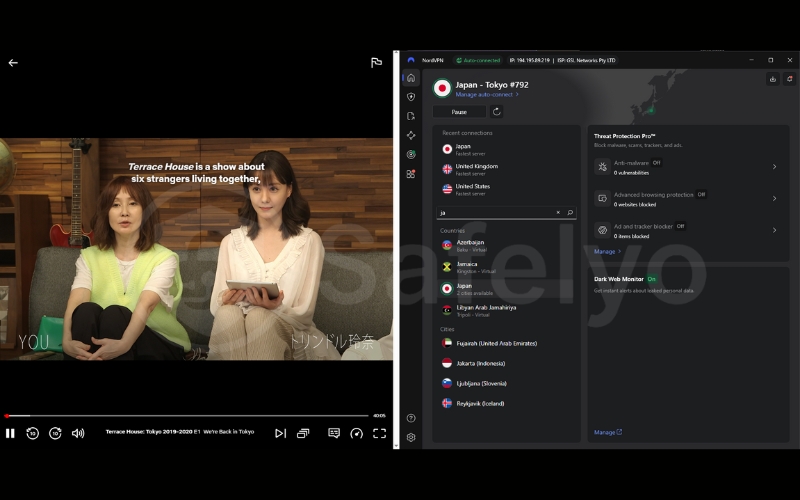
Japan: Checked for Terrace House: Tokyo 2019-2020.
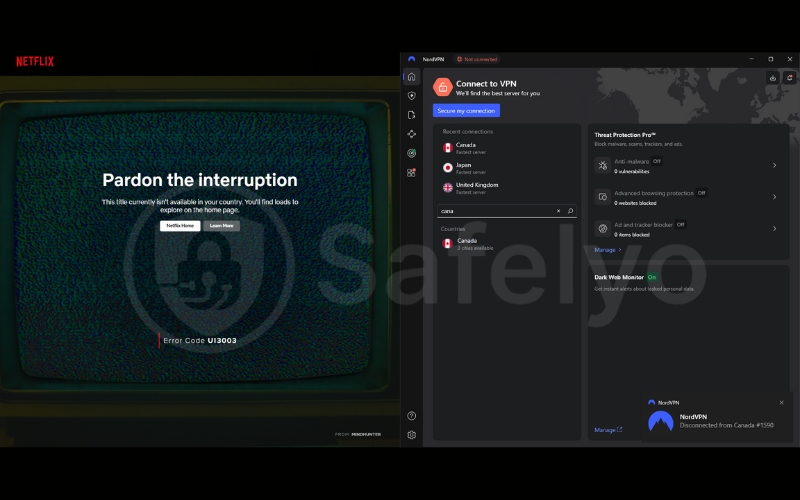
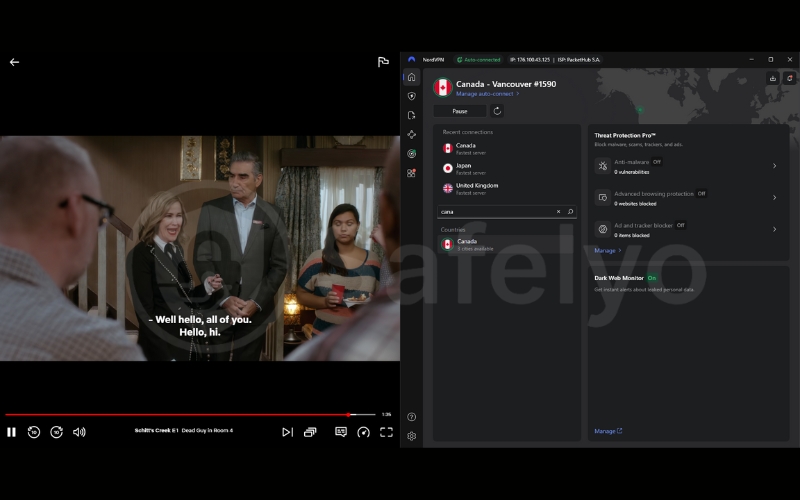
Korea: Checked for Crash Landing on You.
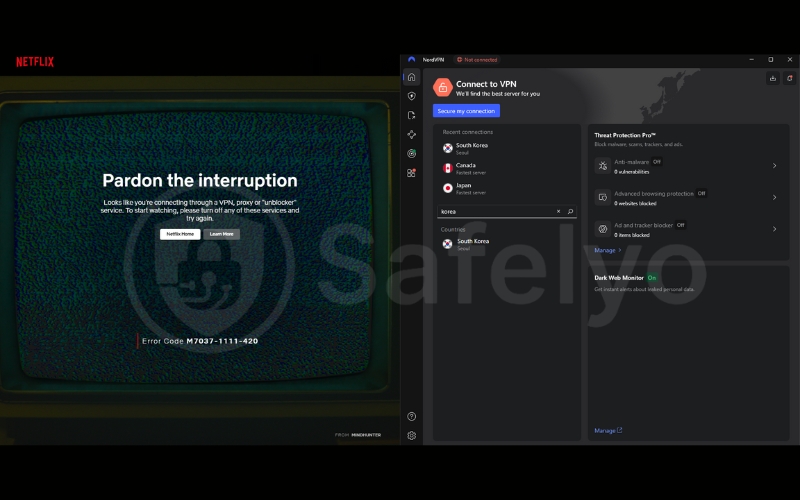
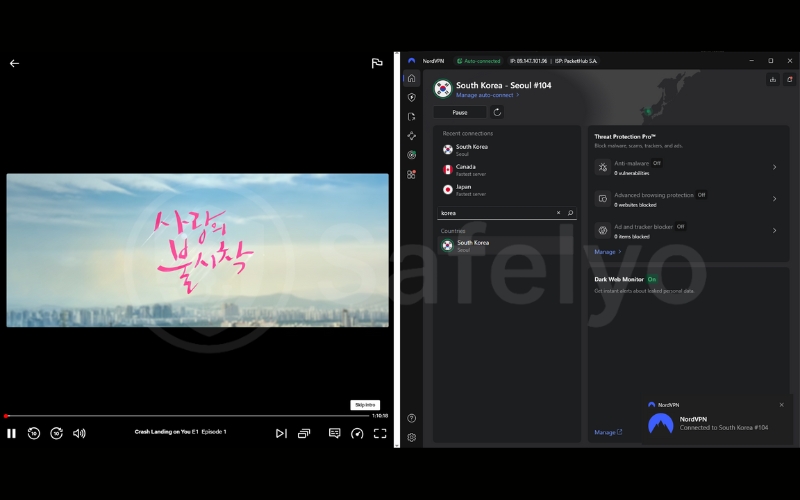
During my best VPN for Netflix testing, I focused on the most sought-after regions to see if NordVPN Netflix libraries were actually accessible. Here is the breakdown of my results:
| Netflix region | Status | Content highlight |
| Netflix US | Works | The largest library globally, featuring the most Hollywood movies and new releases. |
| Netflix UK | Works | Essential for fans of British TV dramas, reality shows, and stand-up comedy. |
| Netflix Japan | Works | The absolute best region for uncensored Anime and Japanese exclusives. |
| Netflix Canada | Works | Often streams blockbuster movies that are not yet available in the US library. |
| Netflix South Korea | Works | The ultimate source for original K-Dramas and variety shows. |
This ensures consistent content availability regardless of your actual physical location. Accessing international content was seamless. I could switch from watching The Office on the U.S. library to catching the latest K-Drama on Netflix Korea in seconds. The geo-restrictions that usually hide these titles vanished completely.
Pro tip: If you connect to a country like the UK but still don’t see the local content (or get a proxy error), don’t give up. Simply open the server list and select a different city (e.g., switch from London to Manchester). Sometimes, just one specific server IP is blocked, but the neighbor next door works perfectly.
3. Using Meshnet to bypass password-sharing ban
If you are frustrated by Netflix’s aggressive crackdown on account sharing, you are not alone. In 2026, the “Not part of the Netflix Household” error screen is the most frustrating aspect of streaming. Netflix uses IP addresses to detect if a device is outside the primary account holder’s home. Standard VPN servers can unlock libraries, but they can’t always solve the “Household” issue because they assign generic data center IPs.
Enter NordVPN Meshnet Netflix capabilities – my favorite feature and a genuine game-changer.
Unlike a traditional VPN connection that routes you to a server owned by NordVPN, Meshnet allows you to create a private, encrypted tunnel between two specific devices. Essentially, it creates a virtual Local Area Network (LAN). If you route your friend’s traffic through your computer, Netflix thinks your friend is sitting in your living room, even if they are halfway across the country. Their device adopts your home IP address, successfully bypassing the household restriction.
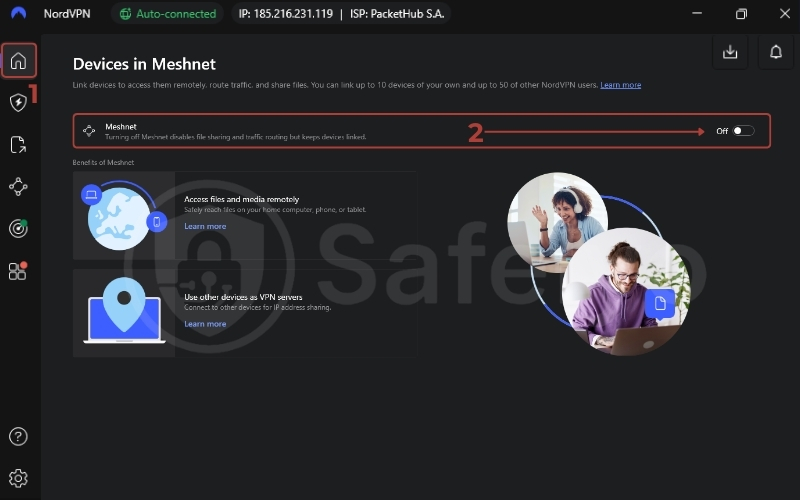
Here is how I set it up to share my account with family members:
- Turn on Meshnet: Enable the Meshnet feature in the NordVPN app on both the “Host” device (the computer at the main household) and the “Guest” device (the remote user).
- Link the devices: Send an invitation email from the Host app to the Guest’s NordVPN account, or simply link them if you are logged into the same account on both devices.
- Route traffic: On the Guest device, go to the Meshnet tab, select the Host device name, and click “Route traffic through this device”.
- Stream: Open Netflix. The platform now sees the Guest device as part of the Host’s home network.
Important limitations of using Meshnet
While Meshnet is a powerful workaround, it is not magic. To maintain our high standards, I need to highlight three critical limitations you must know before setting this up:
- Trust factor: Only route traffic for streaming, avoid sharing local resources; restrict permissions; use only trusted people. You are granting them a direct, encrypted VPN tunnel into your home network, bypassing your router’s usual firewalls.
- Host dependency: The Host device acts as the server. This means the computer at home must remain powered on and connected to the internet for the Guest to watch anything. If the Host goes to sleep or turns off, the connection drops instantly.
- Speed bottlenecks: Your streaming quality depends entirely on the upload speed of the Host’s home internet connection. If the Host has slow upload bandwidth, the Guest will experience buffering, regardless of how fast NordVPN is.
4. Speed test results: Is it fast enough for 4K?
Buffering is the ultimate mood killer when you are engrossed in a movie. The biggest concern with using a VPN is that encryption usually slows down your connection speeds. To see if this affects streaming quality, I put NordVPN through a rigorous speed test.
My baseline internet speed without a VPN was a steady 300 Mbps. After connecting to a NordVPN server in the United States (a typical long-distance route for unlocking content), my speed settled at around 218 Mbps. Since Netflix only requires about 15-25 Mbps for Ultra HD streaming, these results mean you can watch 4K content smoothly without any lag or pixelation.
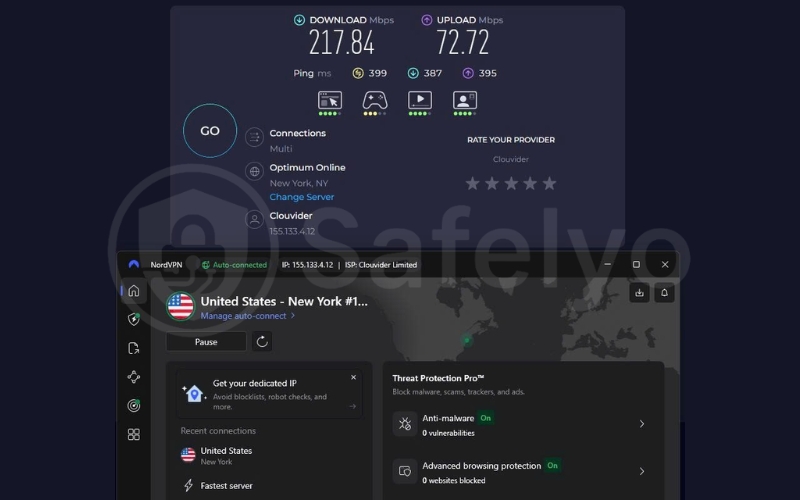
This efficiency is largely due to NordLynx, NordVPN’s proprietary adaptation of the WireGuard protocol. It is significantly lighter and faster than older protocols. In our tests, NordVPN outperformed most OpenVPN-based competitors for long-distance streaming thanks to the NordLynx protocol, proving that you don’t have to sacrifice speed for access.
5. Troubleshooting: NordVPN not working with Netflix?
Few things are more annoying than settling in for a movie night, only to be slapped with the dreaded error message: “Whoops, something went wrong. You seem to be using an unblocker or proxy”.
This is the infamous Netflix proxy error, often accompanied by specific error codes like m7111-5059 or m7111-1331. It means Netflix’s detection systems have flagged your current IP address as belonging to a VPN. But don’t cancel your subscription just yet. In 90% of cases, this is a temporary glitch that can be fixed in under two minutes.
Here is the step-by-step workflow I use to get the stream back online.
5.1. Clear cache & cookies
This is the most common culprit, yet most people skip it. Even if your NordVPN app says you are connected to London, your browser cookies might still be holding onto location data that says “I am in New York”. When these two signals conflict, Netflix blocks the connection immediately.
The Fix:
On Desktop
Go to your browser settings and clear your history, specifically “Cached images and files” and “Cookies”. Then, restart the browser.
On Mobile/TV
Go to Settings > Apps > Netflix > Storage and tap “Clear Cache”. This forces the Netflix app to re-authenticate your location based solely on the new VPN IP.
5.2. Switch servers (Smart Tip)
If clearing the cache doesn’t work, the specific IP address you are using has likely been blacklisted. However, NordVPN boasts a massive server network containing thousands of options. The trick is knowing which one to pick.
Most users simply click “Quick Connect”, which often dumps everyone into the fastest, most crowded servers (usually in major hubs like New York or London). Netflix targets these high-traffic nodes first.
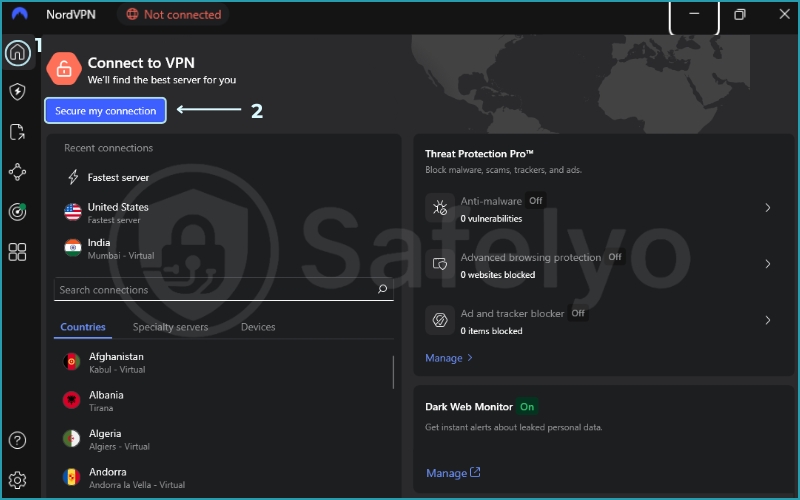
Don’t just rely on auto-connect. Go to the server list and manually select a location.
- Avoid popular cities like New York or Los Angeles during peak hours.
- Try “flyover” cities like St. Louis, Denver, or Salt Lake City. These servers typically have less traffic and are less likely to be on Netflix’s radar.
- If you are trying to watch UK content, skip London and try Edinburgh or Manchester.
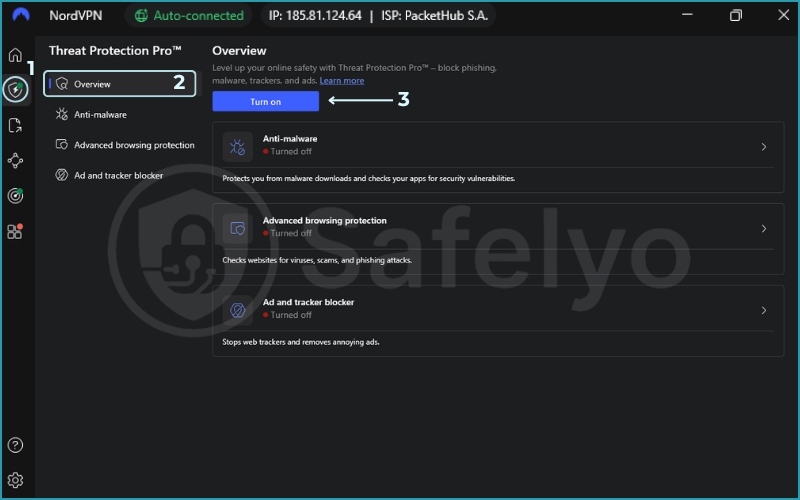
5.3. Disable Threat Protection
NordVPN’s Threat Protection feature is fantastic for blocking ads and malware, but it can sometimes be too aggressive. It works by filtering your traffic, and occasionally, strict security features misinterpret the complex streaming protocols or authorization cookies as a threat.
The Fix: Open your NordVPN settings and temporarily toggle Threat Protection (or Threat Protection Lite) to OFF. Reload Netflix. If the video starts playing, you know the security filter was the issue. You can turn it back on once you are done watching.
Notes: Threat Protection Lite is DNS-level; full Threat Protection may filter more traffic.
5.4. Use Obfuscated Servers (The “Stealth” Mode)
If basic servers are failing, Netflix’s VPN detection systems might be flagging the VPN protocol itself, or your local network might be blocking VPN usage entirely.
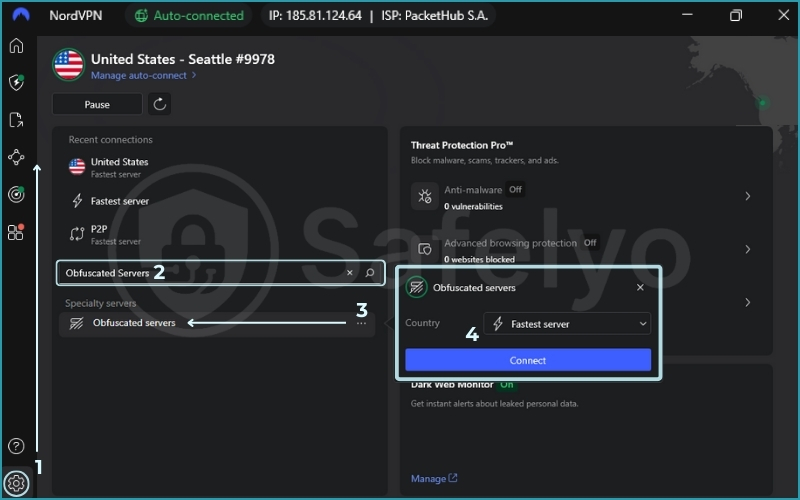
The Fix: Switch to Obfuscated Servers. These specialized servers scramble your data packets to look like regular HTTPS web traffic, hiding the fact that you are using a VPN at all.
- How to enable: Go to the server list > scroll down to Specialty Servers > select Obfuscated Servers. Connect to a location and try Netflix again.
5.5. Try a Dedicated IP (Last Resort)
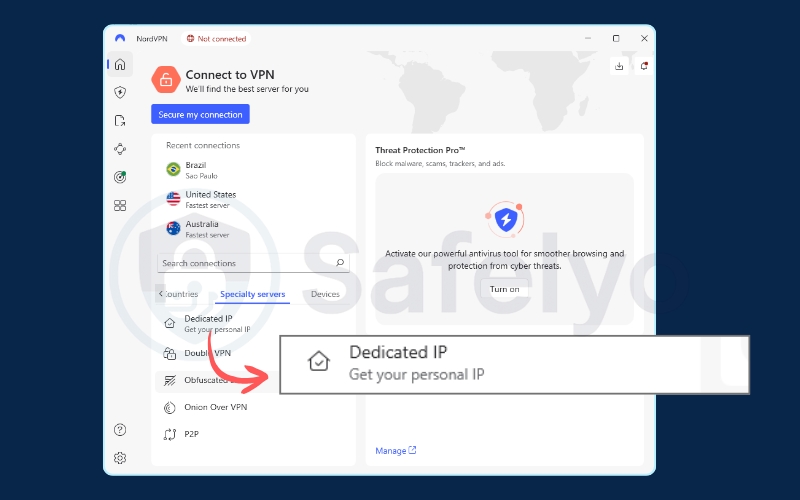
If you are tired of the “switch server” game, NordVPN dedicated IP is the ultimate solution. A Dedicated IP is an add-on feature that gives you a unique IP address used only by you, unlike standard servers, where thousands of users share one IP.
Because shared IPs generate massive amounts of traffic from a single point, they are easy for Netflix to identify and ban. A Dedicated IP behaves much more like a standard home connection, making it nearly invisible to detection algorithms.
Note: While effective, a Dedicated IP is a paid add-on. It may not be necessary for most users if you are willing to occasionally switch servers. However, for those who want a “set it and forget it” experience, it is worth the investment. Buy it if you stream Netflix daily and don’t want to contact customer support to ask for working servers.
6. FAQs about whether NordVPN works with Netflix
We know that navigating the world of VPNs and streaming errors can be confusing. To help you get back to your movie marathon faster, we have compiled the most pressing questions from our readers about using NordVPN with Netflix in 2026.
Can I watch Netflix through NordVPN?
Yes. You can securely watch Netflix through NordVPN by connecting to a server in your desired country. Our latest tests confirm it successfully unlocks major libraries, including the U.S., UK, Australia, Japan, and Canada. It uses SmartPlay technology to automatically bypass geo-blocks without requiring complex manual configuration.
Will Netflix ban you for using a VPN?
No, Netflix will not ban your account. While using a VPN technically violates Netflix’s Terms of Use (ToS), they do not terminate accounts for this behavior. The worst-case scenario is that you will encounter the proxy error (m7111-5059), preventing you from playing content until you disconnect or switch servers. It is not a legal issue, just a contractual one.
Why is my NordVPN not working for Netflix?
If you are facing issues, it is usually because Netflix has identified and blacklisted your specific server IP address. It could also be due to:
- Browser cookies reveal your true location.
- Threat Protection is blocking the streaming.
- Using a server in a highly congested city.
Refer to our Troubleshooting section above for quick fixes like clearing your cache or switching to a “flyover” city server.
Is NordVPN Basic enough for Netflix?
Yes, among the various subscription plans, the “Basic” tier includes the full-featured high-speed VPN service and access to all standard servers. You do not need the “Pro” or “Complete” plans (which add extra security features like cloud storage) just to stream. As long as you have the VPN connection, you are good to go.
Why does Netflix block VPNs?
Netflix is bound by strict copyright and licensing agreements. Content owners sell distribution rights region by region. For example, a studio might sell the rights for a movie to Netflix in the U.S., but to a different local broadcaster in the UK. Netflix blocks VPNs to enforce these territorial contracts and avoid legal trouble with copyright holders.
Can Netflix detect Meshnet?
It is very difficult for Netflix to detect Meshnet. Unlike standard VPN servers that use commercial “Data Center IPs” (which are easy to spot), Meshnet routes your traffic through a residential device (your home computer). To Netflix, this traffic looks exactly like a regular home connection, making it the most effective method for bypassing the password-sharing ban. (Reliability can still vary based on your host’s network stability and Netflix policy updates.)
7. Conclusion
The cat-and-mouse game between streaming platforms and privacy tools is intense, but the 2026 results are clear. Based on repeated real-world tests across its server network, NordVPN remains one of the few providers that consistently stays a step ahead of Netflix’s blocking algorithms. Whether you rely on SmartPlay to unlock global libraries or want to use Meshnet to keep your family account working, NordVPN offers the speed and reliability you need.
Ready to unlock the full world of entertainment without the error screens? Get the exclusive NordVPN deal (68% OFF) via Safelyo today and upgrade your Streaming Unlock toolkit instantly with our VPN Guides category.