Internet Service Providers (ISPs) track online activity by logging DNS requests and monitoring data packets as they travel through their network infrastructure. Many users worry about what data their network provider collects during a daily browsing session.
In this “how ISPs track your online activity” guide, we will explain what data is exposed on modern websites, debunk common privacy myths, and provide concrete steps to secure your connection.
Key Takeaways:
- ISPs can see the domains you visit, your connection times, and your total data usage.
- Using Incognito mode or deleting local browser history does not hide your activity from your network provider.
- Standard HTTPS encryption hides your passwords and messages, but it still exposes website names via unencrypted DNS and SNI metadata.
- Securing your connection requires changing your DNS settings, using Tor Browser, or routing traffic through a Virtual Private Network (VPN).
This article is for informational purposes only. Please use VPNs responsibly and legally.
1. What can your Internet Service Providers (ISPs) actually see?
ISPs can see the specific domain names you visit, the total amount of data you consume, and the timestamps of your connections. Because the ISP physically owns the cables and routers connecting your home to the wider internet, every request must pass through their servers first.
Switching off your home Wi-Fi to use cellular data does not prevent tracking. Mobile carriers are just another type of ISP and log data the exact same way.
Here is what they track:
- Websites and domains: They log unencrypted DNS requests to see the addresses you type into your browser.
- App and protocol usage: They detect traffic patterns to identify if you are gaming or torrenting.
- Metadata and connection times: They record your session duration and the times you connect to a server.
- Approximate physical location: They tie your browsing activity directly to your assigned IP address and home router.
| Activity or data type | Unencrypted website (HTTP) | Secure website (HTTPS) | With a VPN connection |
|---|---|---|---|
| Specific pages read (e.g., /symptoms) | Visible | Hidden | Hidden |
| Domain name visited (e.g., safelyo.com) | Visible | Visible (via SNI/DNS) | Hidden |
| Passwords and private messages | Visible | Hidden | Hidden |
| Total bandwidth consumed | Visible | Visible | Visible |
| Connection timestamps | Visible | Visible | Visible |
2. What can your ISP see on secure websites?
On secure websites, your ISP can clearly see the exact domain names you visit, even though they cannot read your private messages, passwords, or the specific sub-pages you view.
Over 95% of page loads on the modern web use HTTPS encryption to secure the actual payload content you send and receive. This means that if you visit a medical portal or a banking site, the network administrator cannot see the individual articles you read or the account balances you view.
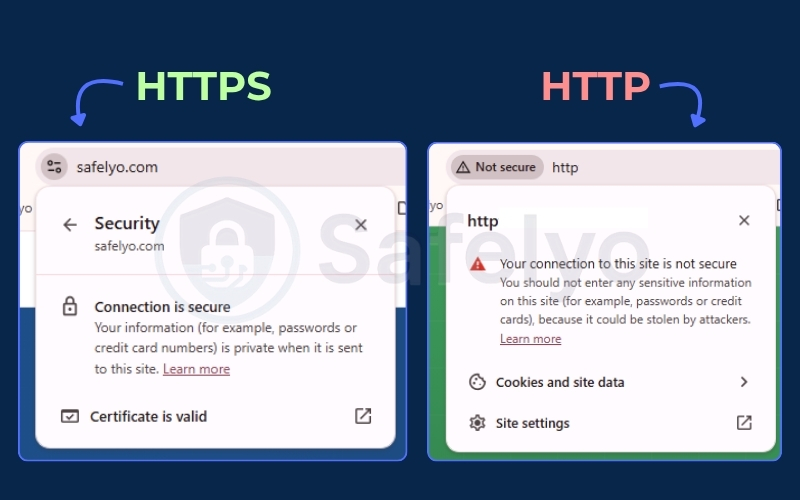
However, a structural detail called Server Name Indication (SNI) remains unencrypted. This flaw, alongside standard unencrypted DNS, leaks the destination domain name directly to your network provider.
In practical terms, while your ISP cannot see what you are doing on a website, they maintain a complete record of the fact that you visited those domains.
3. How does your ISP know you are streaming or gaming?
Even when your web traffic is encrypted by HTTPS, ISPs use Deep Packet Inspection (DPI) to identify your specific activity. This technology analyzes packet timing, data volume, and destination ports to categorize traffic without reading the actual payload content.
DPI allows the network to distinguish between standard web browsing and heavy application usage based purely on behavior.
If you continuously download large bursts of data while standard text pages load in a fraction of a second, the system automatically flags this as high-bandwidth video streaming. Similarly, the rapid back-and-forth communication of small data packets often indicates online gaming or peer-to-peer torrenting.
The ISP categorizes this activity to manage overall network congestion. As a result, they may apply bandwidth throttling to slow down your connection during peak gaming or streaming hours, ensuring the network remains stable for other users.
4. Why do ISPs monitor your traffic?
ISPs monitor traffic to comply with government data retention laws, package demographic profiles for advertising revenue, and manage infrastructure load.
Data retention laws in many countries, including various state regulations in the US and strict directives in Europe, often mandate retaining connection logs for six months to two years to ensure law enforcement availability. This means your network provider is legally obligated to store records of your metadata and session timestamps for a prolonged period.
Monetization also plays a massive role in network logging. A 2021 FTC report on six major US ISPs found they collect vast troves of personal data, share it with third parties, and offer limited opt-out choices for consumers.
They often build anonymized browsing profiles to sell to advertisers, creating a secondary revenue stream.
Beyond revenue and legal compliance, providers actively identify heavy users to prevent network congestion and balance the physical infrastructure load during high-traffic periods.
5. Can your ISP see your Incognito history?
Yes, your ISP can still see your web history because local browser history deletion does not affect external routing logs. Private browsing modes only stop your local phone or computer from saving cookies and temporary history files.
When you close an Incognito window, your device simply forgets the session locally.
Clearing your browser history is like deleting a document on your local hard drive. It does nothing to erase the delivery records held on the external servers of your ISP.
Because your device still has to send a signal through the physical cables owned by your network provider to access a website, the metadata of that request is logged at the network level regardless of your local browser settings.
6. How to protect your internet activity from your ISP
You can use DNS-over-HTTPS (DoH), Tor, or a VPN. These tools offer different levels of protection:
- DoH encrypts DNS lookups.
- Tor hides your browsing destinations and improves anonymity.
- A VPN encrypts traffic from most or all applications on your device.
No single tool provides complete anonymity. Your choice depends on whether you want basic privacy, anonymous browsing, or device-wide protection.
6.1. Use DNS-over-HTTPS (DoH)
DNS-over-HTTPS encrypts DNS queries and sends them through HTTPS. This makes it harder for your ISP to read or modify the domain lookups your device sends.
The process is simple:
- You enter a website address, such as example.com.
- Your browser creates a DNS query to find the website’s IP address.
- The browser encrypts the query inside an HTTPS request.
- The request is sent to a DoH provider.
- The provider returns the IP address to your browser.
DoH protects DNS lookups, but it does not hide everything. Your ISP may still see the IP addresses you connect to, your connection times, data usage, and some connection metadata.
Websites can also identify you through accounts, cookies, or tracking tools.
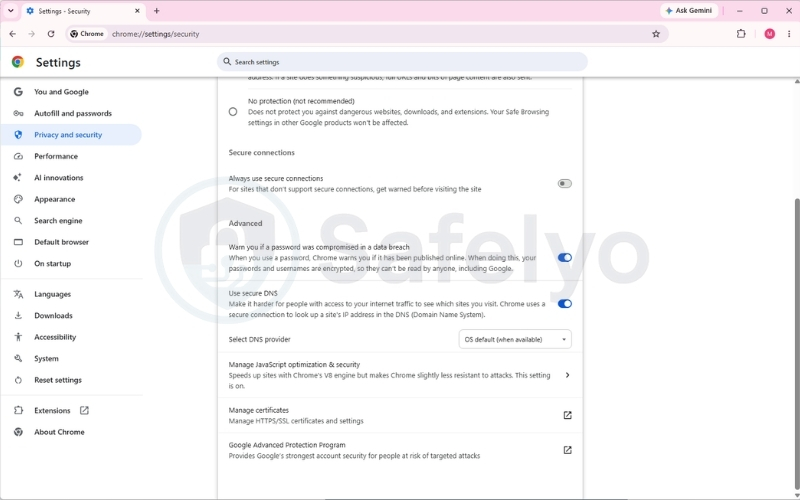
You can use DoH as a free, basic privacy layer for everyday browsing. You can enable it directly in Chrome or Edge by following this path: Settings > Privacy and security > Security > Use secure DNS
Note:
On most modern browsers (Chrome, Edge, Firefox), DNS-over-HTTPS is usually enabled by default.
However, Apple users (Safari, iOS, macOS) will not find a DoH toggle in their browser. Apple handles encrypted DNS at the operating system level, requiring a custom DNS profile or an app like 1.1.1.1. If you use an iPhone or Mac and subscribe to iCloud+, simply turning on iCloud Private Relay will automatically encrypt your DNS and hide your browsing activity from your ISP.
6.2. Use the Tor Browser
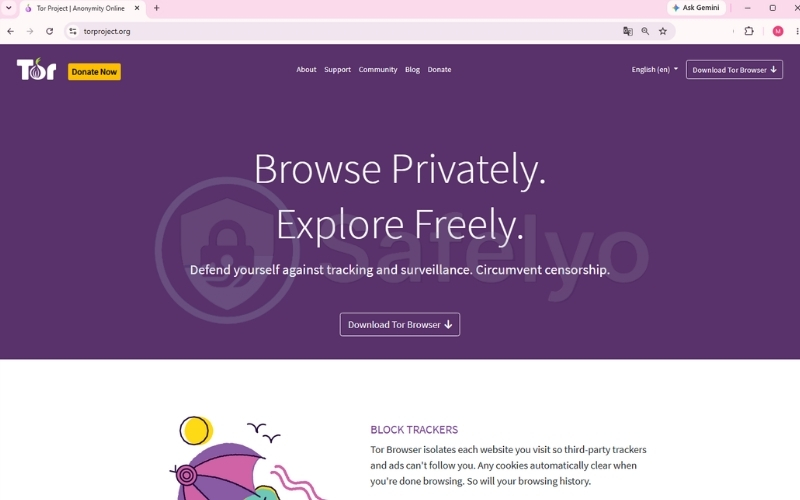
Tor Browser routes web traffic through several volunteer-operated relays and applies multiple layers of encryption. No single relay knows both who you are and which website you are visiting.
The traffic usually passes through:
- An entry relay.
- A middle relay.
- An exit relay, which connects to the destination website.
As a result, your ISP can usually see that you are connecting to the Tor network, but not the specific websites you visit or the content you access through Tor.
Tor is useful for sensitive browsing and situations where anonymity is more important than speed. However, it is slower than ordinary browsing and is not ideal for streaming, gaming, or downloading large files.
Only traffic from Tor Browser is routed through Tor; other applications on your device are not automatically protected.
6.3. Use a VPN
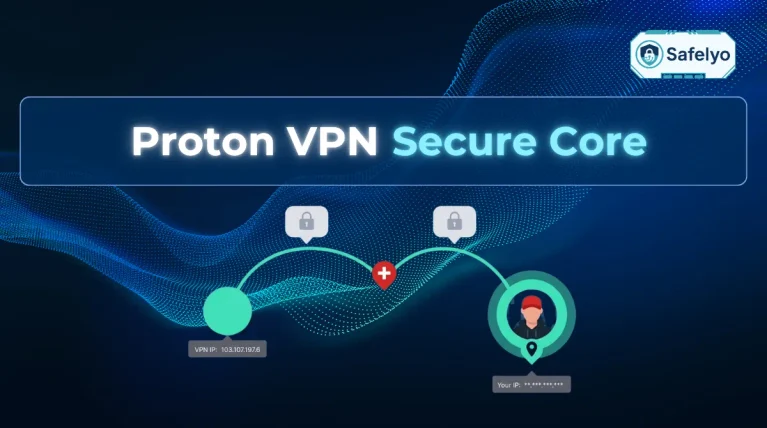
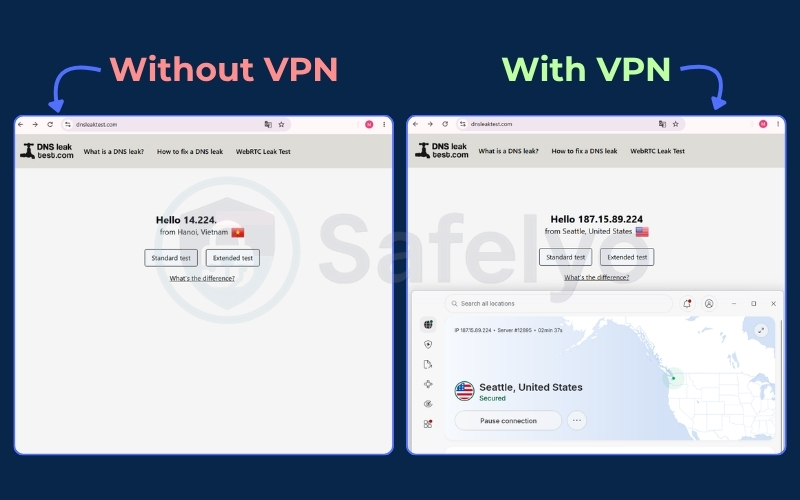
A VPN creates an encrypted tunnel between your device and a VPN server. The VPN application encrypts your traffic locally, sends it through the tunnel, and forwards it to the target website or service.
The website sees the VPN server’s IP address instead of your real IP address. A properly configured VPN can also route DNS queries through the VPN, reducing the risk of DNS leaks.
Your ISP can still see that you are connected to a VPN, as well as the connection time, data volume, and some technical characteristics of the connection. However, it generally cannot read the websites, page contents, or data transmitted inside the encrypted tunnel.
A VPN shifts trust from your ISP to the VPN provider. Because the VPN app can handle all of your internet traffic, it is a good practice to review its privacy policy, encryption standards, and the VPN jurisdiction it operates under. Understanding how data laws work in Five Eyes, Nine Eyes, and 14 Eyes countries can help you choose a provider that aligns with your personal privacy needs.
The FTC has warned that some VPN apps may request excessive permissions, use weak protection, or share data with third parties.
Choose a reputable VPN with a clearly explained and independently audited no-logs policy. Avoid suspicious free VPNs, especially those that rely heavily on advertising or do not explain how they fund their service.
7. What can my ISP see when I use a VPN?
When you use a VPN, your ISP knows the VPN connection exists because the encrypted traffic still travels over their physical cables. Network administrators identify VPN usage via specific port numbers, such as UDP 1194 for OpenVPN or UDP 51820 for WireGuard, alongside the Datacenter ASN registration.
While they cannot read your payload or see the websites you visit, your ISP still monitors specific connection data:
- Total bandwidth consumed: The network provider tracks the gigabytes of data flowing through the encrypted tunnel to enforce data caps or fair usage policies.
- Connection timestamps: They record the time you establish the VPN tunnel and when the session ends.
- The VPN server IP address: The ISP sees the initial datacenter IP you are connecting to, even though they cannot see the final website destination beyond that server.
- Port and protocol data: The network easily identifies standard VPN protocols and the specific ports used to maintain the connection.
8. FAQs about how ISPs track your online activity
8.1. Can my internet provider see what I search on Google?
No, your ISP cannot see the actual search terms you type into Google because the page is protected by HTTPS encryption. However, they do know you are actively visiting Google.com.
8.2. Can your internet provider see your history if you delete it?
Yes. Deleting your local browser history does not erase the external server routing logs held by your network provider.
8.3. How do I know if my internet activity is being monitored?
You cannot actively detect passive network logging via command-line tools. You must assume your metadata is automatically logged by default.
8.4. How much of my internet activity can my boss see?
Network administrators have the same, if not more, visibility than an ISP when you are connected to the company Wi-Fi network.
8.5. How to delete ISP history?
You cannot natively delete these logs yourself. You can only request data deletion if you reside in a region protected by specific privacy laws.
9. Conclusion
ISPs automatically log metadata, domain requests, and bandwidth usage as a fundamental part of internet routing. Local fixes like Incognito mode remain ineffective against this network-level tracking.
Understanding how ISPs track your online activity is the first step to securing your digital footprint.
Check your browser DNS settings immediately, download the Tor Browser, or evaluate a trusted VPN provider to encapsulate your daily web traffic and reclaim your privacy.
For more detailed steps and recommendations, explore our VPN Guides on Safelyo.