Paying for a premium streaming subscription only to be blocked by geographic restrictions is incredibly frustrating. You might try using a random proxy service, only to immediately hit the dreaded “Pardon the Interruption” error screen. Because streaming platforms constantly upgrade their firewall algorithms, yesterday’s workarounds rarely work today.
To bypass these strict blocks, you need a consistently updated and powerful tool. We conducted extensive, hands-on testing of dozens of services across 30 different countries to find the best VPN for Netflix available right now. Below are the top five proven options that reliably unlock global content without sacrificing your viewing quality.
Here is the complete ranking of our top five tested providers:
| Rank | Best for | United States | United Kingdom | Japan | Australia | Canada | Germany | India | Italy | South Korea | France | Brazil | Spain | Mexico | Singapore | Hong Kong | South Africa | Argentina | Indonesia | Netherlands | Poland | Sweden | Switzerland | Thailand | Turkiye | Czech Republic | Iceland | Philippines | Pakistan | New Zealand | Taiwan |
|---|---|---|---|---|---|---|---|---|---|---|---|---|---|---|---|---|---|---|---|---|---|---|---|---|---|---|---|---|---|---|---|
| #1. Surfshark | Extensive Netflix library access & value | ✅ | ✅ | ✅ | ✅ | ✅ | ✅ | ✅ | ✅ | ✅ | ✅ | ✅ | ✅ | ✅ | ✅ | ✅ | ✅ | ✅ | ❌ | ✅ | ✅ | ✅ | ✅ | ✅ | ✅ | ✅ | ✅ | ✅ | ❌ | ✅ | ✅ |
| #2. NordVPN | High-speed Netflix streaming | ✅ | ✅ | ✅ | ✅ | ✅ | ✅ | ✅ | ✅ | ✅ | ✅ | ✅ | ✅ | ✅ | ✅ | ✅ | ✅ | ✅ | ❌ | ✅ | ✅ | ✅ | ✅ | ✅ | ❌ | ✅ | ❌ | ✅ | ❌ | ✅ | ✅ |
| #3. ExpressVPN | Smart TV & broad device support | ✅ | ✅ | ✅ | ✅ | ✅ | ✅ | ✅ | ✅ | ✅ | ✅ | ✅ | ✅ | ❌ | ✅ | ✅ | ✅ | ❌ | ❌ | ✅ | ✅ | ✅ | ❌ | ❌ | ✅ | ✅ | ❌ | ✅ | ✅ | ✅ | ✅ |
| #4. Proton VPN | Privacy-focused streaming | ✅ | ✅ | ✅ | ✅ | ✅ | ✅ | ✅ | ✅ | ✅ | ✅ | ✅ | ❌ | ✅ | ❌ | ✅ | ❌ | ✅ | ❌ | ✅ | ✅ | ✅ | ✅ | ❌ | ✅ | ✅ | ✅ | ✅ | ✅ | ✅ | ✅ |
| #5. Private Internet Access (PIA) | US Netflix coverage & customization | ✅ | ✅ | ✅ | ✅ | ✅ | ✅ | ✅ | ❌ | ✅ | ✅ | ❌ | ❌ | ✅ | ❌ | ✅ | ❌ | ✅ | ❌ | ✅ | ✅ | ✅ | ✅ | ✅ | ❌ | ✅ | ✅ | ✅ | ❌ | ✅ | ✅ |
Affiliate disclosure: This article contains affiliate links, which means we may earn a small commission if you make a purchase through them.
Disclaimer: This guide is for informational purposes only. Information regarding speeds, unblocking capabilities, pricing, and promotional offers may change over time depending on your geographic location or new platform updates.
1. How we test and select the best VPNs for Netflix
We established a testing framework to maintain transparency in our recommendations. Every VPN provider must demonstrate clear functionality in the following four core areas to earn a spot on our list:
- Regional access: The tool must successfully change your IP address to unlock domestic content across our 30 tested countries. This is our primary ranking factor.
- Reliability: The service needs stealth capabilities to avoid detection by streaming firewalls. It must consistently bypass the common M7111-1331-5059 proxy error.
- Speed: We require a minimum sustained bandwidth of 20 Mbps. This is the technical baseline for loading 4K Ultra HD video without buffering.
- Value: We weigh the available features against the required cost. Our focus centers on the budget-friendly segment ranging from $0 to $3 per month.
Please note that all of our baseline speed tests were conducted from a physical connection in Vietnam.
To keep this guide concise, the performance data highlighted in the reviews below focuses specifically on the highly-demanded US and UK servers. If you are curious about a specific provider’s speed performance across other global regions, you can find full, comprehensive data in our dedicated individual VPN reviews.
2. Best VPN for Netflix: Top 5 providers for global libraries (2026)
We evaluated the speeds and firewall-bypassing capabilities of these five providers across 30 global locations. They delivered the most consistent performance for international streaming in our latest data review.
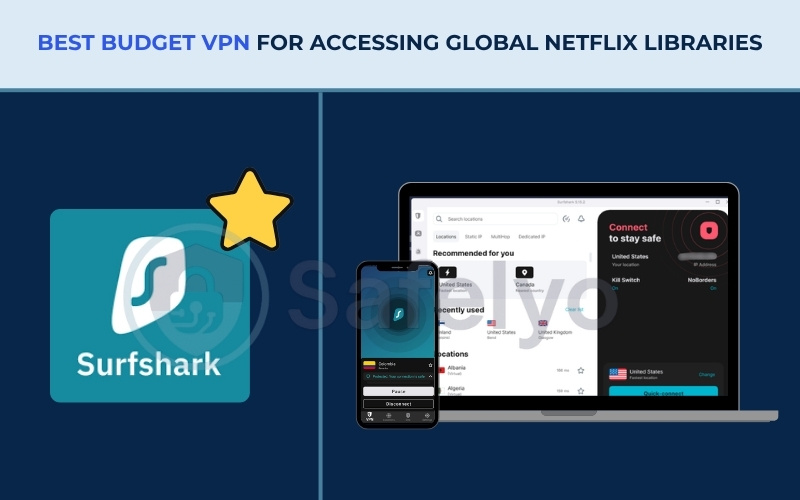
2.1. #1. Surfshark: Best budget VPN for accessing global Netflix libraries
Surfshark is a practical option for households looking for broad streaming access on a budget. It pairs a large server network with an unlimited simultaneous connection policy, making it useful for sharing among family members.
| Specifications | Details |
|---|---|
| Specifications | Details |
| Starting price | From $1.99/month (24-month Starter plan) |
| Servers & countries | 4,500+ servers in 100 countries |
| Latest test | 2026 |
| Jurisdiction | Netherlands (9-Eyes alliance) |
| Netflix regions unlocked | 28 out of 30 tested libraries |
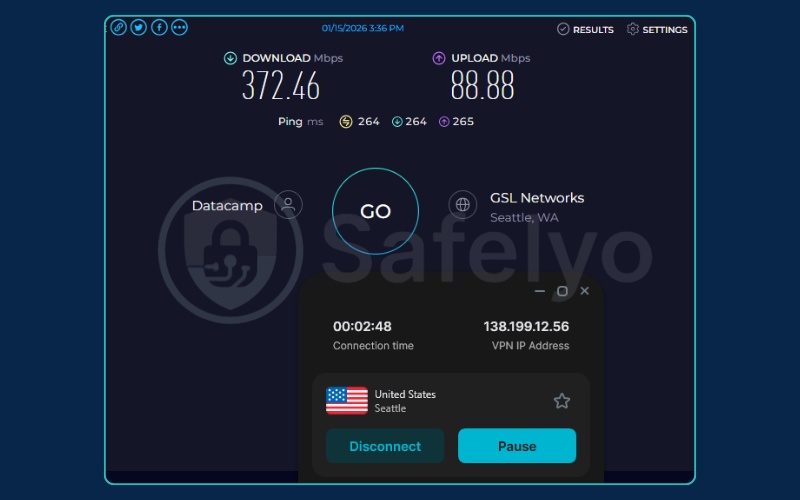
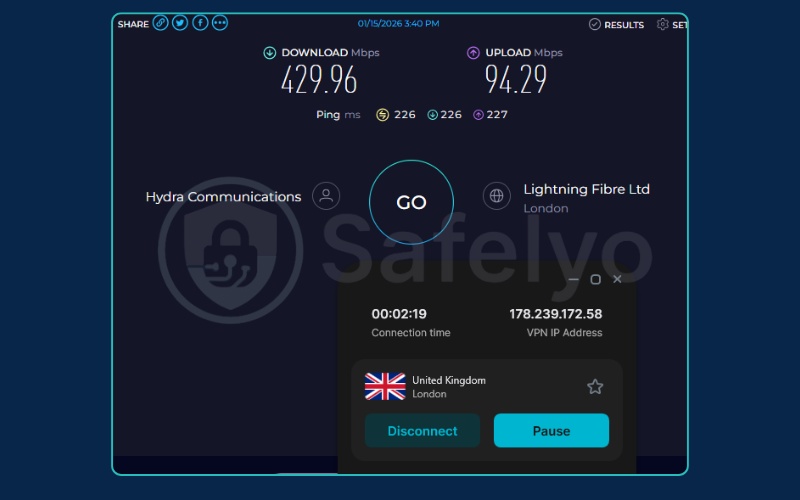
| Tested speeds | 372.46 Mbps (US server), 429.96 Mbps (UK server) |
| Simultaneous connections | Unlimited |
| Console support | Yes (via Smart DNS or router) |
| Full review | Surfshark review |
Pros
- Low starting price point
- Unlimited device connections
- Unlocks 28 libraries
Cons
- /Fails to unblock catalogs in Indonesia and Pakistan
- Automatic renewal price is higher than the initial term
Streaming performance
We recorded download speeds of 372.46 Mbps on American servers and 429.96 Mbps on British servers. This level of bandwidth provides massive data overhead. Because it vastly exceeds the 20 Mbps baseline required for 4K video, the stream quality locks into ultra-high definition immediately.
Speeds at this tier also mean the network can handle heavy background file downloads or multi-player gaming simultaneously without causing the video to buffer.
Library accessibility
Successfully unlocking 28 out of 30 regions provides extensive global coverage. This is a highly practical benefit for users looking to explore region-exclusive cinema or television shows.
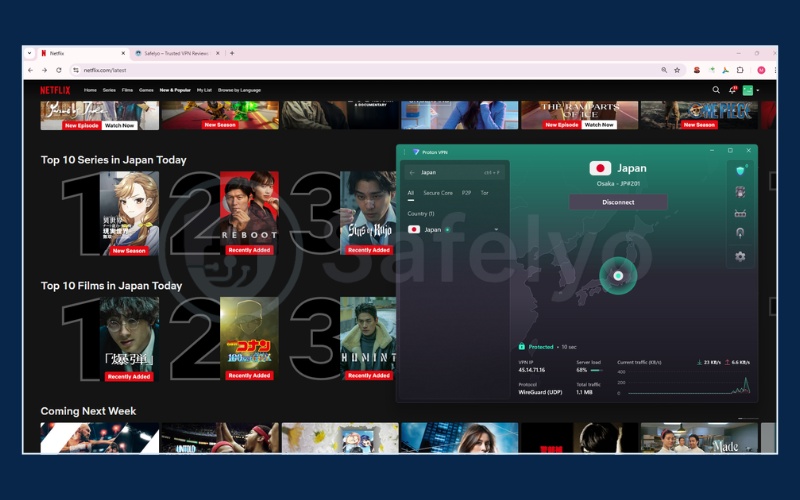
Switching server locations between the United States, Japan, and European nations functions smoothly, rarely requiring you to clear your browser cache to register the new location. We only encountered geographic barriers in Indonesia and Pakistan, making this an incredibly reliable option for worldwide entertainment access.
| VPN name | United States | United Kingdom | Japan | Australia | Canada | Germany | India | Italy | South Korea | France | Brazil | Spain | Mexico | Singapore | Hong Kong | South Africa | Argentina | Indonesia | Netherlands | Poland | Sweden | Switzerland | Thailand | Turkiye | Czech Republic | Iceland | Philippines | Pakistan | New Zealand | Taiwan |
|---|---|---|---|---|---|---|---|---|---|---|---|---|---|---|---|---|---|---|---|---|---|---|---|---|---|---|---|---|---|---|
| Surfshark | ✅ | ✅ | ✅ | ✅ | ✅ | ✅ | ✅ | ✅ | ✅ | ✅ | ✅ | ✅ | ✅ | ✅ | ✅ | ✅ | ✅ | ❌ | ✅ | ✅ | ✅ | ✅ | ✅ | ✅ | ✅ | ✅ | ✅ | ❌ | ✅ | ✅ |
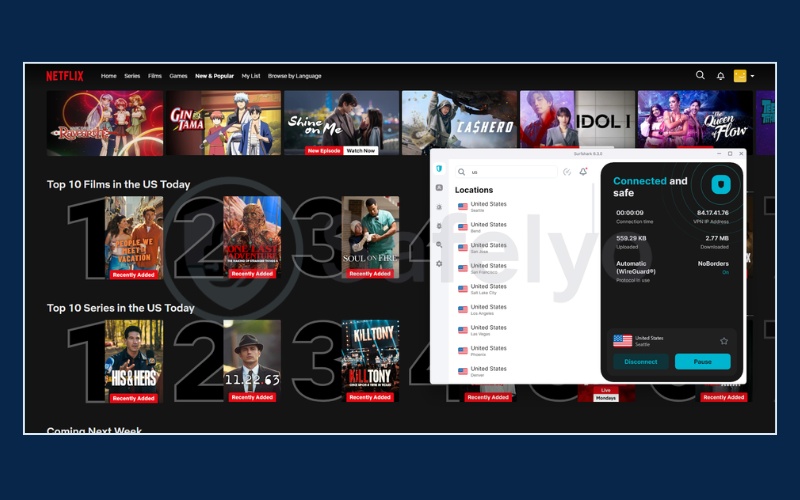
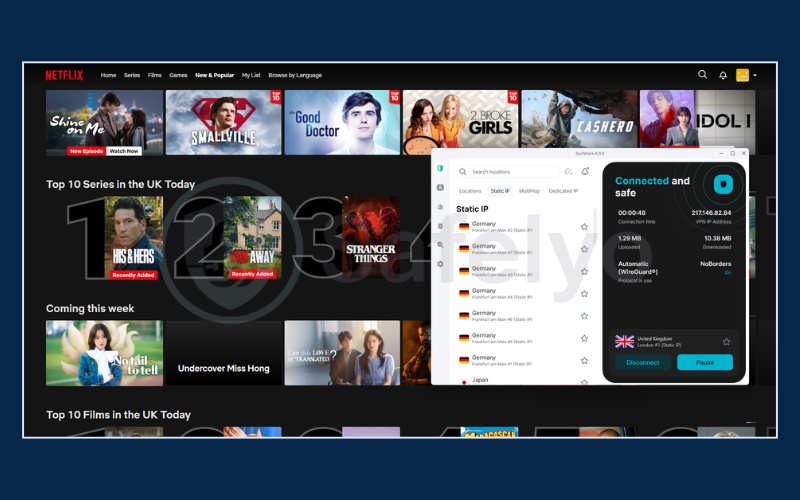
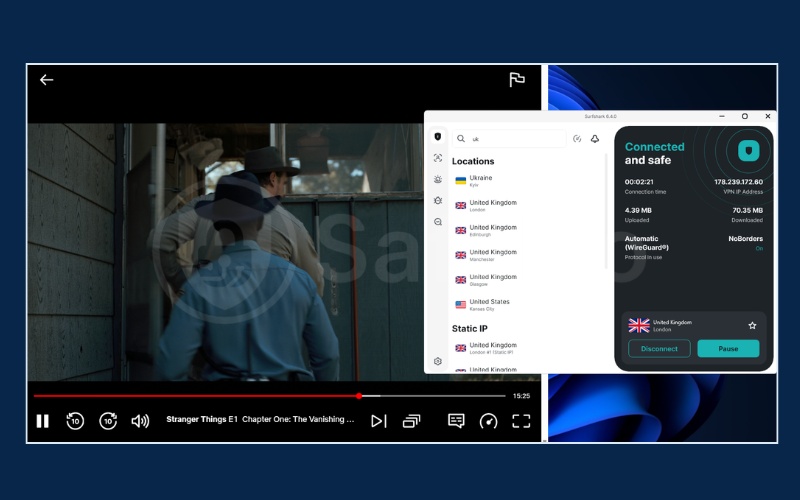
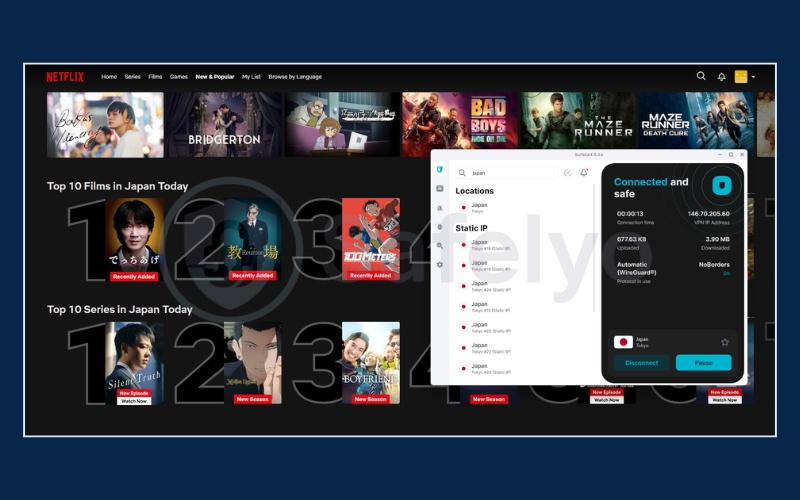
Without a capable tool like this, missing out on exclusive international television shows due to strict geographic blocking becomes incredibly frustrating. Stop accepting restricted entertainment options and unlock global Netflix catalogs now (completely risk-free with a 30-day money-back guarantee).
Value & device policy
The economic value of this service stands out at $1.99 per month. The unlimited device policy is a significant advantage for larger households. You can secure multiple televisions, laptops, and smartphones simultaneously under a single subscription.
Given the high baseline speeds we recorded, multiple family members can stream high-demand 4K content in different rooms at the same time without overwhelming the connection or experiencing data throttling.
See our final assessment of the user experience:
| Feature assessment | Details |
|---|---|
| What we like | The native tvOS 17+ application makes direct installation on the Apple TV very straightforward. |
| What we don’t like | Renewal prices increase significantly after the first billing cycle. You must remember to cancel auto-renewal. |
=> Best for: Cost-conscious users seeking access to a large number of international Netflix catalogs.
2.2. #2. NordVPN: Best VPN for high-speed Netflix streaming
NordVPN focuses on maintaining stable connection speeds for streaming. By utilizing its custom NordLynx protocol, it provides the necessary bandwidth to handle high-definition video with minimal interruption.
| Specifications | Details |
|---|---|
| Starting price | From $2.99/month (Basic plan) |
| Servers & countries | 8,400+ servers in 167+ countries |
| Latest test | 2026 |
| Jurisdiction | Panama |
| Netflix regions unlocked | 26 out of 30 tested libraries |
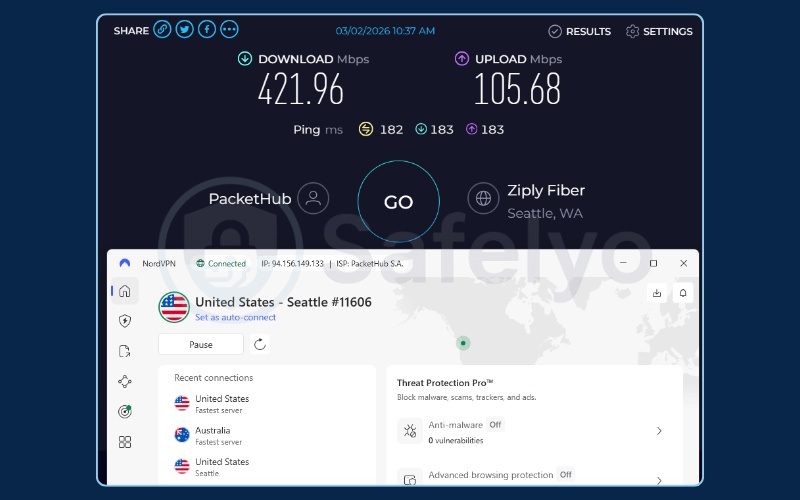
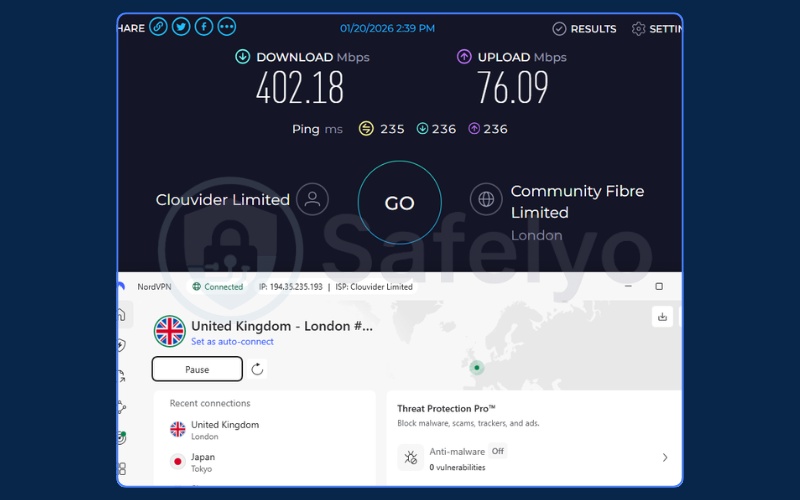
| Tested speeds | 421.96 Mbps (US server), 402.18 Mbps (UK server) |
| Simultaneous connections | Up to 10 devices |
| Console support | Yes (via Smart DNS) |
| Full review | NordVPN review |
Pros
- NordLynx protocol provides strong 4K speeds
- SmartPlay technology works automatically
Cons
- Blocked in 4 Asian and European countries
- Split tunneling feature is limited on macOS
Streaming performance
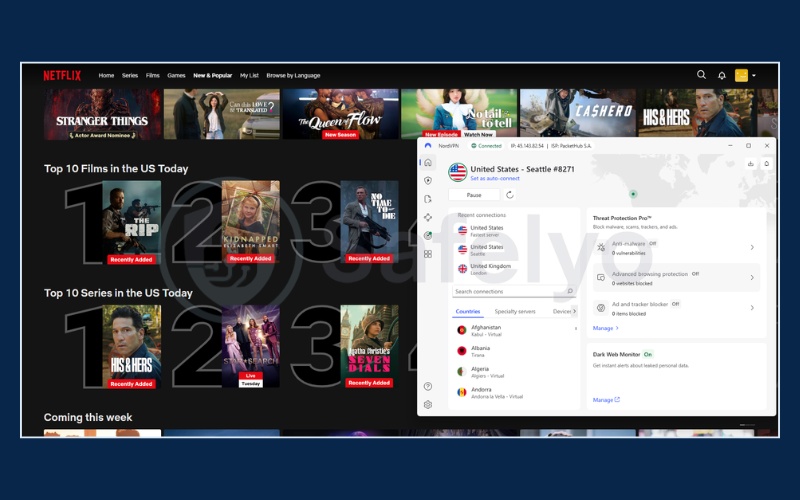
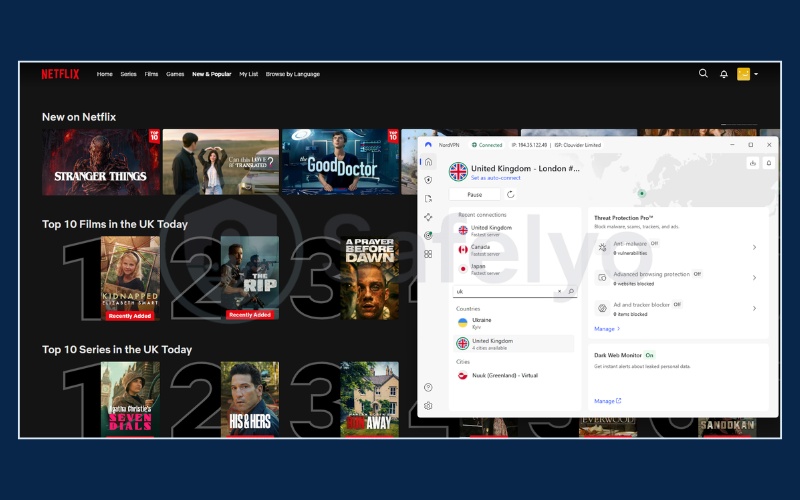
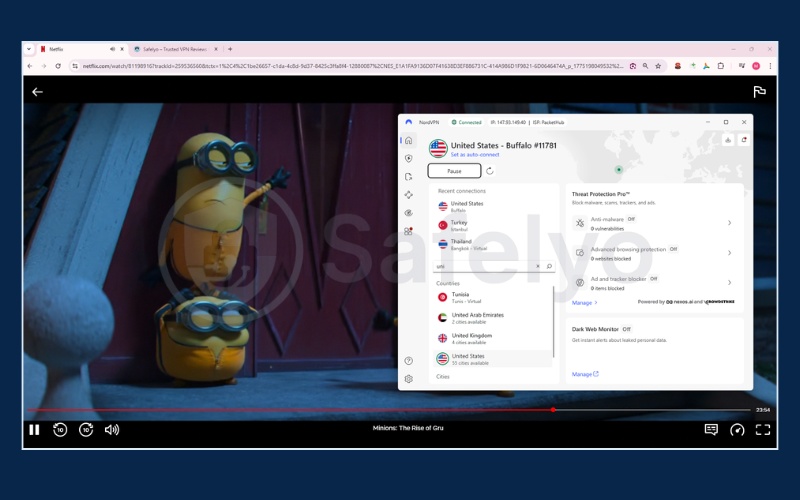
The performance of this service relies heavily on its custom NordLynx protocol, which is built around the highly efficient WireGuard architecture. We recorded download speeds of 421.96 Mbps in the United States and 402.18 Mbps in the United Kingdom.
This high-capacity bandwidth easily supports concurrent high-demand network tasks. You can stream flawless 4K video while other devices on the same network perform heavy file downloads. The connection maintains sharp visual fidelity and prevents sudden drops in resolution.
Dealing with constant buffering and poor video quality from slower services completely ruins your entertainment experience. Eliminate these persistent network disruptions and secure buffer-free 4K streaming (backed by a proven 30-day money-back guarantee).
Library accessibility
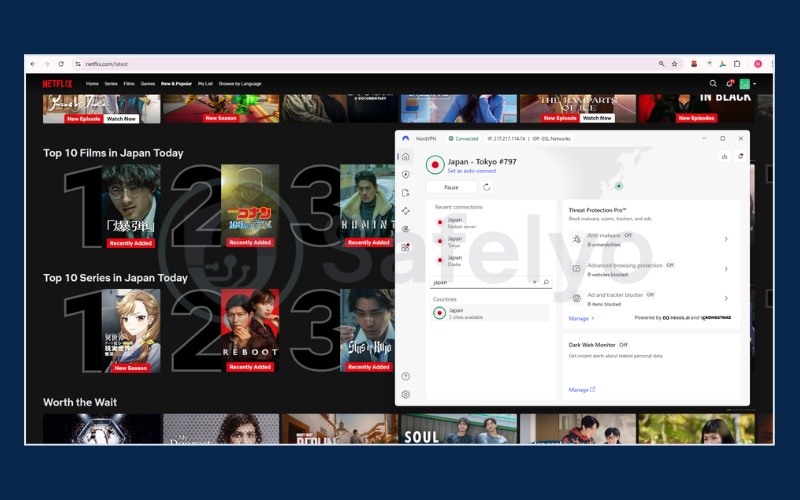
Unlocking 26 out of 30 libraries demonstrates strong technical capability against streaming firewalls. The software operates reliably in major entertainment markets like the US, UK, and Japan. However, we encountered strict roadblocks in Thailand, Indonesia, Pakistan, and Turkiye.
While it remains highly effective for Western media, you should keep these restrictions in mind if you frequently watch specific Asian or Middle Eastern content.
| VPN name | United States | United Kingdom | Japan | Australia | Canada | Germany | India | Italy | South Korea | France | Brazil | Spain | Mexico | Singapore | Hong Kong | South Africa | Argentina | Indonesia | Netherlands | Poland | Sweden | Switzerland | Thailand | Turkiye | Czech Republic | Iceland | Philippines | Pakistan | New Zealand | Taiwan |
|---|---|---|---|---|---|---|---|---|---|---|---|---|---|---|---|---|---|---|---|---|---|---|---|---|---|---|---|---|---|---|
| NordVPN | ✅ | ✅ | ✅ | ✅ | ✅ | ✅ | ✅ | ✅ | ✅ | ✅ | ✅ | ✅ | ✅ | ✅ | ✅ | ✅ | ✅ | ❌ | ✅ | ✅ | ✅ | ✅ | ❌ | ❌ | ✅ | ✅ | ✅ | ❌ | ✅ | ✅ |
SmartPlay technology
SmartPlay is an integrated feature that blends security encryption with the functionality of a Smart DNS. It operates entirely in the background. When you press the connect button, the system automatically routes your DNS requests to bypass geographic location filters safely.
You do not need to navigate complex settings menus or configure secondary DNS servers manually to watch international content. This automated approach simplifies the process of avoiding proxy errors for general users.
See our final assessment of the user experience:
| Feature assessment | Details |
|---|---|
| What we like | The Threat Protection tool removes intrusive ads and stops embedded trackers on unofficial media sites. |
| What we don’t like | The split tunneling feature has limited functionality on macOS, which restricts routing options for Apple users. |
=> Best for: Streamers prioritizing fast download speeds and automated region switching for 4K content.
2.3. #3. ExpressVPN: Best VPN for Netflix on Smart TVs and media players
ExpressVPN provides a straightforward setup process across various devices. Its dedicated Smart TV features help users stream directly from living room consoles without complex network configurations.
| Specifications | Details |
|---|---|
| Starting price | From $2.79/month (Basic 2-year plan) |
| Servers & countries | 105 countries across 170+ locations |
| Latest test | 2026 |
| Jurisdiction | British Virgin Islands (BVI) |
| Netflix regions unlocked | 25 out of 30 tested libraries |
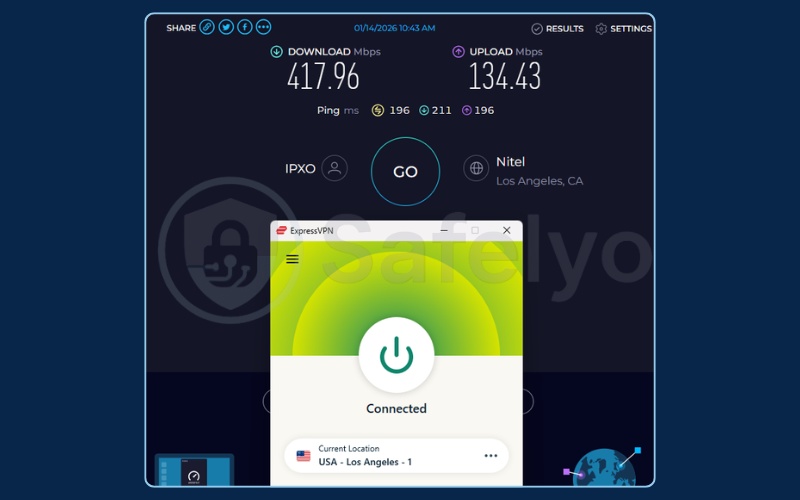
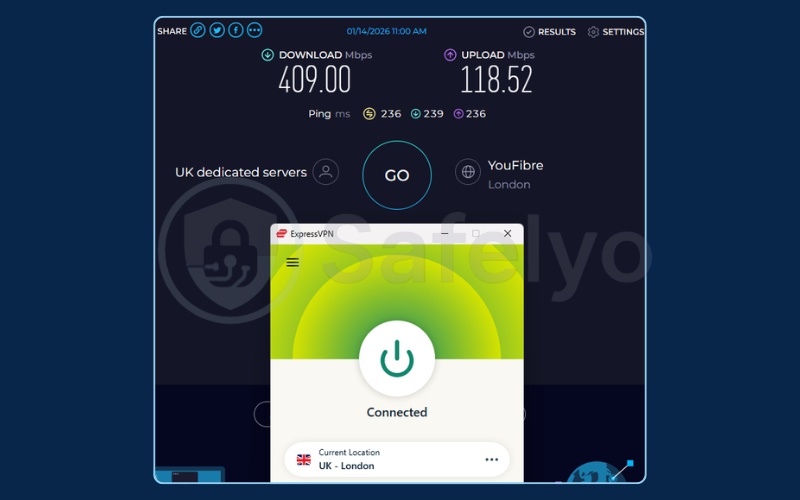
| Tested speeds | 417.96 Mbps (US server), 409.00 Mbps (UK server) |
| Simultaneous connections | Up to 14 devices (varies by plan) |
| Console support | Yes (via MediaStreamer) |
| Full review | ExpressVPN review |
Pros
- Lightway protocol offers low-latency connections
- MediaStreamer assists with Smart TV connections
Cons
- Higher monthly price than the market average
- Blocked in 5 countries (mostly Southeast Asia)
Streaming performance
The application delivered consistent speeds of 417.96 Mbps on American servers and 409.00 Mbps on British servers. The core advantage here is the stability of the custom Lightway protocol. This technology utilizes a lightweight codebase that establishes a secure tunnel very quickly.
Because it reliably maintains speeds around 400 Mbps, the connection supports multi-device streaming environments easily. The underlying network stability helps keep your viewing sessions uninterrupted, preventing the video stream from dropping back down to standard definition.
Library accessibility
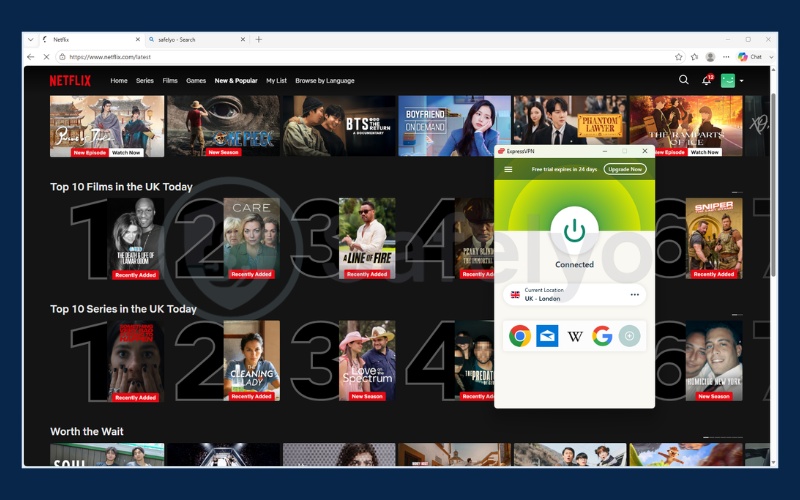
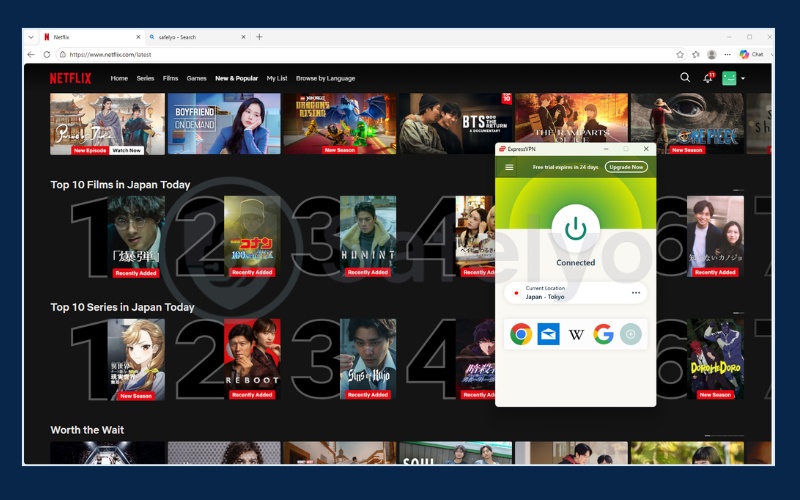
Accessing 25 out of 30 regions shows consistent reliability. The service refreshes its IP addresses effectively in the American and European markets, making proxy errors a rare occurrence in these locations.
However, our test highlighted distinct weaknesses across the Asian market. The service currently remains blocked in Singapore, Indonesia, Thailand, and the Philippines. You should consider these geographic blind spots if accessing Southeast Asian cinema is your primary goal.
| VPN name | United States | United Kingdom | Japan | Australia | Canada | Germany | India | Italy | South Korea | France | Brazil | Spain | Mexico | Singapore | Hong Kong | South Africa | Argentina | Indonesia | Netherlands | Poland | Sweden | Switzerland | Thailand | Turkiye | Czech Republic | Iceland | Philippines | Pakistan | New Zealand | Taiwan |
|---|---|---|---|---|---|---|---|---|---|---|---|---|---|---|---|---|---|---|---|---|---|---|---|---|---|---|---|---|---|---|
| ExpressVPN | ✅ | ✅ | ✅ | ✅ | ✅ | ✅ | ✅ | ✅ | ✅ | ✅ | ✅ | ✅ | ✅ | ❌ | ✅ | ✅ | ✅ | ❌ | ✅ | ✅ | ✅ | ✅ | ❌ | ❌ | ✅ | ✅ | ❌ | ✅ | ✅ | ✅ |
Device setup & MediaStreamer
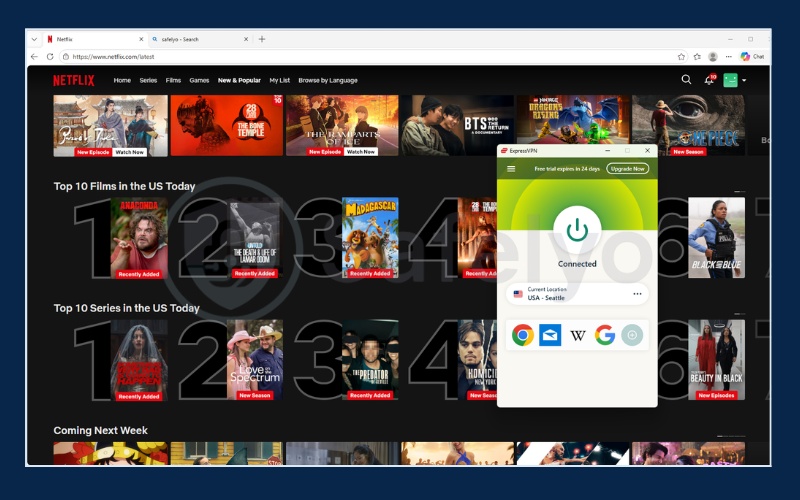
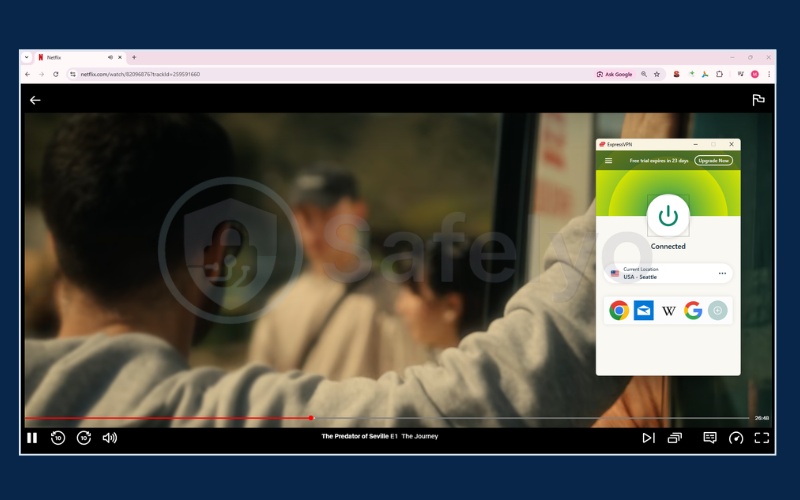
We recognize the practical value of the MediaStreamer feature for living room entertainment systems. Devices like older Apple TVs, PlayStation consoles, and Samsung televisions running Tizen OS do not support native security applications.
MediaStreamer acts as a practical workaround by providing specialized DNS addresses. By changing the network settings directly on your television, you can access the American catalog seamlessly. This bypasses the need for a complicated and expensive router-level installation.
Overcome these frustrating device limitations and access Netflix with ExpressVPN (setup takes minutes, fully protected by a 30-day money-back guarantee).
See our final assessment of the user experience:
| Feature assessment | Details |
|---|---|
| What we like | The minimalist interface provides a uniform connection experience across all device platforms. |
| What we don’t like | The application restricts advanced users from manually adjusting encryption layers to optimize speeds. |
=> Best for: Users looking for straightforward Smart TV integration and easy setup across multiple media players.
2.4. #4. Proton VPN: Best privacy-focused VPN for secure streaming
Developed by former CERN scientists, Proton VPN emphasizes data privacy. Alongside its security routing, the premium plan also provides reliable access to several major international streaming libraries.
| Specifications | Details |
|---|---|
| Starting price | From $2.99/month (Plus 2-year plan) |
| Servers & countries | 19,650+ servers across 145+ countries |
| Latest test | 2026 |
| Jurisdiction | Switzerland |
| Netflix regions unlocked | 25 out of 30 tested libraries |
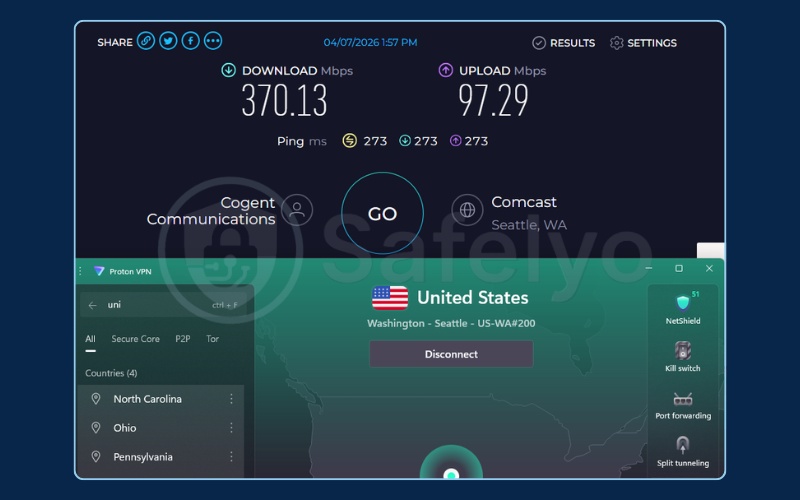
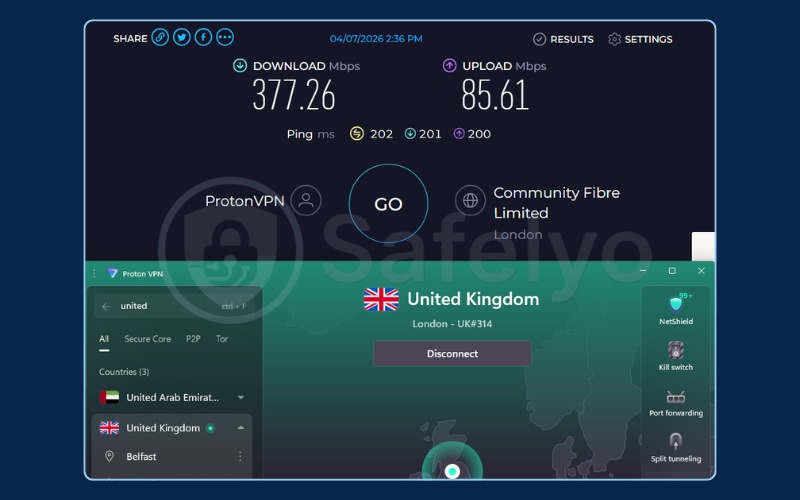
| Tested speeds | 370.13 Mbps (US server), 377.26 Mbps (UK server) |
| Simultaneous connections | 10 devices (Plus plan) |
| Console support | Yes (via Router) |
| Full review | Proton VPN review |
Pros
- Swiss base ensures strict privacy laws
- Secure Core network prevents cross-tracking
- Transparent open-source applications
Cons
- Plus plan cost is above average
- Free tier blocks streaming features
Privacy infrastructure
Developed by scientists at the CERN research facility, this tool carries a solid background in data security. The Secure Core architecture routes your internet traffic through server vaults located in privacy-friendly nations before it reaches the final destination.
This double-hop mechanism effectively masks your true IP address from advanced tracking. Routing your connection twice usually slows down network performance. However, Proton keeps its infrastructure highly optimized, so you still get enough speed to stream media safely.
Streaming performance
We recorded outstanding download speeds of 370.13 Mbps on American servers and 377.26 Mbps on British servers. We attribute these strong numbers to the built-in VPN Accelerator feature, which optimizes TCP connection routing across vast physical distances.
Maintaining speeds well over 300 Mbps ensures that you have plenty of bandwidth to support a steady 4K video stream. This level of performance means your viewing quality remains consistent and buffer-free, even when connecting to servers located halfway across the globe.
Library accessibility
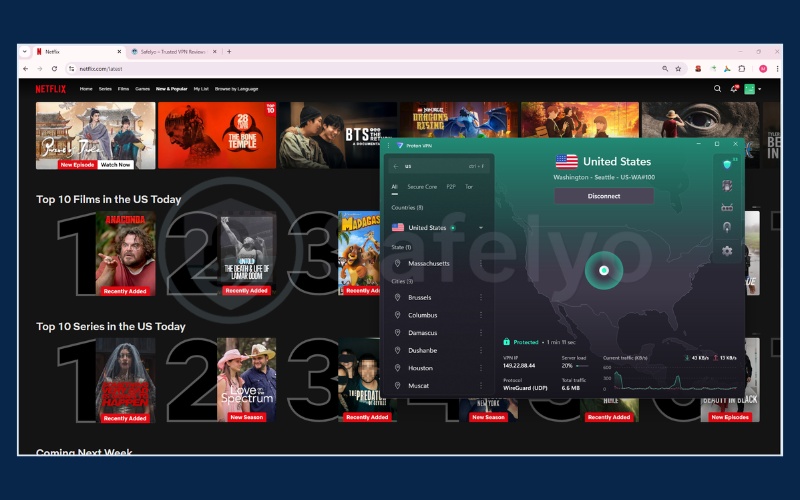
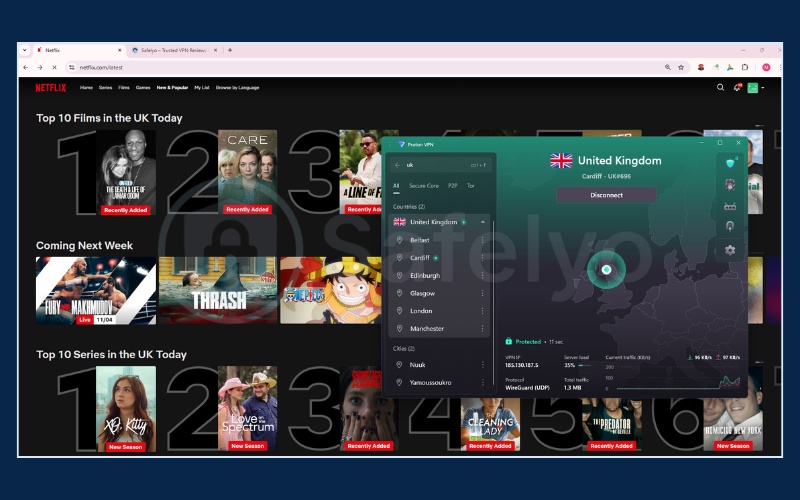
Achieving a 26 out of 30 success rate is commendable for a tool built primarily around privacy. The video quality remained sharp across the popular libraries in the United States, which is where the service’s speeds are most reliable.
However, access is currently restricted in Spain, South Africa, Indonesia, Singapore and Thailand. Make sure your favorite shows don’t rely on these blocked regions before you commit to a long-term plan.
| VPN name | United States | United Kingdom | Japan | Australia | Canada | Germany | India | Italy | South Korea | France | Brazil | Spain | Mexico | Singapore | Hong Kong | South Africa | Argentina | Indonesia | Netherlands | Poland | Sweden | Switzerland | Thailand | Turkiye | Czech Republic | Iceland | Philippines | Pakistan | New Zealand | Taiwan |
|---|---|---|---|---|---|---|---|---|---|---|---|---|---|---|---|---|---|---|---|---|---|---|---|---|---|---|---|---|---|---|
| Proton VPN | ✅ | ✅ | ✅ | ✅ | ✅ | ✅ | ✅ | ✅ | ✅ | ✅ | ✅ | ❌ | ✅ | ❌ | ✅ | ❌ | ✅ | ❌ | ✅ | ✅ | ✅ | ✅ | ❌ | ✅ | ✅ | ✅ | ✅ | ✅ | ✅ | ✅ |
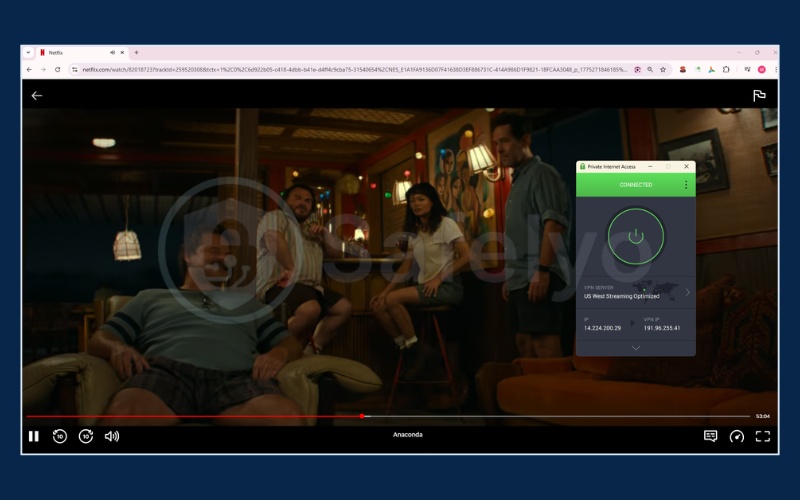
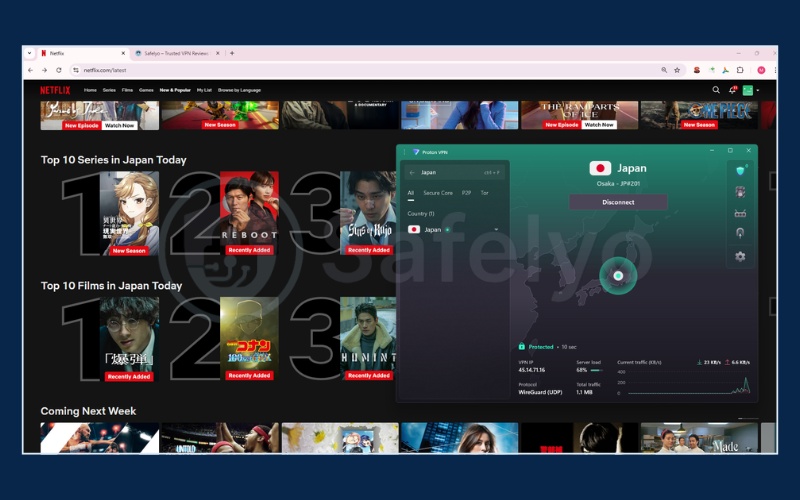
While the free tier provides basic security, relying on heavily used public servers often leads to proxy errors and restricted streaming access. If you want to bypass these blocks and unlock global content, try the Proton VPN with 70% OFF (30-day money-back guarantee).
| Feature assessment | Details |
|---|---|
| What we like | The integrated NetShield ad-blocker creates a clean web browsing environment by stopping trackers. |
| What we don’t like | The advanced network setting menus are complex and can confuse average users during initial setup. |
=> Best for: Users prioritizing strong data privacy safeguards alongside stable streaming access.
2.5. #5. Private Internet Access (PIA): Best VPN for US Netflix and custom settings
Private Internet Access (PIA) offers a highly customizable interface backed by a large US server network. It provides technical users with detailed control over their connection settings at a low monthly cost.
| Specifications | Details |
|---|---|
| Starting price | From $1.98/month (3-year plan) |
| Servers & countries | 35,000+ servers in 91 countries |
| Latest test | 2026 |
| Jurisdiction | United States (5-Eyes alliance) |
| Netflix regions unlocked | 21 out of 30 tested libraries |
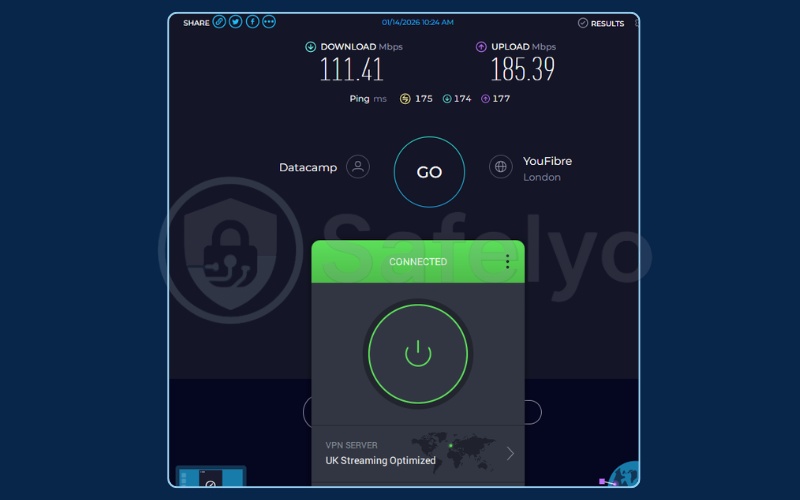
| Tested speeds | 227.29 Mbps (US server), 111.41 Mbps (UK server) |
| Simultaneous connections | Unlimited |
| Console support | Yes (via Router/SmartDNS) |
| Full review | Private Internet Access review |
Pros
- Extensive 35,000+ server network
- Very budget-friendly
- Allows encryption customization
Cons
- Speed drops significantly on European servers
- Fails to unlock several libraries (Italy, Spain, Brazil)
Streaming performance
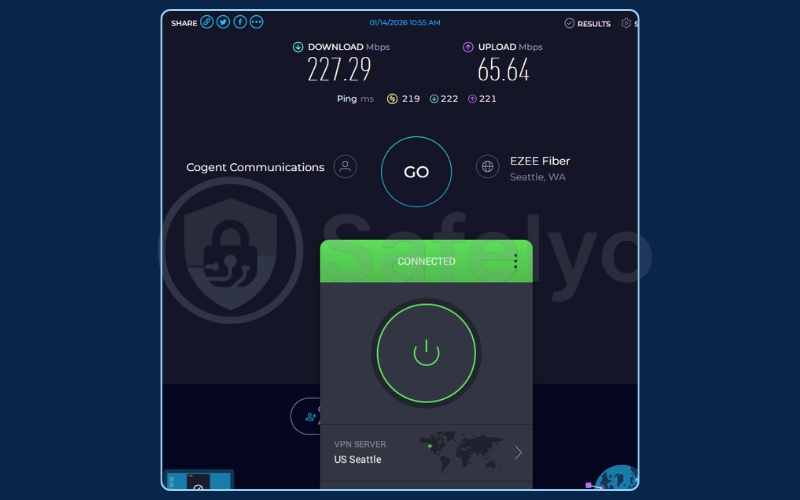
We noted a performance difference depending on the chosen region. The American servers performed well, delivering 227.29 Mbps. The British connections dropped to 111.41 Mbps.
While this represents a noticeable percentage drop over a longer distance, a speed of 111 Mbps is still extremely fast. It provides more than enough bandwidth to handle heavy downloads and 4K streaming without any buffering.
Library accessibility
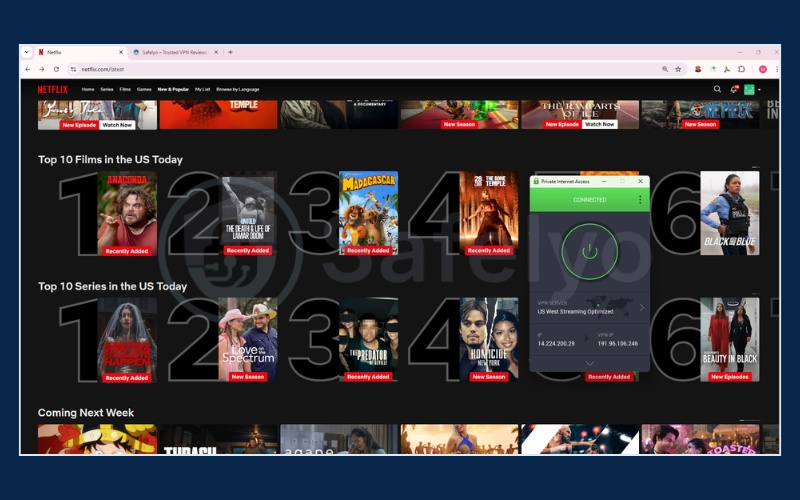
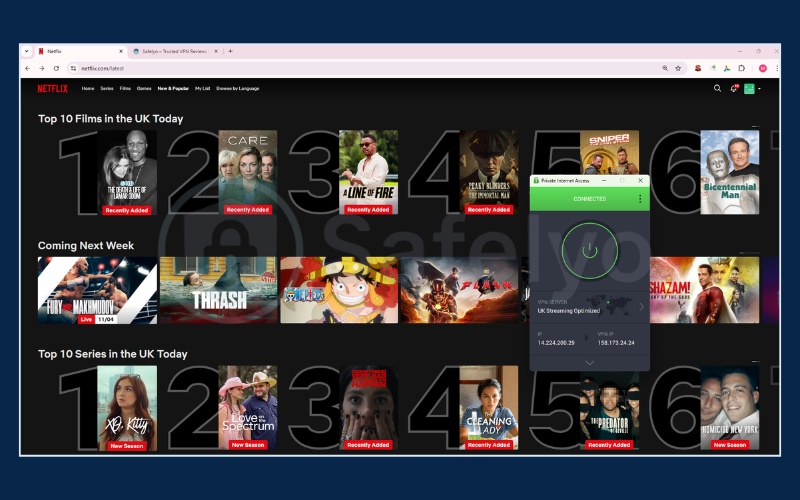
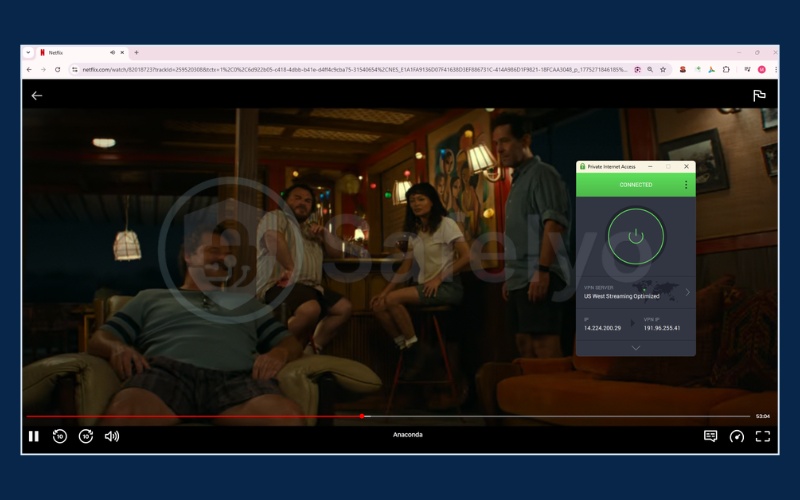
Successfully unlocking 21 out of 30 regions provides solid coverage, particularly for Western markets. The service performs reliably when accessing the extensive American, British, and Australian catalogs.
However, we discovered distinct limitations in specific European and Asian regions. Access is currently restricted in Italy, Spain, Brazil, and Singapore. You should consider these geographic blind spots if accessing a diverse range of international cinema is your primary goal.
| VPN name | United States | United Kingdom | Japan | Australia | Canada | Germany | India | Italy | South Korea | France | Brazil | Spain | Mexico | Singapore | Hong Kong | South Africa | Argentina | Indonesia | Netherlands | Poland | Sweden | Switzerland | Thailand | Turkiye | Czech Republic | Iceland | Philippines | Pakistan | New Zealand | Taiwan |
|---|---|---|---|---|---|---|---|---|---|---|---|---|---|---|---|---|---|---|---|---|---|---|---|---|---|---|---|---|---|---|
| PIA | ✅ | ✅ | ✅ | ✅ | ✅ | ✅ | ✅ | ❌ | ✅ | ✅ | ❌ | ❌ | ✅ | ❌ | ✅ | ❌ | ✅ | ❌ | ✅ | ✅ | ✅ | ✅ | ❌ | ✅ | ✅ | ✅ | ❌ | ✅ | ✅ | ✅ |
Server infrastructure & value
Operating a fleet of over 35,000 servers provides significant connectivity advantages. Notably, the company maintains physical hardware locations in all 50 US states. This high server density allows you to easily switch to a different state server to avoid local network congestion.
The entry cost is low at $1.98 per month. The application also provides deep technical customization for users who want granular control over their connection. You can adjust the encryption level from the heavy AES-256 standard down to AES-128 to free up system resources and slightly boost your network speeds.
Note: Private Internet Access no longer officially displays its exact server count on its website. The 35,000+ figure is widely cited by third-party industry trackers and is provided here for reference.
See our final assessment of the user experience:
| Feature assessment | Details |
|---|---|
| What we like | Port Forwarding is integrated natively, making this an effective choice for users who utilize P2P networks. |
| What we don’t like | The unblocking capabilities are weaker in Southern European and South American regions. |
=> Best for: Technical users looking for a budget-friendly option with extensive US server locations for streaming.
3. VPNs that don’t work with Netflix (the 2026 blocked list)
Streaming algorithms constantly scan for and blacklist proxy IP addresses. We found several services that currently fail to bypass these network barriers consistently.
- Proton VPN (Free tier): The free tier does not support streaming to manage overall network resources. Users need to upgrade to the Plus plan to access multimedia content.
- Windscribe (Free tier): While it provides up to 15GB of free monthly data, the IP addresses associated with the free servers are frequently recognized and restricted by streaming firewalls.
- Hola VPN: This service operates on a peer-to-peer network rather than a traditional server infrastructure. It is consistently blocked by major streaming platforms and presents severe data privacy concerns regarding how it routes user traffic.
4. How to fix every Netflix VPN error code
Emergency quick fix checklist:
- Disconnect your VPN entirely.
- Clear all cache and cookies from your web browser.
- Connect to a different city server.
- Reload the streaming webpage.
For detailed troubleshooting instructions with visual illustrations, see our complete guide on Netflix VPN not working? 10 fixes that actually work.
4.1. Fix error M7111-1331-5059 “Pardon the interruption”
This is the most common error code you will see when the platform detects your proxy usage. The system identifies the IP address you are using as belonging to a data center rather than a residential connection.
To resolve this, open your security app settings and switch from older protocols (like OpenVPN) to newer options (like WireGuard or Lightway). If the error persists, contact the Live Chat support team to request an updated, working IP address.
4.2. Fix error 22004 “Not available in your area”
This error happens when the system detects your true location leaking through your web browser. It also occurs when your device’s GPS location data does not match the regional library you are attempting to access.
To fix this, disconnect your current session. Turn off your smartphone or laptop GPS location services completely. Finally, choose a server located in a different city and reload the page.
4.3. Why you’re only seeing Netflix originals
This phenomenon is known as a shadow ban. No error code appears on the screen, but standard licensed movies vanish entirely, leaving only in-house productions.
To overcome this on a Windows computer, open the Command Prompt tool to flush your DNS. This clears out older stored location data. You should also enable the Obfuscated Servers feature in your application settings to further hide your proxy traffic.
5. Does ISP throttling cause Netflix buffering? (how to fix it)
Internet Service Provider (ISP) throttling occurs when your internet company uses Deep Packet Inspection software to scan your network traffic and intentionally slow down your connection.
If their systems see you consuming large amounts of bandwidth for video services, they restrict your speed. This causes your movie to buffer, even if you pay for a high-speed home internet package.
You can stop this network interference by following these three steps:
- Turn on your security application and connect to the nearest domestic server location.
- Encryption algorithms (like AES-256) will scramble your data. This creates a secure tunnel that completely hides your online activity from your internet provider.
- Since your ISP no longer knows you are streaming video, they cannot trigger their automated throttling algorithms. This process restores your original, maximum download speed.
6. Netflix recommended speeds and 4K browser limitations
Streaming in 4K requires a highly stable connection that maintains constant bandwidth throughout your entire viewing session.
According to Netflix, here are the necessary bandwidth requirements for streaming:
| Video quality | Resolution | Recommended speed |
|---|---|---|
| High definition (HD) | 720p | 3 Mbps or higher |
| Full high definition (FHD) | 1080p | 5 Mbps or higher |
| Ultra high definition (UHD) | 4K | 15 Mbps or higher |
While Netflix officially recommends 15 Mbps for 4K UHD, our testing methodology demands a stricter 20 Mbps baseline. VPN encryption naturally consumes a portion of your bandwidth.
Having this extra 5 Mbps safety buffer ensures that minor network fluctuations or other devices sharing your Wi-Fi will not force your movie to buffer or drop down to 1080p.
Important browser limitation: Google Chrome and Mozilla Firefox face digital rights management restrictions from media companies. The platform caps video output at 720p or 1080p on these specific browsers. To get a 4K image on a computer monitor, you must use Microsoft Edge on Windows devices or Safari on macOS devices.
7. Device-specific setup guides
Setting up your digital protection requires a few straightforward steps across different platforms.
7.1. How to use a VPN with Netflix on desktop (Windows & Mac)
Follow these steps to secure your personal computer:
- Visit the official provider’s homepage and download the correct installation file (.exe or .dmg).
- Install the software and grant it the necessary system network permissions when prompted.
- Log in using your account credentials.
- Find the main search bar, type your desired country name, and click the connect button.
- Open your Edge or Safari browser, clear your existing cache, and load the streaming site.
7.2. How to use a VPN with Netflix on mobile (iOS & Android)
Follow these steps to change regions on your smartphone or tablet:
- Open the App Store or Google Play Store on your mobile device.
- Download the official application from your chosen provider.
- Log into your account. The system will show a popup asking for VPN configuration permissions, and you must tap “Allow”.
- Select and connect to your preferred international server.
- Force-close the streaming app running in the background, then reopen it to register the new IP address.
7.3. How to use a VPN with Netflix on Smart TV
Follow these steps for Android TV, Google TV, or Apple TV (tvOS 17) devices:
- Use your television remote to open your system’s native app store.
- Search for and download your chosen security application directly to the TV.
- Log into your account.
- Select the specific country server that hosts the content you want to watch.
- Press the home button on your remote to return to the main menu and launch your streaming app.
7.4. How to use a VPN with Netflix on Roku, consoles & Firestick
Gaming consoles (like the PS5 and Xbox) and Roku devices do not feature built-in app stores to download security software directly. We recommend using the Smart DNS solution for these platforms. Follow these steps:
- Log into your account dashboard on a computer web browser, find the Smart DNS section, and register your current home IP address.
- The system will generate and provide you with two distinct DNS number sequences.
- Turn on your gaming console or Roku device and navigate to the network settings menu.
- Change your DNS setup from automatic to manual, then enter the numbers you just received.
- Restart your entertainment device to apply the network changes.
For detailed, step-by-step instructions with full screenshot guides, see our complete post on how to set up a VPN.
8. FAQs about best VPN for Netflix
Is it legal to use a VPN with Netflix?
Using a VPN is legal in most countries. While it technically violates the platform’s Terms of Service, users do not face legal action for using proxy software to watch movies.
What free VPN works with Netflix?
Most free versions present technical limits. Free services often block streaming traffic to save server resources or offer very limited data allowances. A paid plan is necessary for reliable viewing.
Will Netflix ban my account if I use a VPN?
No. The company does not ban paid user accounts for using a proxy. Their primary response is blocking the server IP address and displaying an error screen until you turn the software off.
Which country should I connect to for the most Netflix content?
Connecting to a United States server provides access to a large collection of Hollywood films. Japan servers offer a wide variety of exclusive Anime titles.
How much speed do I need to stream Netflix with a VPN?
Officially, Netflix recommends 3 Mbps for 720p HD, 5 Mbps for 1080p FHD, and 15 Mbps for 4K UHD. However, when using a secure tunnel, we advise maintaining a baseline of 20 Mbps for 4K. This extra overhead compensates for the heavy encryption process and ensures a smooth, buffer-free experience. The top providers tested in this guide easily exceed these speeds.
9. Conclusion
Finding the best VPN for Netflix depends on your specific viewing habits. If you need a budget-friendly option to unlock content across 28 countries, Surfshark provides a practical solution. If maintaining high data speeds for 4K streaming is your main goal, NordVPN offers consistent performance.
Take advantage of the 30-day money-back guarantee to test these tools with your own home network setup. To discover other top-tier options for securing your online privacy, explore our broader Best VPN rankings and guides at Safelyo.