Can your ISP see that you’re using a VPN? Yes, it usually can. Your ISP can detect a connection to a VPN server through the visible destination IP and encrypted traffic patterns. Still, a properly configured VPN keeps the actual websites, searches, messages, and downloads hidden inside the encrypted tunnel unless a technical leak occurs.
This distinction between detecting the VPN link and reading the activity inside it is the core of the question. Below, you will find what remains visible, what stays hidden, how detection techniques work, and practical steps to strengthen privacy without overclaiming perfect invisibility.
Key takeaways
- Your ISP can see that you’re using a VPN: It can see the VPN server’s IP address, connection times, data volume, and some traffic characteristics.
- A VPN hides your browsing activity: With a properly configured VPN, your ISP can’t see the specific websites, searches, messages, or downloads inside the encrypted tunnel.
- Leaks can expose your activity: DNS, IPv6, or WebRTC leaks can reveal information that should otherwise stay inside the VPN tunnel.
- A VPN doesn’t make you invisible: ISPs can sometimes detect or block VPN traffic, while features like a kill switch, DNS leak protection, and obfuscation can strengthen your privacy.
1. Can your ISP see that you’re using a VPN?
Yes. Your ISP almost always knows when you connect to a VPN server.
Internet routing requires the destination IP address to remain readable so packets can be delivered. When you activate a VPN, that destination becomes the VPN server’s IP instead of the website or service you actually want to reach. The ISP therefore sees a persistent connection to a known or unfamiliar server IP, the session’s start and end times, the volume of data transferred, and that the traffic is encrypted.
This visibility is limited to the outer connection. It does not equal knowledge of what you do inside the encrypted tunnel. The two layers must be kept separate: detection of the VPN link versus inspection of the content that travels through it.
2. What can your ISP see when you use a VPN?
A correctly set-up VPN creates a clear boundary between visible metadata and protected content. The table below shows the practical difference.
| What your ISP can see | What your ISP cannot see (when the VPN is configured correctly) |
|---|---|
| VPN server IP address | Specific websites visited |
| Connection start time, duration, and end time | Search queries |
| Amount of data transferred (bandwidth volume) | Page content, form data, or messages |
| That the traffic is encrypted | Files downloaded or uploaded inside the tunnel |
| Protocol indicators in some cases (via fingerprinting) | Streaming titles or exact destinations beyond the VPN server |
3. What does a VPN hide from your ISP and why does it matter?
Beyond the technical boundary shown in the previous section, the real value of a VPN lies in what it prevents your ISP from building: a detailed profile of your habits.
Without a VPN, an ISP can infer sensitive information from patterns alone. Repeated visits to medical sites, financial portals, or specific news sources can reveal health concerns, money problems, or political interests. Even when pages use HTTPS, the domain names and timing still create a usable picture.
A VPN breaks that picture. By encrypting the entire session, it stops the ISP from linking those patterns to your account. The result is not perfect anonymity but a meaningful reduction in the behavioral data that can be collected, stored, or sold.
4. Can your ISP see which websites you visit with a VPN?
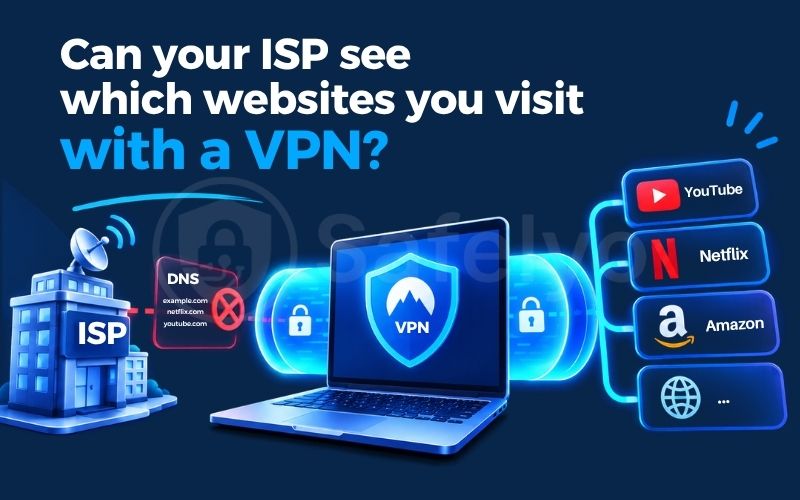
Under normal conditions, no. When a VPN is configured correctly, every DNS request that turns a website name into an IP address travels inside the encrypted tunnel. Your ISP therefore never sees the domain names you visit.
A DNS leak breaks this protection. It occurs when your device, operating system, or browser sends DNS queries outside the VPN tunnel instead of through it. Common causes include:
- System DNS settings that still point to the ISP’s resolvers
- IPv6 traffic that bypasses the tunnel when the VPN only handles IPv4
- Browser features such as DNS over HTTPS that use their own resolvers
- Router-level DNS that overrides the VPN’s settings
When a leak happens, the ISP can record the domain names even though the rest of the page content remains encrypted. This is one of the most frequent ways real-world VPN privacy fails.
You can verify the situation in under a minute. Connect to the VPN, then open a DNS leak test page. If the results show only the VPN provider’s DNS servers, the tunnel is handling requests correctly. If your ISP’s resolvers or other unexpected addresses appear, a leak is present.
Most modern VPN apps include built-in DNS leak protection that forces all queries through the tunnel. Pairing this feature with a kill switch further reduces the risk: if the VPN connection drops, the kill switch blocks all traffic so no unencrypted DNS requests can escape. Keeping both features enabled is the simplest way to keep website names hidden from the ISP.
5. Can an ISP detect or block VPN traffic?
An ISP does not need to decrypt your data to recognize VPN use. Through deep packet inspection and fingerprinting, it can identify distinctive traffic patterns such as packet size, timing, port numbers, and handshake signatures.
WireGuard, for example, sends a fixed 148-byte handshake initiation packet that often uses UDP port 51820. TLS fingerprinting (JA3/JA4) reveals cipher-suite orders that differ from ordinary browsers, while traffic-pattern analysis spots the steady, high-entropy stream typical of a tunnel. A 2022 USENIX Security study with a million-user ISP showed these methods could identify more than 85 percent of OpenVPN flows with negligible false positives, including many obfuscated setups.
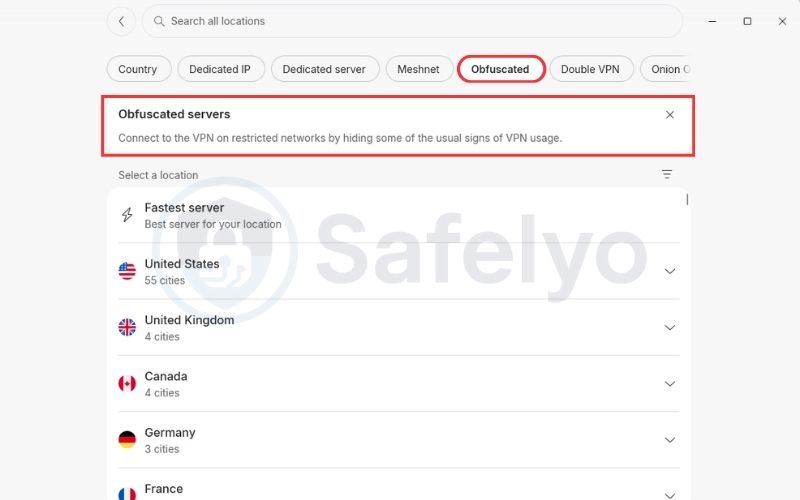
Once detected, some networks throttle or block the traffic. Obfuscation or stealth protocols can make the connection look more like regular HTTPS, raising the cost of detection without making it fully invisible.
6. Does your ISP sell data about your VPN usage?
In the United States, federal law currently does not require ISPs to obtain opt-in consent before selling certain browsing-related data, including whether a customer uses a VPN.
In 2017, Congress used the Congressional Review Act to repeal the FCC’s 2016 broadband privacy rules that would have imposed an opt-in requirement. No equivalent federal rule has been restored since then. As a result, ISPs may collect and share connection metadata under their privacy policies.
Some states offer stronger protections. California’s CCPA and CPRA, for example, give residents the right to opt out of the sale of personal information. These state rules vary across the country, and VPN legality in the US is governed by a separate set of rules.
7. Does incognito mode hide my activity from my ISP?
Incognito or private browsing mode only stops the browser from saving local history, cookies, and form data on your device. It does not encrypt or redirect your traffic.
All requests still travel through your ISP in the normal way. The ISP continues to see destination IP addresses, domain names resolved through DNS, and connection metadata exactly as it would in a regular browser window.
Incognito mode is useful when you share a device and want to leave no local traces. It is not a substitute for network-level encryption and offers no meaningful protection against ISP visibility.
8. How to maximize your privacy from your ISP
Technical features matter more than marketing claims when the goal is to limit what your ISP can observe. Follow these practical steps:
- Choose a VPN that forces DNS requests through the tunnel by default and includes automatic DNS leak protection.
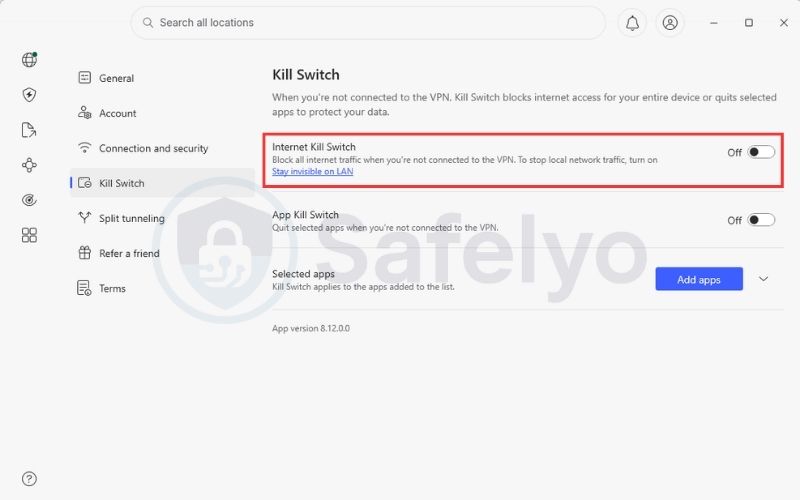
- Enable a kill switch so that no traffic leaves your device if the VPN connection drops unexpectedly.
- Prefer services that offer obfuscation or stealth protocols if you are concerned about deep packet inspection or throttling.
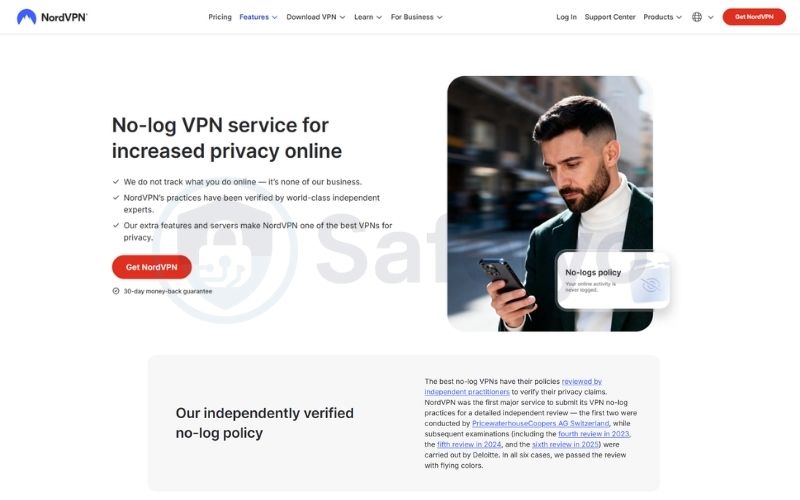
- Select a provider whose no-logs policy has been independently audited to reduce the risk of retained identifiable records.
- Keep the VPN client updated and periodically test for DNS, IPv6, and WebRTC leaks.
- These steps close the most common gaps between simply connecting to a VPN and actually keeping activity hidden from the ISP.
9. Frequently asked questions
Can my ISP see my browsing history with a VPN?
No. If the VPN encrypts your traffic and DNS requests stay inside the tunnel, your ISP only sees a connection to the VPN server, not the sites or content behind it.
Can my ISP see my VPN’s IP address?
Yes, always. Routing needs a readable destination, so the VPN server’s IP stays visible. What it hides is the IP of the actual website or service you reach.
Can an ISP block a VPN?
Yes. An ISP can block known VPN server IPs or flag traffic through DPI-based detection. Most US residential ISPs don’t block VPNs outright, though some corporate, school, or public Wi-Fi networks do.
Can an ISP throttle VPN traffic?
Some do. If DPI flags a connection as VPN traffic, an ISP can lower its bandwidth as part of general network management. Not all ISPs do this, and it’s harder to detect than a block.
Can my ISP see my DNS requests?
Only if a DNS leak occurs. With DNS leak protection on, domain lookups route through the tunnel and stay invisible. Without it, your ISP’s resolvers can log every domain you visit.
Does incognito mode hide my activity from my ISP?
No. Incognito only stops your browser from saving local history and cookies. It doesn’t encrypt or reroute traffic, so your ISP sees the same destination IPs and domains as normal.
Can the FBI track a VPN through my ISP?
With a subpoena or warrant, law enforcement can get connection metadata from an ISP, confirming VPN use but not what happened inside it. Learning more requires compelling the VPN provider, and a true no-logs provider has nothing to hand over.
Can my Wi-Fi or router owner see I’m using a VPN?
Yes, the same way an ISP does: they see the VPN connection but not the encrypted content. The router owner controls the local network; the ISP carries that connection to the wider internet.
10. Conclusion
Can your ISP see that you’re using a VPN? Yes, in almost every case. It sees the connection to the VPN server, the timing, and the data volume. It does not see the websites, searches, or messages behind that connection, as long as the tunnel stays leak-free and a kill switch is active.
That distinction matters more than the yes-or-no answer itself. A VPN does not make you invisible to your ISP. It changes what the ISP can use: connection metadata instead of a detailed browsing profile. DNS leaks, fingerprinting, and outdated apps are the main ways that protection breaks down in practice, not the VPN concept itself.
If you’re still deciding which VPN closes these gaps reliably, the VPN Guides section of Safelyo covers DNS leak protection, kill switch behavior, and audited no-logs policies across the major providers.