Think of your network address as your permanent digital ID card. Every time you visit a website, you leave a traceable footprint that reveals your physical location and internet provider to the public. Finding a reliable “What is my IP address VPN” guide is the essential first step to reclaiming your absolute online privacy.
At Safelyo, our cybersecurity team constantly evaluates network security tools to help users stay anonymous. This comprehensive manual will teach you how to locate your exact network coordinates on any device, understand the severe risks of exposure, and manually verify if your security software is truly keeping you hidden.
Key Takeaways
- Digital footprints: Your IP address openly exposes your physical city, ZIP code, and ISP to every website you visit.
- Easy verification: You can check your exposed network identity in seconds using a simple search engine query.
- Public vs. Private: Your home router assigns local private addresses to your devices, but the internet only sees your one public identity.
- VPN protection: A premium privacy tool encrypts your traffic and masks your real location to safely bypass strict geo-blocks.
1. Understanding your IP address and how a VPN changes it
Before you can effectively hide your digital footprint, you must understand how your devices communicate with the outside world.
1.1. The role of an IP address on the Internet
If the internet is a massive global postal system, an IP (Internet Protocol) address acts as your specific home address. Without it, the network would simply not know where to deliver the website data, streaming video, or emails you request. Every single device connecting to the web requires this unique numeric identifier to function properly.
1.2. Public versus private IP addresses
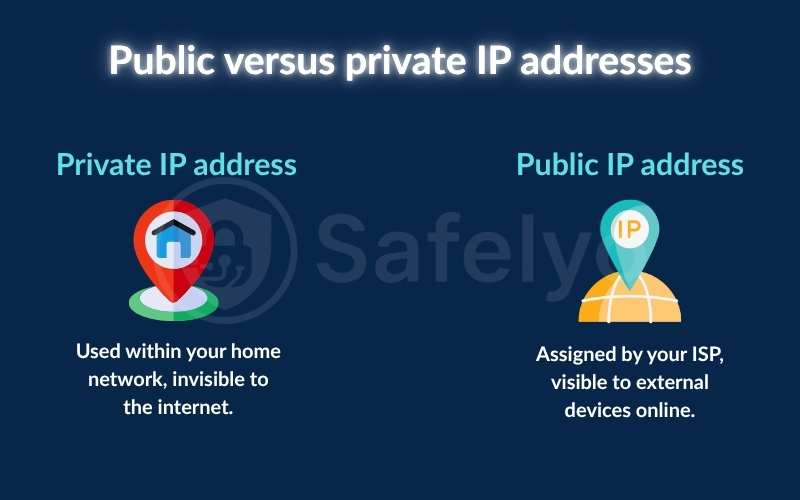
To keep the internet functioning smoothly with billions of connected devices, the system uses two distinct categories of IP addresses. Understanding the difference between them is key to knowing what exactly you are hiding when using a privacy tool. Here is how they differ:
- Private IP address: Assigned by your local Wi-Fi router to internal devices (like your phone or smart TV) purely for safe home communication. These are not visible on the open internet.
- Public IP address: Assigned by your Internet Service Provider (ISP). This is the external identifier and the only number the outside world actually sees.
1.3. How does a VPN mask your real IP address?
When you browse the web normally, your true public identity is openly visible. Activating a Virtual Private Network (VPN) creates a highly secure, encrypted tunnel between your personal device and a remote server.
Think of it like using a P.O. Box for your mail. When you send something through a P.O. Box, the recipient only sees that mailing address, not your actual home. A VPN works in a comparable way: it replaces your real network identifier with the server’s IP, convincing websites that you are browsing from an entirely different location.
2. How to check your current IP address and VPN status
You do not need complex software to see exactly what your device is broadcasting to the outside world.
2.1. Using search engines to find your public IP
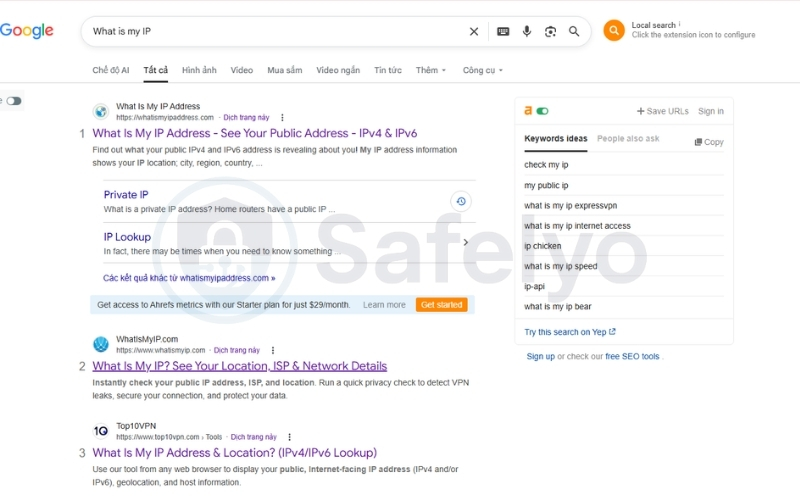
The absolute fastest way to discover your digital footprint is by utilizing your favorite search engine. You do not need to navigate to specialized third-party tracking websites or download complicated applications. Just follow these quick steps:
- Step 1: Open your preferred web browser (like Chrome or Safari).
- Step 2: Type “What is my IP” directly into the search bar.
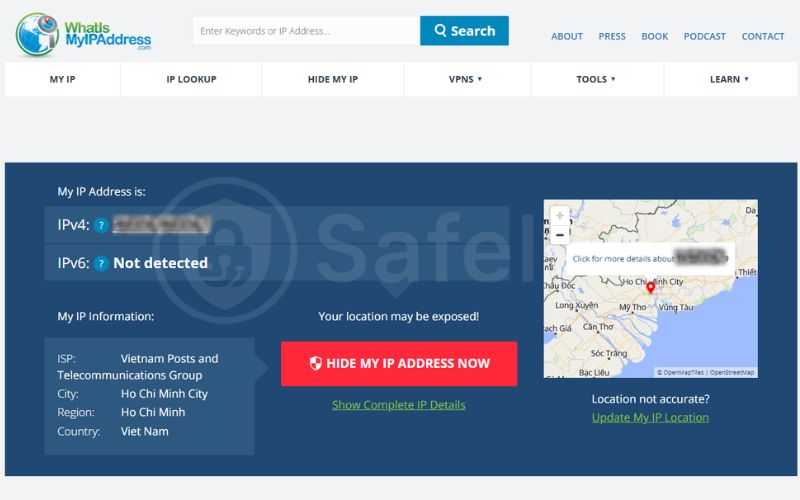
- Step 3: Press enter, and the search engine will instantly display your public IP address at the very top of the results page. You can also use dedicated lookup sites like whatismyIPaddress.com.
2.2. How to check “What is my IP address VPN” status
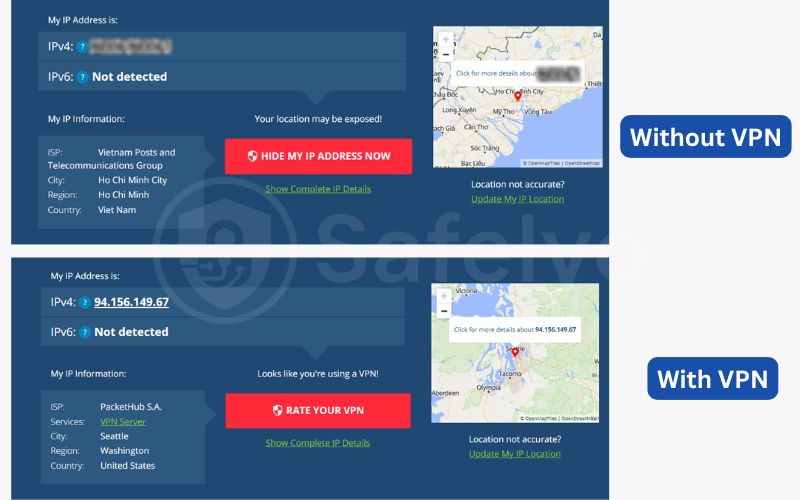
A false sense of security is incredibly dangerous, so you must regularly confirm your encrypted tunnel is successfully masking your identity. To perform this manual verification, you can run a simple before-and-after comparison process:
- Step 1: With your VPN OFF, search “What is my IP” and note down your real numbers and location.
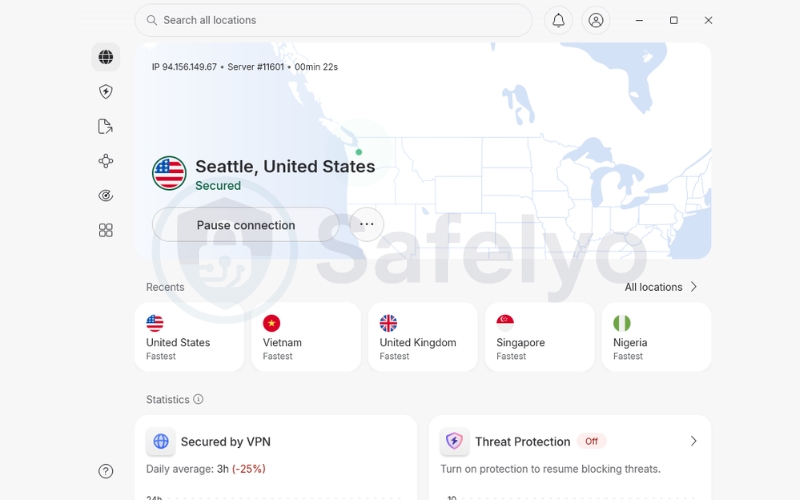
- Step 2: Launch your VPN application and connect to a secure server location.
- Step 3: Return to your browser, refresh the page, and compare the results
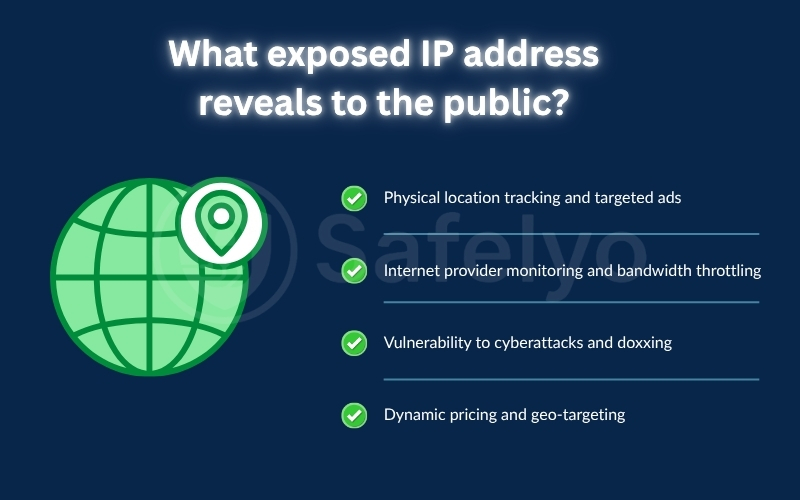
3. What your exposed IP address reveals to the public
Letting your personal network address float unprotected across the internet is a massive privacy risk.
3.1. Physical location tracking and targeted ads
Websites use your IP address to pinpoint your exact city or ZIP code. Have you ever visited a restaurant’s website and seen “Delivery to your area!” pop up instantly? That’s your IP talking. Furthermore, platforms like Netflix use this geographical tracking to block you from viewing international content libraries.
3.2. Internet provider monitoring and bandwidth throttling
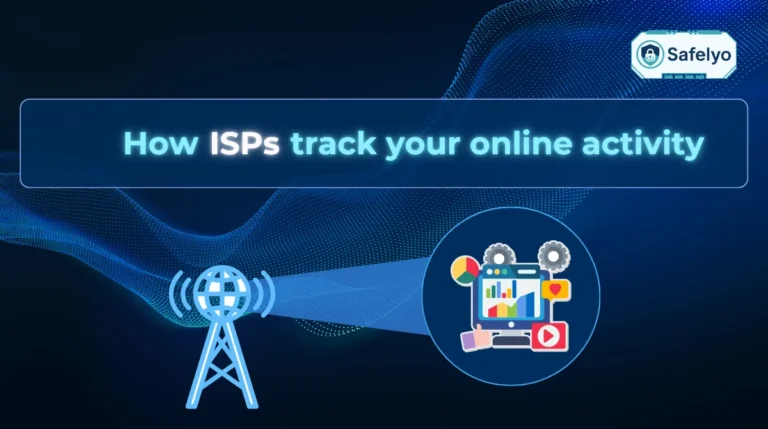
Your ISP is legally allowed to monitor everything you do online when your IP is exposed. If your provider notices you are downloading large files or streaming in 4K, they may intentionally slow your connection speed down (bandwidth throttling) to manage network loads.
3.3. Vulnerability to cyberattacks and doxxing
An exposed IP address makes you an easy target for malicious actors, especially in online gaming. Hostile players can use your address to launch DDoS attacks, knocking you offline. Worse, they can cross-reference your IP in leaked databases (doxxing) to publish your real name or physical address online.
3.4. Dynamic pricing and geo-targeting
Airlines and travel sites often adjust prices based on your perceived location. If you check flight prices from your home IP and check again a few hours later, the prices might jump! By using a VPN to change your IP, you bypass these location-based price hikes
4. What to do if your real IP address is still visible with a VPN
Sometimes, you may connect to a privacy app only to find that your real-world coordinates are still leaking. Don’t panic; here is how to identify and fix these vulnerabilities.
4.1. Understanding DNS, WebRTC, and IPv6 leaks
Even when your VPN application says it is connected, background browser processes or unsupported protocols can sometimes bypass the encrypted tunnel. These vulnerabilities are known as “leaks,” and they typically fall into three main categories:
- DNS Leaks: Happens when your website translation requests bypass the VPN and are sent directly to your standard internet provider. Your ISP can still see the websites you visit.
- WebRTC Leaks: WebRTC is a browser feature for direct video/voice chats. Sometimes, it bypasses the encrypted tunnel and exposes your real local IP address.
- IPv6 Leaks: Some VPNs only protect older IPv4 traffic but fail to route newer IPv6 traffic, leaving a “backdoor” open for trackers to see your real IPv6 address.
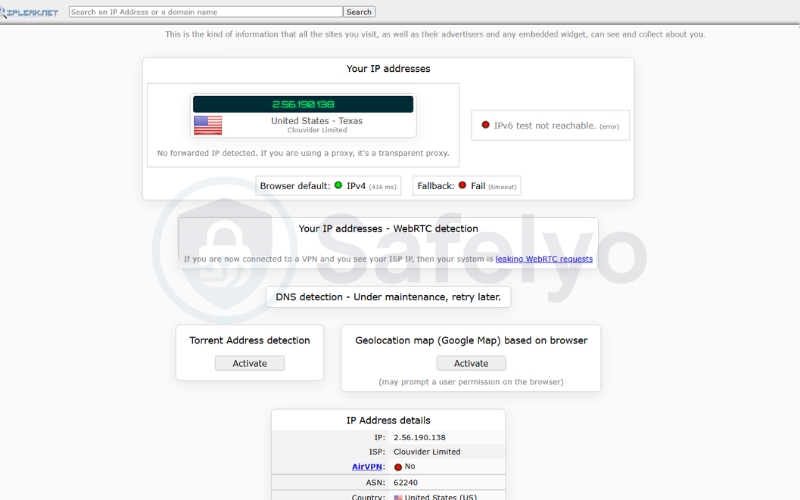
4.2. How to run a secure VPN leak test
You should not trust your privacy app blindly without occasional verification. Running a manual audit is simple, completely free, and ensures that no sensitive data slips through the cracks. Here is the best way to test your connection:
- Turn ON your VPN and connect to a server.
- Visit ipleak.net (a specialized leak testing website).
- Examine the results carefully:
- IP Address: You should only see the VPN’s IP. If your real IP appears, you leak.
- DNS Server: If you see your home ISP’s name listed here, you have a DNS leak.
4.3. Basic troubleshooting for IP leaks
Finding out that your IP address hasn’t changed or is leaking can be frustrating, but it doesn’t mean your VPN is broken. Most of the time, these issues are caused by temporary glitches or minor configuration errors that you can easily fix yourself. Try these basic solutions:
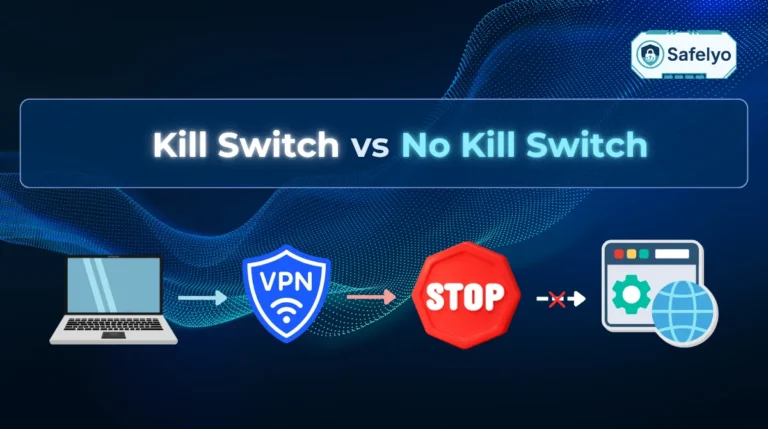
- Enable the Kill Switch: Go to your VPN settings and turn on the Kill Switch. This prevents your real IP from being exposed if the connection drops.
- Switch Servers: The current server might be overloaded or experiencing glitches. Disconnect and choose a different location.
- Clear Browser Cache: Your browser might be holding onto old location data. Clear your cache and cookies, then retest.
4.4. Recommended VPNs that prevent IP leaks
If your current software consistently fails leak tests despite troubleshooting, you must upgrade to a more robust service. Top-tier providers like NordVPN, ExpressVPN, and Surfshark include automated DNS, WebRTC, and IPv6 leak blocking by default, ensuring your real-world IP address is never accidentally exposed.
5. Frequently asked questions
Can someone hack my device using only my IP address?
Generally, a hacker cannot directly take over your physical device using only an IP address. However, they can use it to scan for open network ports, launch targeted DDoS attacks, or coordinate highly specific phishing attempts.
Does incognito mode hide my IP address?
No, incognito mode does absolutely nothing to hide your virtual location. It only prevents your local browser from saving your history, meaning your public IP address remains 100% exposed to your ISP and websites.
Does a VPN make you completely anonymous?
While a VPN significantly enhances your privacy by encrypting your traffic and masking your IP, no VPN can guarantee 100% anonymity. Your online behavior, software vulnerabilities, and the websites you log into can still leave traces.
Why does my IP address change sometimes without a VPN?
Most home internet service providers utilize a system called Dynamic IP assignment. Instead of giving you a permanent number, your provider rotates your address periodically to manage their network resources efficiently.
6. Conclusion
Identifying your public IP is the essential first step toward reclaiming your digital privacy. Leaving your address exposed invites unwanted tracking, bandwidth throttling, and targeted attacks.
Utilizing a reliable what is my IP address VPN guide is the only way to ensure your real-world location remains completely hidden from prying eyes. By regularly checking your VPN’s status and knowing how to troubleshoot leaks, you take an active role in safeguarding your digital footprint. To explore more essential VPN tips and security advice, visit the VPN Guides section on Safelyo.