Imagine checking into your hotel room just minutes before a crucial 2026 FIFA World Cup match or a tense NFL playoff game. You open your streaming app, sit back, and suddenly face the dreaded “Outside of Home Area” error blocking your screen. Missing highly anticipated live sports because of unexpected digital borders is an incredibly frustrating start to any vacation.
If you are trying to figure out how to watch YouTube TV while traveling, you must first understand the platform’s aggressive location tracking. At Safelyo, our network experts have bypassed these exact geo-blocks across dozens of countries to bring you this immediate rescue manual. This guide provides precise, tested steps to fix location errors domestically and securely bypass international blackouts.
Key takeaways
- Domestic travel changes your local channel lineup but keeps your national networks intact.
- International travel blocks YouTube TV completely due to strict licensing rules.
- A premium VPN is required to watch your favorite US channels and live sports outside the United States.
- Laptops and Fire TV Sticks are the best devices for traveling because they lack GPS chips.
- Turn off Wi-Fi and use cellular data on your phone to bypass stubborn location verification errors.
- You can bypass the strict 90-day home check-in rule using the NordVPN Meshnet feature or a travel router.
1. Why does YouTube TV block you when traveling
Before you can fix the playback error, you must understand why the platform constantly monitors your physical whereabouts. The streaming service does not maliciously block your access; it is bound by highly complex legal and contractual obligations to network owners.
1.1. Broadcasting rights and local affiliate contracts
Live television operates on strict regional licensing agreements established by local affiliate networks. A local CBS or Fox station pays millions for the exclusive rights to broadcast specific NFL games or news segments within a strictly defined geographic boundary.
To protect the advertising revenue of these regional broadcasters, streaming platforms must enforce digital borders meticulously. They actively monitor your IP address and device sensors to ensure you only access the specific local channels authorized for your current physical ZIP code.
1.2. The difference between the home area and the current playback area
Your “Home Area” is your permanent billing address tied to a specific United States ZIP code. This defines your base channel lineup and dictates the specific local news and sports networks recorded by your digital cloud DVR.
Your “Current Playback Area” simply reflects the city where you are currently traveling within the United States. While you can update this travel location endlessly, you are strictly limited to changing your Home Area only twice a year. You should never alter your permanent address just for a short vacation.
1.3. The strict 90-day home check-in rule
To prevent users from illegally sharing accounts with friends across the country, the platform enforces a strict physical verification system. The primary account holder and all Family Group members must log into the application from their registered home network periodically.
If a device fails to check in at the home location at least once every 90 days, it loses access to live television. For sports fans watching regional MLB networks, this check-in requirement is even tighter, forcing a home verification every 30 days to maintain viewing privileges.
2. How to watch YouTube TV while traveling
Successfully restoring your live television access depends entirely on whether you have crossed an international border. Depending on your destination, the application requires very different authentication methods to verify your viewing rights. We have broken down the exact steps for both domestic and international travel below.
2.1. Method 1: Changing your playback area within the United States
When traveling domestically, your account continues to function normally. Your national cable networks, such as ESPN and CNN, remain completely unaffected, and you maintain full access to your previously recorded Cloud DVR library. However, your live local channels (like ABC or NBC affiliates) will automatically switch to match the specific city you are visiting.
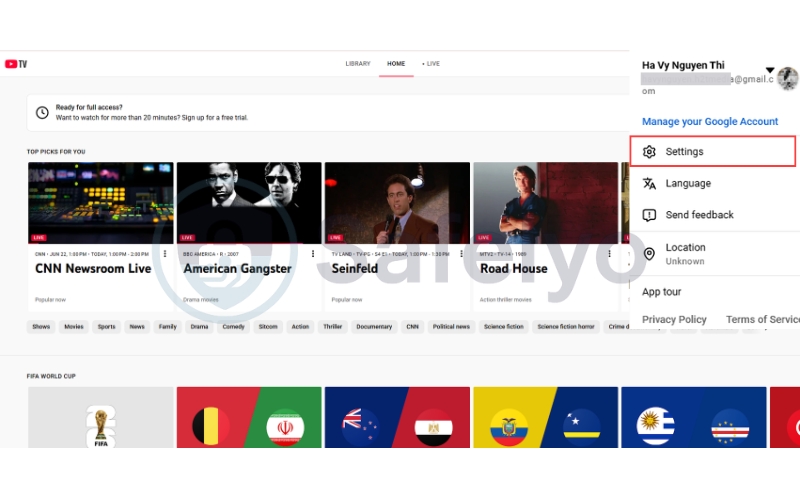
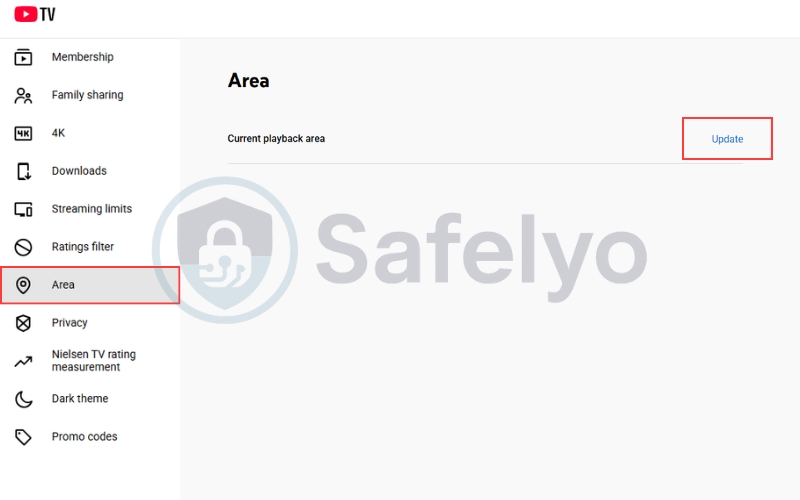
To update your device to your new domestic location, follow these exact steps:
- Step 1: Open the YouTube TV app on your device and ensure you are signed in.
- Step 2: Select your profile photo in the top right corner and go to Settings.
- Step 3: Choose the Area section and select Current Playback Area
- Step 4: Click the Update button.
2.2. Method 2: Bypassing the international blackout using a VPN
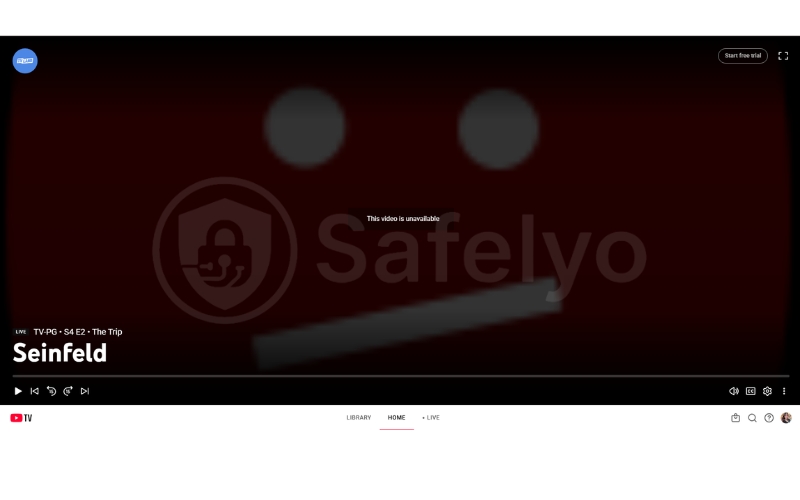
The moment you leave the United States, the application actively blocks all live streaming, displaying a harsh “Unavailable in this country” error. Without specialized tools, your only option is viewing previously downloaded DVR recordings, and only if you subscribe to the expensive 4K Plus add-on. To restore full live access from overseas, you must use a Virtual Private Network (VPN) to spoof an American IP address.
You must stream using a laptop or a Fire TV Stick while abroad. Smartphones and modern Apple TVs rely heavily on physical GPS chips and Wi-Fi triangulation to pinpoint your location, making them incredibly difficult to fool. Laptops and Fire TV Stick devices do not possess hardware GPS tracking; they rely purely on your IP address, allowing a premium VPN to trick the platform effortlessly.
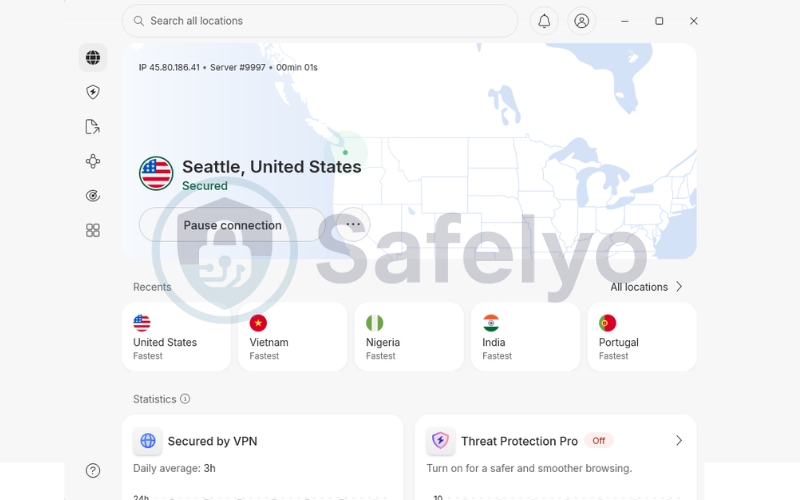
Steps to unblock internationally:
- Step 1: Subscribe to a premium privacy tool like NordVPN and install its dedicated application on your laptop or Fire TV Stick.
- Step 2: Open the application and connect to a server located inside the United States (preferably a city close to your registered home area).
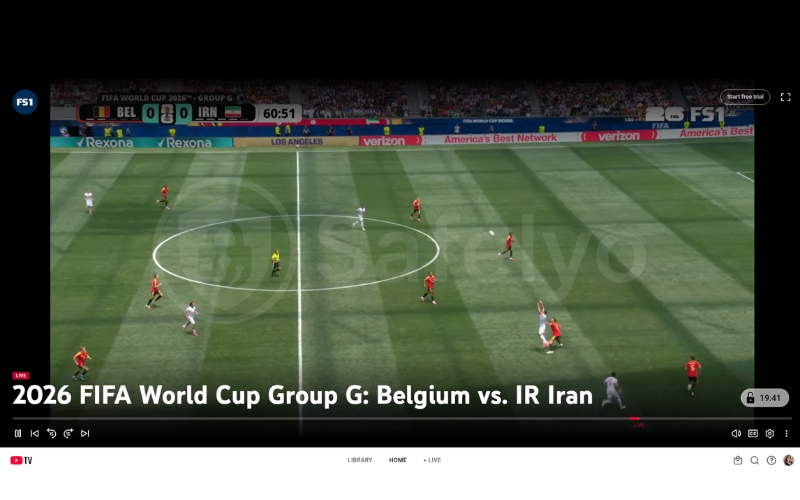
- Step 3: Open a fresh browser window in “Incognito Mode” to prevent old location cookies from leaking, and log into your account to begin streaming.
3. Best VPNs for YouTube TV in 2026
Bypassing the location blocks of a major Google-owned platform requires specialized infrastructure. In 2026, standard proxies and free applications are instantly detected and blacklisted. At Safelyo, we rigorously tested dozens of providers, and these three premium services consistently pierced through the proxy detection filters without sacrificing video quality.
3.1. NordVPN: Best overall for streaming and Meshnet
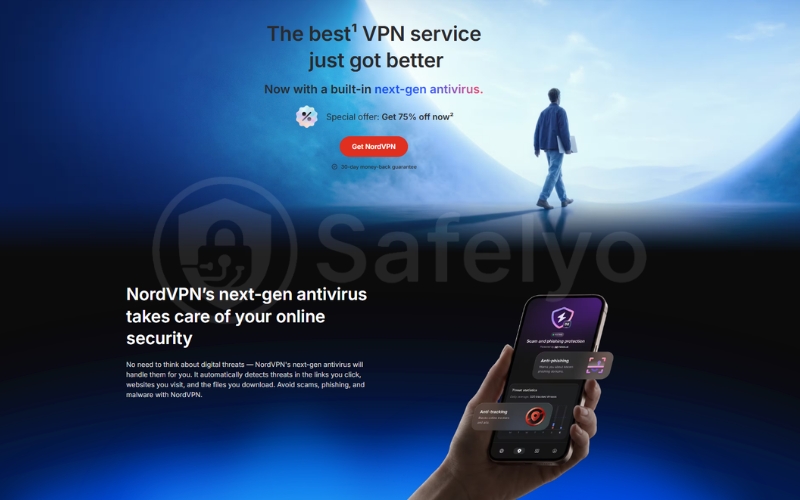
NordVPN remains the undisputed leader for accessing American streaming libraries. It features the largest network of high-speed servers across the United States, meaning you can easily find an uncrowded server in your specific home city to access your local sports broadcasts.
The proprietary NordLynx protocol delivers blistering download speeds, ensuring your live NFL or FIFA matches stream flawlessly in 4K resolution without annoying buffering. Crucially, NordVPN includes a free feature called Meshnet. This allows you to route your travel traffic directly through your home computer, perfectly solving the strict 90-day home check-in problem.
Pros
Meshnet effectively solves the strict 90-day home check-in rule.
A massive US server network allows access to specific local channels.
The NordLynx protocol guarantees buffer-free live sports broadcasting.
Cons
Meshnet requires leaving a computer powered on at your home address.
Renewal prices increase significantly after the initial subscription term.
3.2. ExpressVPN: Best for Fire TV and router setups
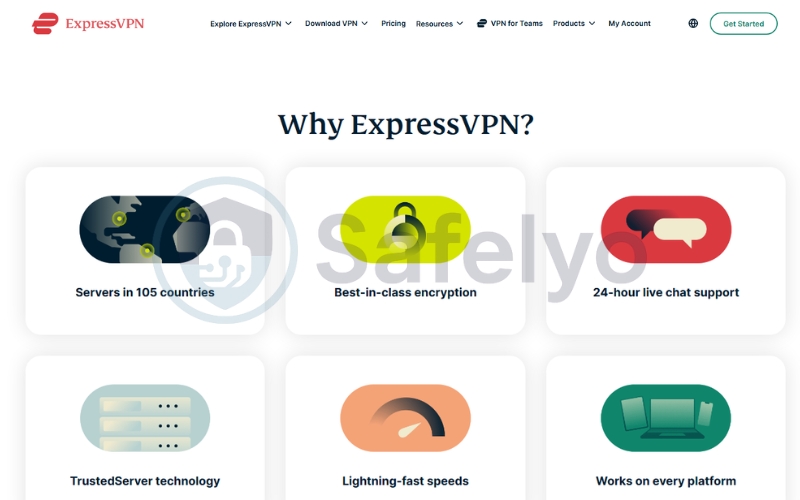
ExpressVPN provides an incredibly polished, premium experience that focuses on device compatibility and connection stability. It is the premier choice for travelers who prefer watching their shows on a hotel television rather than a cramped laptop screen.
It features a native, highly optimized application for the Amazon Fire TV Stick, making international setup practically effortless. For advanced users, ExpressVPN offers custom router software (Aircove), allowing you to secure every single device in your hotel room simultaneously under one encrypted American IP address.
Pros
Seamless Fire TV Stick app for watching live TV on hotel screens.
Extremely stable connections prevent drops during crucial live games.
Custom router software secures devices that lack native VPN apps.
Cons
Higher monthly subscription cost than budget-tier competitors.
Lacks a dedicated GPS spoofing tool for mobile devices.
3.3. Surfshark: Best budget option with GPS override
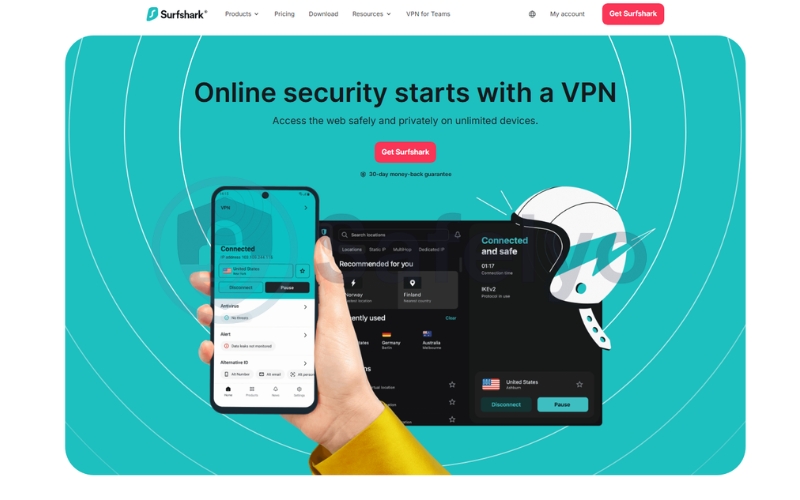
Surfshark proves that elite digital privacy and streaming power do not have to break the bank. It offers premium unblocking capabilities at a fraction of the cost, making it the most practical choice for highly connected households or traveling families.
The standout feature is its unlimited simultaneous connections policy, allowing you to secure your phone, laptop, and tablet under a single subscription. For Android users struggling with location errors, Surfshark uniquely offers a GPS override feature. This automatically spoofs your phone’s physical GPS coordinates to match your chosen VPN server, completely tricking strict mobile location checks.
Pros
Built-in GPS overrides the mobile location requirements perfectly.
Unlimited connections allow the whole family to stream simultaneously.
Unbeatable budget pricing for long-term digital nomads.
Cons
Initial connection times to US servers can occasionally take longer.
Lacks an easy, built-in feature to bypass the 90-day home requirement.
4. How to bypass the 90-day check-in rule for digital nomads
If you travel extensively or split your time between two different states as a “snowbird,” the 90-day home check-in rule is a massive headache. If you fail to verify your home network, the platform will completely lock your account. Fortunately, there are three proven methods to spoof this physical requirement.
4.1. The family assist method
The easiest and most low-tech solution requires trusting a friend or family member who still lives at your registered home address. You simply provide them with your login credentials and ask them to log into the YouTube TV app using your home Wi-Fi network.
This immediately resets the 90-day timer for your entire account. Once they confirm the successful login, you can resume watching your favorite shows on your laptop from your overseas location for another three months.
4.2. The NordVPN Meshnet trick
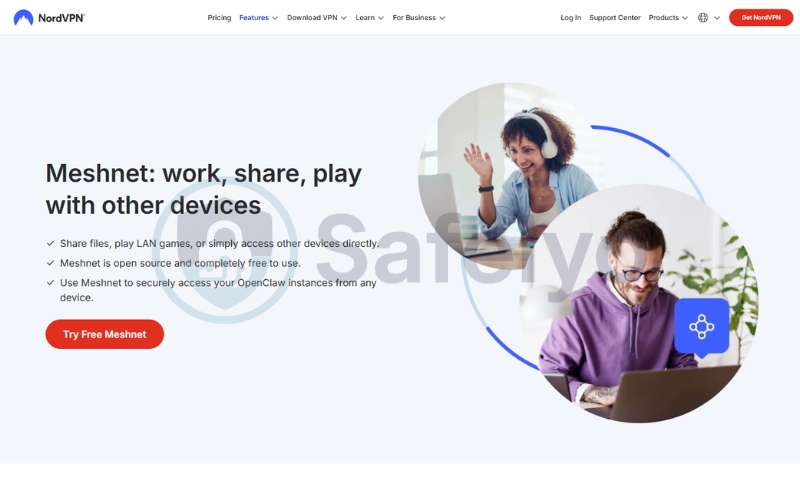
If you do not have someone available back home, you can use technology to solve the problem remotely. NordVPN includes a free feature called Meshnet, which allows you to create a secure, private tunnel directly between two of your own devices.
You must leave a computer turned on and connected to your home Wi-Fi before you travel. While abroad, you use Meshnet on your laptop to route your internet traffic directly through your home computer, effectively tricking the streaming platform into believing you are physically sitting in your living room.
4.3. The hardware workaround using a WireGuard travel router
This is the ultimate, expert-level solution for permanent digital nomads. You purchase two small “Travel Routers” (like those from GL.iNet). You plug one into your home internet modem and take the second router with you to your hotel room overseas.
You configure a WireGuard server on your home router and a WireGuard client on your travel router. Your travel router connects seamlessly back to your home, broadcasting your exact home Wi-Fi signal inside your hotel room. Every device you connect to this travel router instantly bypasses all location and check-in blocks perfectly.
5. Troubleshooting YouTube TV proxy-detected errors
Google uses highly advanced security algorithms to identify and block commercial VPN traffic. If your screen suddenly goes black and displays a “VPN or proxy detected” warning, do not panic. You can quickly restore your streaming access by following these three targeted troubleshooting steps.
- Clear browser cache and cookies
Web browsers constantly save location data and background cookies to help websites load faster. If you connect to a VPN without clearing this old data, the streaming platform will instantly notice a location mismatch. Always clear your browser cache to force the site to read your new secure IP address.
- Disable IPv6 on your device
Many privacy tools are only designed to encrypt and route standard IPv4 network traffic. If your local hotel network uses the newer IPv6 protocol, your real physical location might leak entirely outside the secure tunnel. Disabling IPv6 in your device’s network settings forces all data through the protected IPv4 pathway.
- Switch to a different US server city
Streaming platforms aggressively monitor and blacklist IP addresses from popular servers in New York or Los Angeles. If your current connection gets blocked, perform a “server hop” to a less prominent location. Connecting to quieter cities like Phoenix or Salt Lake City usually provides a fresh, unblocked IP address instantly.
6. Frequently asked questions
6.1. Can I watch downloaded DVR recordings abroad without a VPN?
Yes, but you must subscribe to the expensive 4K Plus add-on to unlock the offline viewing feature. You must download your recorded shows to your smartphone or tablet while physically inside the United States. Once saved to your device, you can watch these recordings completely offline anywhere in the world without triggering the international blackout.
Why does my home location show the wrong city even when I am not traveling?
This frustrating error happens frequently if you use 5G home internet or cellular data. Mobile ISPs use dynamic IP routing that constantly shifts your network traffic through different regional cell towers. To fix this geographic mismatch, simply update your current playback area in the app or connect to a stable, traditional broadband Wi-Fi network.
Can I share my YouTube TV account with family in different locations?
Yes, but Google enforces strict Family Group rules to prevent widespread account sharing across different states. Every member must share the same primary address and physically connect their device to the home internet network once every 3 months. If a member fails this 90-day check-in, their individual viewing access is immediately revoked.
Is it legal to use a VPN to watch YouTube TV?
Using encryption tools to protect your online privacy is completely legal in the United States and most other countries. However, using these tools to spoof your location and bypass regional sports blackouts violates the platform’s Terms of Service. While you will not face legal trouble, Google actively monitors for proxies and can temporarily block your stream.
Can I use a free VPN for YouTube TV?
We strongly advise against using zero-cost applications. Google employs incredibly sophisticated tracking algorithms that instantly detect and blacklist the shared IP ranges used by free privacy tools. Furthermore, these unpaid apps severely throttle your video bandwidth and frequently log your personal browsing data to sell to third-party advertising networks.
7. Conclusion
Understanding how to watch YouTube TV while traveling ensures you never miss crucial live sports or local news broadcasts. For domestic trips, simply updating your current playback area within the app settings resolves the issue immediately. When traveling internationally, you must use a laptop paired with a premium VPN to bypass the platform’s strict geo-blocks and proxy detection systems completely.
Always remember to download and configure your security tools before you board your flight to avoid restrictive hotel networks. To discover more expert workarounds and step-by-step streaming tutorials, explore our comprehensive Tech How-To Simplified category at Safelyo. Equip yourself with the right knowledge to bypass digital borders and enjoy your favorite entertainment safely anywhere in the world.