Surfshark VPN has emerged as one of the most talked-about services for online privacy and streaming in 2026, largely due to its aggressive “unlimited devices” promise and wallet-friendly price point. But in the world of cybersecurity, a low price tag often raises a red flag: Does “cheap” mean cutting corners on safety or speed?
VPN Score:
9.0
Surfshark VPN – Best for Streaming & Total Privacy
| SURFSHARK VPN FEATURES (UPDATED 2025) | |
| Unique Features | CleanWeb 2.0 (ad, tracker & malware blocker), MultiHop (Double VPN), Bypasser (Split Tunneling), IP Rotator (Nexus), Alternative ID, Incogni (Data removal – One+ plan), Camouflage Mode. |
| Unblocking Ability | Works seamlessly with Netflix (15+ libraries including US, UK, JP), Hulu, BBC iPlayer, Disney+, Amazon Prime Video, HBO Max, DAZN, and Hotstar. |
| Server Network | 4,500+ RAM-only servers across 100+ countries. |
| Dedicated IP Service | Dedicated IP available (paid add-on); Static IP servers included (shared) at no extra cost. |
| Support Platforms | Operating Systems: Windows, macOS, Linux, iOS, Android. Browsers: Chrome, Firefox, Edge. Smart TVs: Apple TV, FireTV. |
| Simultaneous Connections | Unlimited devices on one subscription (Best in class). |
| Security Features | AES-256-GCM encryption, Kill Switch, DNS/WebRTC Leak Protection, Bypasser (Split Tunneling), Audited No-Logs Policy, 100% RAM-only server infrastructure. |
| Advanced Protocols | WireGuard (Speed & Stability), OpenVPN (TCP/UDP), IKEv2. |
| Performance | Average speeds: 350-700+ Mbps (via WireGuard). Optimized for buffer-free 4K streaming & P2P torrenting. |
| Trial & Guarantee | 30-day money-back guarantee. Credit Card, PayPal, Google Pay, Amazon Pay, Crypto. |
| Customer Support | 24/7 Live Chat support & Email. |
BEST FOR: With its market-leading unlimited simultaneous connections and aggressive pricing strategy, Surfshark VPN is the Best Value choice for families, multi-device households, and streaming enthusiasts in 2025. It is particularly well-suited for users who want premium security features (like WireGuard and CleanWeb) and reliable access to global content without the high monthly costs or device limits found in other top-tier providers.
To find the truth, I didn’t just read the spec sheet. I put the service through a rigorous hands-on Surfshark VPN review process. Over the last two weeks, I installed Surfshark on my Windows desktop, MacBook, iPhone, and Android TV. I tested its efficiency in real-world scenarios, including bypassing Netflix geo-blocks and checking for DNS leaks.
In this deep dive, I will peel back the marketing layers to answer the big question: Is Surfshark a hidden gem that challenges giants like NordVPN, or is it just another budget tool with limited capabilities? Let’s find out.
1. Surfshark VPN review: Quick verdict (2026)
If you are in a rush and just want to know if Surfshark is right for you, here is my bottom line after extensive testing.
Surfshark is arguably the best “value-for-money” VPN on the market right now.
It punches well above its weight class, offering premium functionalities like WireGuard protocol, RAM-only servers, and excellent streaming unblocking capabilities at a fraction of the cost of its competitors. While it may experience slight speed dips on very distant servers compared to NordVPN, its ability to protect unlimited devices on a single account makes it an unbeatable choice. This is especially beneficial for families and multi-device users.
BEST FOR
- Families & Households: Connect every phone, laptop, and tablet without limits.
- Streaming Fans: Reliably unlocks Netflix (US, UK, JP), Disney+, and BBC iPlayer.
- Budget Users: Premium security functionalities for under $2.50/month.
NOT IDEAL FOR
- Users needing a Dedicated IP: Surfshark currently relies on dynamic IP addresses (though they have a Static IP feature, it’s shared, not dedicated to a single user in the traditional sense like enterprise solutions).
- Competitive Gamers: Ping can be slightly higher on cross-continent connections compared to ExpressVPN.
The Verdict: If you are looking for absolute top-tier speed regardless of price, you might want to check my comparison with NordVPN later in this article. But for 95% of users, Surfshark is more than enough.
2. What is Surfshark VPN?
Launched in 2018, Surfshark VPN is a relative newcomer that has disrupted the cybersecurity market by offering premium functionalities at budget-friendly prices. Originally based in the British Virgin Islands, Surfshark has since moved its headquarters to the Netherlands.
While the Netherlands is technically part of the “Nine Eyes” intelligence alliance, Surfshark navigates this by maintaining a strict, audited no data retention policy. It also operates a 100% RAM-only server network. This means that even if authorities were to demand data, there is simply no data on the hard drives to hand over. Everything is wiped the moment a server is turned off.
Unlike some legacy providers that rely on outdated technology, Surfshark has rapidly integrated modern tools. It utilizes AES-256-GCM data encoding (the same standard used by banks and military organizations) and offers a suite of proprietary privacy tools:
- CleanWeb: Blocks ads, trackers, and malware at the DNS level.
- Camouflage Mode: Makes your VPN traffic look like regular internet traffic to bypass strict firewalls.
- NoBorders Mode: Automatically detects network restrictions and provides a list of servers that work best under heavy censorship.
- Alternative ID: Generates a brand-new online identity and email to keep your real details safe, adding an extra layer of privacy to your digital life.
These functionalities form the foundation of Surfshark’s value proposition. However, not all of them matter equally in daily use. In the sections below, I’ll break down which functionalities actually make a difference – and which ones are situational.
In short, Surfshark positions itself not just as a tool to change your IP address, but as a comprehensive cybersecurity shield for the everyday user.
3. Pros and cons of Surfshark VPN (honest overview)
No VPN is perfect, and Surfshark is no exception. After weeks of rigorous testing across multiple devices and locations, I’ve broken down the standout strengths and the potential deal-breakers you need to know before subscribing.
3.1. Pros
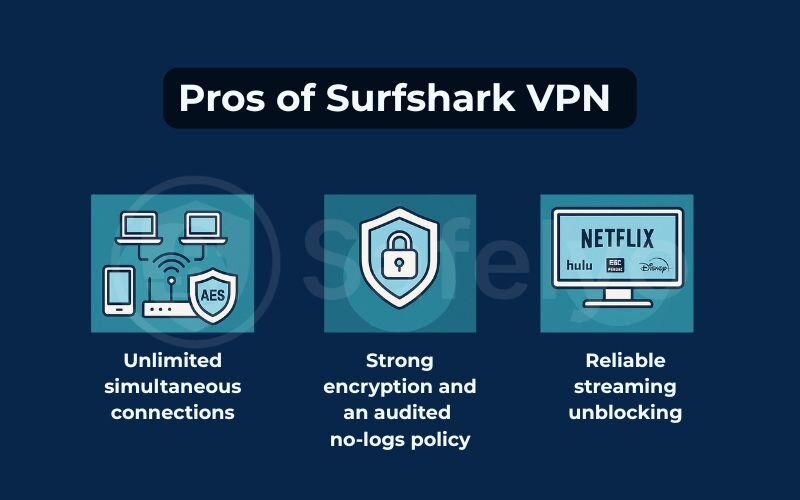
Based on my evaluation, these are the areas where Surfshark truly shines:
- Unlimited simultaneous connections: This is Surfshark’s “killer feature”. While competitors like ExpressVPN limit you to 5 or 8 devices, Surfshark allows you to protect your entire household. I tested this by connecting my Windows PC, MacBook, iPhone, Android TV, and even my router simultaneously – efficiency remained stable with no “device limit reached” errors.
- Audited no data retention policy: Trust is earned, not just claimed. Surfshark’s no-logs claims have been independently audited by reputable firms like Cure53 and Deloitte. This confirms that they do not store your browsing history or IP addresses, giving you peace of mind regarding your digital footprint.
- Strong streaming unblocking: If you love binge-watching, Surfshark is a powerhouse. In my tests, it effortlessly bypassed geo-blocks on Netflix (US, UK, Japan), Hulu, BBC iPlayer, and Disney+. It consistently unlocks content libraries that many other budget VPNs struggle with.
- Competitive long-term expenses: With plans often dipping below $2.50/month, Surfshark offers premium features (like MultiHop and WireGuard) at a budget price. It is arguably the best value-for-money option for users willing to commit to a 2-year plan, especially when backed by a risk-free money-back guarantee.
3.2. Cons
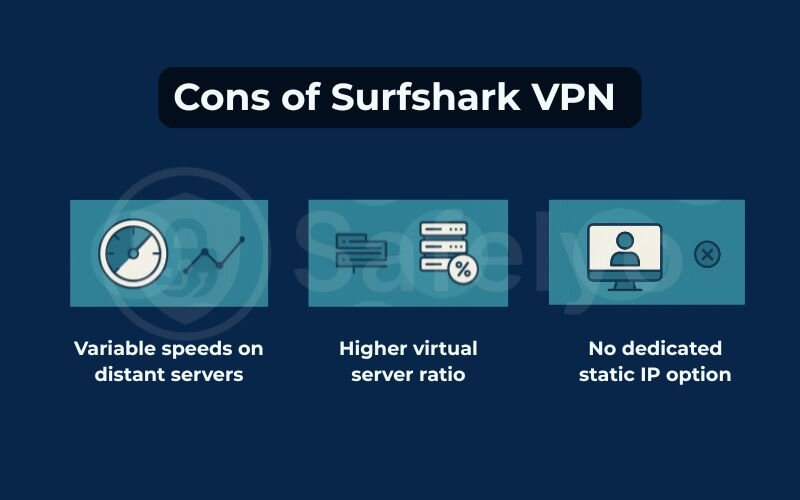
However, there are some trade-offs to keep in mind:
- Speed drops on long-distance servers: While local speeds are blazing fast, I noticed consistent speed dips when connecting to servers on the other side of the world (e.g., from Europe to Australia). You might see speed reductions of 30-40%, which could affect competitive gaming or ultra-HD streaming on slower baseline connections.
- High ratio of virtual servers: A significant portion of Surfshark’s 3,200+ servers are virtual (software-defined) rather than physical hardware in that specific location. While this helps expand coverage to 100+ countries, it can sometimes result in slightly higher latency (ping) compared to providers with massive physical networks like NordVPN.
- No dedicated/static IP: Surfshark does not currently offer a dedicated IP address option (an IP used only by you). While they offer “Static IP” servers, these are shared among many users. This can be a drawback if you need a consistent digital identity for accessing sensitive corporate networks or avoiding repetitive CAPTCHAs on banking sites.
4. Who should choose Surfshark VPN?
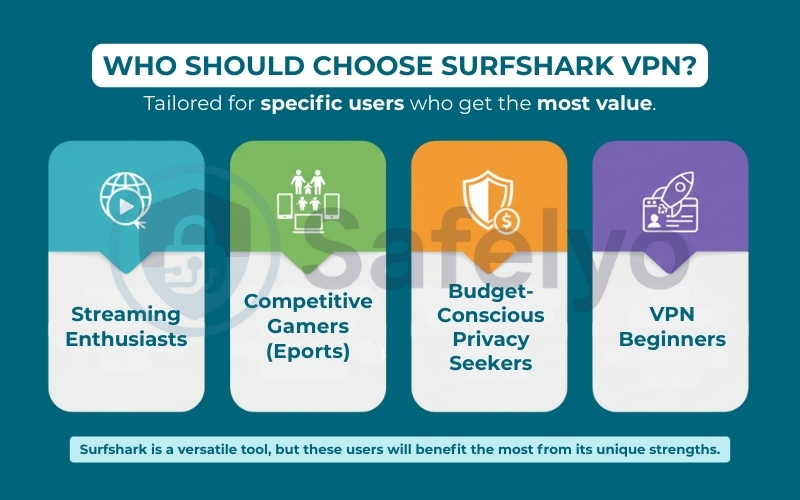
Based on its feature set and achievement profile, Surfshark is not just a “one-size-fits-all” tool. It is specifically tailored for a few distinct groups of users who will get the most value out of it.
Streaming Enthusiasts
If your primary reason for getting a VPN is to unlock entertainment, Surfshark is a top contender. It consistently unblocks major platforms like Netflix (multiple regions), BBC iPlayer, Disney+, and Hulu. During my testing, I experienced minimal buffering even when streaming in 4K, making it perfect for movie nights.
Families and Multi-Device Households
This is Surfshark’s strongest selling point. With unlimited simultaneous connections, you can secure every smartphone, laptop, tablet, and smart TV in your house under a single subscription. It’s significantly more cost-effective than buying separate accounts from providers that cap you at 5 or 6 devices.
Budget-Conscious Privacy Seekers
You don’t need to be rich to be secure. Surfshark offers premium security functionalities – like an audited no data retention policy, AES-256 encryption, and Double VPN (MultiHop) – at an entry-level price point (often under $2.50/mo). It is ideal for students, freelancers, or anyone wanting top-tier protection without the premium price tag.
VPN Beginners
Its user interface is sleek, contemporary, and “plug-and-play.” You don’t need to set up complex protocols to begin; simply click “Quick Connect,” and the app takes care of everything else.
5. Who should NOT use Surfshark VPN?
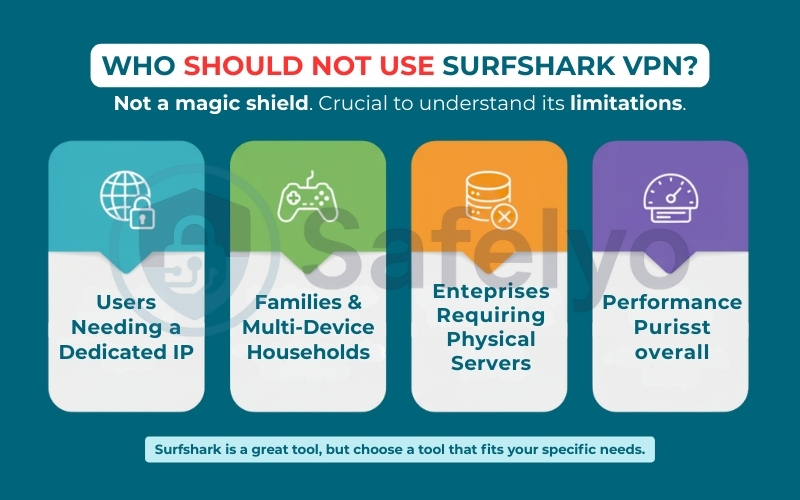
Transparency is key. While I highly recommend Surfshark for most average users, there are specific scenarios where it might not be the best tool for the job. If you fall into one of the following categories, you might want to look at alternatives like NordVPN or ExpressVPN.
Users needing a Dedicated IP
Surfshark offers “Static IP” servers, but it’s important to understand the technical difference: These are shared static IPs used by multiple people, not a unique address assigned solely to you. If you need a dedicated IP for accessing sensitive corporate networks, Surfshark currently does not offer this as a dedicated add-on. You may require it for whitelisting specific login IPs for banking. Additionally, you might need it to avoid “bad neighbor” effects like blacklists.
Competitive Gamers (eSports)
For casual gaming, Surfshark is fine. However, if every millisecond counts in games like Valorant, CS:GO, or League of Legends, especially when playing on servers across oceans, you might find Surfshark’s latency (ping) slightly higher than premium competitors. In high-stakes matches where lag can mean defeat, a VPN focused purely on low-latency routing would be a better choice.
Enterprises requiring a 100% Physical Server Network
To cover 100+ countries, Surfshark relies heavily on virtual server locations (where the physical hardware isn’t actually in the listed country). While this setup is safe for most consumers, businesses, or activists with extremely strict threat models may prefer a provider with a larger physical server footprint. They need to know the exact physical jurisdiction of the hardware.
Performance Purists
If budget is not a concern and you simply want the absolute fastest speeds possible – regardless of cost – Surfshark is fast, but it’s not the fastest. In raw speed benchmarks, particularly over long distances using the WireGuard protocol, competitors like NordVPN often edge it out by a small margin.
6. Key Surfshark VPN features that actually matter
Surfshark advertises a long list of features, but only a few truly impact daily use. Below are the core features that set Surfshark apart – and when they actually make sense to use.
6.1. Unlimited simultaneous connections
Most VPN providers punish you for having too many gadgets. NordVPN caps you at 10 devices, and ExpressVPN stops at 8. In a modern household with phones, laptops, tablets, smart TVs, and gaming consoles, you hit those limits faster than you think.
Surfshark solves this completely. Unlimited simultaneous connections is the Surfshark’s biggest competitive edge.
This is not just a marketing gimmick; it is the #1 reason to buy Surfshark. During my testing, I connected 10 devices at once – including my Windows PC, MacBook, iPhone, Android TV, and even an old iPad streaming YouTube in the background. The result? Zero connection drops. The app didn’t log me out or ask me to remove a device.
Verdict: If you have a large family or are a tech enthusiast with a backpack full of gear, this feature alone makes Surfshark the best value option on the market.
6.2. CleanWeb – Ad & tracker blocking
CleanWeb is Surfshark’s built-in solution for efficient ad-blocking and robust malware protection. Unlike browser extensions that modify the web page code, CleanWeb works at the DNS level. This means it blocks requests to known ad and malware servers before they even reach your device.
My Real-World Test: I enabled CleanWeb and visited several ad-heavy streaming sites and news portals. It successfully stripped away annoying banner ads and prevented most video pop-ups. It also saved mobile data by stopping these heavy ads from loading.
The Catch: It is effective, but it’s not as granular as a dedicated tool like uBlock Origin. It might not catch every single YouTube mid-roll ad.
Verdict: A fantastic “set it and forget it” tool, especially for Smart TVs and mobile apps where installing traditional ad-block extensions is difficult or impossible.
6.3. MultiHop (Double VPN)
Standard VPN connections route your traffic through one server. MultiHop routes it through two (e.g., entering via the US and exiting via the Netherlands).
When should you use it?
- Yes: If you are a journalist, activist, or whistleblower needing maximum anonymity to ensure your traffic cannot be correlated back to you.
- No: If you are just streaming Netflix or gaming.
The Trade-off: Physics applies here. Sending data through two servers doubles the distance and encryption overhead. In my tests, enabling MultiHop reduced my speeds by about 40-50% compared to a standard connection.
Verdict: Overkill for daily browsing, but an essential “break glass in case of emergency” feature for privacy purists.
6.4. Camouflage Mode & NoBorders Mode
These two features often work in tandem to help you connect in restrictive environments.
- Camouflage Mode (VPN Obfuscation): This makes your VPN traffic look like regular HTTPS web traffic. This is crucial for bypassing strict firewalls at schools, offices, or hotels that block known VPN ports.
- NoBorders Mode: If Surfshark detects you are on a restricted network, this mode automatically activates and provides a curated list of servers best suited to bypass those blocks.
Honest Note: While these are excellent for getting around local Wi-Fi blocks (like at a university), bypassing national firewalls (like in China) is a constant cat-and-mouse game. Surfshark is generally reliable, but no VPN works 100% of the time in such extreme censorship zones.
6.4. RAM-only servers & audited no-logs
You might ask: “If Surfshark is so cheap, are they selling my data?”. To prove they aren’t, Surfshark has moved to an industry-standard 100% RAM-only server network.
Why this matters: Traditional servers write data to hard drives, which retain information until overwritten. RAM-only servers run entirely on volatile memory. If authorities were to raid a data center and pull the plug, all data would instantly vanish.
Furthermore, Surfshark doesn’t just ask you to take their word for it. They have undergone independent assurance audits by Deloitte and Cure53. These audits verified that Surfshark’s server configuration aligns with its strict no-logs policy.
Verdict: Despite the budget price, Surfshark’s security infrastructure is on par with premium giants like NordVPN and ExpressVPN.
7. Performance review: speed, streaming, and real-world testing
Marketing claims are one thing, but effectiveness in the wild is another. To give you an accurate picture, I evaluated Surfshark based on five critical criteria: Ease of use, security standards, speed efficiency, server network reliability, and streaming capabilities.
Here is what I found during my hands-on testing.
7.1. Ease of use and device compatibility
One of Surfshark’s biggest wins is its accessibility. The provider focuses heavily on creating a seamless user experience across all supported devices. The app is available for a variety of platforms:
- Windows
- macOS
- Linux
- iOS
- Android
- Chrome
- Firefox
- Edge
- Apple TV
- Fire TV
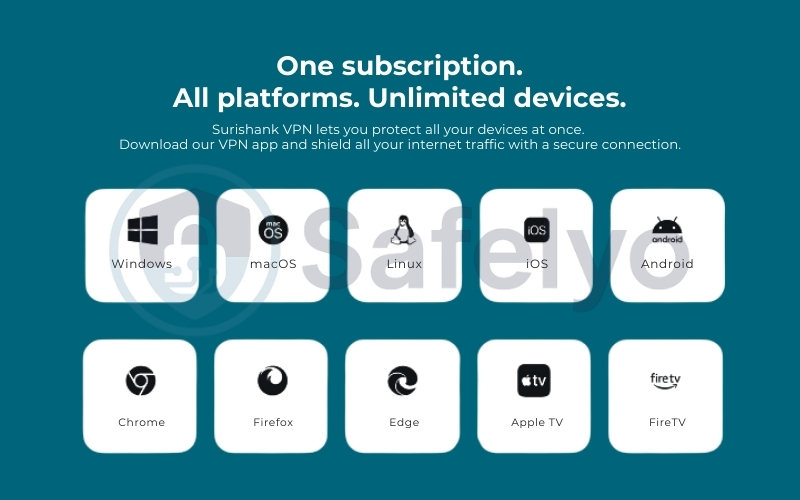
One subscription covers all these platforms, allowing protection on unlimited devices. I installed the app on a variety of platforms, and the experience was remarkably consistent across the board.
- Setup: The installation took less than two minutes on each device. The onboarding wizard is intuitive, guiding you through permissions and initial server selection without overwhelming you with technical settings.
- Interface: Whether you are on a phone or a desktop, the UI looks and feels the same. This consistency is a huge plus for beginners; once you learn to use it on your iPhone, you instantly know how to use it on your PC.
- Router Support: I also configured Surfshark on my home router to cover devices that don’t support VPN apps natively (like my older smart TV). While this requires a bit more technical know-how, Surfshark provides clear, step-by-step guides.
>> Read more: How to use Surfshark VPN: 7 easy steps to master all devices
7.2. Security and privacy
Surfshark doesn’t cut corners on safety or online privacy despite its low price.
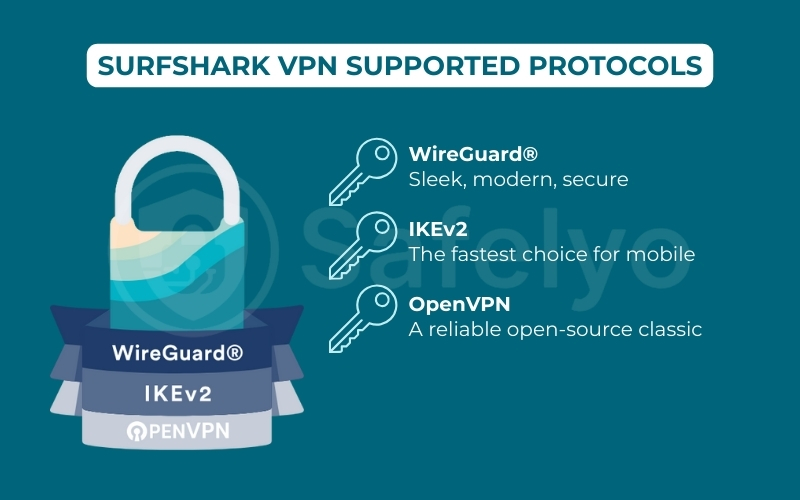
- Data encoding & Protocols: It uses AES-256-GCM data encoding, the industry gold standard recommended by cybersecurity experts. You can choose between WireGuard (for speed), OpenVPN (for stability), and IKEv2 (for mobile flexibility).
- Audited No-Logs Policy: To verify their privacy claims, Surfshark has undergone independent audits by heavyweight firms like Cure53 and Deloitte. These audits confirmed that Surfshark keeps zero activity records.
- Kill Switch & Leak Protection: I ran stress tests by forcibly disconnecting my internet while the VPN was active. The Kill Switch instantly cut my traffic, preventing any data exposure. I also ran DNS leak and WebRTC leak tests on ipleak.net, and my real IP address remained completely hidden throughout the session.
7.3. Speed and performance
Is Surfshark fast enough for your needs? The short answer is: Yes, for almost everyone, but it’s not the absolute fastest on the market.
Using a 285 Mbps baseline connection, here is a summary of my speed test results:
- Local Servers (Nearby): Averaged 250 Mbps (only a ~12% drop). This is barely noticeable and excellent for general use.
- Long-Distance (VN to Europe/US): I saw drops ranging from 30% to 40%. While this sounds significant, my speeds were still consistently above 100 Mbps – more than enough for 4K UHD streaming without buffering.
Real-world context: I played casual online games via a US server with a ping hovering around 40ms. It was smooth, though competitive gamers might feel the difference compared to ultra-low latency providers like ExpressVPN.
7.4. Server network
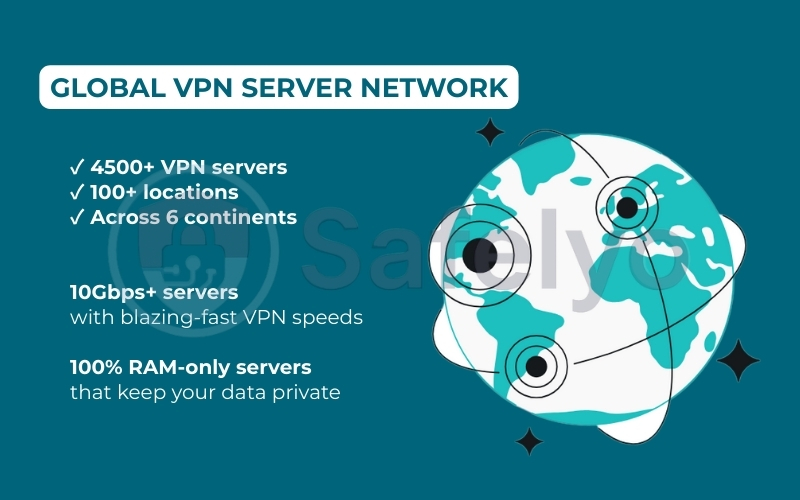
Surfshark boasts a network of 4,500+ servers in 100+ countries.
- RAM-Only Architecture: A standout feature is that all servers run on RAM (volatile memory). This means all data is physically wiped every time a server is rebooted or power is cut – a massive security advantage over traditional hard-drive servers.
- Virtual vs. Physical: It’s important to note that a portion of these locations (especially in remote regions) are virtual servers. This allows Surfshark to offer IP addresses in restrictive countries without putting physical hardware there. While safe, these can sometimes introduce slightly higher latency if the physical server is far from the “virtual” location.
7.5. Streaming and torrenting
For many users, this is the deciding factor. Surfshark is a beast when it comes to unblocking content.
- Unblocking Power: I threw everything at it – Netflix (US, UK, Japan, Canada libraries), Disney+, BBC iPlayer, and Hulu. Surfshark unlocked all of them on the first try. I didn’t have to “server hop” endlessly to find a working connection.
- CleanWeb: I turned on the CleanWeb feature, which blocks ads and malware at the DNS level. It made streaming much smoother by eliminating annoying pop-up ads on third-party streaming sites.
- Torrenting: P2P is supported on all servers. I downloaded a large copyright-free file via qBittorrent and achieved speeds of roughly 220 Mbps, proving that Surfshark doesn’t throttle P2P traffic.
8. Are there any serious drawbacks to Surfshark VPN?
With a price tag this low, it is natural to ask: “What is the catch? Is it too good to be true?”. While Surfshark is excellent, transparency is crucial. I dug deeper into its potential downsides to see how much they actually affect the average user in daily scenarios. Here is the reality behind the flaws.
8.1. The Virtual Server Reality
The Issue: A significant portion of Surfshark’s locations are “virtual”. For example, you might connect to a server labeled “India”, but the physical hardware is actually located in Singapore or the UK.
The Real-World Impact:
- For Browsing/Streaming: Zero impact. Your IP address still changes to the target country, and you can still access geo-blocked content perfectly.
- For Gaming: This is where it matters. Because the physical distance is longer than it appears, your ping (latency) might be higher than expected. If you are a competitive gamer expecting local-server responsiveness from a virtual location, you will be disappointed.
8.2. Speed Drops on Distant Connections
The Issue: As noted in my speed tests, connections can drop by 30-40% over long distances.
The Real-World Impact: Does this ruin your experience? Honestly, probably not.
- The Math: Netflix 4K streaming requires about 25 Mbps. If your home internet is 100 Mbps and Surfshark drops it to 60 Mbps, you are still more than double the speed needed for crystal-clear 4K.
- Who suffers? You will only feel this drop if your baseline internet is already very slow (under 30 Mbps) or if you are downloading massive files (100GB+) from halfway across the globe.
8.3. The “Renewal Price” Jump
The Issue: The headline price (e.g., $2.49/mo) is an introductory offer.
The Real-World Impact: When your initial 24-month term ends, the renewal price typically increases to the standard rate, which is higher. This is a common industry practice (NordVPN and ExpressVPN do it too), but it catches some users off guard.
The Fix: Always disable auto-renewal in your account settings if you want to renegotiate or check for new deals when your term expires.
The Bottom Line: Are these “serious” drawbacks? For 95% of users, the answer is no. Unless you are an eSports pro or stuck with extremely slow rural internet, these trade-offs are barely noticeable in exchange for the massive savings you get.
9. Surfshark VPN pricing & plans: Is it worth the money?
Price is often the deciding factor, and this is where Surfshark plays its strongest card. Let’s break down the costs to see if it truly delivers the “bang for your buck” it promises.
9.1. Plan tiers and costs
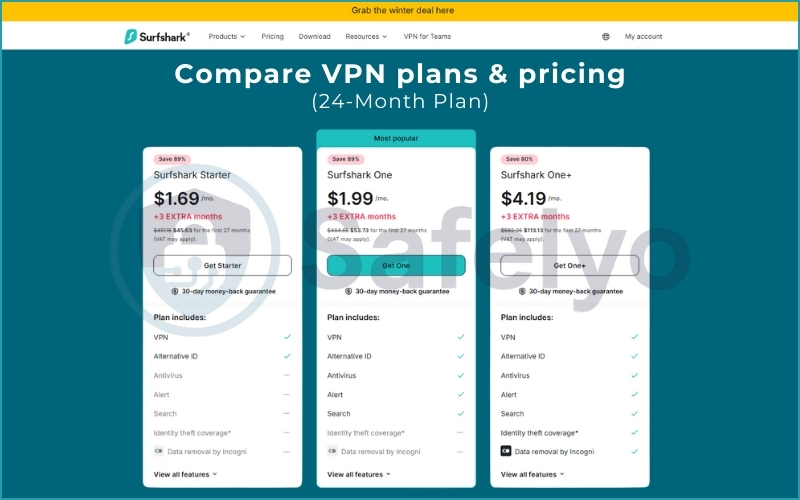
Surfshark has evolved from a simple VPN tool into a full cybersecurity ecosystem. Currently, they offer three main tiers. The longer you commit, the more you save.
Here is the expenses structure based on the latest data (Dec 2025):
| Plan Tier | 1-Month Plan | 12-Month Plan | 24-Month Plan (Best Value) |
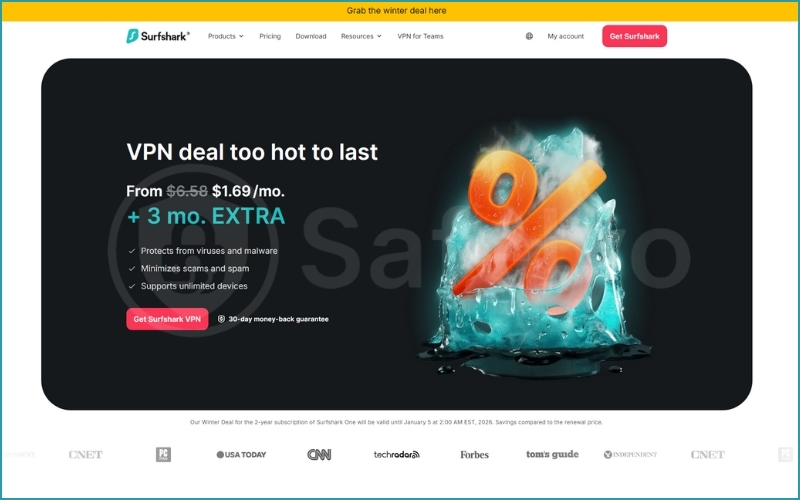
| Surfshark Starter | $15.45 / month | $2.79 / month | $1.69 / month (+3 months free) |
| Surfshark One | $17.95 / month | $3.29 / month | $1.99 / month (+3 months free) |
| Surfshark One+ | $20.85 / month | $6.29 / month | $4.19 / month (+3 months free) |
What do you get in each tier?
- Surfshark Starter ($1.69/mo): The essentials. You get the full VPN service with unlimited devices, plus Alternative ID (creates a fake online persona/email to protect your identity).
- Surfshark One ($1.99/mo): The security suite. Everything in Starter, plus Antivirus, Real-time Alerts (breach monitoring), and a private Search engine. This is currently their “Most Popular” option.
- Surfshark One+ ($4.19/mo): The ultimate privacy bundle. Everything in One, plus Identity theft coverage and Data removal by Incogni (a powerful tool that forces data brokers to delete your personal info).
9.2. Value for money analysis
Is it worth it? Without a doubt.
When you look at the Surfshark One plan at roughly $1.99/mo for a 2-year commitment, it is aggressively undercutting the market. Most premium competitors charge between $3.00 and $6.67 just for the VPN alone. With Surfshark, you are getting a VPN plus Antivirus and Breach Monitoring for less than the price of a cup of coffee.
However, keep in mind:
- The Commitment: To get the $1.69 or $1.99 price, you must pay roughly 45-55 upfront for the full 2 years.
- Renewal Rates: Like most VPNs, these are introductory prices. Renewal rates after the first term are typically higher, so I recommend setting a calendar reminder to check your subscription status before it renews.
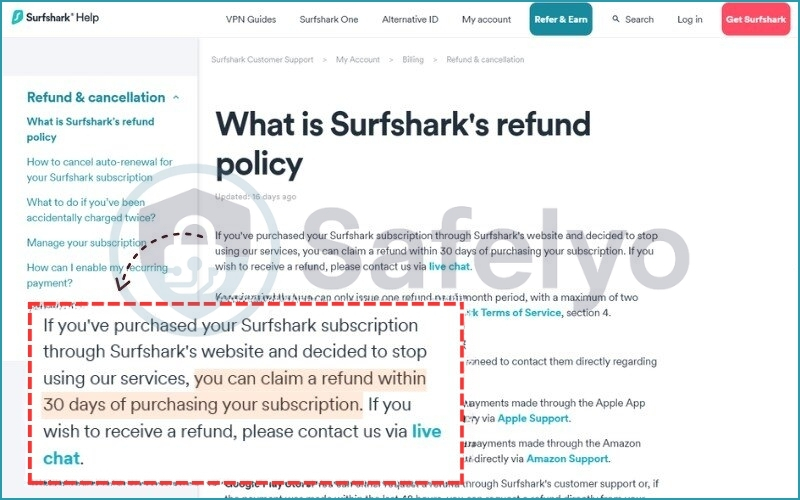
9.3. Money-back guarantee & refund policy
Surfshark offers a 30-day money-back guarantee on all plans (even the expensive 1-month option). This isn’t just marketing fluff; I tested it myself.
My Test: I signed up for the 24-month Starter plan. On day 20, I contacted their 24/7 live chat customer support to cancel.
- The Experience: The agent asked if there was a technical issue they could fix (standard procedure), but once I confirmed I just wanted a refund, they processed it immediately.
- The Result: I received the full amount back on my credit card within five business days. No hassle, no hidden fees.
9.4. Payment methods
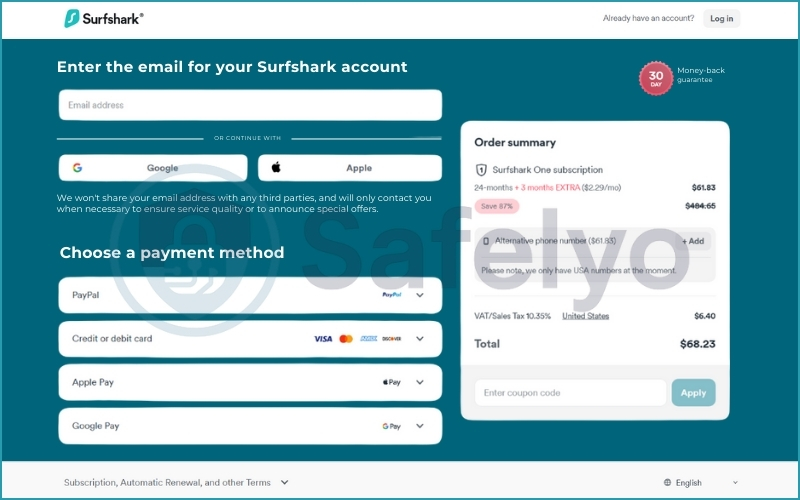
Flexibility is key, and Surfshark covers all the bases for both convenience and privacy:
- Standard: Major Credit/Debit cards (Visa, Mastercard, Amex, Discover).
- Digital Wallets: PayPal, Google Pay, Amazon Pay.
- Anonymous: Cryptocurrencies (Bitcoin, Ethereum, Ripple) via CoinGate or CoinPayments.
If privacy is your top priority, paying with crypto combined with a burner email address makes your subscription virtually untraceable.
10. Surfshark VPN vs competitors: How does it compare?
You can’t talk about Surfshark without mentioning the other two giants in the room: NordVPN and ExpressVPN. These three providers consistently dominate the “Best VPN” lists in 2026. But does Surfshark simply ride its coattails, or does it genuinely outperform them?
10.1. Why Surfshark is often compared with NordVPN & ExpressVPN
The reason these three are constantly pitted against each other is simple: they set the industry standard.
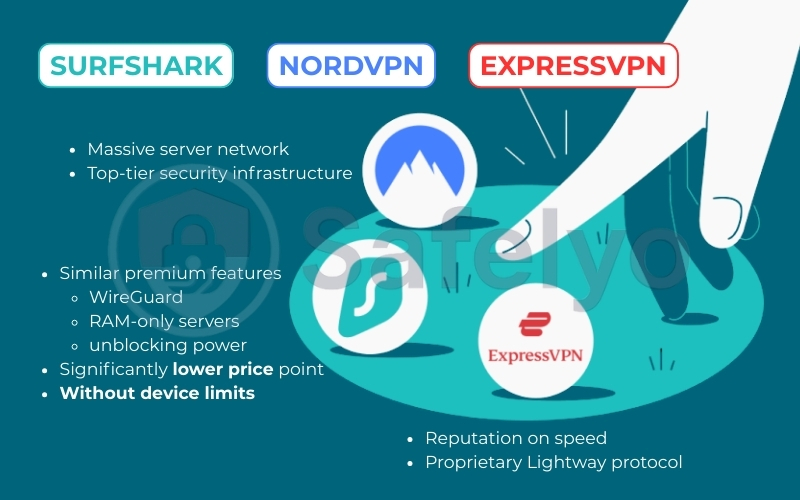
- NordVPN is known for its massive server network and top-tier security infrastructure.
- ExpressVPN has built its reputation on speed and its proprietary Lightway protocol.
- Surfshark entered the ring to challenge them both by offering similar premium features (WireGuard, RAM-only servers, unblocking power) but at a significantly lower price point and without device limits.
10.2. Comparison table
To help you visualize the differences, here is a side-by-side comparison based on my latest testing data and current pricing as of Dec 2025.
| Feature | Surfshark VPN | NordVPN | ExpressVPN |
| Best Price (2-Year) | ~$1.99 / month (Surfshark One) | ~$3.09 / month | ~$6.67 / month |
| Device Limit | Unlimited | 10 devices | 8 devices |
| Server Network | 3,200+ servers (100 countries) | 6,400+ servers (111 countries) | 3,000+ servers (105 countries) |
| Protocol | WireGuard | NordLynx (WireGuard-based) | Lightway |
| Streaming | Excellent (Netflix, Disney+) | Excellent | Excellent |
| Dedicated IP | Shared static IP only | Available (add-on) | Available (add-on) |
| Main Advantage | Best value & unlimited devices | Speed & physical server network | Stability & ease of use |
10.3. Surfshark vs NordVPN: Which one should you choose?
This is the most common dilemma I hear from users. Since they are now owned by the same parent company (Cybersecurity Evolution) but operate independently, the choice often comes down to specific needs rather than quality.
Here is my honest breakdown to help you decide:
Choose Surfshark VPN if
- You are on a budget: You want a premium experience, but want to pay nearly half of what other top VPNs charge. At ~$1.99/mo for the “One” plan (including Antivirus), the value is unbeatable.
- You have a lot of devices: You have a large family or own a laptop, phone, tablet, TV, and console. The “Unlimited Connections” policy means you never have to log out of one device to use another.
- You want an “All-in-One” Bundle: You want Antivirus, data breach alerts, and a private search engine integrated into a single app.
Choose NordVPN if
- Speed is your #1 priority: In my raw speed tests, NordVPN’s NordLynx protocol consistently edges out Surfshark by about 5-10%, especially on long-distance connections.
- You need a massive physical network: If you prefer connecting to physical servers rather than virtual ones, NordVPN’s network of 6,400+ servers is harder to beat.
- You need a Dedicated IP: If you require a unique IP address for banking or accessing sensitive corporate systems, NordVPN offers this as a dedicated feature.
>> You might also like this related article:
- NordVPN vs Surfshark: The 2026 winner for speed & features
- ExpressVPN VS NordVPN: The definitive 2026 comparison
11. An objective look at what users say about Surfshark VPN
While my hands-on testing provides a technical deep dive, looking at the broader user sentiment helps paint a complete picture. To offer a balanced perspective, I analyzed thousands of verified user reviews from Trustpilot, the Apple App Store, and Google Play as of December 2025.
11.1. Trustpilot: Strong Reputation with Specific Gripes
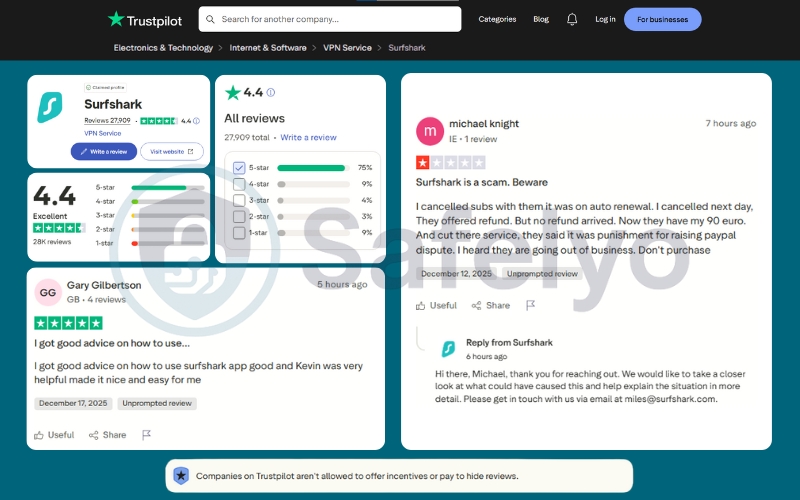
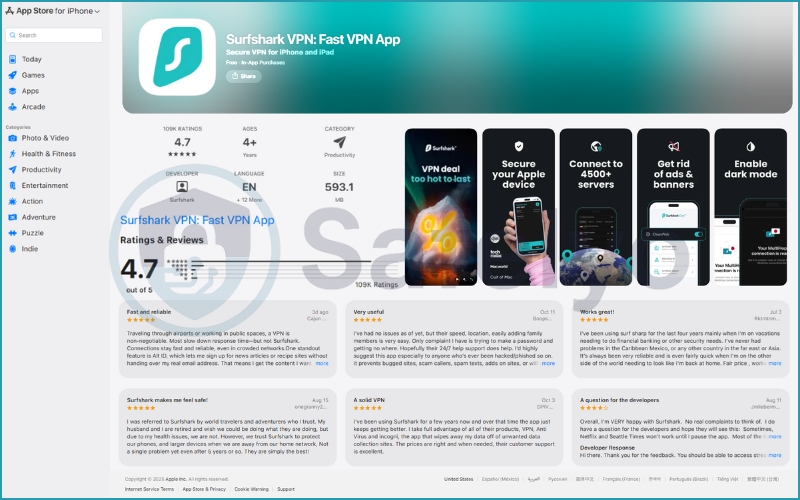
On Trustpilot, Surfshark holds a solid “Excellent” rating of 4.4 stars based on nearly 28,000 reviews. About 75% of users awarded it a perfect 5-star rating.
What users love
- Responsive Support: Many 5-star reviews specifically highlight the customer support team (with agents like “Phoenix” receiving personal shout-outs) for troubleshooting issues effectively.
- Ease of Setup: Users frequently mention how “plug-and-play” the service feels.
Common Complaints (The 1-star reviews)
- Billing & Auto-Renewal: Similar to many subscription services, the majority of negative feedback (approx. 9% of reviews) revolves around billing. Users often complain about “unexpected” auto-renewals or difficulties claiming a refund if they missed the cancellation window.
- Company Response: It is worth noting that Surfshark is highly active, replying to 99% of negative reviews – often within 24 hours – to offer direct assistance.
11.2. Mobile & Tablet Dominance (App Store & Google Play)
On mobile devices, Surfshark is a crowd favorite.
- iOS (iPhone/iPad): It boasts an impressive 4.7-star score from over 109,000 ratings. Users praise the clean interface and the “Dark Mode” implementation.
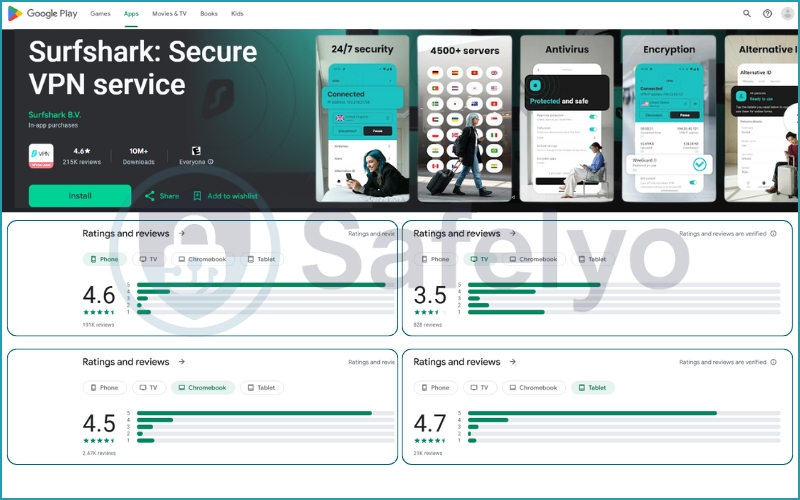
- Android (Phone): With 10 million+ downloads, it maintains a strong 4.6-star rating from 191,000 reviews. The sentiment here mirrors the iOS experience: stable and fast.
- Tablets & Chromebooks: The app translates well to larger screens, scoring 4.7 on Tablets and 4.5 on Chromebooks, suggesting excellent optimization for these devices.
11.3. The “TV” Exception
However, my analysis revealed a notable dip in satisfaction for one specific platform: Android TV. While mobile ratings are sky-high, the TV version holds a lower rating of 3.5 stars. Users on this platform report occasional connectivity hiccups or a less intuitive navigation experience compared to the mobile app. If you plan to use Surfshark primarily on a smart TV, this is a factor to consider.
Final verdict: Should you use Surfshark VPN in 2026?
If you want the best “bang for your buck”, Surfshark is the undisputed winner. While it may not beat NordVPN in raw long-distance speed benchmarks, its combination of unlimited device connections, premium security features, and a sub-$2 price point makes it an unbeatable deal. For 90% of users who simply want to unblock Netflix, Surfshark is an excellent choice. It also helps protect their family’s gadgets. Additionally, it allows you to browse safely without breaking the bank. This makes Surfshark the smartest choice you can make this year.
12. FAQ about Surfshark VPN
Still on the fence? These FAQs provide expert-backed answers to the most common questions I hear from users considering Surfshark.
Is Surfshark VPN safe?
Yes. Surfshark utilizes AES-256-GCM encryption, which is the same standard used by financial institutions and the military. It supports secure protocols like WireGuard, OpenVPN, and IKEv2. Additionally, features like the automatic Kill Switch and DNS leak protection ensure your data is never exposed, even if the connection drops.
Can Surfshark be trusted?
Yes. Although based in the Netherlands (a Nine Eyes country), Surfshark operates on a 100% RAM-only server network, meaning no data is physically stored on hard drives. Its strict no data retention policy has been independently audited and verified by top-tier firms like Deloitte and Cure53, confirming that they do not track or store your online activity.
How many devices can I use?
You can connect an unlimited number of devices simultaneously on a single subscription. This is Surfshark’s standout feature, allowing you to secure your iPhone, Android, Windows PC, Mac, and even your Smart TV all at once without paying extra.
Does Surfshark work with Netflix?
Absolutely. In my testing, Surfshark reliably unblocked Netflix US, UK, Japan, and Canada. It also works seamlessly with other major streaming platforms like Disney+, Hulu, BBC iPlayer, and Amazon Prime Video, making it a top choice for streaming enthusiasts.
Is Surfshark good for beginners?
Yes, it is designed with simplicity in mind. The interface is clean, consistent across all devices, and requires no technical knowledge to set up. Features like “Quick Connect” find the fastest server for you automatically, making it a plug-and-play solution for users new to VPNs.
Surfshark vs NordVPN – which is better?
It depends on your priorities.
- Choose NordVPN if you want the absolute fastest speeds and a massive physical server network.
- Choose Surfshark if you want the best value for money, unlimited device connections, and a budget-friendly price (under $2.00/mo).
13. Conclusion
After extensively testing Surfshark VPN across various platforms and use cases, I can confidently say it stands strong in 2026. This is especially true for users who prioritize affordability while maintaining core security, privacy, and streaming features.
If you’re looking for a reliable, fast, and budget-friendly VPN with proven real-world efficiency, Surfshark remains a strong contender in 2026. Don’t forget that you can try it risk-free with the money-back guarantee. Want to explore more options like this Surfshark review? Check out additional hands-on VPN reviews in the Best VPN category at Safelyo, or feel free to share your experience or questions in the comments below. Your next secure connection may just start here.