Managing multiple office locations while keeping sensitive company data synchronized is a major headache for growing enterprises. If your IT team is struggling with secure data sharing, you might be wondering exactly what is a site-to-site VPN and how it solves this problem.
At Safelyo, we regularly analyze enterprise security architectures to provide practical, real-world networking solutions. This guide breaks down how this technology securely bridges your branch offices, compares it to remote access tools, and explores modern network alternatives for 2026.
Key Takeaways
- Direct Answer: A site-to-site VPN is an encrypted internet connection that links two or more separate local area networks (LANs), so they function as a single, unified corporate network.
- Automated Security: Hardware gateways handle encryption entirely, so employees do not need to install individual security software on their PCs.
- Seamless Resource Sharing: Enables branch offices to securely access central databases, internal servers, and remote printers without exposing them to the public.
- Cost-Effective Expansion: Provides a significantly cheaper and more flexible infrastructure alternative to renting expensive, dedicated leased lines.
1. What is a site-to-site VPN?
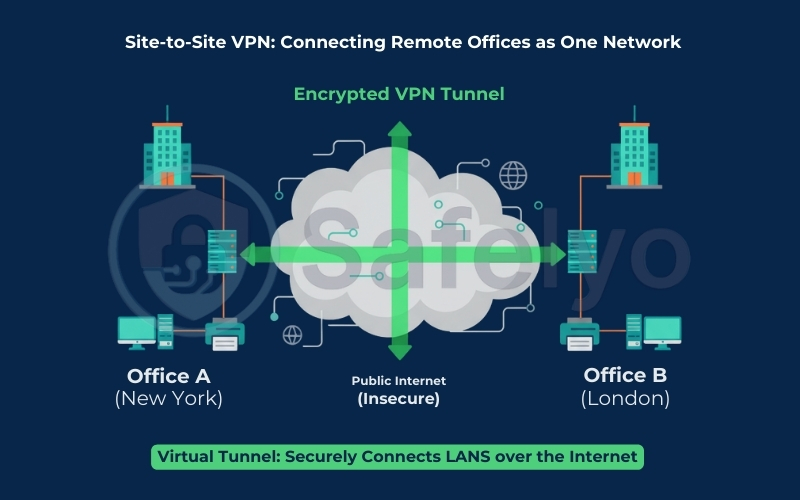
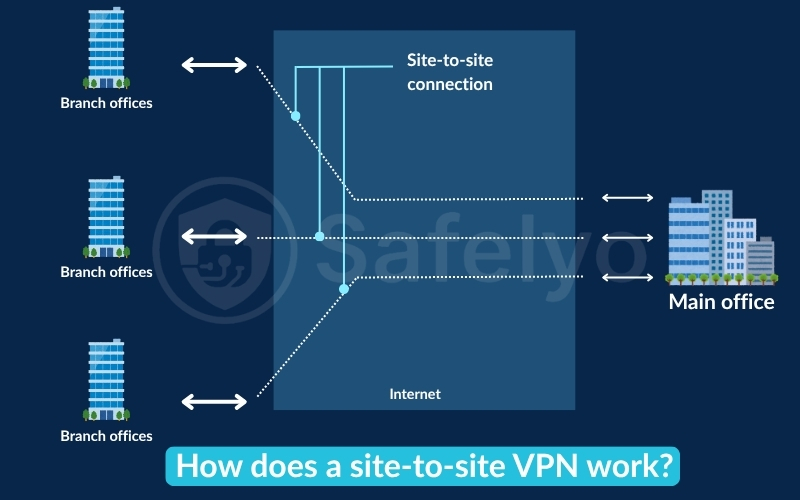
A site-to-site virtual private network (VPN) is a secure connection that links two or more separate local area networks (LANs) across the public internet. It utilizes an encrypted tunnel to make geographically distant offices function as one unified internal system.
Because this technology joins entire facilities together, IT professionals frequently refer to it as a “network-to-network” or “router-to-router” link. You can visualize it as a private, high-speed highway built directly between your corporate headquarters and a remote branch office.
Rather than securing individual laptops one by one, this setup automatically protects the data flowing between entire buildings. It ensures that remote teams can securely access shared company servers and central databases as if they were sitting in the same room.
2. How does a site-to-site VPN work?
Every functioning setup relies on dedicated hardware called VPN gateways installed at each physical office location. These enterprise routers or firewalls act as secure translators that manage all incoming and outgoing corporate traffic automatically. Employees never need to install software on their PCs because the gateways handle the entire cryptographic workload in the background.
To understand the technical mechanics, here is the exact lifecycle of how data travels securely between your corporate branches:
- Mutual Authentication: The gateways at each office verify one another using digital certificates or pre-shared keys to ensure no rogue devices can access the network.
- Tunnel Establishment: Once trust is verified, the system utilizes industry-standard protocols like IPsec or WireGuard to build a highly secure communication pathway.
- Data Encapsulation: When an employee sends a file, the local gateway intercepts the packet, encrypts it, and wraps it inside a new IP header for total anonymity.
- Decryption and Delivery: The destination gateway receives the scrambled packet over the public internet, decrypts the payload, and forwards it to the internal server instantly.
To visualize this, imagine a company linking offices in Berlin and New York. If a worker in Berlin queries a New York database, the gateways encrypt and deliver the request in mere milliseconds. The employee experiences a completely seamless connection and interacts with the foreign database exactly as if it were sitting in their own building.
3. The two main types of site-to-site VPNs
While the underlying encryption technology remains the same, network architects classify these connections based on who is granted access to the tunnel. Businesses must choose between connecting their own internal teams or building secure bridges to external partners.
3.1. Intranet-based VPNs
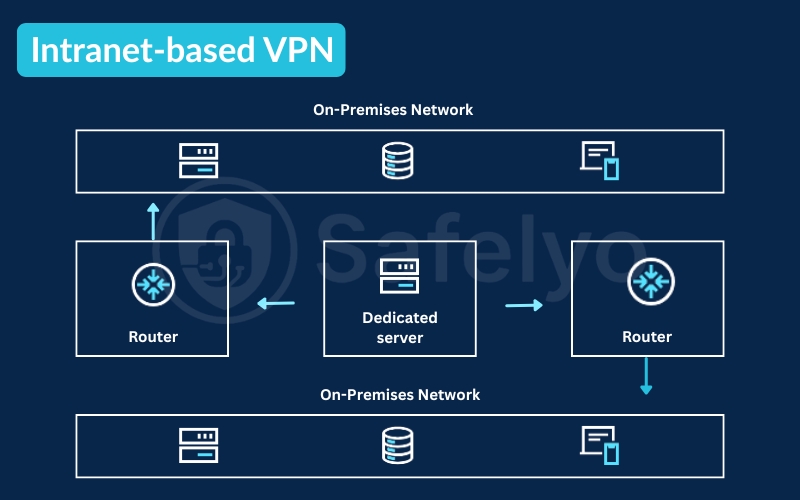
An intranet-based setup is used to connect multiple branch offices within the same company. It is the most common deployment, allowing a business with headquarters in New York to sync daily operations with a satellite office in London securely.
This unified network ensures that employees in any connected physical location can access the same internal company portals. They can securely utilize shared corporate databases, proprietary software, and local storage drives without exposing sensitive assets to the public web.
3.2. Extranet-based VPNs
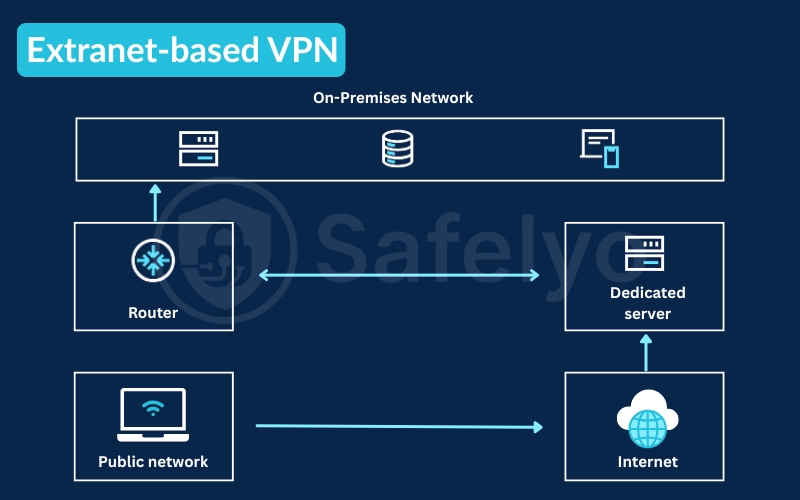
An extranet-based connection creates a secure bridge between your company’s network and an external third-party organization. Businesses use this configuration to safely share specific resources with essential vendors, suppliers, or major corporate clients.
Unlike an intranet setup, this connection does not grant access to your entire corporate infrastructure. Network administrators carefully configure the gateway firewalls to strictly limit access privileges, ensuring partners can only view the specific inventory databases or applications required for collaboration.
4. Site-to-site VPN vs. remote access VPN: What is the difference?
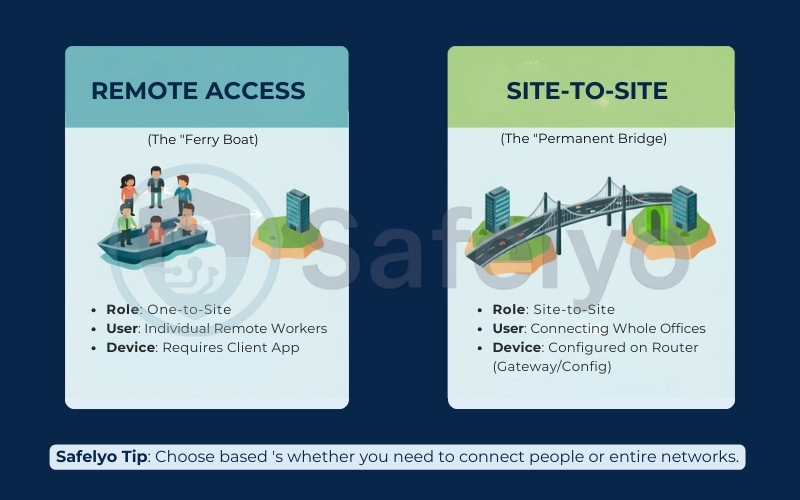
Business leaders frequently confuse site-to-site architectures with remote access networks when upgrading their corporate security. While both utilize encrypted internet tunnels to protect data, their underlying routing structures handle user traffic in fundamentally different ways.
The comparison table below highlights their core architectural differences to help you choose the right infrastructure for your team.
| Feature | Site-to-Site VPN | Remote Access VPN |
|---|---|---|
| Primary Purpose | Connects entire local networks | Connects individual devices to a central network |
| Architecture | Gateway-to-gateway (No user app needed) | Client-to-server (Requires software installation) |
| Target Audience | Branch offices and physical headquarters | Remote workers and traveling employees |
| Major Weakness | Limited by the processing power of the gateway | Central server outages block all users instantly |
- The client-server model of remote access VPNs
Remote Access VPN is also called Client-to-Site or Point-to-Site (P2S) in many vendor docs. Remote access VPNs rely on a strict client and server model to function. Employees must install a specific software application on their laptop or smartphone to route their internet activity securely back to a central corporate server.
While effective for protecting individual privacy, this centralized structure is its biggest weakness. If too many remote employees connect simultaneously, the central server becomes overloaded, and any server outage means an immediate connection loss for all remote staff.
- The gateway-to-gateway model of site-to-site VPNs
A site-to-site setup completely discards the individual client software requirement. The tunnel of encryption runs exclusively between the hardware gateways at each physical location, merging distant branches into a single virtual network automatically.
Because there is no single central server routing all individual device traffic, it avoids the catastrophic network-wide outages common in remote setups. In practice, many modern enterprises deploy both solutions simultaneously to secure their physical buildings while supporting work-from-home staff.
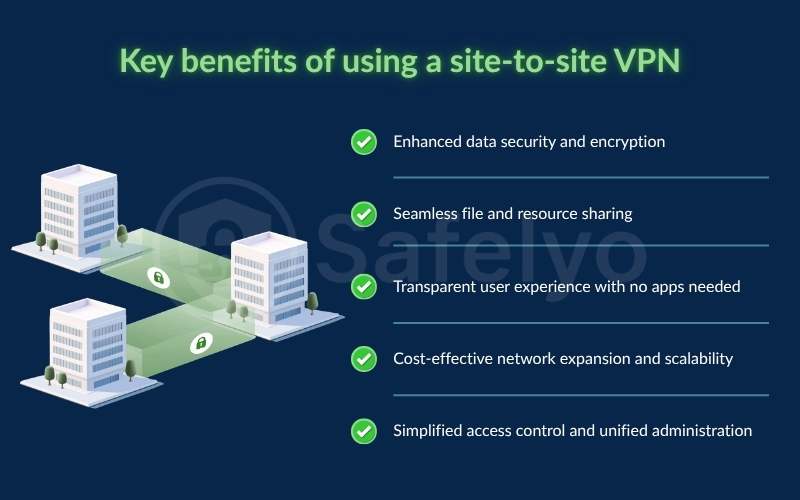
5. Key benefits of using a site-to-site VPN
Deploying encrypted links between your physical branch offices is about much more than ticking a compliance box. Investing in a site-to-site virtual private network simplifies your daily operations, cuts telecommunication costs, and secures your sensitive data.
5.1. Enhanced data security and encryption
A site-to-site VPN encrypts all data transferred between your office locations, safeguarding sensitive files and corporate emails from unauthorized access as they travel over the public internet. This high-level encryption ensures that if bad actors intercept your traffic, they only see completely indecipherable code.
5.2. Seamless file and resource sharing
By safely connecting networks, this architecture allows geographically distant corporate offices to privately share resources like file servers and central databases without direct internet exposure. It promotes collaboration by letting your teams work with the same exact tools as if they shared one physical office.
5.3. Transparent user experience with no apps needed
Unlike remote access solutions, employees do not need to install, configure, or manage dedicated VPN software on their personal computers. As long as they connect to the local network, the physical gateway handles the encryption automatically in the background without requiring any manual user logins.
5.4. Cost-effective network expansion and scalability
Using the internet as a secure conduit allows organizations to reduce their reliance on highly expensive leased lines or private circuits. This cost-effective approach lets rapidly growing businesses easily add new branch locations to the existing network by simply configuring a new hardware gateway at the site.
5.5. Simplified access control and unified administration
Turning separate local networks into one unified structure allows your IT team to manage and monitor the entire system centrally. This centralized administration enables you to set strict access control rules for specific devices and subnets, preventing internal security threats across your branches.
6. The limitations and challenges of site-to-site VPNs
Despite their operational strengths, these encrypted tunnels are not a universal remedy for modern corporate networks. You must carefully weigh the technical and administrative trade-offs before committing your business to a large-scale deployment.
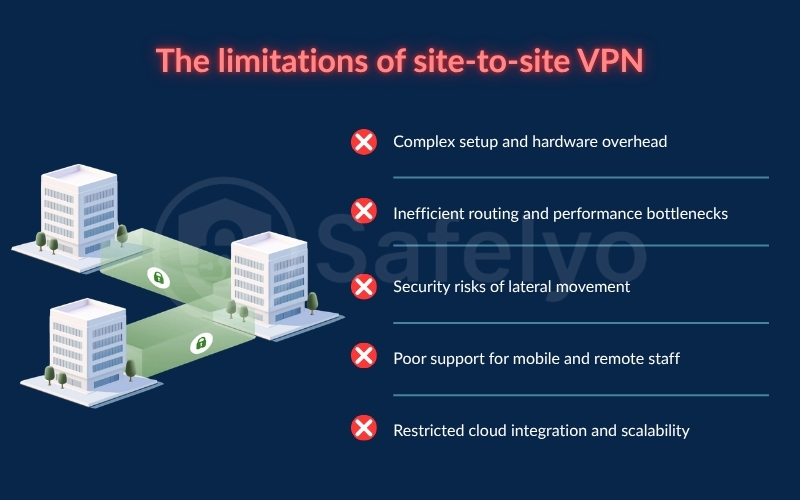
6.1. Complex setup and hardware overhead
Establishing these secure connections requires manually configuring complex gateway routers and updating active firewall rules at each independent office location. This decentralized process demands specialized IT expertise, and older hardware gateways may suffer from severe CPU processing bottlenecks as your data bandwidth demands grow.
6.2. Inefficient routing and performance bottlenecks
Traditional hub and spoke architectures force all branch traffic to pass through one central corporate headquarters, creating massive routing inefficiencies. This suboptimal design increases latency, and because the tunnel is entirely dependent on public internet quality, packet loss can quickly degrade your overall network performance.
6.3. Security risks of lateral movement
This architecture secures the transit path between office buildings but does not inspect traffic inside the local network. Once an outsider or hacker enters the trusted network, they can move around freely without verification, meaning a malware infection at one minor branch can quickly spread to your primary data center.
6.4. Poor support for mobile and remote staff
Since these tunnels only connect static physical gateways, they offer no support for remote workers operating from home or public networks. Freelancers and traveling employees cannot use this hardware setup directly and still require separate remote access clients to connect to company resources safely.
6.5. Restricted cloud integration and scalability
As modern enterprises migrate workloads to cloud environments like AWS or Azure, this fixed gateway architecture often creates suboptimal routing designs. Additionally, as your business grows, managing a complex mesh of multiple independent tunnels becomes highly error-prone and creates massive administrative overhead.
7. Modern alternatives: Is site-to-site VPN outdated?
While these physical tunnels remain a standard security tool, the rapid shift toward cloud environments has introduced more agile solutions. Modern enterprises are increasingly adopting next-generation architectures that solve traditional routing and security bottlenecks.
7.1. Software Defined WAN (SD WAN)
Software Defined WAN (SD WAN) represents a major evolution, replacing static tunnels with intelligent, software-controlled routing. It dynamically manages traffic across multiple broadband connections, ensuring that critical applications always receive priority bandwidth without clogging a central corporate hub.
7.2. Zero Trust Network Access (ZTNA) and SASE
Zero Trust Network Access (ZTNA) and Secure Access Service Edge (SASE) resolve the primary security flaw of lateral movement. Instead of granting wide access to an entire office network, these models strictly verify every user and grant access to specific authorized applications only, significantly minimizing your attack surface.
8. Frequently asked questions
What hardware is needed to set up a site-to-site VPN?
Setting up this connection requires dedicated enterprise-grade routers or physical firewalls installed at each office endpoint. Popular industry choices include hardware appliances from trusted vendors like Cisco, Fortinet, Palo Alto, or open source software solutions like pfSense.
Can a site-to-site VPN work across different hardware vendors?
Yes, these secure connections are highly compatible across different brands. As long as both hardware devices support industry-standard tunneling protocols such as IPsec or OpenVPN, they can easily establish a secure tunnel regardless of the manufacturer.
What is the difference between point-to-site and site-to-site VPN?
A point-to-site (remote access) connection links one individual device to a central network, typically for remote workers. A site-to-site setup connects two entire local area networks (LANs) together, bridging whole office buildings automatically.
Can a site-to-site VPN connect to cloud networks like AWS or Azure?
Yes, modern businesses frequently utilize these tunnels to connect physical office networks to the cloud. This allows your local servers to securely communicate with virtual private clouds (VPCs) hosted on platforms like Amazon Web Services (AWS), Microsoft Azure, or Google Cloud.
How secure is a site-to-site VPN?
These setups are exceptionally secure, utilizing military-grade AES-256 encryption over IPsec to protect transit data. However, the largest security risk is lateral movement, meaning if a single connected branch gets infected with malware, the virus can travel through the tunnel to your main headquarters.
Does a site-to-site VPN reduce network speed?
Yes, the continuous process of packet encryption and decryption requires significant processing power from your gateway CPU. If you use underpowered router hardware or have massive amounts of data traffic, this overhead can introduce noticeable network latency and bottlenecks.
9. Conclusion
Understanding what is a site-to-site VPN is the first step toward building a highly secure and automated network across different geographic locations. While the configuration can be complex, the ultimate security, cost, and productivity benefits over private leased lines make it the backbone of multi-office business connectivity.
Making the right decision for your network architecture is essential for long-term corporate scalability and data protection. To explore more advanced configurations, router setups, and expert cybersecurity tutorials, visit our comprehensive VPN Guides category at Safelyo to take full control of your business infrastructure with absolute confidence.