The best VPN with dedicated IP isolates your online identity with a fixed network address, preventing the CAPTCHA loops and secure banking lockouts caused by shared servers. While standard static IPs tie directly to your billing email, premium options like ExpressVPN and Private Internet Access (PIA) use blind token architecture to decouple your payment data from your network footprint.
In this guide, we will break down the top test-verified static IP providers, explore the critical differences between tokenized and account-linked systems, and examine the unique bypass capabilities of residential addresses.
Top VPNs with Dedicated IP:
- ExpressVPN (Best for anonymous token-based privacy): Implements a zero-knowledge blind token system processed in AWS Nitro Enclaves, meaning the IP is cryptographically separated from your identity.
- PIA (Best for budget-conscious users needing a token-based dedicated IP): Delivers an anonymous token system for a dedicated IP starting at just $2.50 per month across 10 countries.
- CyberGhost (Best for token-based privacy and an extended 45-day refund): Delivers anonymous token-based IPs alongside an industry-leading 45-day money-back guarantee, allowing beginners to test static routing risk-free.
- NordVPN (Best for the largest global spread of dedicated IP locations): Provides geographical flexibility with static IPs available across 30 different countries and 11 distinct US cities.
- Surfshark (Best for user-friendly account-linked static IPs across multiple devices): Offers a highly intuitive interface to manage a single dedicated IP address across all your hardware, ideal for multi-device households that prefer straightforward account management.
- OVPN (Best for court-proven privacy on self-owned hardware): Operates on a 100% RAM-only network and includes a Public IPv4 add-on backed by a no-logs policy successfully defended in court.
- PureVPN (Best for highly audited static IPs and port forwarding): Maintains continuous audit certifications for its static IPs, providing accountability alongside port forwarding capabilities.
- Astrill (Best for heavy tech users needing port forwarding and IP sharing): Enables advanced users to share their static IP securely among friends and bypass censorship firewalls.
- TorGuard (Best for evasive residential dedicated IPs): Offers residential IPs leased from real internet service providers to bypass advanced network filters effectively.
| VPN | Starting Price | Dedicated IP Add-on Price | Privacy Mechanism | Residential IP Option |
|---|---|---|---|---|
| ExpressVPN | $2.49/mo | From $4.66/mo | Blind Token | No |
| PIA | $1.33/mo | From $2.50/mo | Anonymous Token | No |
| CyberGhost | $1.59/mo | From $2.50/mo | Token-based | No |
| NordVPN | $3.49/mo | From $3.69/mo | Account-Linked | No |
| Surfshark | $2.49/mo | From $3.75/mo | Account-Linked | No |
| OVPN | €4.22/mo (~$4.82/mo) | €4.00/mo (~$4.57/mo) | Account-Linked | No |
| PureVPN | $2.15/mo | From $4.45/mo | Account-Linked | No |
| Astrill | $12.50/mo | $5.00/mo | Account-Linked | No |
| TorGuard | $10.99/mo | From $7.99/mo | Account-Linked | Yes |
Note on Privacy Mechanisms: A “Blind/Anonymous Token” system separates your dedicated IP assignment from your payment data. Conversely, an “Account-Linked” IP associates the static address directly with your user account.
Disclaimer: Prices and information are subject to change; readers should check before purchasing. This article is for informational purposes only and does not constitute legal advice. Please use VPNs responsibly and legally.
1. How we tested and selected the best VPN with Dedicated IP
We mandate a methodical testing process to ensure every metric reflects real-world performance. Our baseline test environment consists of a Windows 11 PC located physically in Vietnam. We execute speed evaluations using the Ookla tool against an approximate 800 Mbps baseline connection. This controlled environment ensures that all speed drop metrics and latency results remain objective.
To determine the final rankings, we apply five specific evaluation criteria to measure practical value:
- Dedicated IP Privacy Mechanism: We mandate a true 1-to-1 static IP assignment. The highest scores go to VPNs implementing a cryptographic blind token system. This mechanism decouples the IP from your billing data, guaranteeing that even if a server is seized, your static IP cannot be mapped directly to your credit card.
- Dedicated IP Value & Reach: We verify that the dedicated IP is available to individual consumers. To assess overall value, we consider multiple favorable factors, such as pricing under $3.00 per month, broad geographical availability across 15 or more countries, or the specialized inclusion of true Residential IP options. Providers offering one or more of these premium elements receive a boost in their final score, depending on the specific utility they provide.
- Core Privacy & Security: A VPN must provide standard AES-256 encryption and a functioning Kill Switch. To achieve a maximum score in this category, a VPN must undergo recent independent security audits completed in 2025 or 2026 and operate a network running exclusively on RAM-only diskless servers.
- Anti-Blocking & CAPTCHA Reduction: We evaluate whether the dedicated IP reduces basic CAPTCHAs. We also test its ability to bypass strict IP blacklists imposed by corporate networks and rigid banking institutions.
- Speed & Infrastructure: We assess raw throughput potential via advanced protocols like WireGuard and Lightway. We require maintaining a minimum of 300 Mbps on international routing or retaining at least 50% of the baseline speed during cross-continental connections, alongside reviewing technical specifications regarding 10 to 40 Gbps port capacities.
| Evaluation Criterion | Weight |
|---|---|
| Dedicated IP Privacy Mechanism | 30% |
| Dedicated IP Value & Reach | 25% |
| Core Privacy & Security | 20% |
| Anti-Blocking & CAPTCHA Reduction | 15% |
| Speed & Infrastructure | 10% |
2. VPN with dedicated IP: Top 9 secure static IP tools
The VPNs ranked below were selected based on our evaluation criteria for 1-to-1 consumer availability. We eliminated VPNs with misleading dynamic dedicated setups or purely B2B corporate models to ensure every option listed is accessible to individual users.
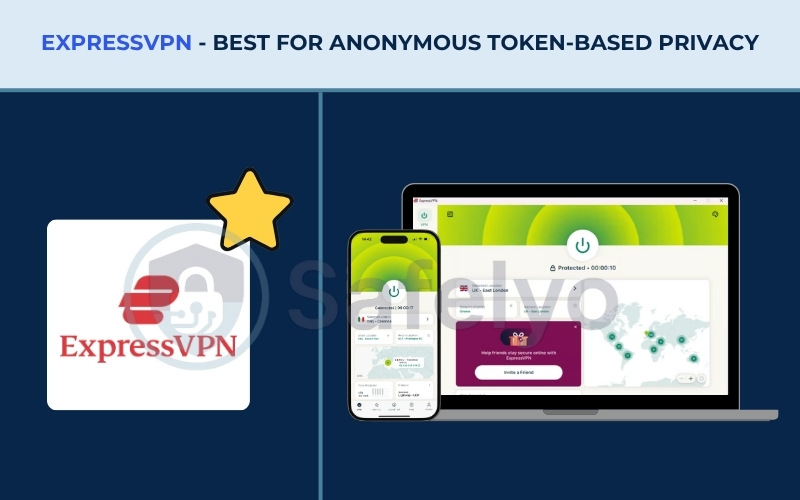
2.1. ExpressVPN: Best for anonymous token-based privacy
ExpressVPN offers a dedicated IP setup that cryptographically prevents your static IP from being mapped to your identity. By using advanced architecture, ExpressVPN effectively manages the privacy risks usually associated with static routing.
You receive a consistent digital address for remote work and secure banking without the risk of creating a permanent paper trail linked to your billing email. ExpressVPN enforces this anonymity through its proprietary token system, ensuring that privacy remains the core focus of the service.
| Feature / Metric | Data |
|---|---|
| Best For | Top-tier privacy with an anonymous token-based dedicated IP |
| Starting Price | $2.49/mo |
| Company | ExpressVPN (Kape Technologies) |
| Jurisdiction | British Virgin Islands |
| Independent Audit | Yes (KPMG, PwC Switzerland, Cure53, Praetorian, F-Secure) |
| No-Logs Policy | Yes (no activity logs, no connection logs, no DNS queries) |
| RAM-Only Servers | Yes (TrustedServer technology) |
| Servers | Thousands (Base VPN Network) |
| Countries | 105 (Base VPN) / 20+ countries (Dedicated IP availability) |
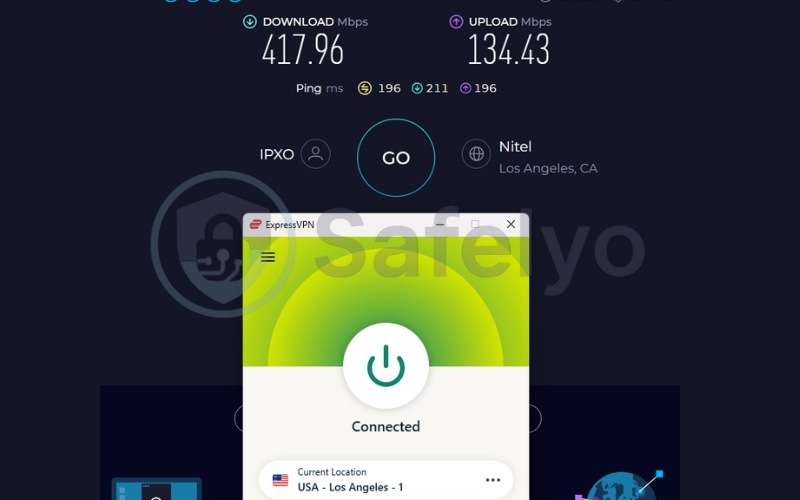
| Avg. Download Speed | 417.96 Mbps |
| Avg. Upload Speed | 134.43 Mbps |
| Avg. Latency | 196 ms |
| Protocols | Lightway, OpenVPN, WireGuard, IKEv2 |
| Kill Switch | Yes (Network Lock) |
| Obfuscation | Yes (automatic on every server) |
| Port Forwarding | Yes (router only) |
| Dedicated IP | Yes (available in 20+ countries) |
| Simultaneous Connections | Up to 14 (depending on subscription tier) |
| Torrent / P2P | Yes |
| Win/Mac/iOS/Android | Yes |
| Linux | Yes |
| Browser Extension | Yes (Chrome, Firefox, Edge, Brave) |
| Router Support | Yes |
| Live Chat 24/7 | Yes |
| Refund Policy | 30-day money-back guarantee |
| Free Trial* | Yes (3-day on iOS and Android) |
| Official Website | https://expressvpn.com |
*Note: Free trials generally apply to the base VPN service and do not activate the Dedicated IP add-on.
| Evaluation Criteria | Weight | Raw Score (/10) | Weighted Score |
|---|---|---|---|
| Dedicated IP Privacy Mechanism | 30% | 10.0 | 3.00 |
| Dedicated IP Value & Reach | 25% | 8.5 | 2.13 |
| Core Privacy & Security | 20% | 10.0 | 2.00 |
| Anti-Blocking & CAPTCHA Reduction | 15% | 10.0 | 1.50 |
| Speed & Infrastructure | 10% | 9.5 | 0.95 |
| OVERALL VPN WITH DEDICATED IP RATING | 100% | – | 9.58 / 10 |
Pros
Implements a blind token system via AWS Nitro Enclaves
Audits valid through 2026 by KPMG and PwC
10 to 40 Gbps RAM-only infrastructure
Cons
Dedicated IP add-on is priced from $4.66 per month
Port forwarding is limited to router setups
2.1.1. Dedicated IP pricing and availability
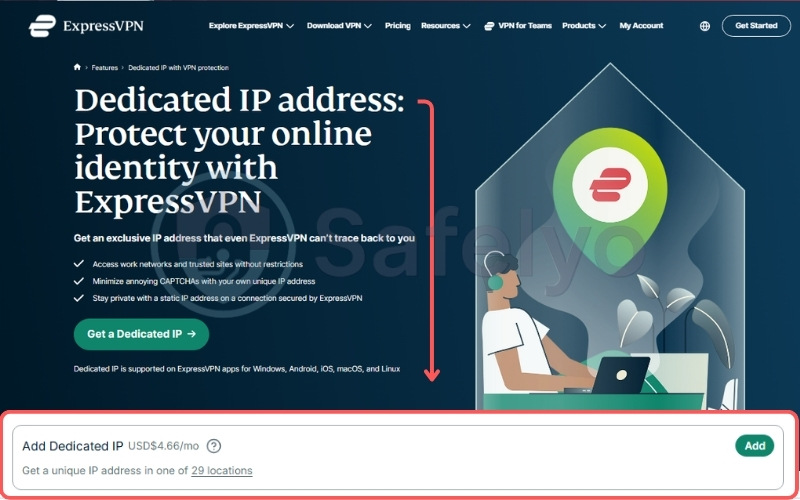
The dedicated IP functions as an add-on with prices scaling based on the duration of your chosen base subscription. ExpressVPN offers 28 specific locations across more than 20 countries for this feature. To access this add-on, users must first possess an active base subscription, which starts at $2.49 per month on the longest tier.
| Base Plan Duration | Dedicated IP Add-on Price |
|---|---|
| 1 Month | $8.99/mo |
| 1 Year | $6.24/mo |
| 2 Years | $4.66/mo |
Paying this monthly fee gives you a consistent digital address to access financial platforms and corporate networks reliably. This fixed address prevents verification loops, making the investment practical for remote professionals who need dependable daily access without repeatedly authenticating their identity. The location selection also allows users to pick a server close to their physical location to optimize latency.
2.1.2. Security and privacy architecture
ExpressVPN processes the Dedicated IP Access Token and Subscription Receipt Token in isolated AWS Nitro Enclaves. This blind token mechanism means your billing email is cryptographically decoupled from the static IP. During the setup process, the application generates a unique code that must be saved locally, ensuring no central database holds the key. This technical separation preserves your anonymity, effectively managing the privacy risks associated with static routing.
2.1.3. Anti-blocking performance
ExpressVPN’s static IPs reduce CAPTCHA prompts because the address is mathematically isolated to a single user. Combined with its token-based architecture, this setup allows users to access corporate networks without triggering the proxy alerts commonly associated with shared datacenter servers.
2.1.4. Network infrastructure and performance
ExpressVPN utilizes the proprietary Lightway protocol alongside 10 to 40 Gbps port capacities to maintain fast connections. During our tests, ExpressVPN delivered a 417.96 Mbps download on the US server. This ensures the static IP provides a high-bandwidth experience. The service handles large file transfers and secure video conferencing without buffering. The 196ms ping remains standard and highly usable for cross-continental web browsing.
Best for: Security-conscious users and remote workers demanding a secure, anonymized token IP.
2.2. PIA (Private Internet Access): Best for budget-conscious users needing a token-based dedicated IP
PIA serves as a functional option that merges cost-efficiency with high-grade privacy. The VPN features a large global server presence and backs its service with a verified no-logs track record. This combination makes PIA a practical choice for dedicated IP users operating on a budget.
By offering token-based security alongside unlimited device connections, PIA proves that you do not need to spend premium prices to acquire a private static network environment.
| Feature / Metric | Data |
|---|---|
| Best For | Budget-conscious users needing a token-based dedicated IP |
| Starting Price | $1.33/mo |
| Company | PIA Private Internet Access, Inc. (Kape Technologies) |
| Jurisdiction | United States |
| Independent Audit | Yes (Deloitte Audit Romania) |
| No-Logs Policy | Yes (verified by court cases) |
| RAM-Only Servers | Yes |
| Servers | 35,000+ estimated (Base VPN Network) |
| Countries | 90 (Base VPN) / 10 countries (Dedicated IP availability) |
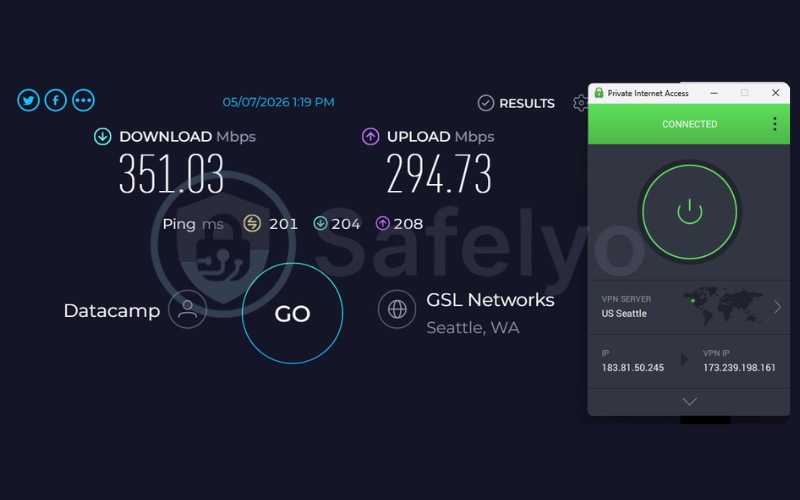
| Avg. Download Speed | 351.03 Mbps |
| Avg. Upload Speed | 294.73 Mbps |
| Avg. Latency | 201 ms |
| Protocols | OpenVPN, WireGuard, IKEv2/IPSec |
| Kill Switch | Yes (advanced, firewall-based) |
| Obfuscation | Yes (Multi-Hop Obfuscation) |
| Port Forwarding | Yes |
| Dedicated IP | Yes (token-based) |
| Simultaneous Connections | Unlimited |
| Torrent / P2P | Yes |
| Win/Mac/iOS/Android | Yes |
| Linux | Yes |
| Browser Extension | Yes (Chrome, Firefox, Opera) |
| Router Support | Yes |
| Live Chat 24/7 | Yes |
| Refund Policy | 30-day money-back guarantee |
| Free Trial* | Yes (7-day free trial on iOS and Android) |
| Official Website | https://privateinternetaccess.com |
*Note: Free trials generally apply to the base VPN service and do not activate the Dedicated IP add-on.
| Evaluation Criteria | Weight | Raw Score (/10) | Weighted Score |
|---|---|---|---|
| Dedicated IP Privacy Mechanism | 30% | 10.0 | 3.00 |
| Dedicated IP Value & Reach | 25% | 9.5 | 2.38 |
| Core Privacy & Security | 20% | 9.5 | 1.90 |
| Anti-Blocking & CAPTCHA Reduction | 15% | 8.5 | 1.28 |
| Speed & Infrastructure | 10% | 9.0 | 0.90 |
| OVERALL VPN WITH DEDICATED IP RATING | 100% | – | 9.46 / 10 |
Pros
Affordable dedicated IP starting at $2.50 per month
Implements an anonymous token system for activation
Unlimited simultaneous device connections
Cons
Based in a 5-Eyes jurisdiction (United States)
2.2.1. Dedicated IP pricing and availability
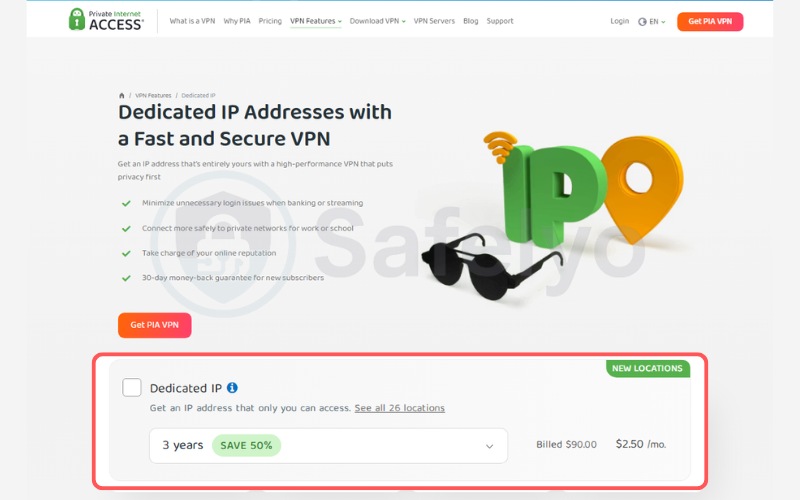
The dedicated IP add-on starts at an affordable $2.50 per month when bundled with a long-term plan. PIA offers locations across the United States and multiple international hubs, providing a broad selection for users needing a localized network presence. You must pair this add-on with a base plan, which starts at $1.33 per month on the three-year tier.
| Base Plan Duration | Dedicated IP Add-on Price |
|---|---|
| 1 Month | $5.00/mo |
| 1 Year | $4.25/mo |
| 3 Years | $2.50/mo |
This broad coverage delivers fixed-IP benefits at a low market cost. It allows users to secure their home networks affordably without sacrificing geographical flexibility. This pricing model creates an accessible entry point for individuals wanting to establish a permanent online identity on a budget.
2.2.2. Security and privacy architecture
PIA uses an anonymous token system to activate the dedicated IP per session. This procedure guarantees the static IP remains untraceable to a specific user account or billing profile. The VPN pairs this tokenization with a Deloitte-audited RAM-only infrastructure. These diskless servers provide a privacy shield that counteracts concerns regarding its United States jurisdiction. The setup ensures that even if hardware is physically inspected, no identifiable data can be extracted.
2.2.3. Anti-blocking performance
PIA’s token-activated dedicated IPs prevent the ‘bad neighbor’ effect found on its shared network. By assigning a consistent address, PIA prevents automated security systems on banking and administrative portals from flagging the connection due to rapid IP rotation.
2.2.4. Network infrastructure and performance
PIA operates on a 10-Gbps network infrastructure and fully supports Native WireGuard. During our tests, PIA scored a 351.03 Mbps download speed and a 294.73 Mbps upload speed on international routing. This connection easily supports heavy downloads and handles simultaneous encrypted video calls across multiple devices. The upload capacity is particularly beneficial for remote workers who frequently transfer large files to corporate servers.
Best for: Value seekers wanting token-secured static IPs and unlimited device coverage.
2.3. CyberGhost: Best for token-based privacy and an extended 45-day refund
CyberGhost operates as a user-friendly option that combines token-based anonymity with an industry-leading 45-day money-back guarantee.
CyberGhost emphasizes a simple interface and a generous risk-free testing period for its static addresses. By pairing cryptographic token privacy with a straightforward setup process, CyberGhost directly caters to users who want to secure their personal networks but are hesitant about committing to a long-term dedicated IP upfront.
| Feature / Metric | Data |
|---|---|
| Best For | Token-based privacy and an extended 45-day refund |
| Starting Price | $1.59/mo (2-year + 2 months plan) |
| Company | CyberGhost (Kape Technologies) |
| Jurisdiction | Romania |
| Independent Audit | Yes |
| No-Logs Policy | Yes |
| RAM-Only Servers | Yes |
| Servers | 11,500+ (estimated) |
| Countries | 100 (Base VPN) |
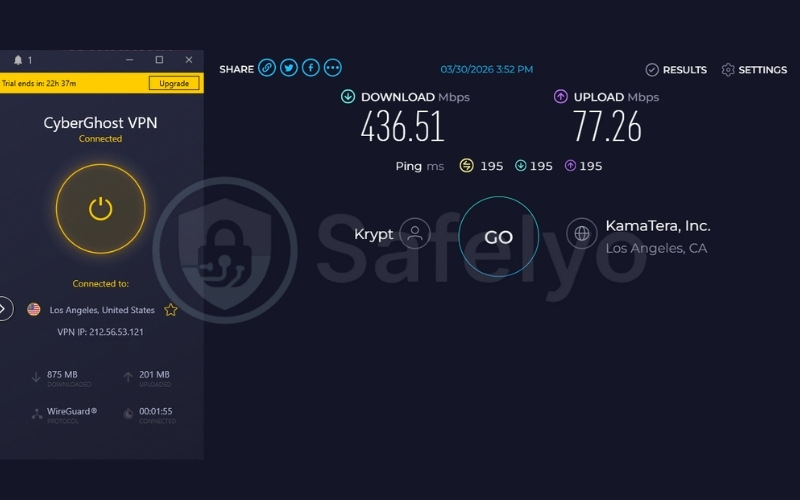
| Avg. Download Speed | 436.51 Mbps |
| Avg. Upload Speed | 77.26 Mbps |
| Avg. Latency | 195 ms |
| Protocols | WireGuard, OpenVPN (UDP/TCP), IKEv2 |
| Kill Switch | Yes (Automatic) |
| Obfuscation | No (lacks a dedicated stealth protocol) |
| Port Forwarding | No |
| Dedicated IP | Yes (token-based, $2.50/mo add-on) |
| Simultaneous Connections | 7 |
| Torrent / P2P | Yes (dedicated P2P-optimized servers available) |
| Win/Mac/iOS/Android | Yes |
| Linux | Yes |
| Browser Extension | Yes (Chrome, Firefox – free proxies) |
| Router Support | Yes |
| Live Chat 24/7 | Yes |
| Refund Policy | 45-day money-back guarantee (14 days for the 1-month plan) |
| Free Trial* | Yes (24 hours on Win/Mac, 3 days on Android, 7 days on iOS) |
| Official Website | https://www.cyberghostvpn.com |
*Note: Free trials generally apply to the base VPN service and do not activate the Dedicated IP add-on.
| Evaluation Criteria | Weight | Raw Score (/10) | Weighted Score |
|---|---|---|---|
| Dedicated IP Privacy Mechanism | 30% | 10.0 | 3.00 |
| Dedicated IP Value & Reach | 25% | 9.0 | 2.25 |
| Core Privacy & Security | 20% | 9.5 | 1.90 |
| Anti-Blocking & CAPTCHA Reduction | 15% | 9.0 | 1.35 |
| Speed & Infrastructure | 10% | 8.5 | 0.85 |
| OVERALL VPN WITH DEDICATED IP RATING | 100% | – | 9.35 / 10 |
Pros
Token-based dedicated IP system starts at $2.50 per month
Favorable Romanian privacy jurisdiction
45-day refund window
Cons
Lacks obfuscation or stealth protocols for deep firewall bypass
No port forwarding capabilities
2.3.1. Dedicated IP pricing and availability
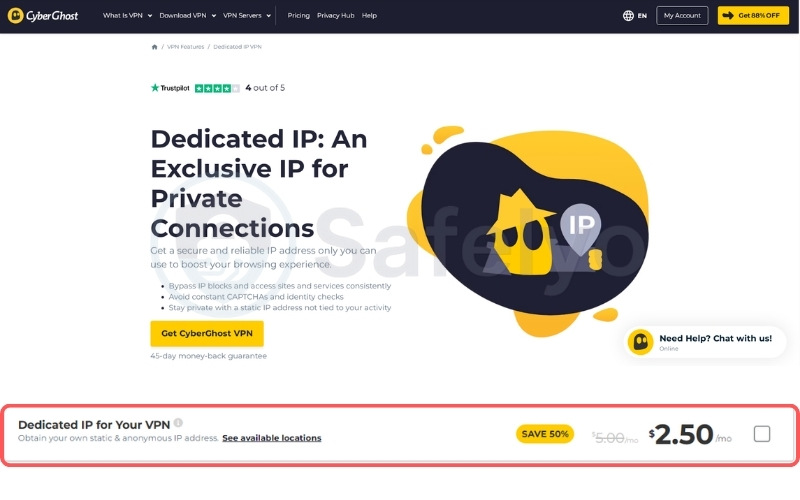
The dedicated IP remains accessible starting at $2.50 per month on top of the base subscription, which starts at $1.59 per month. CyberGhost allows users to secure a consistent online identity, protecting IoT devices and smart homes without requiring a large financial commitment.
| Base Plan Duration | Dedicated IP Add-on Price |
|---|---|
| 1 Month | $5.00/mo |
| 6 Months | $4.00/mo |
| 2 Years | $2.50/mo |
CyberGhost provides dedicated servers in key locations like the US, UK, Germany, and France. The straightforward checkout process makes it a practical choice for beginners looking to experiment with static routing. Users can maintain a steady digital presence for their personal tech ecosystems efficiently.
2.3.2. Security and privacy architecture
CyberGhost utilizes a token-based activation model to ensure user anonymity. Your payment data remains isolated from your static IP address through this cryptographic separation. The VPN combines this mechanism with its self-owned NoSpy colocated servers, creating a secure environment based in data-friendly Romania. Operating outside the 14-Eyes intelligence alliance further protects your browsing habits from mandatory data retention laws.
2.3.3. Anti-blocking performance
Using a CyberGhost dedicated IP limits exposure to automated blacklists targeting standard VPN traffic. Since CyberGhost assigns this static address to a single user, it maintains a clean history, which is necessary for logging into regional services that strictly restrict dynamic IP ranges.
2.3.4. Network infrastructure and performance
CyberGhost relies on a 10 Gbps RAM-only infrastructure integrated with the WireGuard protocol. Since it reached a 436.51 Mbps download in our tests, CyberGhost ensures that speed drops remain minimal. This capacity provides a smooth high-bandwidth experience for intensive data transfers, even when connecting to distant international servers.
Best for: Beginners seeking a token-secured IP backed by an extended 45-day money-back guarantee.
2.4. NordVPN: Best for the largest global spread of dedicated IP locations
NordVPN offers an extensive server fleet and reliable baseline security. However, users must be aware that while the VPN provides vast location choices, its dedicated IPs possess a notable privacy limitation. The static IPs are directly linked to the user’s account. While this architecture provides daily security, it lacks the cryptographic separation offered by token-based providers.
| Feature / Metric | Data |
|---|---|
| Best For | The largest global spread of dedicated IP locations |
| Starting Price | $3.49/mo |
| Company | Nord Security |
| Jurisdiction | Panama |
| Independent Audit | Yes (PricewaterhouseCoopers AG Switzerland: 2018, 2020; Deloitte: 2023, 2024, 2025) |
| No-Logs Policy | Yes (strict) |
| RAM-Only Servers | Yes |
| Servers | 9,500+ (Base VPN Network) |
| Countries | 149 (Base VPN) / 30 countries (Dedicated IP availability) |
| Avg. Download Speed | 412.84 Mbps |
| Avg. Upload Speed | 97.25 Mbps |
| Avg. Latency | 244 ms |
| Protocols | NordLynx, OpenVPN (UDP/TCP), IKEv2/IPSec, NordWhisper |
| Kill Switch | Yes |
| Obfuscation | Yes (obfuscated servers, NordWhisper stealth protocol) |
| Port Forwarding | No |
| Dedicated IP | Yes |
| Simultaneous Connections | 10 |
| Torrent / P2P | Yes |
| Win/Mac/iOS/Android | Yes |
| Linux | Yes |
| Browser Extension | Yes (Chrome, Firefox, Edge) |
| Router Support | Yes |
| Live Chat 24/7 | Yes |
| Refund Policy | 30-day money-back guarantee |
| Free Trial* | Yes (3-day on Android) |
| Official Website | https://nordvpn.com |
*Note: Free trials generally apply to the base VPN service and do not activate the Dedicated IP add-on.
| Evaluation Criteria | Weight | Raw Score (/10) | Weighted Score |
|---|---|---|---|
| Dedicated IP Privacy Mechanism | 30% | 4.0 | 1.20 |
| Dedicated IP Value & Reach | 25% | 8.0 | 2.00 |
| Core Privacy & Security | 20% | 10.0 | 2.00 |
| Anti-Blocking & CAPTCHA Reduction | 15% | 10.0 | 1.50 |
| Speed & Infrastructure | 10% | 9.5 | 0.95 |
| OVERALL VPN WITH DEDICATED IP RATING | 100% | – | 7.65 / 10 |
Pros
Extensive coverage with dedicated IPs in 30 countries
Fast raw speeds via NordLynx on 10 Gbps servers
Audited multiple times by third parties (Deloitte)
Cons
Dedicated IPs are account-linked (lacks a blind token system)
No port forwarding capabilities
2.4.1. Dedicated IP pricing and availability
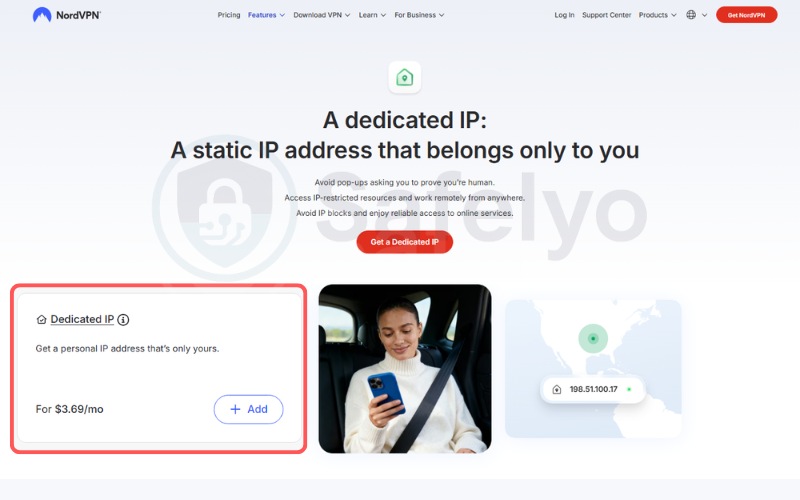
NordVPN emphasizes geographical flexibility, offering static IPs in 30 different countries and 11 distinct US cities. This extensive spread accommodates users who require highly localized routing for specific regional systems or local bank accounts.
The static IP add-on starts from $3.69 per month, and the price scales dynamically depending on the duration of your base plan. Longer commitments yield cheaper monthly rates.
| Base Plan Duration | Dedicated IP Add-on Price |
|---|---|
| 1 Month | $8.99/mo |
| 1 Year | $5.89/mo |
| 2 Years | $3.69/mo |
When you factor in the starting price of $3.49 per month for the base plan, the total package sits in the mid-to-high pricing tier. However, the volume of available server locations justifies the cost for users needing precise regional control over their connection.
2.4.2. Security and privacy architecture
The account-linked setup stands as NordVPN’s main limitation in this category. Because the application lacks a blind token mechanism, the static IP is assigned directly to the user’s billing email in the administrative database. This account-linked mechanism remains highly secure for standard daily activities.
Users logging into bank accounts, accessing corporate networks, or bypassing regional restrictions will find this setup safe against standard tracking. However, for a high-risk demographic needing absolute anonymity, this administrative link creates a potential tracking vector if a legal subpoena is issued.
2.4.3. Anti-blocking performance
NordVPN relies on its infrastructure scale to provide static routing across 30 countries. While these account-linked datacenter IPs do not use stealth protocols by default, they provide a fixed identifier that stops corporate platforms from locking accounts based on geographical inconsistencies.
2.4.4. Network infrastructure and performance
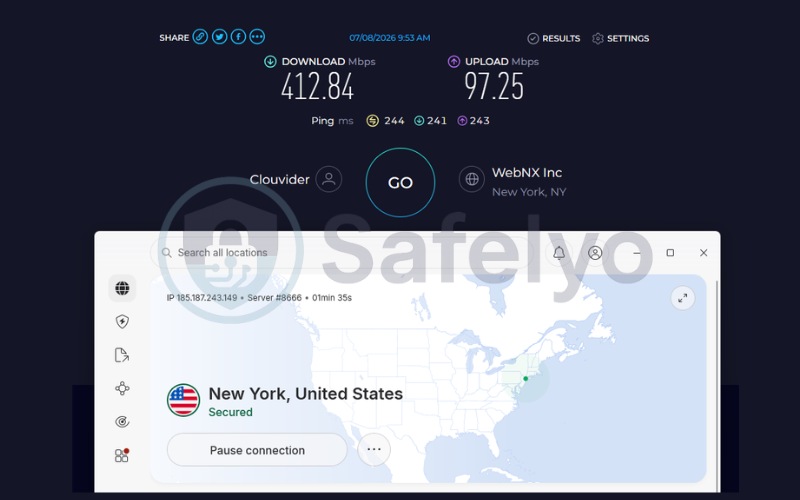
NordVPN utilizes 10 Gbps colocated servers running the proprietary NordLynx protocol to deliver high throughput. With a 412.84 Mbps download speed, NordVPN handles heavy data tasks efficiently. This raw capability mitigates the 244ms cross-continental ping observed during our distant routing tests. The robust infrastructure ensures your static connection rarely suffers from bandwidth congestion during peak internet hours.
Best for: Mainstream users prioritizing vast geographical IP choices over tokenized anonymity.
2.5. Surfshark: Best for user-friendly account-linked static IPs across multiple devices
Surfshark serves as a highly intuitive, user-friendly choice for multi-device households. The VPN allows you to extend the benefits of a static IP to every piece of hardware you own under a single straightforward subscription, without the need to juggle complex token activations.
While its baseline security capabilities are strong, users must be aware that Surfshark’s dedicated IP architecture prioritizes convenience over cryptographic separation, linking the address directly to your account.
| Feature / Metric | Data |
|---|---|
| Best For | User-friendly account-linked static IPs across multiple devices |
| Starting Price | ~$2.49/mo |
| Company | Surfshark B.V. (operates independently under Nord Security holding group) |
| Jurisdiction | Netherlands |
| Independent Audit | Yes (Cure53 2021, Deloitte 2023 and 2025, SecuRing 2025) |
| No-Logs Policy | Yes |
| RAM-Only Servers | Yes (100% RAM-only network) |
| Servers | 4,500+ (Base VPN Network) |
| Countries | 100 (Base VPN) / 20 global locations (Dedicated IP availability) |
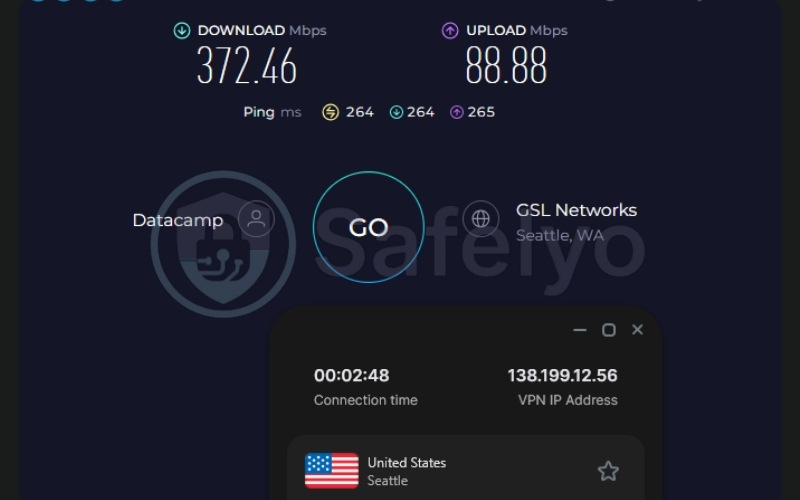
| Avg. Download Speed | 372.46 Mbps |
| Avg. Upload Speed | 88.88 Mbps |
| Avg. Latency | 264 ms |
| Protocols | WireGuard, OpenVPN, IKEv2, Dausos |
| Kill Switch | Yes |
| Obfuscation | Yes (obfuscated servers, NoBorders mode) |
| Port Forwarding | No |
| Dedicated IP | Yes (available in 20 locations) |
| Simultaneous Connections | Unlimited |
| Torrent / P2P | Yes |
| Win/Mac/iOS/Android | Yes |
| Linux | Yes |
| Browser Extension | Yes (Chrome, Firefox, Edge) |
| Router Support | Yes |
| Live Chat 24/7 | Yes |
| Refund Policy | 30-day money-back guarantee |
| Free Trial* | Yes (7-day free trial) |
| Official Website | https://surfshark.com |
*Note: Free trials generally apply to the base VPN service and do not activate the Dedicated IP add-on.
| Evaluation Criteria | Weight | Raw Score (/10) | Weighted Score |
|---|---|---|---|
| Dedicated IP Privacy Mechanism | 30% | 4.0 | 1.20 |
| Dedicated IP Value & Reach | 25% | 8.0 | 2.00 |
| Core Privacy & Security | 20% | 9.5 | 1.90 |
| Anti-Blocking & CAPTCHA Reduction | 15% | 9.5 | 1.43 |
| Speed & Infrastructure | 10% | 9.0 | 0.90 |
| OVERALL VPN WITH DEDICATED IP RATING | 100% | – | 7.43 / 10 |
Pros
Highly intuitive app interface for managing IPs across unlimited devices
Verified by 2025 Deloitte audits
Excellent for avoiding CAPTCHAs and IP blocklists
Cons
Dedicated IP is directly tied to the user account (no blind token)
Dynamic MultiHop cannot be combined with the static IP
2.5.1. Dedicated IP pricing and availability
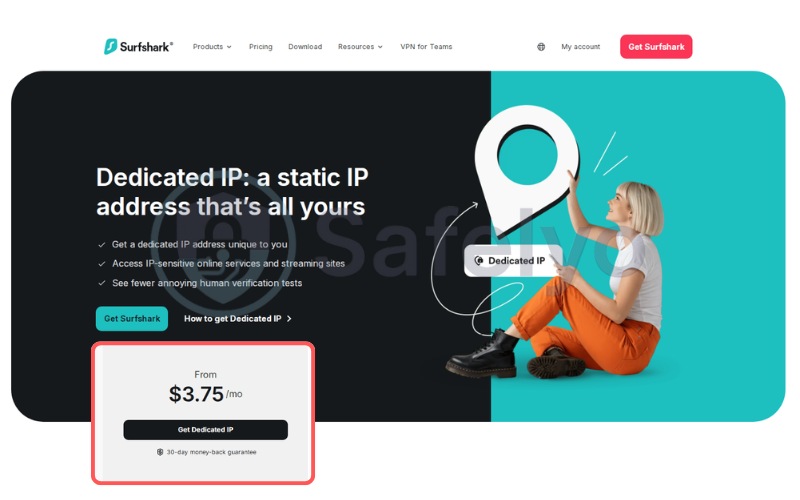
The static IP add-on starts at $3.75 per month and covers 20 global locations, including major hubs in the US, UK, and Netherlands. Surfshark provides high value through its unmetered connection policy paired with a highly intuitive application, allowing you to seamlessly switch the IP on across unlimited devices. The base plan starts at $2.49 per month.
A single dedicated IP can secure every phone, laptop, and smart TV in a household simultaneously. This ensures secure remote access for the whole family on one billing cycle, making it cost-effective for users managing large arrays of hardware or small office environments where multiple machines need whitelisted access.
2.5.2. Security and privacy architecture
Surfshark secures its core infrastructure with a 100% RAM-only network and verifies its no-logs claims through recent SecuRing and Deloitte audits. However, the account-linked IP architecture remains a notable flaw for privacy-focused users.
This mechanism remains secure for standard daily activities, such as logging into bank accounts or bypassing regional restrictions safely. However, for a demographic needing absolute anonymity, this administrative link creates a potential tracking vector. Additionally, users cannot combine the Dynamic MultiHop feature with the static IP, limiting advanced routing options.
2.5.3. Anti-blocking performance
The Surfshark application applies its static IP across multiple devices simultaneously. This consistency means that a user’s entire hardware ecosystem presents a single, recognized IP address to secure web portals, preventing verification loops caused by IP mismatches.
2.5.4. Network infrastructure and performance
Surfshark integrates 10 Gbps ports and fully supports the WireGuard protocol to maximize data transfer rates.
By reaching 372.46 Mbps download speeds in our testing, Surfshark proves capable of handling high-demand tasks. The connection manages secure video calls and large file transfers across multiple devices without noticeable degradation. The 264ms latency is expected for distant servers and remains adequate for standard commercial activities.
Best for: Multi-device households prioritizing a user-friendly, account-linked static IP without complex token configurations.
2.6. OVPN: Best for court-proven privacy on a 100% RAM-only network
OVPN occupies a position as a provider that won a court case proving they store no logs. The VPN caters to technical users by offering a specialized Public IPv4 add-on acting as a highly secure static IP. Unlike standard commercial setups, this bare-metal provider focuses on verifiable hardware security, ensuring your underlying data remains secure.
| Feature / Metric | Data |
|---|---|
| Best For | Court-proven privacy on a 100% RAM-only network |
| Starting Price | €4.22/mo (~$4.82/mo) |
| Company | OVPN Inc. / OVPN Integritet AB |
| Jurisdiction | United States / Sweden |
| Independent Audit | Yes (Proven in a Swedish court of law) |
| No-Logs Policy | Yes |
| RAM-Only Servers | Yes (100% diskless, running entirely on RAM) |
| Servers | 96 bare-metal (Base VPN Network) |
| Countries | 20 (Base VPN) / 20 countries across 32 cities (Dedicated IP availability) |
| Protocols | OpenVPN (UDP/TCP), WireGuard |
| Kill Switch | Yes |
| Obfuscation | Yes (Stealth VPN masking via Shadowsocks) |
| Port Forwarding | Yes (Up to 7 TCP/UDP ports simultaneously) |
| Dedicated IP | Yes (Available via the “Public IPv4” Add-on) |
| Simultaneous Connections | 4 to 7 (Scales based on subscription length) |
| Torrent / P2P | Yes (Allowed on all servers without bandwidth limits) |
| Win/Mac/iOS/Android | Yes |
| Linux | Yes (Ubuntu, Fedora, openSUSE) |
| Browser Extension | Yes (Chrome, Firefox, Edge) |
| Router Support | Yes |
| Live Chat 24/7 | No (Primarily handled via Ticket/Email) |
| Refund Policy | 10-day money-back guarantee |
| Free Trial | No |
| Official Website | https://www.ovpn.com |
| Evaluation Criteria | Weight | Raw Score (/10) | Weighted Score |
|---|---|---|---|
| Dedicated IP Privacy Mechanism | 30% | 4.0 | 1.20 |
| Dedicated IP Value & Reach | 25% | 8.5 | 2.13 |
| Core Privacy & Security | 20% | 9.0 | 1.80 |
| Anti-Blocking & CAPTCHA Reduction | 15% | 8.0 | 1.20 |
| Speed & Infrastructure | 10% | 8.5 | 0.85 |
| OVERALL VPN WITH DEDICATED IP RATING | 100% | – | 7.18 / 10 |
Pros
Court-proven no-logs policy (zero data yielded to Swedish authorities)
100% self-owned, bare-metal RAM-only servers
Allows up to 7 forwarded TCP/UDP ports
Cons
The Public IPv4 is linked to the user account
Smaller global footprint (only 96 servers)
No 24/7 live chat support
2.6.1. Dedicated IP pricing and availability
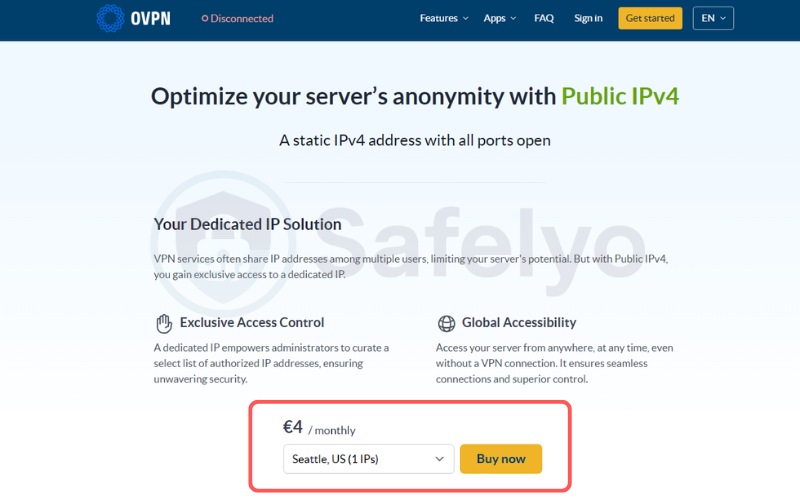
The Public IPv4 add-on costs €4.00 per month (approximately ~$4.57 per month) and covers 32 specific cities across 20 countries. You must hold an active base subscription, starting at €4.22 per month (~$4.82/mo).
OVPN provides value for technical users by offering a static IP where all ports remain open. This configuration is practical for advanced users hosting local web servers or game servers securely behind an encrypted tunnel. While the combined price is higher than mainstream competitors, the inclusion of up to seven forwarded ports justifies the investment for system administrators looking for granular control over their network traffic.
2.6.2. Security and privacy architecture
OVPN deploys a customized, diskless Alpine Linux setup fetched directly into RAM, ensuring no persistent storage exists. While the IPv4 address is account-linked, the company’s legal track record provides real-world trust.
Their court-proven refusal to hand over data to copyright trolls in 2020 proves the architecture prevents data extraction effectively. This operational history offers a tangible layer of security that standard audits cannot always replicate, reinforcing confidence in their infrastructure despite the lack of a tokenized activation process.
2.6.3. Anti-blocking performance
OVPN’s Public IPv4 add-on differs from standard providers by offering up to seven open ports. This specific configuration allows OVPN users to bypass NAT firewalls to host local web servers or manage P2P connections, providing technical utility beyond basic CAPTCHA reduction.
2.6.4. Network infrastructure and performance
OVPN operates a 100% owned, bare-metal server infrastructure delivering 10 Gbps to 40 Gbps hardware capacities. The VPN ensures your Public IPv4 does not suffer from shared-server bottlenecks or third-party hardware seizures, creating a resilient environment for sustained data transmission. By owning the hardware outright, OVPN eliminates the risks associated with renting virtual private servers from third-party data centers.
Best for: Advanced users needing open ports and a static IP running entirely on self-owned hardware.
2.7. PureVPN: Best for highly audited static IPs and port forwarding
PureVPN functions as an accessible option providing global reach and standard software integrations. The VPN focuses on accountability through continuous KPMG audits to verify its no-logs claims in real-time. This persistent verification ensures your static IP activity remains unlogged and private.
| Feature / Metric | Data |
|---|---|
| Best For | Transparent “Always-On” KPMG audits for static IPs |
| Starting Price | $2.15/mo (Standard 2-year plan) |
| Company | GZ Systems / PureVPN |
| Jurisdiction | British Virgin Islands (BVI) |
| Independent Audit | Yes (4 times consecutive, ISO 27001 certified) |
| No-Logs Policy | Yes (Always-on audit certification) |
| RAM-Only Servers | No |
| Servers | 6,000+ (Base VPN Network) |
| Countries | 65+ (Base VPN) / 10 primary countries (Dedicated IP availability) |
| Avg. Download Speed | 187.28 Mbps |
| Avg. Upload Speed | 26.07 Mbps |
| Avg. Latency | 215 ms |
| Protocols | WireGuard, OpenVPN (UDP/TCP), IKEv2/IPSec |
| Kill Switch | Yes (Internet Kill Switch) |
| Obfuscation | Yes (Obfuscated servers to mask VPN traffic) |
| Port Forwarding | Yes (Paid add-on, can forward up to 15 ports at once) |
| Dedicated IP | Yes (Paid add-on) |
| Simultaneous Connections | 10 (Can be upgraded to 50+ via Multi-login add-on) |
| Torrent / P2P | Yes (Optimized P2P servers) |
| Win/Mac/iOS/Android | Yes |
| Linux | Yes |
| Browser Extension | Yes (Chrome, Firefox) |
| Router Support | Yes |
| Live Chat 24/7 | Yes |
| Refund Policy | 31-day money-back guarantee |
| Free Trial* | Yes (7-day trial available) |
| Official Website | https://www.purevpn.com |
*Note: Free trials generally apply to the base VPN service and do not activate the Dedicated IP add-on.
| Evaluation Criteria | Weight | Raw Score (/10) | Weighted Score |
|---|---|---|---|
| Dedicated IP Privacy Mechanism | 30% | 4.0 | 1.20 |
| Dedicated IP Value & Reach | 25% | 8.0 | 2.00 |
| Core Privacy & Security | 20% | 9.0 | 1.80 |
| Anti-Blocking & CAPTCHA Reduction | 15% | 8.5 | 1.28 |
| Speed & Infrastructure | 10% | 8.0 | 0.80 |
| OVERALL VPN WITH DEDICATED IP RATING | 100% | – | 7.08 / 10 |
Pros
Always-On audit certification
Dedicated IPs can be bundled with Port Forwarding
Affordable base pricing
Cons
Account-linked dedicated IP system
Does not run on a 100% RAM-only network
2.7.1. Dedicated IP pricing and availability
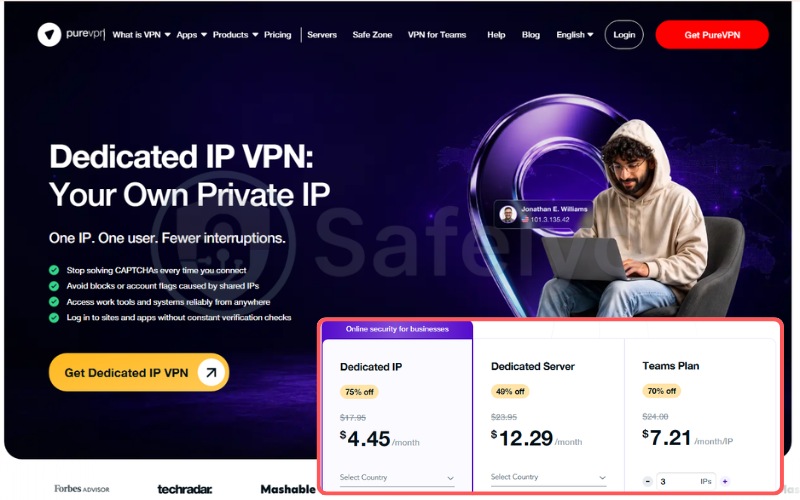
Costing as low as $4.45 per month on a two-year commitment, this add-on creates an easy-to-deploy solution for individuals and small teams needing to whitelist their addresses for remote business databases. The dedicated IP covers 10 primary countries and can be managed through a centralized dashboard.
| Base Plan Duration | Dedicated IP Add-on Price |
|---|---|
| 1 Month | $15.94/mo |
| 1 Year | $7.73/mo |
| 2 Years | $4.45/mo |
The base plan starts at $2.15 per month on the two-year tier. PureVPN also offers a specialized Team Server option for business accounts. The straightforward pricing structure and clean interface make it simple to acquire a static address without navigating complex networking menus, appealing directly to general consumers seeking simplicity.
2.7.2. Security and privacy architecture
PureVPN features an Always-On KPMG audit, which guarantees continuous, unannounced verification of their no-logs claims. Despite this level of transparency, users must note that the static IP lacks blind token decoupling.
The address remains tied directly to your PureVPN account in the central database. This administrative link reduces its viability for extreme anonymity use cases, though it remains secure for standard remote work and encrypted daily browsing against common cyber threats.
2.7.3. Anti-blocking performance
PureVPN’s static IPs stabilize connections for remote workers who require IP whitelisting. By maintaining one address, PureVPN users avoid the access denials that occur when logging into business databases or remote desktops from standard rotating VPN servers.
2.7.4. Network infrastructure and performance
PureVPN has upgraded to a 20 Gbps server infrastructure alongside Native WireGuard support.
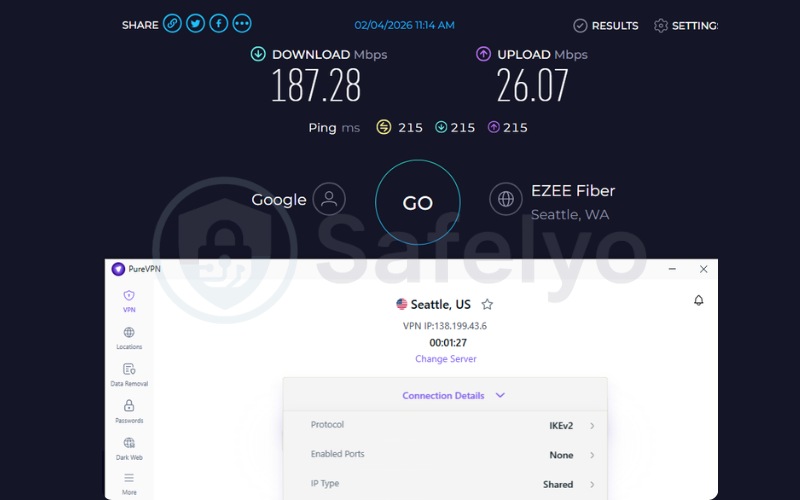
Because it delivers a 187.28 Mbps download speed, PureVPN ensures solid performance for multi-player gaming and video conferencing. While reliable, it falls slightly short of the top benchmarks seen in its fastest rivals. The 215ms ping is standard for international connections and supports uninterrupted VoIP calls smoothly.
Best for: Users seeking an audited, budget-friendly static IP paired with port forwarding options.
2.8. Astrill: Best for heavy tech users needing port forwarding and IP sharing
Astrill operates as a specialized tool capable of bypassing strict censorship firewalls. The VPN caters to advanced users and expatriates who demand reliable bypass technology. Its Private IP feature provides fully open ports and the ability to share a static IP securely among a small group of friends.
| Feature / Metric | Data |
|---|---|
| Best For | Heavy tech users needing port forwarding and IP sharing |
| Starting Price | $12.50/mo |
| Company | Veloxee Corp. (Astrill VPN) |
| Jurisdiction | Liechtenstein / Seychelles |
| Independent Audit | No |
| No-Logs Policy | Yes (Strict no-logs policy) |
| RAM-Only Servers | Yes |
| Servers | 300+ (Base VPN) |
| Countries | 58 (Base VPN) |
| Protocols | OpenWeb, StealthVPN, WireGuard, OpenVPN, IPSec, IKEv2 |
| Kill Switch | Yes (Kill Switch & App Guard) |
| Obfuscation | Yes (StealthVPN, Obfuscated servers) |
| Port Forwarding | Yes |
| Dedicated IP | Yes (Available for $5/mo) |
| Simultaneous Connections | 5 (Unlimited via VPN Sharing / Router) |
| Torrent / P2P | Yes |
| Win/Mac/iOS/Android | Yes |
| Linux | Yes |
| Browser Extension | No |
| Router Support | Yes (DD-WRT, Tomato, Asus Merlin, etc.) |
| Live Chat 24/7 | Yes (24/7/365) |
| Refund Policy | No refunds (All sales are final) |
| Free Trial* | No |
| Official Website | https://www.astrill.com |
*Note: Free trials generally apply to the base VPN service and do not activate the Dedicated IP add-on.
| Evaluation Criteria | Weight | Raw Score (/10) | Weighted Score |
|---|---|---|---|
| Dedicated IP Privacy Mechanism | 30% | 4.0 | 1.20 |
| Dedicated IP Value & Reach | 25% | 8.0 | 2.00 |
| Core Privacy & Security | 20% | 4.0 | 0.80 |
| Anti-Blocking & CAPTCHA Reduction | 15% | 9.5 | 1.43 |
| Speed & Infrastructure | 10% | 9.5 | 0.95 |
| OVERALL VPN WITH DEDICATED IP RATING | 100% | – | 6.38 / 10 |
Pros
Features effective traffic obfuscation via StealthVPN protocol
Allows full port forwarding on the Private IP
Unique IP Sharing feature lets friends use the same whitelisted IP
Cons
Expensive base price and zero refunds
Lacks independent third-party audits
Account-linked IP allocation
2.8.1. Dedicated IP pricing and availability
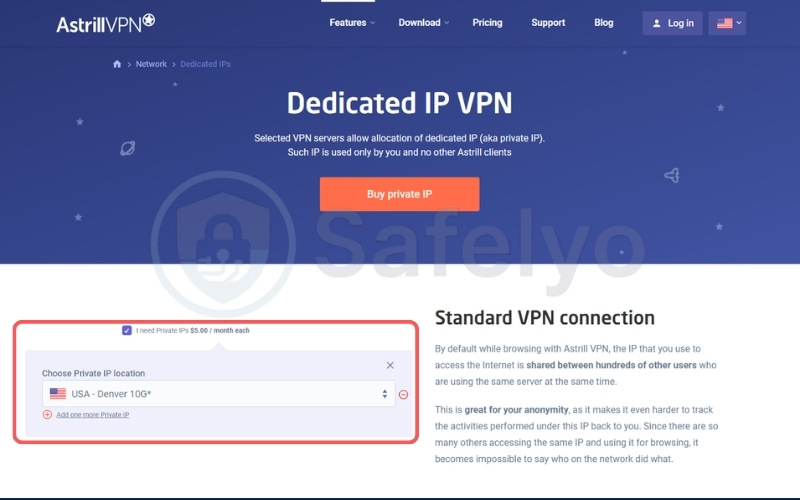
The Private IP costs $5.00 per month, stacked on top of a premium base plan starting at $12.50 per month. Astrill offsets this high combined cost with unique functional value. The Sharing Slots feature allows you to grant friends with different Astrill accounts access to your specific dedicated IP.
This functionality is practical for managing shared gaming servers or joint financial trading platforms securely. While the financial barrier to entry is significant, the ability to split the utility of a single whitelisted IP among a small team makes it a practical tool for collaborative tech users requiring high customization.
2.8.2. Security and privacy architecture
Astrill operates in the privacy-friendly jurisdictions of Liechtenstein and Seychelles. However, Astrill lowers its own privacy standing by lacking public independent audits and relying on an account-linked IP allocation system.
Without tokenization and external verification, users must rely entirely on the company’s internal claims of privacy. The lack of a verified RAM-only infrastructure also means the physical servers could theoretically retain data if improperly managed, making it less ideal for high-privacy needs.
2.8.3. Anti-blocking performance
Astrill’s Private IP integrates directly with its StealthVPN protocol and NAT Firewall. This combination masks the static IP traffic from Deep Packet Inspection (DPI) systems. Additionally, the IP Sharing feature allows a recognized address to be whitelisted for a specific group of users accessing restricted enterprise networks.
2.8.4. Network infrastructure and performance
Astrill utilizes dedicated 1 Gbps and 10 Gbps physical lines that bypass virtual private server hosting entirely. This physical routing ensures your forwarded ports maintain low latency for competitive gaming and rapid file transfers. The connection remains stable under intense loads, preventing the packet loss that often ruins VoIP communication or online gaming sessions on standard networks.
Best for: Expatriates and gamers demanding censorship bypass and robust port forwarding on a static IP.
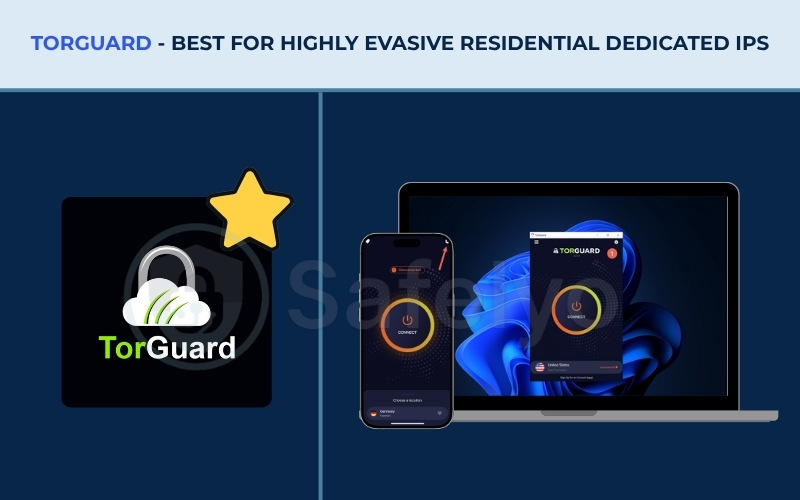
2.9. TorGuard: Best for highly evasive residential dedicated IPs
TorGuard functions as an effective tool against aggressive IP blacklists. Unlike standard commercial providers that issue easily identifiable datacenter addresses, TorGuard leases residential IPs directly from major home internet providers. This architectural shift renders your VPN connection evasive against advanced network blocks and strict banking firewalls.
| Feature / Metric | Data |
|---|---|
| Best For | Highly evasive residential dedicated IPs |
| Starting Price | $10.99/mo (Standard Plan) |
| Company | VPNetworks LLC |
| Jurisdiction | United States (Orlando, FL) |
| Independent Audit | No |
| No-Logs Policy | Yes |
| RAM-Only Servers | Partially |
| Servers | 3000+ (Base VPN) |
| Countries | 50+ (Base VPN) |
| Protocols | WireGuard, OpenVPN, IKEv2 |
| Kill Switch | Yes (Full connection kill switch & App-level kill switch) |
| Obfuscation | Yes (Stealth VPN, V2Ray/Xray, Stunnel, Shadowsocks) |
| Port Forwarding | Yes (Supported on ports above 2048) |
| Dedicated IP | Yes (Dedicated, Streaming, Sports, and Residential IPs) |
| Simultaneous Connections | 8 (Standard), 12 (Pro), up to 16 (Ultimate) |
| Torrent / P2P | Yes (Optimized for BitTorrent / P2P) |
| Win/Mac/iOS/Android | Yes |
| Linux | Yes |
| Browser Extension | Yes (Chrome, Firefox, Opera, Edge) |
| Router Support | Yes |
| Live Chat 24/7 | Yes (24/7/365 support) |
| Refund Policy | 7-day money-back guarantee |
| Free Trial* | Yes |
| Official Website | https://torguard.net |
*Note: Free trials generally apply to the base VPN service and do not activate the Dedicated IP add-on.
| Evaluation Criteria | Weight | Raw Score (/10) | Weighted Score |
|---|---|---|---|
| Dedicated IP Privacy Mechanism | 30% | 4.0 | 1.20 |
| Dedicated IP Value & Reach | 25% | 7.5 | 1.88 |
| Core Privacy & Security | 20% | 6.0 | 1.20 |
| Anti-Blocking & CAPTCHA Reduction | 15% | 9.0 | 1.35 |
| Speed & Infrastructure | 10% | 7.0 | 0.70 |
| OVERALL VPN WITH DEDICATED IP RATING | 100% | – | 6.33 / 10 |
Pros
Offers residential IPs leased from major ISPs (AT&T, Spectrum)
Evasion of Datacenter ASN network blocks
Extensive stealth protocols and port forwarding
Cons
Residential IPs are expensive ($9 to $19.99 per month)
Lacks public independent security audits
Account-linked IP allocation
2.9.1. Dedicated IP pricing and availability
To access TorGuard’s static IP features, users must first maintain an active base VPN subscription, which starts at $10.99 per month on a standard monthly billing cycle (with significant discounts available for longer commitments, such as the $65.99 annual plan). From there, users can stack specific IP add-ons based on their evasion needs.
TorGuard divides its static addresses into three distinct tiers:
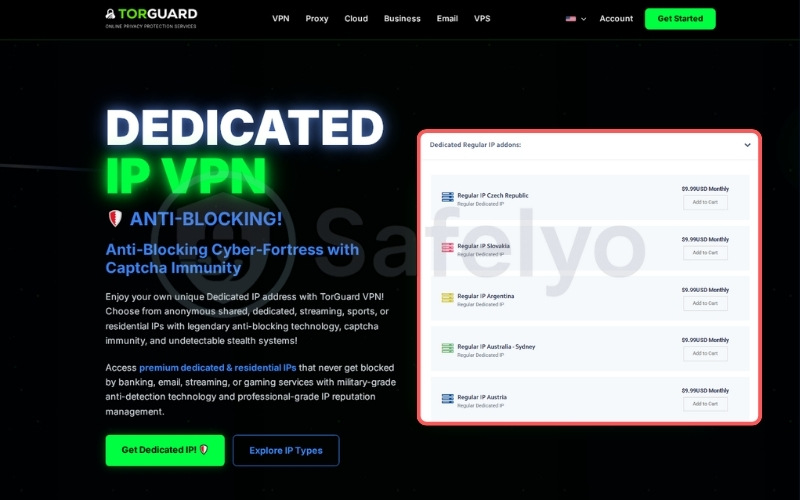
- Regular Dedicated IPs: Costing $9.99 per month, these standard datacenter addresses offer extensive global coverage across dozens of countries.
- Streaming Dedicated IPs: Ranging from $7.99 to $13.99 per month, these are optimized for media platforms in specific regions (such as the US, UK, and Japan).
- Residential Dedicated IPs: Priced at a premium of $19.99 per month, these are authentic home addresses leased directly from major US ISPs like Spectrum, Sprint, WindStream, and Cablevision.
Because Residential IPs register mathematically as legitimate home connections rather than datacenter proxies, the $19.99 premium reflects the difficulty of acquiring them. It is crucial to note that TorGuard strictly enforces a “Non-Refundable” and “No Torrents” policy on all Streaming and Residential IP add-ons. Despite the high combined monthly cost, this investment is highly practical for power users who depend on stable, block-free access to heavily guarded networks and strict financial portals.
2.9.2. Security and privacy architecture
TorGuard enforces AES-256 encryption and a zero-logs policy to protect your daily browsing. However, TorGuard lacks independent third-party audits to verify these internal claims. Furthermore, the residential IP remains directly tied to your billing account.
The service cannot offer the anonymity of a blind token system. This means your payment history is administratively linked to the static IP, creating a potential tracking vector if the company is legally pressured, which reduces the viability for users needing absolute isolation.
2.9.3. Anti-blocking performance
TorGuard’s Residential IPs route traffic through Autonomous System Numbers (ASNs) owned by major internet service providers. Because these addresses are classified as standard consumer connections rather than datacenter proxies, TorGuard bypasses the stringent VPN filters applied by high-security financial institutions.
2.9.4. Network infrastructure and performance
TorGuard deploys a 10 Gbps Elite Proxy network bolstered by Native WireGuard integration. This robust infrastructure ensures that the highly evasive residential IP retains sufficient backend bandwidth to manage heavy downloading, rapid file sharing, and 4K video streaming without dropping connections. The inclusion of extensive stealth protocols allows the VPN to bypass deep packet inspection while maintaining the high speeds necessary for modern internet usage.
Best for: Power users willing to pay for a secure residential IP with consistent bypass capabilities.
3. Dedicated IP vs. Shared Static IP vs. Dynamic IP (The differences explained)
Understanding the exact architecture of your IP address is crucial to solving access issues. Here is how the three primary IP structures function:
- Dynamic IPs: These addresses change frequently via DHCP. They offer high privacy by constantly blending your traffic with thousands of other users. However, this shared nature introduces high friction, resulting in constant CAPTCHA requests and sudden banking lockouts.
- Shared Static IPs: The IP address never changes, but hundreds of users share it simultaneously. This can cause confusion and access issues when the shared IP eventually gets blacklisted by other users.
- Dedicated IPs: This is a 1-to-1 fixed address assigned exclusively to you. It minimizes the “bad neighbor” effect and significantly reduces the frequency of basic CAPTCHAs during daily browsing.
Quick Comparison Table
| Feature | Dynamic IP | Shared Static IP | Dedicated IP |
|---|---|---|---|
| IP Permanence | Changes frequently | Never changes | Never changes |
| User Allocation | Rotating (1 user at a time) | Simultaneous (Many at once) | Exclusive (1-to-1) |
| Privacy Style | Shifting over time | Real-time crowd blending | Low (Traceable history) |
| CAPTCHA Risk | Medium (Triggered by location shifts) | Highest (Due to massive shared traffic) | Lowest (Clean reputation) |
| Account Lockouts | High risk (Banks flag changing locations) | Medium risk (Flagged by shared activity) | Zero risk (Trusted fixed address) |
| Blocklist Vulnerability | Low (You can just rotate to a new IP) | Highest (“Bad neighbor” effect) | None (You control the reputation) |
4. Privacy mechanism differences: Token-based vs. account-linked dedicated IPs
When you buy a dedicated IP, the VPN traditionally logs your exact billing email and links it directly to your specific static address. If the VPN is subpoenaed, your identity and browsing history can be exposed, which defeats the privacy purpose of the service.
To fix this flaw, VPNs like ExpressVPN, CyberGhost, and PIA utilize a blind token system. This cryptographic token validates your purchase inside an isolated AWS Nitro Enclaves without mapping the static IP to your name, allowing you to enjoy a fixed address with high anonymity.
4.1. Why blind tokens are mandatory for anonymity
The blind token process physically separates the payment database from the IP assignment database. When you purchase the add-on, the VPN issues a cryptographic token. You must manually redeem this token within the application to activate the IP address.
VPNs like ExpressVPN process this activation inside isolated AWS Nitro Enclaves. These enclaves act as digital black boxes with no persistent storage. Because the activation happens in this isolated environment, the VPN servers cannot see which user claimed which IP address.
This cryptographic separation guarantees privacy. You receive the service, but the merchant retains no mathematical record linking the purchase back to your personal identity. This mechanism is crucial for ensuring that a static address does not turn into a permanent tracking identifier.
4.2. How account-linked static IPs process user data
Providers that skip tokenization create a tracking vulnerability. VPNs like NordVPN or Surfshark assign the static IP directly to your billing email in their central administrative database. This account-linked mechanism remains secure for standard daily activities.
Users logging into bank accounts, accessing corporate networks, or bypassing regional restrictions will find this setup safe and effective against hackers. However, for a high-risk demographic needing anonymity, this administrative link creates a tracking vector.
If a government agency issues a legal subpoena, the VPN could be forced to reveal which user owns that specific IP address, exposing the browsing history tied to that static IP. You must prioritize tokenized systems if absolute anonymity is your primary concern.
5. Datacenter vs. Residential dedicated IPs: Which beats strict network blocks?
Users often discover that their new dedicated IP is still blocked by banking institutions or highly guarded networks. Standard dedicated IPs are classified as Datacenter IPs. This means their ASN (Autonomous System Number) flags them specifically as commercial cloud servers rather than home internet connections.
Algorithms on strict financial portals monitor these ASNs constantly. They block the entire datacenter range indiscriminately to prevent proxy abuse, regardless of whether the IP is shared or dedicated.
Dedicated residential IPs solve this problem. VPNs like TorGuard lease these specialized addresses directly from real internet service providers, such as AT&T or Spectrum. Because the ASN registers as a normal home router, it becomes entirely indistinguishable from a standard consumer connection on the backend. This fundamental difference in classification means that the IP address does not trigger the red flags associated with cloud hosting facilities.
When you connect to a residential IP, secure algorithms view you as a local resident browsing from their living room. This architecture ensures an effective bypass of strict web filters and banking firewalls. Furthermore, residential IPs are far less likely to be challenged by anti-bot mechanisms, reducing the frequency of CAPTCHAs during general browsing.
While these residential addresses cost significantly more than standard datacenter IPs, they provide a reliable, long-term fix for users experiencing constant proxy errors on highly guarded financial gateways.
6. VPN providers that didn’t make the cut
Some providers use terminology that blurs the lines between dedicated and shared resources. Understanding these architectural differences is crucial for securing a true 1-to-1 network address that fits your specific security needs without wasting money on the wrong service tier.
Proton VPN limits their dedicated IPs to B2B and Corporate accounts. Individual consumers cannot buy them for personal use, yet the marketing language often implies availability across the board. If you are an individual freelancer or a single remote worker, Proton VPN will not provide the dedicated address you require.
PrivateVPN markets a feature called Dynamic Dedicated IPs. In reality, these addresses reset upon reboot or reconnection. While this dynamic approach offers rotating privacy, it does not fulfill the core fixed-address requirement needed for whitelisting corporate servers or bypassing strict banking portals.
Windscribe only offers Shared Static IPs and actively rejects implementing dedicated IP technology for consumers. Multiple users connect to the same static address simultaneously. This creates a high risk of encountering the bad neighbor effect.
If one user engages in suspicious activity, the shared static IP gets blacklisted across the web, locking you out of your accounts and triggering endless CAPTCHAs. You must ensure the VPN explicitly guarantees a 1-to-1 assignment before purchasing.
7. The pros and cons of using a dedicated IP address
Before purchasing the add-on, evaluate these clear advantages and drawbacks to determine if a static address fits your workflow.
Pros
Eliminates bad neighbor CAPTCHAs and verification puzzles.
Secures remote access via IP whitelisting and allowlisting.
Stabilizes online banking sessions during international travel.
Prevents unwarranted Twitch or Discord bans caused by shared user behavior.
Cons
Costs an extra monthly fee on top of your base subscription.
Inherently makes tracking easier if the provider does not use blind tokens.
Restricts your dedicated connection to a single geographical location. (Note: To bypass geo-blocks for other countries, you must disconnect your static IP and switch back to the VPN’s shared dynamic servers).
8. How to buy and set up a dedicated IP address
The setup process for a static address depends entirely on the privacy architecture you choose. Because VPN providers handle your data differently, the deployment will follow one of two paths: the automatic account-linked method or the manual token-based method.
8.1. Setting up an Account-Linked Dedicated IP
For VPNs that link the static address directly to your billing profile (such as NordVPN, Surfshark, or TorGuard), the setup prioritizes convenience over cryptographic separation. You do not need to manage complex keys.
- Purchase the Add-on: Select the dedicated IP add-on during checkout and choose your preferred regional location (e.g., Los Angeles, London).
- Log into the Application: Open your VPN application and log in using your standard email and password.
- Select Your Dedicated Server: Navigate to the server list. There will be a newly unlocked category labeled “Dedicated IP”. Select your purchased location and click connect. The application authenticates your account on the backend automatically.
8.2. Setting up a Token-Based Dedicated IP
If you choose a privacy-first provider (like ExpressVPN, PIA, or CyberGhost), the VPN requires you to manually bridge the gap between your payment and the IP address using a cryptographic token.
Warning: Because this is a zero-knowledge setup, if you lose your generated token, the VPN support team cannot recover it for you.
8.2.1. ExpressVPN setup
ExpressVPN handles the setup directly within its desktop application (Windows 10/App version 12 or above required) using a custom access code:
- Initiate setup: Open the ExpressVPN app, navigate to Add-ons > Dedicated IP, and click Set Up Dedicated IP.
- Select location: Choose your preferred region.
- Create your access code: Create a strong, unique access code (minimum 12 characters).
- Connect: Copy your saved code, press Done, and click Connect to start using your static address.
8.2.2. PIA setup
PIA requires you to redeem a token via your web account before activating it in the application:
- Redeem token: Log into the Client Control Panel, navigate to the Dedicated IP tab, and click Redeem Dedicated IP (or “Set Up” if newly purchased).
- Select location and save: Acknowledge the prompt and choose your permanent location. The system will display your token.
- Activate in the app: Open the PIA application settings, navigate to the Dedicated IP section, paste your token, and click Activate. Your static IP will now appear in your server selection menu.
8.2.3. CyberGhost setup
CyberGhost utilizes a strict web-based redemption portal to maintain zero-knowledge privacy:
- Select location: In your web dashboard, navigate to the Dedicated IP tab. Click “I acknowledge…”, select your permanent location, and click Redeem Token.
- Save your token: The screen will display your unique token.
- Unlock the IP: Open the CyberGhost app, click Activate on the green Dedicated IP prompt (or go to the Dedicated IP tab), paste your token, and connect.
💡Tip:
Because these token systems use zero-knowledge architecture, the VPN provider keeps absolutely no record of your access code. You must copy, download, or print your token immediately upon generation.
Our best advice is to paste this code directly into a secure password manager or an encrypted note before closing the setup page.
9. FAQs about VPN with Dedicated IP
Is it worth getting a dedicated IP with a VPN?
Yes, it is highly valuable if you suffer from CAPTCHA fatigue, experience frequent online banking lockouts, or need to precisely whitelist your IP for remote corporate server access.
Are there any free VPNs with a dedicated IP?
No. IPv4 addresses are an exhausted and expensive resource. Free VPNs simply cannot afford to allocate a true 1-to-1 IP. If you only need a static address for a short period, your best option is to purchase a premium VPN and utilize its 30-day or 45-day money-back guarantee to test the dedicated IP risk-free.
Can the FBI or police track a dedicated IP VPN?
The answer depends largely on the provider’s IP assignment architecture. If you use an account-linked dedicated IP, the static address is directly tied to your billing profile. While a strict no-logs policy ensures your actual web traffic remains hidden, an external data request or subpoena could still force the provider to reveal that you own that specific IP address.
However, if you use a token-based IP like ExpressVPN, the system utilizes cryptographic isolation. This means your payment transaction and the IP assignment are processed in entirely separate, secure environments. Because the provider structurally holds no readable map between the static IP and your user account, it becomes exceedingly difficult to trace the address back to your identity, even under legal scrutiny.
Why is my dedicated IP still blocked by strict networks?
Your dedicated IP is likely a Datacenter IP. Advanced web algorithms proactively block the datacenter ASN to prevent proxy usage. You need a Residential IP to successfully bypass these filters.
Which VPN has the cheapest dedicated IP?
PIA and CyberGhost both offer highly secure, tokenized dedicated IPs starting at just $2.50 per month, providing value for privacy.
10. Conclusion
Navigating the complexities of static routing requires a tool that balances stability with privacy. Based on our technical evaluation, ExpressVPN and PIA stand as practical choices for achieving CAPTCHA-free browsing with a best VPN with dedicated IP. Their blind token architecture guarantees your identity remains cryptographically decoupled from your network address. For users needing to bypass strict web algorithms, TorGuard’s residential IPs provide an evasive fix.
Choose your preferred location, purchase your secure token, and lock down your remote access today. For a broader look at VPN, explore our Best VPN and visit the Safelyo homepage for further reading.