A Virtual Private Network (VPN) hides your real IP address, your browsing activity from your Internet Service Provider (ISP), and your data on public Wi-Fi networks. What a VPN cannot hide is equally important: your activity on logged-in accounts, your GPS location, and your browser fingerprint remain visible regardless of whether you have a VPN active.
This “what does a VPN hide” guide covers exactly what is protected and what is not, the technical leaks that can undo your protection, and how to verify your setup is actually working.
Key takeaways:
- A VPN replaces your real IP address to hide your true geographic location from websites and online services.
- Your ISP cannot see your specific browsing activity or intentionally throttle your connection based on the type of traffic you generate.
- Connecting to a VPN encrypts your sensitive data to protect it when you use unsecured public Wi-Fi networks.
- Platforms like Google and Facebook will still track your activity if you are actively signed into your accounts while browsing.
- Websites can still identify you through locally stored tracking cookies and unique browser fingerprinting techniques.
- Mobile applications with direct GPS permissions bypass VPN location masking entirely and reveal your physical location.
- A VPN does not protect your device from downloaded malware, viruses, or phishing scams.
1. What does a VPN hide?
A VPN successfully shields several critical pieces of your digital identity from third-party observers.
1.1. Your real IP address, physical location, and advertiser tracking
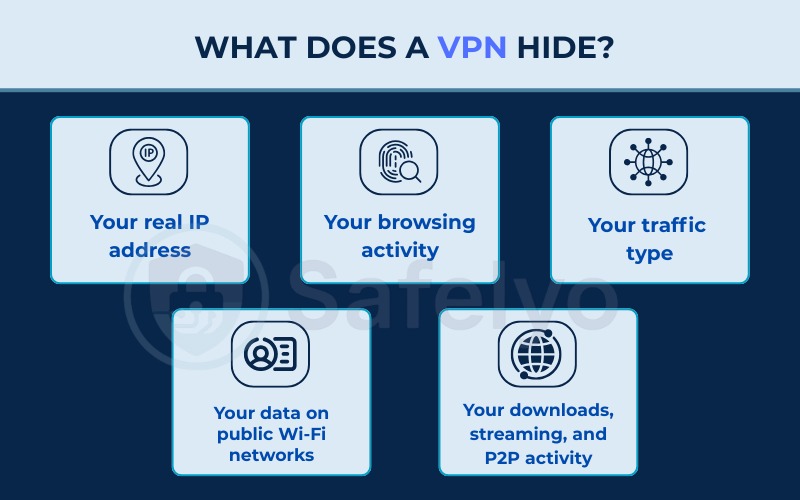
An IP address is a unique string of numbers identifying your device on the internet, which can pinpoint your physical location down to a city or ZIP code. A VPN replaces your real IP address with the IP address of a remote server, meaning websites only see the server’s location.
Masking your IP-based location provides three distinct benefits:
- Geolocation masking: Changing your IP address allows you to bypass regional restrictions and access content typically locked in your specific country.
- Reducing advertiser tracking: Your IP address serves as a primary signal for data brokers building advertising profiles. Without your real IP address, these profiles become less accurate, which reduces the effectiveness of targeted ads.
- Preventing IP-based attacks: Hiding your real IP address protects your home network from Distributed Denial of Service (DDoS) attacks that aim to paralyze your internet connection, as well as swatting attacks that use your IP address to discover your physical home address.
1.2. Your browsing activity from your ISP and Wi-Fi owner
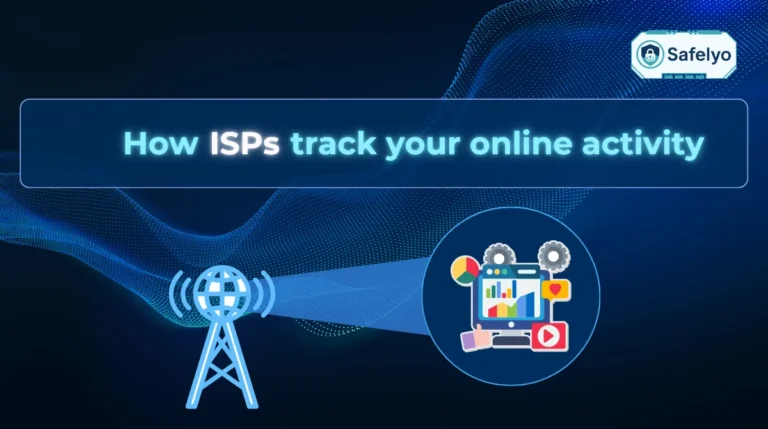
Your ISP normally sees every website you visit, the apps you use, your connection timestamps, and your total data volume. The owner of any Wi-Fi network you use, whether an employer or a coffee shop, has the same visibility through their router.
A VPN drastically limits this visibility. Because the connection is encrypted, your ISP and the Wi-Fi owner cannot see the specific websites you visit or the content of your traffic.
However, your ISP still knows you are using a VPN. They can see your connection metadata, such as the IP address of the VPN server, the time you connected, and the amount of data transferred. Private browsing or incognito mode does not hide your activity from your ISP, as those modes only clear local history on your machine.
Read more:
1.3. Your traffic type and protection from ISP throttling
ISPs often monitor networks to identify specific types of traffic like 4K streaming, peer-to-peer sharing, or online gaming. Once they identify these activities, they may intentionally slow down your download or upload speeds during peak hours, a practice known as ISP throttling.
A VPN prevents this targeted throttling because encryption stops the ISP from classifying your data. From their perspective, all traffic looks identical. Because the ISP cannot tell if you are streaming Netflix or reading an article, they cannot throttle your connection based on specific activities.
Keep in mind that a VPN cannot prevent overall throttling based on monthly data caps. If you exceed your total data limit, your speeds will drop regardless of the VPN connection.
1.4. Your data on public Wi-Fi networks
Using unsecured public Wi-Fi networks allows malicious actors to launch man-in-the-middle attacks. An attacker on the same network can easily intercept unencrypted traffic to steal login credentials, banking details, or email content.
A VPN solves this problem by encrypting all traffic before it ever leaves your smartphone or laptop. If a hacker successfully intercepts the data at an airport or coffee shop, they will only capture unreadable ciphertext.
1.5. Your downloads, streaming, and P2P activity
When you download files, your ISP cannot see the contents of those files or the exact download links. For peer-to-peer file sharing, a VPN hides your real IP address within the sharing pool. Every other participant in the swarm only sees the IP address of your chosen VPN server.
This protection extends to streaming and gaming. Because your traffic is encrypted, your ISP cannot deprioritize your connection during a competitive gaming match or a heavy streaming session.
Please note that a VPN does not protect you if a downloaded file contains malicious software, nor does it make the downloading of copyrighted material legal.
2. What a VPN does not hide
While a VPN provides robust privacy, it is not a magic shield for complete anonymity. Certain data and behaviors remain entirely visible.
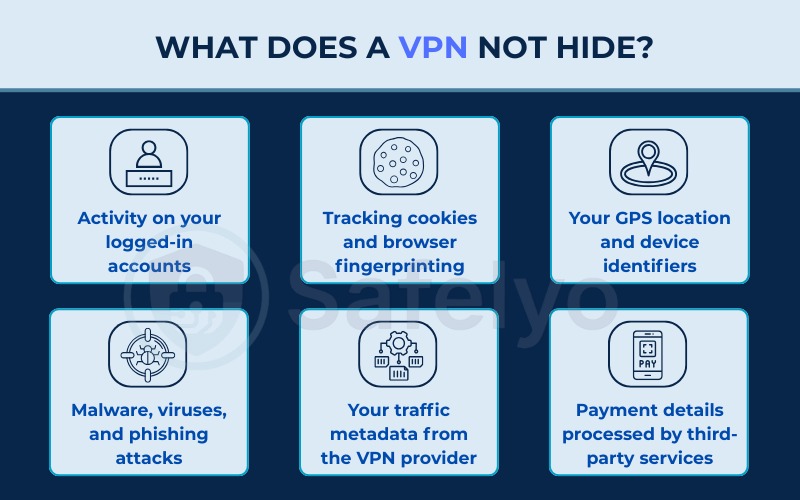
2.1. Activity on your logged-in accounts
Does a VPN hide my browsing history from Google? No, it does not hide your activity if you are actively logged into your account. Platforms identify you through your user account credentials rather than your IP address.
When you log into Google, the platform records your search history directly to your profile. The same rule applies to social media networks. A VPN does not hide your identity on Facebook or Instagram, as every like, comment, and share is permanently tied to your profile. For maximum privacy, we recommend you log out of your accounts and combine your VPN with a private browsing window.
2.2. Tracking cookies and browser fingerprinting
Cookies are small files stored directly in your web browser to remember your behavior across multiple sessions. A VPN cannot block or delete cookies because they are stored locally on your machine rather than transmitted openly over the network.
Browser fingerprinting is an even more persistent tracking method. Websites collect unique data points about your device, including your screen resolution, installed fonts, browser extensions, operating system, and time zone. According to research from the Electronic Frontier Foundation, 83.6% of browsers possess a unique fingerprint.
A VPN does not prevent fingerprinting because the tracking relies on browser characteristics, not your IP address. We advise using privacy-focused extensions or the Tor Browser to mitigate these tracking methods.
2.3. Your GPS location and device identifiers
Does a VPN hide your location on iPhone? A VPN only hides your IP-based location, but it cannot hide the physical GPS location gathered by your phone’s internal hardware.
Mobile applications like Uber, TikTok, and Google Maps often require direct GPS permissions. If you grant these permissions, the apps bypass the VPN entirely and pinpoint your exact physical location. Furthermore, websites can use the HTML5 Geolocation API to prompt your browser for your GPS coordinates.
Additionally, every network card has a permanent Media Access Control (MAC) address. While websites cannot see your MAC address over the internet, your local network administrator and Wi-Fi router owner can always see it. We recommend turning off GPS permissions for non-essential apps and rejecting HTML5 location prompts.
2.4. Malware, viruses, and phishing attacks
A VPN is not an antivirus program. A VPN secures data in transit across the network, whereas malware operates directly on your device endpoint.
If you click on a phishing link in an email, the VPN will faithfully encrypt your connection to the malicious website. If you download an infected file, the VPN will protect the transfer process but will not scan the file for viruses. You must deploy dedicated antivirus software as a separate security layer to handle endpoint threats.
2.5. Your traffic metadata from the VPN provider
When you route your traffic through a VPN, the VPN provider possesses the technical capability to see your destination websites and data payloads.
This is exactly why choosing a provider with an independently audited no-logs policy is vital. A strict no-logs policy guarantees that the VPN company does not record your browsing history, real IP address, or connection timestamps. If authorities demand user data, a verified no-logs provider will simply have no records to surrender. Always verify that a third party has audited the provider’s claims before trusting them with your data.
2.6. Payment details processed by third-party services
A VPN protects your credit card data from interception while it travels from your browser to a merchant’s server. However, once the data arrives, the VPN has no control over how the merchant stores or shares your financial details.
Your bank, Amazon, and PayPal will always know your real identity based on your transaction history. If you purchase a VPN subscription using a personal credit card, the VPN provider will also know your real name. For users requiring maximum anonymity, purchasing services with cryptocurrency is a safer alternative.
To summarize everything we’ve covered, here is a quick breakdown of who can see what when you have a VPN turned on versus when you browse unprotected.
| Entity | Without a VPN | With a VPN |
|---|---|---|
| ISP | Sees websites visited, exact content, apps used, and timestamps. | Sees connection to a VPN, connection time, and total data volume. Cannot see content. |
| Wi-Fi Owner / Router Admin | Sees all unencrypted traffic, websites, and content. | Sees only encrypted traffic flowing to the VPN server. |
| VPN Provider | Not Applicable | Technically sees traffic. Cannot see stored history if using a verified no-logs policy. |
| Websites You Visit | Sees your real IP address and rough geographic location. | Sees the VPN server’s IP address and the VPN server’s location. |
| Advertisers & Trackers | Builds profiles via IP address, cookies, and browser fingerprinting. | IP tracking is blocked. Cookies and fingerprinting remain fully active. |
| Logged-In Platforms | Sees all account activity and searches. | Sees all account activity and searches (unchanged). |
3. How a VPN protects your data: Encryption and IP masking
Understanding why certain data is protected while other data remains visible requires looking at the technology itself. A VPN relies on two fundamental jobs to secure your connection: encrypting your data and masking your IP address.
When you connect to a VPN, the software creates a secure tunnel for all of your internet traffic. Modern VPNs typically use the AES-256 standard, which is currently the most robust encryption available. Every piece of data traveling through this tunnel becomes unreadable ciphertext. If anyone intercepts the connection, they will only see scrambled data rather than the websites you visit or the files you download.
The second core function is IP address masking. A VPN acts as a digital forwarding service by routing your traffic through one of its remote servers. This process replaces your real IP address with the IP address of the VPN server. To any website or online service you connect to, it appears as though your traffic originates from the VPN server’s location instead of your actual physical location. These two technical mechanisms form the foundation for everything a VPN can and cannot conceal.
4. Technical leaks that can expose you
Even when a VPN is running perfectly, certain browser vulnerabilities and misconfigurations can cause your real data to leak outside the encrypted tunnel.
4.1. DNS leaks
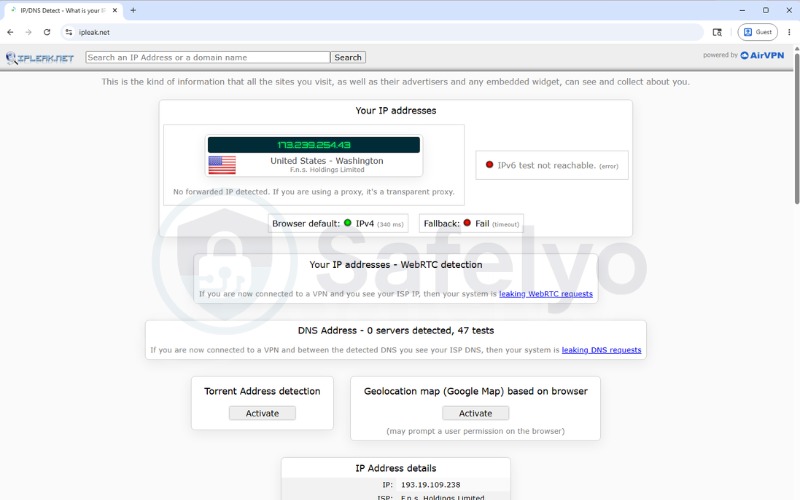
The Domain Name System (DNS) acts as the internet’s phonebook by translating domain names like google.com into numerical IP addresses. A DNS leak happens when your browser’s DNS requests bypass the encrypted VPN tunnel and travel directly to your ISP.
Because DNS requests are normally sent in plain text, your ISP can easily log every website you visit, even if the actual webpage content remains encrypted. To detect this issue, you can use a tool like ipleak.net. If the results display your actual ISP rather than the VPN provider’s servers, your connection is leaking. You can fix this by enabling your VPN’s built-in DNS leak protection.
4.2. WebRTC leaks
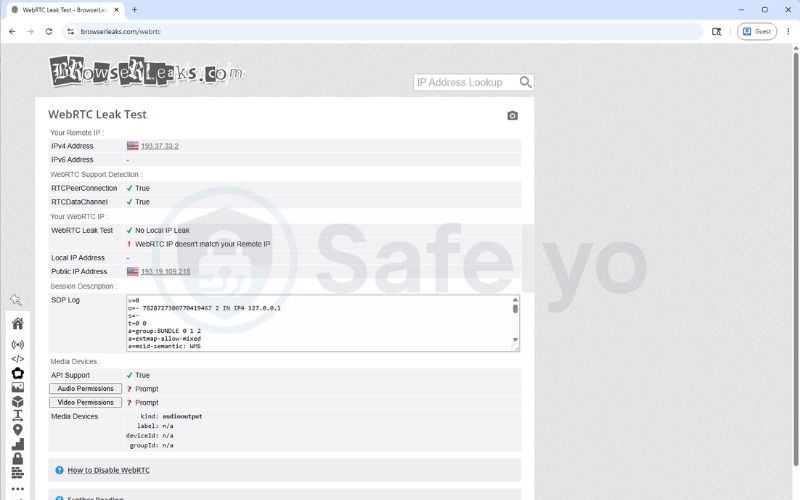
Web Real-Time Communication (WebRTC) is a browser technology that allows direct video and voice calling without external plugins. Services like Zoom and Google Meet rely heavily on this framework.
To establish a direct peer-to-peer connection, WebRTC must uncover your real local and public IP addresses. This process runs silently in the background and can expose your real IP address even when your VPN is active. You can check for WebRTC leaks at browserleaks.com. We suggest disabling WebRTC entirely in your browser settings or using a dedicated extension to block it.
4.3. IPv6 leaks
The internet currently uses two addressing standards: the older IPv4 and the newer IPv6. Because IPv4 addresses are running out, many modern networks support both formats simultaneously.
The danger arises because many VPNs only route IPv4 traffic through the secure tunnel. If your network supports IPv6, that specific IPv6 traffic might bypass the VPN and travel openly, completely exposing your true location. You can test for this vulnerability on ipleak.net. To prevent exposure, either choose a VPN with full IPv6 leak protection or manually disable IPv6 in your operating system’s network settings.
5. Building a complete privacy strategy
A VPN represents a critical layer of defense, but it cannot function as a standalone solution for all online threats. Complete privacy requires multiple security layers working together.
- Antivirus and antimalware software: A VPN and an antivirus program perform entirely separate jobs. You must install a reputable antivirus tool to scan incoming files and block malicious software from infecting your system.
- Strong passwords and two-factor authentication: A VPN cannot stop a hacker from guessing weak login credentials. Utilizing a dedicated password manager and enabling two-factor authentication on all accounts is mandatory for robust security.
- Privacy-focused browser settings: Because a VPN cannot block cookies or browser fingerprinting, you should regularly clear your cache. We also advise migrating to privacy-oriented browsers like Brave or Firefox, and utilizing secure search engines like DuckDuckGo.
- Good browsing habits: Technology cannot protect against human error. Maintain a healthy skepticism regarding phishing emails, verify links before clicking, and avoid oversharing personal details on public social media forums.
By combining a VPN with secure endpoints and smart browsing habits, you create a comprehensive defense strategy.
6. How to verify your VPN is working
Relying solely on the “Connected” status icon inside your VPN application is a mistake. We strongly encourage running a manual verification process to ensure your IP address is effectively hidden.
- Check your real IP address: Before turning on your VPN, navigate to ipleak.net and write down the IP address and location displayed on the screen.
- Connect the VPN: Open your chosen VPN application and connect to a server located in a different country or city.
- Reload the testing site: Refresh the ipleak.net page. The displayed IP address and geographic location must now match the VPN server you selected.
- Check for DNS leaks: Scroll down to the DNS section on ipleak.net. The DNS servers listed should belong to the VPN provider’s country, not your actual physical location.
- Check for WebRTC leaks: Navigate to browserleaks.com to ensure your real IP address does not appear in the WebRTC detection panel.
- Check for IPv6 leaks: Return to ipleak.net and verify the IPv6 section. If a long IPv6 address appears that does not belong to the VPN, you must enable IPv6 blocking in your VPN settings.
7. How to choose a privacy-focused VPN
Selecting the right VPN requires looking beyond marketing claims. A trustworthy provider must demonstrate a commitment to user privacy through verifiable technical features and transparent policies.
When evaluating a VPN, we look for several mandatory criteria. First, the provider must have a strict no-logs policy that has been audited by an independent third party. Second, the software must utilize AES-256 encryption alongside a reliable kill switch. Finally, built-in protection against DNS, WebRTC, and IPv6 leaks is absolutely essential.
Based on our testing and industry standards, here are a few highly rated VPNs you can consider for robust privacy protection:
- NordVPN: This provider features an audited no-logs policy and includes Threat Protection Pro to actively block malicious sites, trackers, and intrusive ads.
- Surfshark: This option delivers strong privacy tools, a built-in CleanWeb blocker, and allows for unlimited simultaneous device connections on a single account.
- ExpressVPN: This service offers high-speed servers globally, robust encryption, and a proprietary Lightway protocol designed specifically for speed and security.
- Proton VPN: Based in privacy-friendly Switzerland, this provider offers a strict no-logs policy, open-source applications, and a Secure Core feature that routes traffic through privacy-friendly countries for extra protection.
8. FAQs
Does a VPN hide everything?
No, a VPN does not hide everything. It encrypts your internet traffic and masks your IP address, but it cannot hide your device’s GPS location, your browser fingerprint, or your activity on accounts you are actively logged into.
What does a VPN not cover?
A VPN does not cover endpoint security vulnerabilities. It cannot protect you from downloading malware, falling for phishing attacks, or being tracked by cookies already stored on your web browser.
Does a VPN hide browsing history from a router?
Yes, a VPN completely hides your browsing history from a router. The router owner can only see encrypted ciphertext traveling to a single VPN server, making it impossible to read the websites you visit.
Does a VPN hide your device information?
No, a VPN cannot hide your device information. Websites can still read your browser fingerprint, which reveals your operating system, screen resolution, and language settings.
Does a VPN hide my browsing history from Google?
No, a VPN does not hide your browsing history from Google if you are logged into your Google account. The search engine logs your activity directly to your user profile regardless of the IP address you use.
Can you still be tracked when using a VPN?
Yes, you can still be tracked. Advertisers use tracking cookies, browser fingerprinting, and account logins to follow your digital footprint even when your IP address changes.
Can police track VPN usage?
Police cannot directly decipher encrypted VPN traffic in real time. They can request connection logs from the VPN company, which is why utilizing a provider with an independently audited no-logs policy is crucial.
Does a VPN hide your location on iPhone?
No, a VPN only hides your IP-based location on an iPhone. If an application requests GPS permissions, it will read the iPhone’s internal GPS receiver and pinpoint your exact physical location, bypassing the VPN entirely.
9. Conclusion
Ultimately, knowing exactly what does a VPN hide and understanding its specific boundaries allows you to use it much more effectively than those expecting a flawless invisibility cloak.
Based on our testing and analysis, we recommend taking the following actionable steps to maximize your online privacy:
- Choose a reputable VPN provider that features an audit-verified no-logs policy, alongside built-in DNS, WebRTC, and IPv6 leak protection.
- Combine your VPN connection with private browsing modes and proactively log out of social media accounts when you require maximum anonymity.
- Always run manual leak tests immediately after installing a new VPN to confirm your setup is fully secured.
Building a comprehensive privacy strategy requires constant vigilance. For further reading on securing your digital footprint, check out our detailed VPN reviews on Safelyo. You can also explore our VPN Guides category to find step-by-step tutorials on protecting your network connections.