Is VPN safe for online banking? Yes, using a virtual private network for online banking is safe, provided you set it up correctly. Checking your balance on a crowded public Wi-Fi network carries real risks, but a VPN solves this by scrambling your data to keep your login credentials hidden from local snoopers.
However, this added security introduces a practical challenge. If your internet traffic suddenly appears to come from a different country, your bank’s automated system might mistake you for a hacker and freeze your access. To help you find the right balance, we will explain the actual dangers of open networks and provide clear rules to protect your financial data without accidentally triggering a security lockout.
Key takeaways
- A VPN encrypts your connection and protects your login credentials from hackers on public networks.
- Banks monitor IP addresses and may freeze accounts if they detect sudden location changes.
- Free VPNs often sell user data and lack the security required for financial transactions.
- Always connect to a server in your home country to maintain a consistent digital location.
- You must use a VPN with a “Kill Switch” to prevent data exposure if the connection drops.
Disclaimer: The information provided in this guide is for educational purposes, based on our independent testing and industry research. Because financial institutions frequently update their security and fraud detection systems, we recommend checking your bank’s specific terms of service regarding VPN usage.
1. Is VPN safe for online banking?
Yes, using a VPN is safe for online banking. Technically, using a VPN adds an extra layer of privacy compared to connecting directly to public networks.
When you connect to the internet normally, your data travels through the local network infrastructure. If you use public Wi-Fi at a cafe or airport, this connection can potentially be monitored by others on the same network.
A VPN addresses this by creating an encrypted tunnel for your internet traffic. It scrambles your data so that it becomes unreadable to outsiders, including network administrators or potential hackers.
However, banks use strict security measures to detect fraud. If you typically log in from London but your VPN routes your connection through a server in Vietnam, the bank views this as suspicious activity. They may freeze your account to protect your funds.
Therefore, a VPN is a useful security tool, but you must use it correctly to avoid triggering automated fraud alerts. Understanding exactly what a VPN can protect, and what it cannot, is the first step to using it safely for banking.
2. What a VPN can and cannot do for your money
It is important to understand the specific capabilities and limitations of a VPN regarding financial security. Here is a breakdown of what this software actually handles.
2.1. What a VPN can protect
A VPN provides the following security protections:
- Encrypts traffic: It applies encryption standards like AES-256 to your data. This prevents attackers from intercepting your username and password during transmission.
- Hides IP address: It masks your real IP address. This prevents your Internet Service Provider (ISP) or local network snoops from tracking your banking activity.
- Secures public Wi-Fi: It allows you to use open Wi-Fi networks safely by securing the connection between your device and the bank.
- Prevents behavioral profiling: It stops your mobile carrier and ISP from recording which financial services you use and how often. Without a VPN, carriers can legally build a profile of your financial habits and sell that metadata to advertisers.
2.2. What a VPN cannot protect
A VPN cannot protect you against the following threats, including hidden technical leaks that might expose your identity:
- Fake websites (Phishing): If you enter your password on a fake banking site, the VPN encrypts that data and sends it directly to the scammer. It protects the connection, not the destination.
- Malware on device: If your computer has a virus or keylogger installed, hackers can record your keystrokes before the VPN encrypts the data.
- Human error: It cannot prevent you from authorizing a transfer to a fraudulent recipient.
- DNS leak: This occurs when a VPN fails to intercept your DNS queries, the requests your browser sends to look up domain names. When this happens, your ISP can still see which banking domains you visit (for example, chase.com or wellsfargo.com), even though the VPN is running. This typically happens when a VPN lacks DNS leak protection or is misconfigured.
- WebRTC leak: This is a vulnerability present in many browsers, particularly Chrome and Firefox, where the browser’s WebRTC API can expose your real IP address even when the VPN tunnel is active. To check whether your VPN has this gap, visit browserleaks.com while your VPN is connected. A VPN with active “Leak Protection” closes both of these gaps simultaneously.
3. Does the VPN provider see your banking data?
Many users worry that by hiding their data from their ISP, they are simply handing it over to the VPN company instead. This is a valid concern. You need to know exactly what remains hidden and what the VPN provider can technically see.
3.1. Can the VPN see my passwords?
No, the VPN provider cannot see your passwords, credit card numbers, or account balances.
This is because almost all banking websites use their own layer of encryption called HTTPS. Your web browser encrypts this sensitive information on your device before it even enters the VPN tunnel. The VPN provider transmits this data, but because it is already locked by the bank’s encryption, it looks like scrambled code to them.
3.2. Does the VPN collect my connection logs?
Technically, a VPN provider can see your “connection metadata.” This includes:
- Your real IP address.
- The time you connected.
- The domain names of the websites you visit (e.g., they know you visited chase.com, but not which specific page you viewed or what you typed).
The HTTPS protocol relies on SSL/TLS encryption, which creates an end-to-end encrypted session between your browser and the bank’s server. This layer of protection operates independently of and on top of the VPN tunnel.
This is why choosing a paid provider with a verified no-logs policy is critical. A trustworthy VPN ensures that this data is permanently deleted and never stored on a hard drive. If authorities or hackers requested the data, there would be nothing to hand over.
Read more: The best no-log VPN
3.3. Is my money at risk from the VPN itself?
The risk of a reputable VPN provider stealing your funds is near zero because they cannot break the HTTPS encryption used by banks.
The real risk lies in privacy, not theft. Free or untrustworthy VPNs may track which banking apps you use and sell that behavioral profile to advertisers. Therefore, while your money is safe from theft, your privacy is only guaranteed if you use a paid, reputable service.
4. When should you use a VPN for online banking?
Since banking websites already use HTTPS encryption, you might wonder why a VPN is even necessary.
The answer is “Defense in Depth”. While HTTPS protects the content of your data (like your password), it does not protect the connection itself. On insecure networks, hackers can manipulate the connection before it reaches the bank, or simply track which banks you use. A VPN covers these security gaps.
Here are the specific scenarios where a VPN provides essential protection.
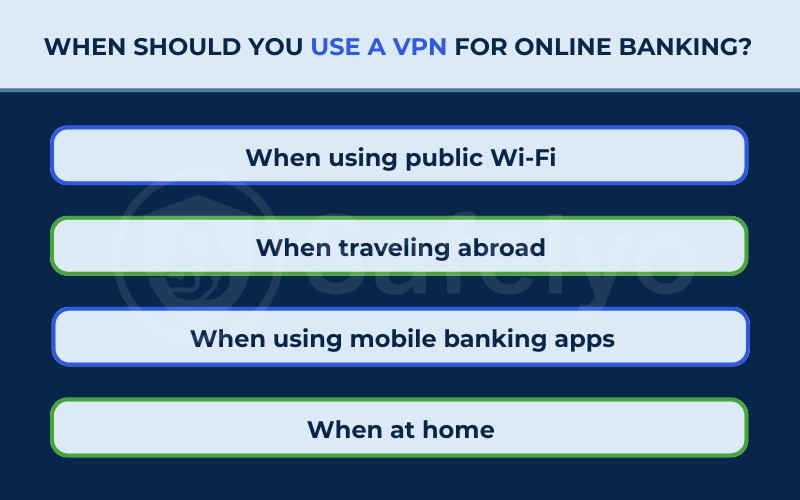
4.1. When using public Wi-Fi (Critical)
Public networks are the most dangerous places to bank. According to the Panda Security 2025 Public Wi-Fi Trend Report, 36% of Americans experienced or suspected a security incident after using these networks.
Hackers often exploit this by setting up fake “Evil Twin” hotspots. Since the same survey notes that only about 20% of users feel “very confident” they can identify a fake network, the risk of connecting to a malicious hotspot is significant.
A VPN prevents this by wrapping your data in a secure tunnel before it leaves your device. Even if the Wi-Fi network is compromised, the hacker sees only unreadable code.
4.2. When traveling abroad
Banks are highly suspicious of foreign IP addresses. If you log in from a different country, your bank’s security system may assume your credentials have been stolen and freeze your account instantly.
In this case, a VPN is not just for security, but for accessibility. By connecting to a VPN server in your home country, you maintain a consistent digital location, allowing you to manage your finances without triggering fraud alerts.
4.3. When using mobile banking apps
While 4G/5G networks are safer than public Wi-Fi, they are not private. Your mobile carrier can see exactly how often you open your banking app and which financial services you use.
A VPN encrypts this traffic, preventing your mobile provider from building a profile of your financial habits or selling that metadata to advertisers.
4.4. When at home (Optional)
At home, your connection is likely safe from hackers, but your privacy is still at risk.
Your ISP can legally track and log every website you visit, including your bank. If you prefer total financial privacy, using a VPN at home prevents your ISP from knowing where you bank or how frequently you manage your accounts.
5. Can banks detect and block VPNs?
Yes, banks can detect VPN usage and may restrict access when a VPN IP address is associated with suspicious or high-risk activity.
Banks identify “Shared IPs” to flag suspicious activity. Commercial VPNs often assign the same IP address to thousands of users to maintain anonymity. If one user engages in fraudulent activity with that IP, the bank places it on a blacklist. When you attempt to log in using that same IP, the bank denies access.
Common consequences of using a blocked IP include:
- CAPTCHA challenges: The system asks you to complete puzzles to prove you are human.
- Identity verification: The bank requires an OTP sent to your phone or email.
- Account freeze: The bank temporarily locks the account until you contact customer service.
What to do if your bank blocks your VPN
When your bank blocks your VPN connection, there are five concrete steps to restore access, ranging from quick fixes to permanent solutions:
- Switch to a different server location. Start by selecting a new server, ideally one in the same city or state as your home. A blocked IP does not mean your entire VPN is blacklisted, only that specific address.
- Clear your browser cache and cookies. Before trying again, clear stored data so the bank cannot associate your new IP with the previously blocked session. This eliminates residual flags from the prior attempt.
- Enable an Obfuscated Server. If your VPN supports it (NordVPN and ExpressVPN both offer this feature), activate the obfuscated server option. Obfuscated servers disguise your VPN traffic as regular HTTPS traffic, making it indistinguishable from a standard browser connection. Banks that detect conventional VPN protocols typically cannot detect obfuscated traffic.
- Purchase a Dedicated IP address. For a long-term fix, a Dedicated IP gives you a static address that belongs exclusively to you. Because no other users share this IP, it accumulates no fraud history and remains off bank blacklists. This is the most reliable solution if you bank online frequently.
- Use Split tunneling as a temporary bypass. Configure split tunneling to route your banking app through your regular internet connection while keeping all other traffic inside the VPN. This lets you complete transactions without VPN interference while maintaining protection everywhere else.
Of these options, a Dedicated IP is the most thorough long-term resolution, as it removes the shared-IP problem entirely.
6. Pros and cons of using a VPN for online banking
Before committing to a setup, here is a clear breakdown of what you gain and what you give up when using a VPN for banking.
Pros
Encrypts data on public Wi-Fi, blocking man-in-the-middle (MITM) attacks that intercept login credentials.
Hides banking activity from your ISP and mobile carrier, preventing them from logging your financial behaviors.
Maintains account access when traveling abroad by making your connection appear to originate from your home country.
Prevents behavioral profiling by blocking third parties from building a record of your financial service usage.
Kill Switch prevents data exposure if the VPN connection drops unexpectedly during an active banking session.
Cons
May slow connection speed by up to approximately 10%, depending on the protocol and server distance.
Shared IP addresses used by many VPNs can be blacklisted by banks, triggering extra verification steps or access blocks.
May trigger additional authentication steps, such as OTP requests or CAPTCHA challenges, from your bank’s fraud detection system.
Requires a paid subscription for a trustworthy service, adding an ongoing cost to your security setup.
7. 5 rules to use VPN safely for online banking (no lockouts)
You can use a VPN for banking without issues if you follow these operational rules.
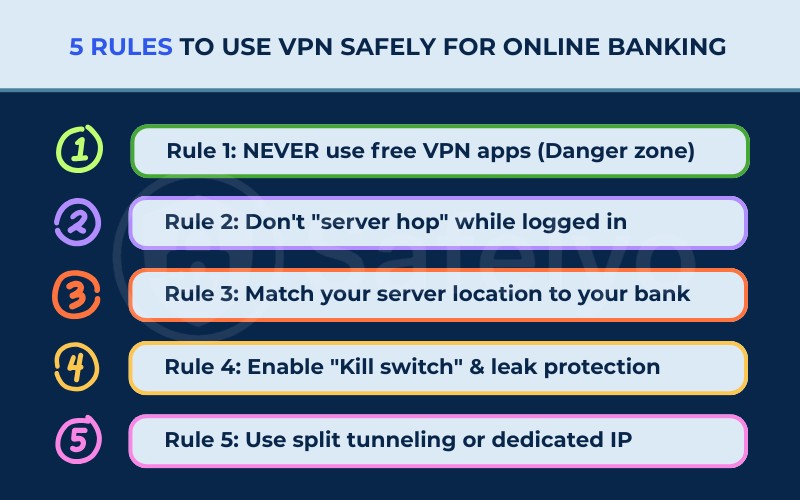
7.1. Rule 1: NEVER use free VPN apps (Danger zone)
This rule is critical because free VPNs often compromise your security instead of enhancing it.
To cover their operating costs, many free providers track your online behavior and sell that data to third-party advertisers.
Furthermore, they generally rely on outdated encryption standards and have limited server networks, meaning their IP addresses are almost always already blacklisted by major banks.
7.2. Rule 2: Don’t “server hop” while logged in
This rule prevents you from creating a pattern of suspicious activity during your session.
You must establish your VPN connection to a secure server before you open your banking website or app.
If you disconnect or switch to a different server while logged in, your IP address changes instantly. This sudden shift signals to the bank that your connection is unstable or potentially hijacked, often leading to an immediate lockout.
7.3. Rule 3: Match your server location to your bank
This rule helps you blend in with normal traffic by mimicking your physical presence.
Banks use geolocation technology to verify where a login request originates. You should manually select a VPN server located in the same country, or ideally the specific city, where you live and bank.
Connecting to a server in your local area significantly reduces the likelihood of triggering CAPTCHA requests or security alerts compared to using a server in a different region.
7.4. Rule 4: Enable Kill Switch and leak protection
This rule serves as your fail-safe mechanism to prevent accidental exposure.
A Kill Switch is a feature that automatically cuts off your internet access if the VPN connection drops for any reason.
Without this feature active, your device might default back to your regular, unencrypted internet connection without you noticing. This could expose your real IP address mid-session, which may trigger additional security checks or force you to re-authenticate.
Alongside the Kill Switch, activate DNS and WebRTC leak protection in your VPN settings. Without this, your real IP address or DNS queries can leak through your browser even when the VPN tunnel is active. You can verify this by visiting browserleaks.com while connected to your VPN.
7.5. Rule 5: Use split tunneling or dedicated IP
This rule applies to advanced users who need consistent access without interruptions.
- Dedicated IP: You can purchase a static IP address that belongs only to you. Since no other users share this address, it stays “clean” and is rarely blocked by banking firewalls.
- Split tunneling: This feature allows you to choose which apps use the VPN. You can route your general web browsing through the VPN for privacy. Meanwhile, let your banking app connect directly to the standard internet if the bank blocks VPN traffic.
8. Other security measures to combine with your VPN
A VPN handles network-level threats. The following measures handle the threats that a VPN cannot.
- Enable Two-Factor Authentication (2FA): This requires a second form of verification (like a code on your phone) to access your funds.
- Use strong passwords: Create complex, unique passwords for your banking accounts and store them in a secure password manager.
- Update software: Keep your operating system and banking apps updated to patch known security vulnerabilities.
- Monitor statements: Review your transaction history regularly to identify unauthorized charges early.
- Enable banking notifications: Turn on push notifications for every transaction so you receive an immediate alert for any unauthorized activity. Real-time alerts allow you to contact your bank and freeze your account before significant damage occurs.
- Use Dark Web Monitoring: Some premium VPN services, including NordVPN, include a feature that scans data breach databases and alerts you if your email address or credit card number appears in a leak. Catching this early gives you time to change credentials before they are exploited.
- Do not respond to suspicious banking emails: Phishing via email remains one of the most common attack methods targeting banking customers. A VPN provides no protection once you click a fraudulent link or submit credentials to a fake login page. Always navigate directly to your bank’s website rather than following links in emails.
9. Best VPN for online banking
Here are reliable VPN services that offer features specifically useful for secure banking.
9.1. ExpressVPN
ExpressVPN is a premium service that prioritizes high performance and privacy.
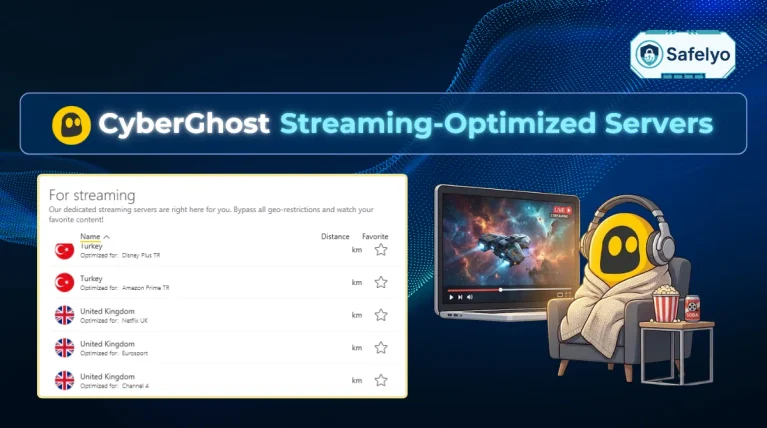
Its proprietary Lightway protocol, built on WolfSSL, delivers faster speeds than OpenVPN and includes an automatic stealth mode. This combination makes it significantly harder for banks to detect that a VPN is in use at all. The TrustedServer technology ensures all data is wiped from the server’s RAM every time it reboots, so no session data is ever written to a hard drive.
For banking specifically, ExpressVPN is the strongest choice for users whose primary concern is bypassing VPN detection. The automatic obfuscation via Lightway means you rarely need to change settings manually. One point to consider: ExpressVPN does not offer a Dedicated IP option, so if a specific IP is blacklisted, you will need to switch servers rather than using a permanently clean address.
9.2. NordVPN
NordVPN offers a comprehensive security suite that goes beyond simple encryption.
Its Threat Protection feature actively blocks malware distribution domains and known phishing URLs before they load in your browser, providing a layer of defense against the exact threats a VPN tunnel cannot stop.
For banking users, NordVPN’s optional Dedicated IP add-on is its most valuable feature. A static IP exclusive to your account removes the shared-IP blacklisting problem entirely. NordVPN also includes Dark Web Monitoring, which alerts you if your credentials appear in known data breaches, and a Double VPN option that routes traffic through two separate servers for users who require an additional encryption layer on particularly sensitive transactions.
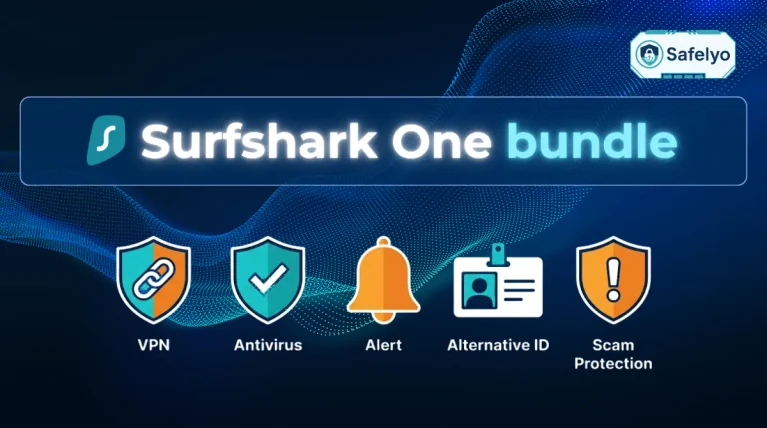
9.3. Surfshark
Surfshark delivers robust security features at a lower price point and allows you to connect an unlimited number of devices.
Its Camouflage Mode activates obfuscation automatically on every server, not just selected ones, making it a low-friction option for users who do not want to manage advanced settings manually.
For banking across a household with multiple devices, Surfshark’s unlimited device policy is a practical advantage. The Alert feature monitors your email address and credit card numbers against known breach databases, functioning similarly to NordVPN’s Dark Web Monitoring. The main trade-off is that Surfshark does not offer a Dedicated IP option, which means accounts active on frequently used servers could occasionally encounter bank-side IP blocks.
10. FAQs about VPN safety for online banking
Is VPN safe for online banking on iPhone?
Yes, using a VPN on an iPhone is safe and recommended. While iOS is secure, it cannot encrypt your internet traffic on public networks without a VPN.
Which banks block VPN access?
Many users report that large banks, such as Chase, Bank of America, and Wells Fargo, may restrict access from known VPN IP addresses as part of their fraud prevention systems.
Is it safe to use a credit card with VPN on?
Yes, it is safe. The VPN encrypts the transaction details as they travel to the payment processor, protecting your card number from local network interception.
Should I use a VPN for mobile banking apps?
Yes, you should. Mobile apps transmit data over the internet just like browsers. A VPN encrypts this data to protect it from surveillance or theft on public Wi-Fi.
Why can’t I access my bank on a VPN?
Your bank has likely blacklisted the IP address of the VPN server you are using. You should try switching to a different server location or clearing your browser cache.
Do banks recommend using a VPN?
Most banks do not actively recommend a VPN, but they do not prohibit the use of one either. Banks focus on the security of the account itself, not the method of connection.
When a VPN is configured correctly, using a server in the same country as your account and a device your bank recognizes, the bank typically cannot distinguish a VPN connection from a standard one.
Is it legal to use a VPN for online banking?
Using a VPN for online banking is legal in most countries, including the United States, the European Union, and Australia.
Some countries place general restrictions on VPN usage (China, Russia, and the UAE among them), but those regulations target VPN use broadly, not banking activity specifically. No major bank in Western countries prohibits VPN use in its terms of service.
Does a VPN slow down my online banking?
A VPN can reduce connection speed by up to approximately 10%, depending on the server and protocol. If your VPN supports WireGuard protocol, this reduction is typically negligible in practice. Standard banking tasks such as balance checks and fund transfers require minimal bandwidth, so most users do not notice a meaningful difference in response time.
Will my bank lock my account if I use a VPN?
Your bank will not lock your account simply for using a VPN. The risk of a lockout arises when the VPN server’s IP address is located in a different country from your account, or when that IP has been flagged due to shared use by other users. Connecting to a server in your home country, or purchasing a Dedicated IP, resolves both of these risks.
11. Conclusion
The answer to “Is VPN safe for online banking?” is yes, provided you use it cautiously. It offers essential encryption that protects your financial data from local network attacks. However, you must manage your location settings to avoid alarming your bank’s fraud detection algorithms.
To ensure a smooth experience, always choose a premium VPN service, connect to a server in your home region, and confirm your security settings are active.
For users who bank online frequently, a Dedicated IP eliminates the shared-IP blacklisting problem entirely, while WireGuard protocol keeps your connection fast enough that banking activity feels no different from an unprotected connection.
For more VPN tutorials and guides, visit our VPN Guides category or head over to Safelyo.