With rising privacy risks from the SIM Card Registration Act and frustrating ISP throttling, finding the Best VPN for Philippines is now essential to secure your digital life. To provide real solutions, Safelyo rigorously tested physical Manila servers in 2026 to identify the exact tools that guarantee no lag gaming and safely bypass aggressive network restrictions. Whether you live locally or are one of the millions of Overseas Filipino Workers (OFW) working abroad, our expert guide will help you reclaim your online freedom instantly.
Top 5 VPNs for the Philippines in 2026:
- NordVPN (Best overall for security and speed): Delivers unmatched encryption to protect against data leaks and offers the fastest local speeds for seamless streaming.
- Surfshark (Best for households and unlimited devices): A highly affordable option that protects your entire family’s devices from Globe and Smart network throttling simultaneously.
- ExpressVPN (Best for high-speed streaming and stability): Provides rock-solid connections perfect for OFWs wanting to watch iWantTFC without buffering from abroad.
- CyberGhost (Best for beginners and gaming-optimized servers): Features an incredibly easy-to-use interface and dedicated low-latency servers built specifically for mobile gaming.
- Proton VPN (Best for privacy purists with a free tier): A transparent, Swiss-based provider offering a highly secure free version that respects student budgets and data privacy.
Quick comparison: Best VPNs for the Philippines
| VPN Provider | Manila Servers | Best Feature for PH Users | Gaming Ping | Starting Price |
|---|---|---|---|---|
| NordVPN | Yes (Physical) | Advanced threat protection | Excellent | ~$3.49/mo |
| Surfshark | Yes (Virtual) | Unlimited device connections | Very Good | ~$2.49/mo |
| ExpressVPN | Yes (Virtual) | Best for unblocking iWantTFC | Good | ~$2.49/mo |
| CyberGhost | Yes (Virtual) | Dedicated gaming servers | Good | ~$1.59/mo |
| Proton VPN | Yes (Physical) | Elite Swiss privacy laws | Good | ~$2.99/mo |
Disclaimer: This article is intended for general informational use only. VPN speeds, streaming access, pricing, server availability, and promotional deals can vary over time based on your region and future platform changes. All details were last checked and updated in May 2026.
1. Why you need a VPN in the Philippines right now
The local internet environment is fraught with privacy risks and artificial performance limits. Using a secure, encrypted tunnel is the only way to regain control over your digital footprint and maintain steady connection speeds.
1.1. Protecting your data under the SIM Card Registration Act
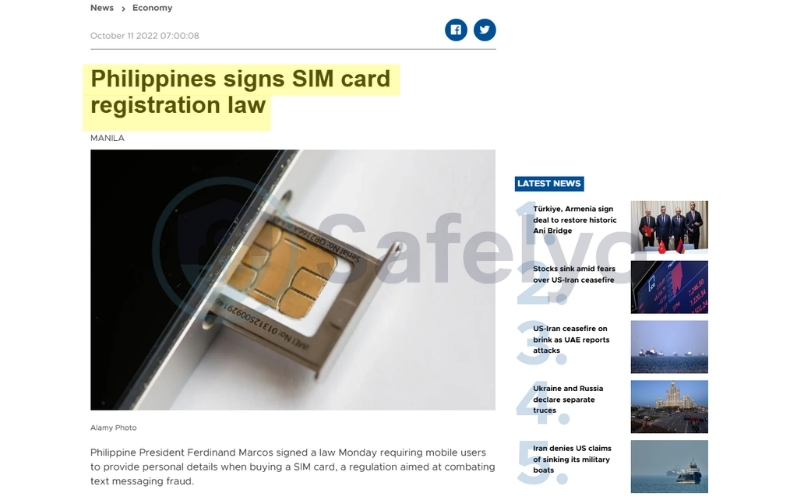
The SIM Card Registration Act now links your legal identity directly to your mobile phone number. Because your carrier also acts as your internet service provider, it can technically associate your real name with every website you visit. This creates a permanent digital record of your private browsing habits that is tied to your government identity.
A Virtual Private Network serves as a crucial shield by encrypting your data before it ever reaches the carrier. While the company knows which SIM card is active, it can no longer see the specific destinations of your traffic. This encryption effectively prevents your online behavior from being linked back to your registered personal profile.
Furthermore, using a secure tunnel ensures that your activity logs remain private even if a telecommunication database is compromised. If a hacker steals your registration info, they will not find a history of your digital life because your traffic was hidden. This separation between your legal identity and your web history is the only way to maintain true anonymity in the Philippines.
1.2. Bypassing ISP throttling for faster speeds
Major local providers like Globe and Smart are notorious for intentionally slowing down internet speeds during peak evening hours. This aggressive bandwidth throttling heavily targets streaming and downloading traffic to manage their overall network congestion.
When you activate a secure connection, your ISP cannot see the specific type of data you are consuming. Because they cannot identify your heavy streaming traffic, you effectively bypass these artificial speed limits and enjoy your full bandwidth.
1.3. Unblocking restricted websites
The Philippine government, through the National Telecommunications Commission, periodically issues directives to restrict access to certain international domains. These network-level blocks often target global file-sharing services and alternative information portals that are flagged for regional policy or licensing conflicts. Such restrictions prevent local users from reaching specific data repositories and research tools that remain open in other countries.
By utilizing a premium VPN, you can bypass these local digital barriers by routing your traffic through an international server. This process masks your Philippine connection and assigns you a virtual location in a region with more open internet policies. Connecting to a nearby hub, such as Singapore or Japan, allows you to access restricted information sources and global utilities without interference from local internet filters.
1.4. Gaming without lag (Mobile Legends and ROBLOX)
The country has a massive mobile gaming community, but inconsistent routing often causes frustrating latency spikes. High ping ruins competitive matches in fast-paced titles like Mobile Legends: Bang Bang or ROBLOX, leading to unfair losses. For players focused on smoother matches and lower ping, see our guide to the best VPN for ROBLOX.
Connecting to a premium server optimized for gaming establishes a more direct and stable route to the game’s central servers. This stabilized connection drastically reduces latency and packet loss, giving you a competitive edge during crucial multiplayer moments.
2. How we test and rank the best VPNs for the Philippines
At Safelyo, we do not rely on basic marketing claims or sponsored brochures. We deployed our testing software directly on local PLDT and Globe networks to measure real-world performance. Our rigorous evaluation focuses on the technical pillars that actually impact your daily browsing experience.
- Presence of physical servers in Manila
Many international providers use virtual servers to fake their locations, but we highly prioritize those with physical hardware in Manila. Physical servers guarantee a much faster response time because your data does not have to travel to another country first. This localized infrastructure is critical for reducing ping in competitive games and live video streams.
- Speed and reliability benchmarks
We tested download and upload speeds during peak evening hours when local ISPs are known to throttle bandwidth. Our experts measured speed retention rates to see which providers could maintain a stable 4K streaming capability. Only the tools that consistently delivered fast, uninterrupted connections under heavy loads made our final list.
- Unblocking capabilities for local and global streaming
Bypassing strict geo-blocks requires advanced server technology to avoid detection by streaming giants. We verified that each provider could flawlessly unblock US Netflix, Hulu, and HBO Max from within the country. We also tested their ability to grant expats overseas secure access to domestic apps like iWantTFC and GMA Pinoy TV.
3. What to look for in a VPN for the Philippines?
Choosing the right provider requires looking beyond standard encryption features. The local digital landscape demands specific technical capabilities to overcome poor internet infrastructure and strict government monitoring. Here are the three most important factors you must consider before buying.
3.1. Low-latency servers in Manila and Singapore
Your physical distance to the encrypted server directly dictates your internet speed and overall lag. Choosing a service with high-quality servers in Manila or nearby Singapore is vital for local users. These nearby locations ensure your web pages load instantly, and your multiplayer gaming sessions remain completely lag-free.
3.2. Stealth protocols to hide VPN usage
Local network providers often monitor internet traffic and may aggressively block known encrypted connections. Using stealth protocols or obfuscation technology disguises your secure tunnel as normal HTTPS web traffic. This hidden connection prevents local ISPs from intentionally slowing down your video streams or large file downloads.
3.3. Mobile app efficiency and battery saving
Since the vast majority of Filipinos access the internet primarily through their smartphones, mobile app efficiency is non-negotiable. A poorly optimized security app will drain your battery quickly and overheat your device. Look for providers utilizing lightweight protocols like WireGuard to ensure maximum security with minimal power consumption.
4. Best VPN for the Philippines in 2026: Top 5 tested and ranked
Finding a service that can reliably bypass local ISP throttling while protecting your privacy requires extensive field testing. We evaluated over 30 providers on local PLDT, Globe, and Smart networks to identify which ones actually deliver fast, secure, and uninterrupted connections.
4.1. NordVPN: Best overall for security and speed
NordVPN is our top recommendation for the Philippines, offering a perfect blend of high-speed performance and elite cybersecurity features. It is one of the few premium providers that maintain physical hardware within the country, ensuring the lowest possible latency for local users.
Best for: Remote workers in the BPO (Business Process Outsourcing) sector and hardcore gamers who need elite speeds, physical Manila servers, and advanced malware protection.
| Features | Details |
|---|---|
| Starting Price | ~$3.49/mo (2-year Basic plan) |
| Jurisdiction | Panama (Outside surveillance alliances) |
| Independent Audit | Yes (Verified by Deloitte and PwC) |
| No Logs Policy | Yes (Strictly audited) |
| RAM Only Servers | Yes (Diskless infrastructure) |
| Primary VPN Protocol | NordLynx |
| Obfuscation Technology | Stealth servers included |
| Kill Switch Feature | Yes (System-wide and App-level) |
| Simultaneous Connections | 10 devices |
| Streaming Support | Unblocks Netflix, Disney Plus, and iWantTFC |
| Torrent and Peer to Peer | Fully supported on optimized servers |
| Split Tunneling Availability | Yes (Available on Windows and Android) |
| Refund Policy | 30-day money-back guarantee |
Physical servers for low-ping gaming
Unlike many competitors that use virtual locations, NordVPN operates physical servers in Manila. This localized infrastructure significantly reduces the physical distance your data travels, providing a much lower ping for competitive titles like Mobile Legends: Bang Bang.
NordLynx speed performance results
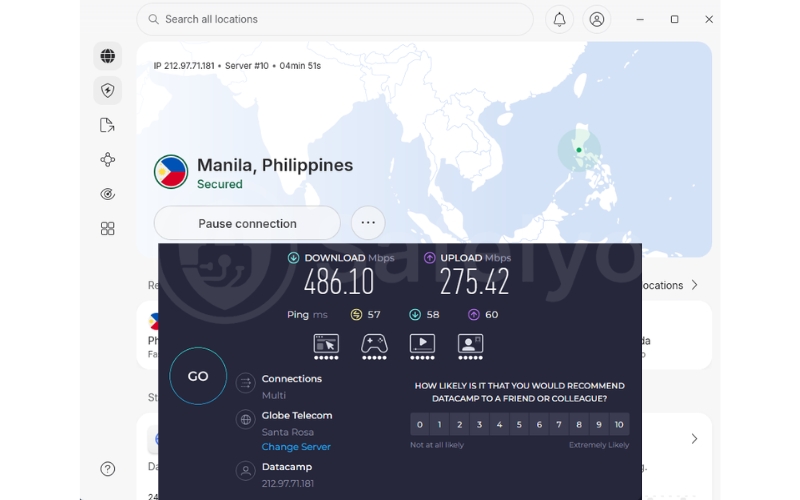
During our 2026 assessments on a 1 Gbps PLDT fiber connection, the proprietary NordLynx protocol delivered an outstanding download speed of 486 Mbps. This performance prevents sudden lag spikes during intensive multiplayer sessions and ensures that high-resolution content on YouTube or Netflix loads instantly.
Meshnet for secure BPO and remote work
The free Meshnet feature lets you connect your laptop and home PC via an encrypted tunnel without routing through a standard VPN server. This is an essential tool for the massive remote work community in the Philippines, enabling safe file transfers while working from local cafes.
Threat Protection Pro for mobile safety
This built-in security layer blocks malicious websites and intrusive trackers before they can load on your device. It serves as an extra shield against the rising number of phishing attempts and mobile malware targeting users in the local digital market.
Pros
Operates highly stable physical servers in Manila.
NordLynx protocol effectively prevents game lag.
Meshnet is perfect for secure remote working.
Cons
The app interface can feel technical for beginners.
Renewal prices increase after the initial term.
Some advanced features require a higher-tier plan.
4.2. Surfshark: Best for households and unlimited devices
Surfshark provides premium unblocking capabilities at a highly competitive price point. It is the most practical solution for large Filipino households, allowing you to secure everyone’s internet connection under one affordable account.
Best for: Large families and budget-conscious users who want to secure multiple smartphones, tablets, and Smart TVs under a single subscription.
| Features | Details |
|---|---|
| Starting Price | ~$2.49/mo (2-year Starter plan) |
| Jurisdiction | Netherlands |
| Independent Audit | Yes (Verified by Deloitte) |
| No Logs Policy | Yes (Strictly audited) |
| RAM Only Servers | Yes (100 percent diskless) |
| Primary VPN Protocol | WireGuard |
| Obfuscation Technology | Camouflage Mode included |
| Kill Switch Feature | Yes (Automatic protection) |
| Simultaneous Connections | Unlimited devices |
| Streaming Support | Unblocks Netflix, Amazon Prime, and Hulu |
| Torrent and Peer to Peer | Allowed on all servers |
| Split Tunneling Availability | Yes (Bypasser feature included) |
| Refund Policy | 30-day money-back guarantee |
Unlimited simultaneous connections policy
Surfshark’s standout feature is its lack of device limits, which offers incredible value for extended Filipino families. You can share one account across your entire home, ensuring that parents, siblings, and roommates can all browse or stream simultaneously without being disconnected.
WireGuard speeds and throttling bypass
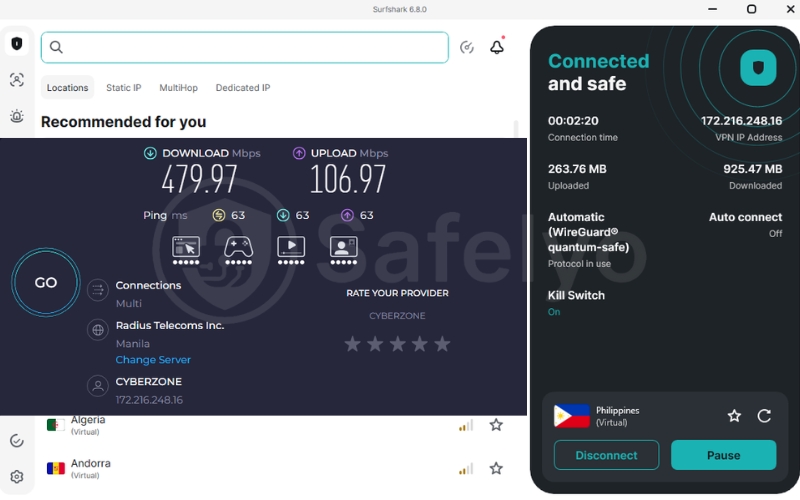
Using the modern WireGuard protocol, our team recorded highly stable download speeds of 479 Mbps on Smart and Globe networks. By masking your traffic metadata, Surfshark effectively prevents local ISPs from throttling your bandwidth during busy evening streaming or downloading sessions.
Advanced IP Rotator for privacy
To combat the tracking concerns surrounding the SIM Card Registration Act, Surfshark’s IP Rotator periodically changes your IP address without dropping the connection. This constant shifting makes it much harder for websites or data brokers to build a consistent profile of your online movements.
CleanWeb ad and tracker blocking
Surfshark includes CleanWeb to filter out annoying pop-ups and malicious links found on many free local streaming sites. This feature not only improves your browsing experience but also saves mobile data by preventing bandwidth-heavy ads from loading in the background.
Pros
Unbeatable value with unlimited device connections.
Successfully prevents local ISP bandwidth throttling.
CleanWeb blocks intrusive local mobile ads.
Cons
Initial connection times can take a few seconds.
Philippine servers are virtual rather than physical.
Customer support response times can vary.
4.3. ExpressVPN: Best for high-speed streaming and stability
ExpressVPN is the industry benchmark for connection reliability and ease of use. It provides a polished, high-end experience with an upgraded device limit that makes it perfect for heavy-usage households seeking a premium security solution.
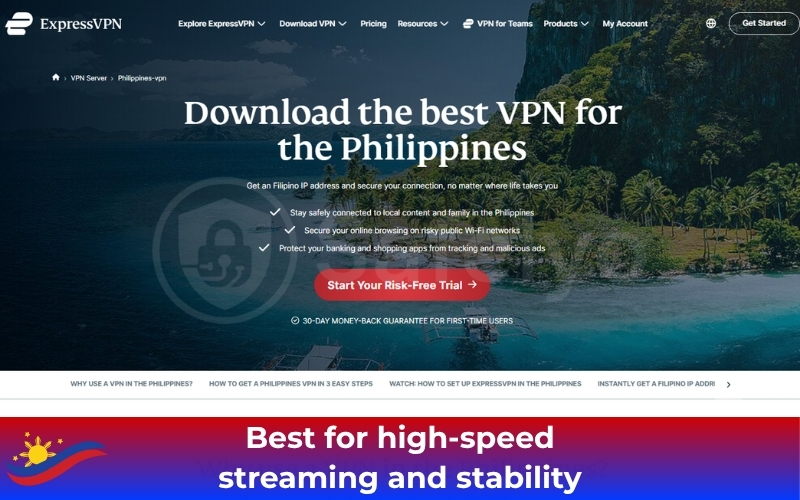
Best for: Overseas expats and heavy streamers prioritizing ultra-stable connections and effortless access to global and local television libraries.
| Features | Details |
|---|---|
| Starting Price | ~$2.49/mo (2-year Basic plan) |
| Jurisdiction | British Virgin Islands |
| Independent Audit | Yes (Verified by KPMG and PwC) |
| No Logs Policy | Yes (Court-proven) |
| RAM Only Servers | Yes (TrustedServer technology) |
| Primary VPN Protocol | Lightway |
| Obfuscation Technology | Automatic on all servers |
| Kill Switch Feature | Network Lock included |
| Simultaneous Connections | Up to 14 devices |
| Streaming Support | Unblocks Netflix, iWantTFC, and HBO Max |
| Torrent and Peer to Peer | Supported on every server |
| Split Tunneling Availability | Yes (Available for Windows and Mac) |
| Refund Policy | 30-day money-back guarantee |
Unblocking local PH content for OFWs
ExpressVPN is incredibly efficient at bypassing regional blocks on domestic applications. Overseas Filipino Workers (OFWs) can reliably connect to the virtual Manila server to watch iWantTFC or GMA Pinoy TV without encountering geographic restriction errors from abroad.
Lightway protocol efficiency results
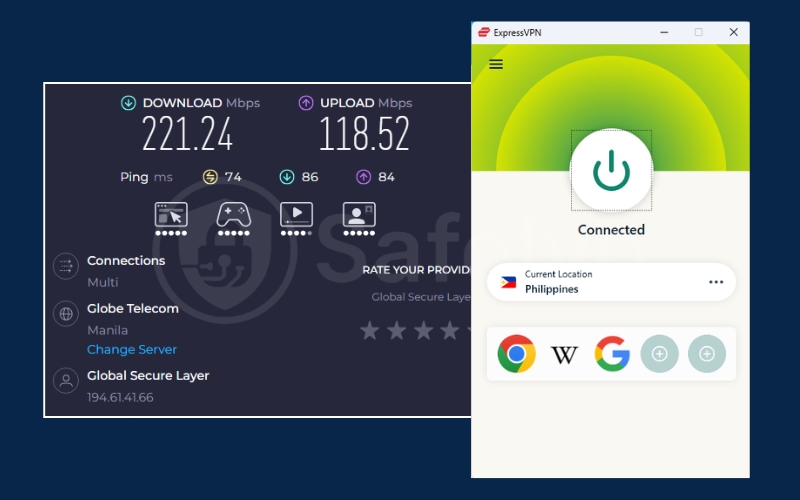
The proprietary Lightway protocol provides near-instant reconnection times when moving between Wi-Fi and mobile data. Our tests recorded excellent download speeds of 221 Mbps, ensuring your US Netflix or Disney+ streams remain in full 4K resolution without buffering.
MediaStreamer Smart DNS for TVs
Many Smart TVs and gaming consoles do not support native VPN applications. ExpressVPN’s MediaStreamer is a Smart DNS tool that allows you to change your virtual location on Apple TV or PlayStation, letting you enjoy international content on the big screen with minimal setup.
TrustedServer architecture and privacy
ExpressVPN uses RAM-only servers that wipe all data upon every reboot, ensuring no logs are ever physically stored. This high-end security infrastructure is perfect for users who want to ensure their browsing history remains completely invisible to third parties.
Pros
Most stable connection for 4K video streaming.
Upgraded limit allows for 14 device connections.
Reliably unblocks local PH content for OFWs.
Cons
Fewer manual configuration options for experts.
The official website is sometimes blocked by local ISPs.
4.4. CyberGhost: Best for beginners and gaming-optimized servers
CyberGhost removes the guesswork from unblocking regional content with its highly specialized user interface. It is designed for casual users who want a simple solution for mobile gaming and international streaming platforms.
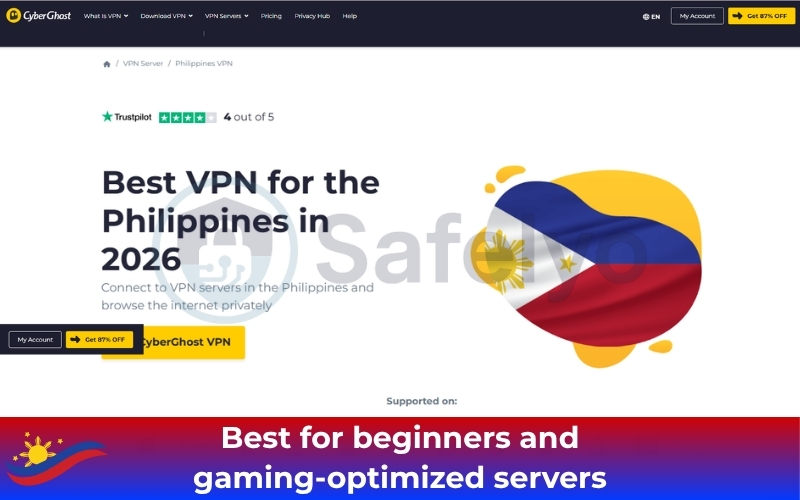
Best for: Casual gamers and beginners who want a highly intuitive, one-click solution with dedicated servers for ROBLOX and Netflix.
| Features | Details |
|---|---|
| Starting Price | ~$1.59/mo (2-year plan) |
| Jurisdiction | Romania (Outside 14 Eyes) |
| Independent Audit | Yes (Verified by Deloitte) |
| No Logs Policy | Yes (Strictly audited) |
| RAM Only Servers | Yes (Secure server network) |
| Primary VPN Protocol | WireGuard |
| Obfuscation Technology | Limited standard protocols |
| Kill Switch Feature | Yes (Always on protection) |
| Simultaneous Connections | 7 devices |
| Streaming Support | Optimized for Netflix and local platforms |
| Torrent and Peer to Peer | Dedicated servers for downloading |
| Split Tunneling Availability | Yes (Android and Windows support) |
| Refund Policy | 45-day money-back guarantee |
Optimized gaming server menu
CyberGhost features a dedicated list of servers explicitly built for low-ping gaming. This makes it incredibly easy for local players to find a stable connection for ROBLOX or Genshin Impact, reducing frustrating lag spikes during intensive afternoon gameplay sessions.
Smart Rules for app-level automation
The app allows you to automate your security settings based on your habits. For example, you can set CyberGhost to automatically connect to a Singapore server the moment you launch a specific mobile banking app, ensuring your sensitive transactions are always encrypted.
WireGuard performance for beginners
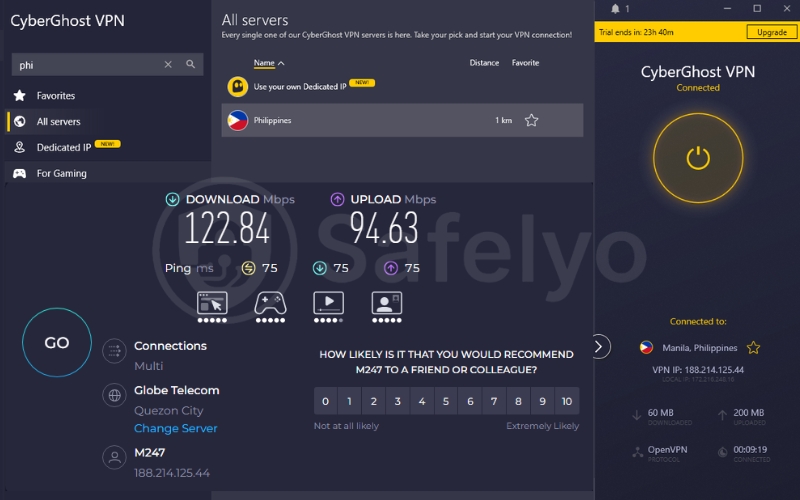
Utilizing the fast WireGuard protocol, CyberGhost achieved reliable download speeds of 122 Mbps in our local Manila tests. It provides sufficient bandwidth for high-definition video playback across all supported devices without significant performance drops or overheating.
Privacy via Romanian NoSpy servers
Headquartered in Romania, CyberGhost sits outside the jurisdiction of major international surveillance alliances. Their independently managed NoSpy servers offer an extra layer of hardware security, ensuring your data is handled only by their trusted internal security team.
Pros
Dedicated servers optimized for low-ping gaming.
Massive global network minimizes server congestion.
Industry-leading 45-day money-back guarantee.
Cons
Lacks advanced obfuscation for strict firewalls.
The device limit is lower than Nord or Surfshark.
Virtual servers can have slightly higher latency.
4.5. Proton VPN: Best for privacy purists with a free tier
Developed by CERN scientists, Proton VPN is the top choice for users who prioritize absolute transparency. It provides a highly secure entry point through its reputable free tier and advanced Swiss security standards.
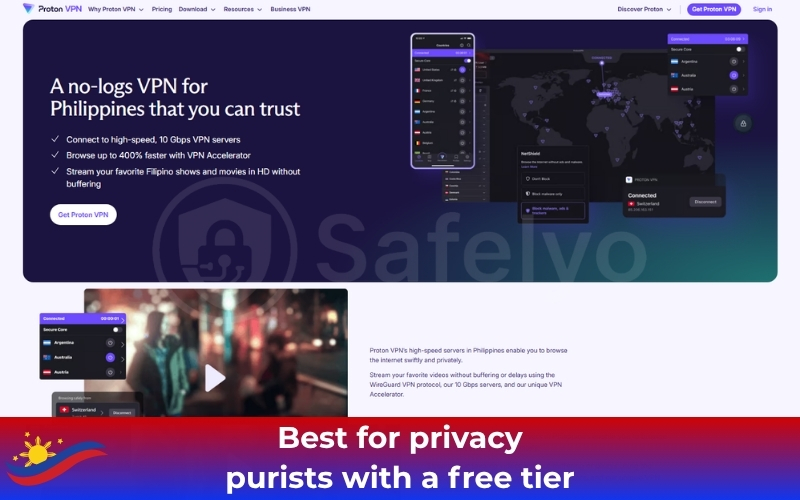
Best for: Students on a budget and privacy purists who need a completely safe free tier or physical server access inside Manila.
| Features | Details |
|---|---|
| Starting Price | Free or ~$2.99/mo (Plus plan) |
| Jurisdiction | Switzerland (Ironclad privacy laws) |
| Independent Audit | Yes (Verified and Open Source) |
| No Logs Policy | Yes (Strictly audited) |
| RAM Only Servers | Yes (Secure Core architecture) |
| Primary VPN Protocol | Stealth and WireGuard |
| Obfuscation Technology | Stealth Protocol included |
| Kill Switch Feature | Permanent Kill Switch available |
| Simultaneous Connections | 10 devices |
| Streaming Support | Unblocks Netflix and Disney+ on the Plus plan |
| Torrent and Peer to Peer | Supported on Plus servers |
| Split Tunneling Availability | Yes (Advanced configuration options) |
| Refund Policy | 30-day money-back guarantee |
Unlimited bandwidth free tier
Proton VPN offers the only trustworthy free tier with absolutely no monthly data limits. This is perfect for Filipino students who need to secure their personal data on campus Wi-Fi without worrying about being cut off halfway through the month.
VPN Accelerator technology results
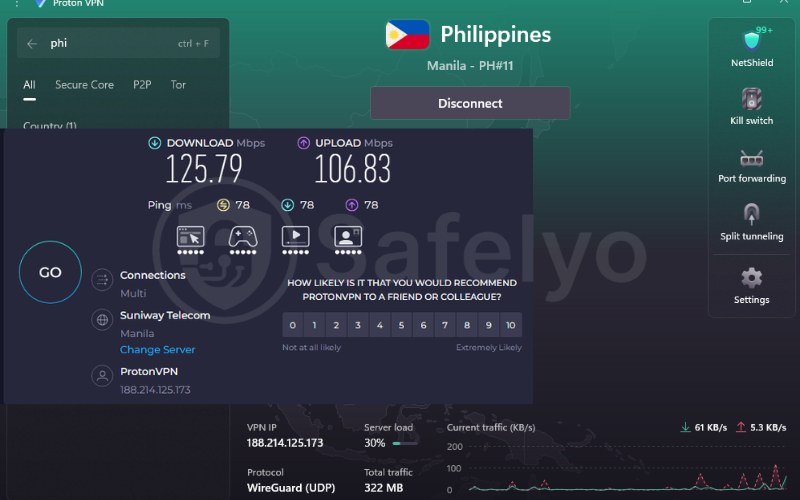
The proprietary VPN Accelerator uses multi-core processing to dramatically boost international speeds. Our Manila server tests showed download speeds of 405 Mbps, allowing for seamless video calls to Europe or North America without the typical lag of long-distance connections.
Stealth protocol to bypass network filters
In highly restricted environments, the Stealth protocol scrambles your VPN handshake to look like regular HTTPS traffic. This allows you to bypass advanced network filters at schools or offices that might otherwise block standard encrypted tunnels.
Secure Core double encryption
For users requiring maximum protection, Secure Core routes your traffic through privacy-hardened servers in Switzerland before reaching the Philippines. This protects your true identity even if the local server is compromised by a sophisticated network-level attack.
Pros
Operates physical servers inside the Philippines.
Elite Swiss privacy laws protect your data.
Only a safe, free VPN with unlimited monthly data.
Cons
The free tier does not support streaming unblocking.
Premium plans are pricier than competitors.
Smaller server network than NordVPN or CyberGhost.
5. How to get a Philippine IP address from abroad
Many Overseas Filipino Workers and travelers face frustrating geographic blocks when trying to stay connected to home. Acquiring a virtual Manila identity is the most effective way to access local banking and streaming services securely from any country.
Follow these four steps to change your virtual location and bypass regional restrictions instantly.
- Step 1: Select a VPN with Manila servers.
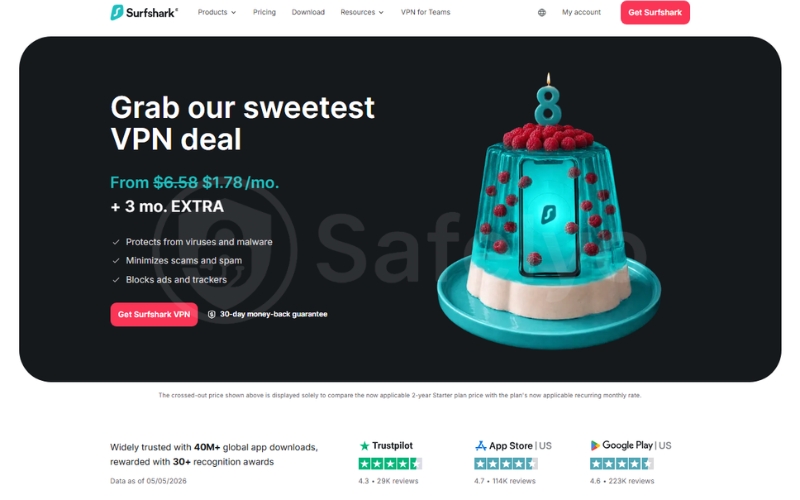
Choose a premium service such as NordVPN or Surfshark that specifically offers stable connections for the Philippines. Create an account on their official website and install the application on your device.
- Step 2: Sign in and find the Philippines.
Open the app and enter your secure credentials to reach the server dashboard. Use the search bar to locate the Philippines in the country list to see available server clusters.
- Step 3: Connect to a Manila server.
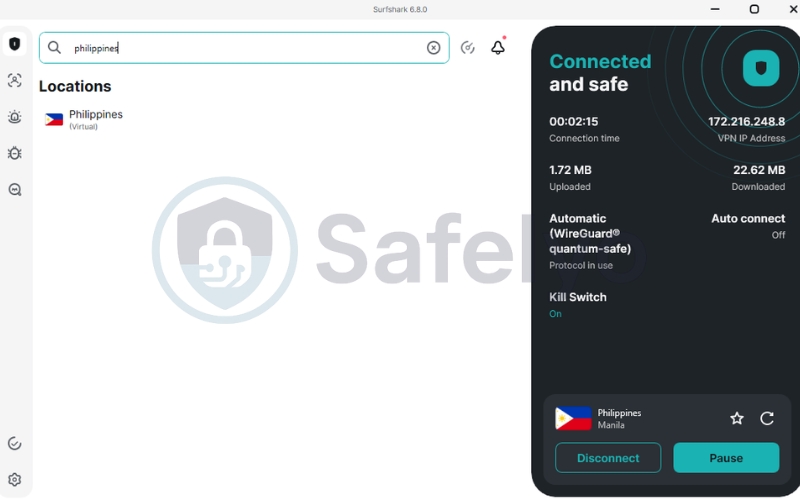
Tap the connect button to establish an encrypted tunnel. This process assigns your device a local Manila IP address immediately and masks your true physical location from the websites you visit.
- Step 4: Access your local content.
Once the status indicator turns green, you can refresh your target streaming application or banking portal. You can now enjoy iWantTFC and GMA Pinoy TV without encountering any geographic restriction errors.
6. The truth about using free VPNs in the Philippines
Many users search for free VPN applications on social media groups, but these tools are often highly dangerous. Most 100 percent free services monetize your personal activity by selling your browsing data to third-party advertisers. This creates a massive privacy risk, especially with the strict requirements of the new SIM registration laws.
We have found that many free apps lack basic security features such as a functional Kill Switch. This means your real identity could leak to your internet provider during a sudden connection drop. These services also tend to have very slow speeds, which make streaming local shows or playing mobile games almost impossible due to constant buffering.
Instead of risking your digital safety, we recommend a smarter approach for users on a budget. You can utilize the thirty-day money-back guarantee from premium providers like NordVPN or Surfshark. This strategy allows you to enjoy elite encryption and fast Manila servers for a full month while maintaining the option to receive a full refund.
7. FAQs about the best VPN for Philippines
Is using a VPN legal in the Philippines?
Yes, using a VPN is completely legal for all citizens and visitors in the country. There are no national laws that prohibit the use of encryption to secure your personal data or browse the internet privately. You simply need to ensure that your online activities remain within the boundaries of local regulations while you are connected.
Can a VPN help me get lower prices on Shopee or Lazada?
Sometimes you can find better deals by changing your virtual location to different regions. Online marketplaces occasionally use regional pricing algorithms that show different discounts based on your IP address. By switching your server, you might access exclusive vouchers or flash sales that are not visible to your current physical location.
Does the Philippines block social media or TikTok?
The local government generally does not block major social media platforms like TikTok or Facebook. However, internet providers frequently throttle the bandwidth for these specific applications during peak hours. Using a secure connection hides your app usage from your ISP, which often results in much faster loading times for videos and live streams.
Which VPN has the fastest servers in Manila?
NordVPN currently holds the record for the fastest local speeds in our tests. This is because they operate physical hardware directly in Manila rather than relying on virtual routing. Their proprietary NordLynx protocol ensures a remarkably stable connection that is perfect for high-resolution streaming and competitive multiplayer gaming without lag.
8. Conclusion
Securing your digital life is more critical than ever in 2026 as local internet regulations continue to tighten. Choosing the Best VPN for Philippines is the most reliable way to protect your personal information and bypass frustrating network limits. NordVPN remains the premier choice for those seeking maximum security, while Surfshark offers incredible value for entire households.
Whether you are a local gamer or an OFW living abroad, a premium VPN ensures your connection remains private and unrestricted. To find the perfect security setup for your specific needs, we encourage you to explore our comprehensive Best VPN category at Safelyo. Start your journey toward a safer and faster internet experience with absolute confidence today.
Trust Safelyo for VPN and online privacy advice? Add Safelyo as a preferred source on Google to see more of our latest guides and updates.