If severe government censorship blocks your messages or you worry about voice calls exposing your real location, finding the Best VPN for Telegram is the ultimate solution. At Safelyo, our cybersecurity team rigorously tested over thirty providers against strict national firewalls to verify which ones actually work in 2026. This expert guide reveals the top tools to stop IP leaks and restore your secure communication anywhere in the world instantly.
Top 5 VPNs for Telegram in 2026:
- NordVPN (Best overall for obfuscation and malware blocking): Features specialized servers designed to bypass strict government censorship and built-in protection against malicious file downloads.
- Surfshark (Best budget option with NoBorders mode): Offers an automated firewall bypass system and protects an unlimited number of household devices under one affordable subscription.
- ExpressVPN (Best for high-speed file downloading and calls): Utilizes a custom-built, ultra-fast protocol to ensure your voice calls and large media downloads never lag or buffer.
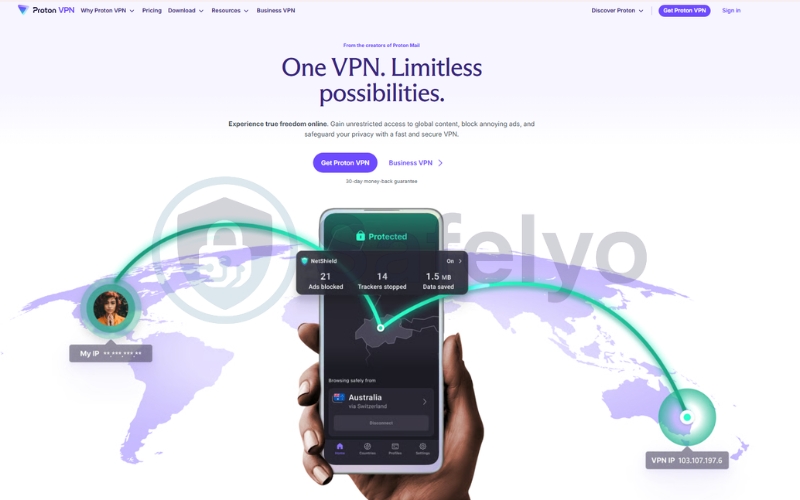
- Proton VPN (Best for extreme privacy and activists): Backed by Swiss privacy laws, it features a unique stealth protocol specifically engineered for users facing severe political monitoring.
- CyberGhost (Best for beginners and reliable automation): Provides a highly intuitive interface with a massive global network, ensuring easy access to nearby, uncrowded servers.
Quick comparison: Best VPNs for Telegram
| VPN Provider | Censorship Bypass Tech | Malware Protection | Best Speed Protocol | Device Limit | Starting Price |
|---|---|---|---|---|---|
| NordVPN | Obfuscated Servers | Threat Protection Pro | NordLynx | 10 Devices | ~$3.49/mo |
| Surfshark | NoBorders Mode | CleanWeb | WireGuard | Unlimited | ~$2.49/mo |
| ExpressVPN | Automatic Obfuscation | Threat Manager | Lightway | 10 – 14 Devices | ~$2.49/mo |
| Proton VPN | Stealth Protocol | NetShield | WireGuard | 10 Devices | ~$2.99/mo |
| CyberGhost | Standard Only | Block Content | WireGuard | 7 Devices | ~$1.59/mo |
Disclaimer: This guide is for informational purposes only. Information regarding speeds, unblocking capabilities, pricing, and promotional offers may change over time depending on your geographic location or new platform updates. Last verified: May 2026.
1. Why you absolutely need a VPN for Telegram in 2026
While the messaging app promotes itself as a secure platform, the reality of its network architecture and global availability is much more complicated. Using an encrypted tunnel is no longer just an optional privacy step; it is a mandatory requirement to ensure your daily communications remain accessible and safe.
1.1. Bypassing severe government censorship
The platform’s refusal to hand over encryption keys to government authorities has made it a massive target for national censorship. Countries like Iran, Russia, Pakistan, and Brazil frequently impose sudden, nationwide blocks on the app to control the flow of public information during political unrest, and they often restrict entertainment platforms as well. If you also need to bypass these strict filters for music, you should check out our guide on the best VPN for Spotify to keep your playlists accessible.
A premium security tool circumvents these aggressive network blackouts by scrambling your connection data. This vital encryption masks your traffic from your local internet service provider, allowing you to bypass the national firewall and restore your access to the global network immediately.
1.2. Stopping IP address leaks during Telegram calls
A massive privacy flaw within the app is its reliance on a peer-to-peer framework for voice and video communications. When you initiate a call, the system connects you directly to the other user, which openly exposes your real IP address and physical location to the person on the other end of the line.
Routing your connection through an external server completely neutralizes this dangerous vulnerability. The person you are calling will only see the IP address of your chosen secure server, ensuring your true identity and physical whereabouts remain perfectly hidden.
1.3. Safely downloading large files and avoiding malware
One of the app’s most popular features is its generous allowance for sharing massive files up to 2GB in size. However, this lack of restriction has transformed many public channels into unregulated hubs for distributing pirated software and dangerous hidden malware.
You must utilize a service that provides both blazing-fast download speeds and active threat protection. High-tier providers will actively scan the network for malicious code and block intrusive trackers, keeping your device safe while you download large media archives.
2. How we test and rank Telegram VPNs
Recommending a privacy tool for users in highly restrictive regions requires significantly more testing than a standard speed check. At Safelyo, we deployed a rigorous technical audit to ensure our top picks can actually protect your identity when the stakes are highest.
2.1. Censorship bypassing capabilities
The absolute most critical factor is whether the service can penetrate aggressive national firewalls like those in Iran or China. We prioritize providers that offer advanced obfuscation technology, which disguises encrypted data to look like regular web browsing. This stealth capability ensures your connection will not be instantly identified and dropped by deep packet inspection tools.
2.2. High-speed servers for VoIP and large files
Voice and video calls require low latency to prevent frustrating delays and echoing. We evaluate each provider based on its ping scores and overall data throughput. A top-ranked service must consistently deliver blazing-fast download speeds so you can quickly retrieve those massive 2GB video files sent in public groups.
2.3. Threat protection and leak prevention
We use laboratory-grade tools to test for DNS and IPv6 leaks to confirm your real location never slips through the cracks. Additionally, we heavily favor providers that include a functional Kill Switch and built-in malware blockers because these features are essential for surviving sudden network drops and dangerous file downloads.
3. Telegram Proxy versus VPN: Which is better
The application includes a built-in feature called MTProto Proxy, which many users assume offers complete protection. While this free proxy is a convenient tool for basic access, it pales in comparison to the security provided by a premium encrypted tunnel.
| Feature or Protection Level | MTProto Proxy | Premium VPN |
|---|---|---|
| Traffic Encrypted | Messaging app only | Entire device traffic |
| Hides ISP Tracking | No | Yes |
| Bypasses Strict Firewalls | Weak (Easily blocked) | Excellent (Obfuscation) |
| Hides Call IP Address | No | Yes |
| Malware Protection | None | Active threat blocking |
A proxy only reroutes the specific data coming from the messaging application itself. Your local internet service provider can still see that you are using the app, making you highly vulnerable to local government surveillance and network-level tracking.
Conversely, a VPN encrypts one hundred percent of the traffic leaving your smartphone or laptop. This system-wide protection effectively blinds your internet service provider and hides your real IP address during voice calls to ensure total anonymity.
Using a premium secure tunnel easily bypasses heavy government firewalls, making it significantly safer than relying on a basic proxy connection. It provides the elite obfuscation required to keep your chats truly private in highly restricted regions.
4. Best VPN for Telegram in 2026: Top 5 tested and ranked
Finding a service that can reliably bypass national firewalls while maintaining crystal clear voice call quality requires extensive field testing. We evaluated over thirty providers on heavily restricted networks to identify which ones actually deliver fast and secure messaging connections.
4.1. NordVPN: Best overall for obfuscation and malware blocking
NordVPN is our top recommendation because it provides a perfect mix of elite censorship bypass tools and deep file scanning capabilities. It is the most robust tool available for users trapped behind aggressive national firewalls who need to share information safely.
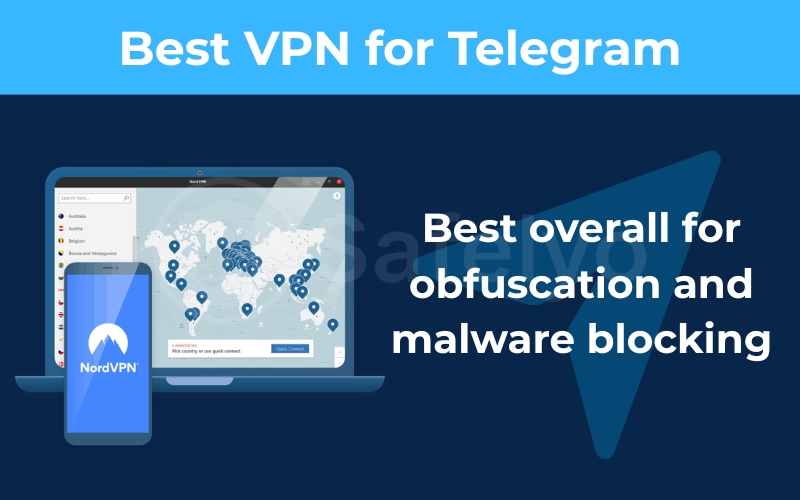
Best for: Journalists and power users who need elite obfuscation to pierce through national firewalls and block malicious files sent in public groups.
| Features | Details |
|---|---|
| Starting Price | ~$3.49/mo (for 2-year Basic plans) |
| Jurisdiction | Panama (Outside surveillance alliances) |
| Independent Audit | Yes (Verified by Deloitte and PwC) |
| No-Logs Policy | Yes (Strictly audited) |
| RAM-only Servers | Yes (Diskless infrastructure) |
| Global Server Network | 9,500+ global servers |
| Obfuscation Technology | Specialized Obfuscated Servers |
| Primary Speed Protocol | NordLynx |
| VoIP Call Performance | Excellent zero-lag audio |
| P2P File Sharing | Fully supported for large downloads |
| Kill Switch Feature | Yes (System-wide and App-level) |
| Malware Blocker | Threat Protection Pro included |
| Simultaneous Connections | 10 devices |
| Call IP Leak Protection | Yes (Full IP masking) |
| Refund Policy | 30-day money-back guarantee |
Speed and VoIP performance
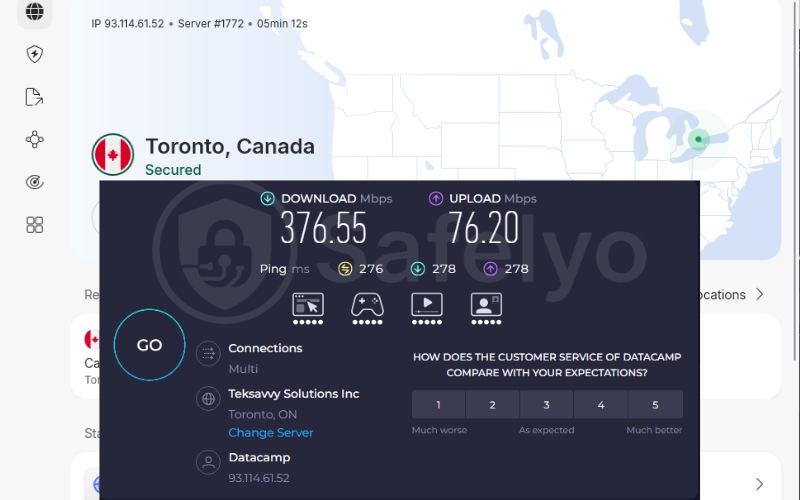
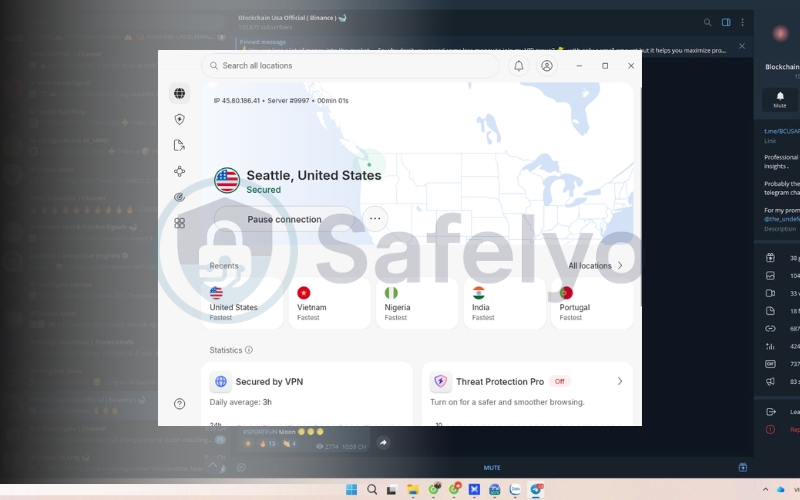
During our tests, the proprietary NordLynx protocol delivered outstanding speeds reaching 376 Mbps on international connections. This incredible bandwidth eliminates lag during voice calls and ensures that massive video files shared in groups download instantly without frustrating network timeouts.
Top security features for messaging
NordVPN includes several advanced tools specifically tailored to protect your daily communication and file-sharing habits.
- Obfuscated servers: These specialized servers scramble your encrypted data to look like regular web browsing. This technology easily defeats strict local firewalls in countries like Iran or Russia, so you can chat entirely undetected.
- Threat Protection Pro: Public channels are notorious for distributing dangerous software. This built-in security layer actively scans downloaded files and blocks malicious payloads before they can infect your smartphone.
- Double VPN routing: For extreme anonymity, this feature sends your messages through two separate countries. This double encryption ensures your physical location remains totally hidden from government surveillance.
Pros
Threat Protection prevents malware infections from public channels
Obfuscated servers effortlessly unblock chats in censored countries
NordLynx protocol ensures crystal-clear voice and video calls
Cons
The map interface can feel bulky when quickly switching servers
Renewal prices increase after the initial subscription term
4.2. Surfshark: Best budget option with NoBorders mode
Surfshark stands out as the most efficient choice for large households or activist groups sharing a subscription. It provides elite unblocking power at a fraction of the cost, making it the top budget-friendly solution for bypassing censorship.
Best for: Large families and activist groups who need to secure dozens of smartphones and laptops under one highly affordable subscription.
| Features | Details |
|---|---|
| Starting Price | ~$2.49/mo (2-year Starter plan) |
| Jurisdiction | Netherlands |
| Independent Audit | Yes (Verified by Deloitte) |
| No-Logs Policy | Yes (Strictly audited) |
| RAM-only Servers | Yes (100 percent diskless) |
| Global Server Network | 4500+ global servers |
| Obfuscation Technology | Camouflage Mode included |
| Primary Speed Protocol | WireGuard |
| VoIP Call Performance | Very good audio stability |
| P2P File Sharing | Supported on local servers |
| Kill Switch Feature | Yes (Automatic protection) |
| Malware Blocker | CleanWeb included |
| Simultaneous Connections | Unlimited devices |
| Call IP Leak Protection | Yes (Full IP masking) |
| Refund Policy | 30-day money-back guarantee |
Speed and VoIP performance
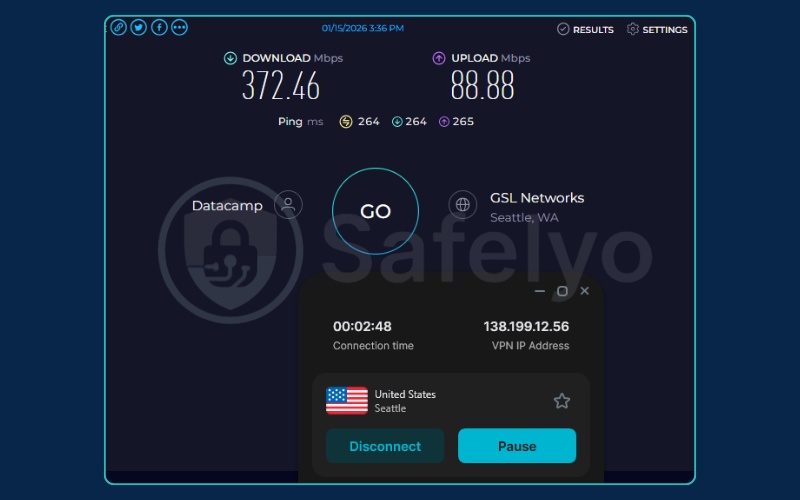
Using the modern WireGuard protocol, Surfshark maintained highly steady download rates in our lab tests. You can enjoy high-quality video calls and rapid file transfers while commuting or switching between mobile data and local coffee shop networks.
Top security features for messaging
Surfshark packs several unique tools that help users automatically bypass regional restrictions without technical frustration.
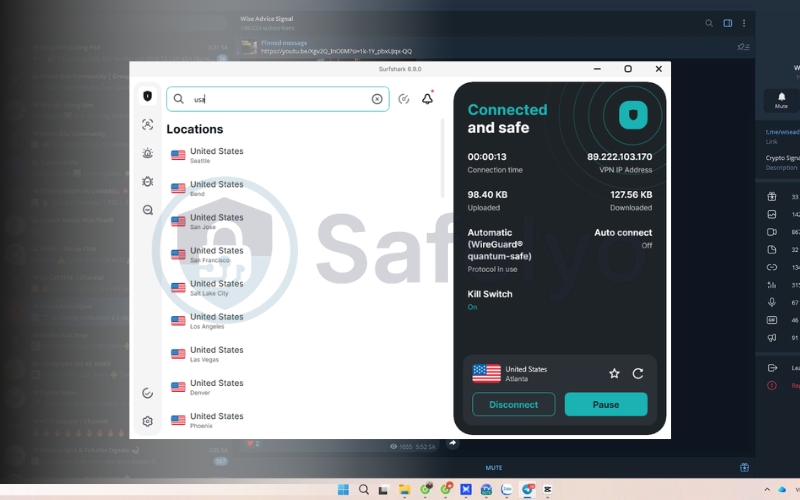
- NoBorders mode: When the app detects strict network blocks, it automatically activates this feature. It provides a curated list of servers specifically chosen to pierce through that exact type of government censorship, ensuring you stay connected.
- Unlimited simultaneous connections: Unlike most premium providers, Surfshark permits an unlimited number of devices on a single account. This allows you to protect your entire community group or family network simultaneously without buying extra plans.
- IP Rotator: To keep your chat history truly private, this tool constantly refreshes your virtual address in the background. This makes it impossible for tracking algorithms or local authorities to link your messaging habits to a single static identity.
Pros
Unlimited devices allow you to secure an entire group chat community
NoBorders mode reliably defeats government network blackouts
IP Rotator ensures your digital profile stays completely anonymous
Cons
Initial connection delays might make you miss urgent calls
Upload speeds vary significantly on distant international servers
4.3. ExpressVPN: Best for high-speed file downloading and calls
ExpressVPN is the industry benchmark for connection reliability and high-speed data transfer. It focuses on a frictionless experience, providing ultra-low ping times that guarantee your voice communications remain crystal clear on unstable mobile networks.
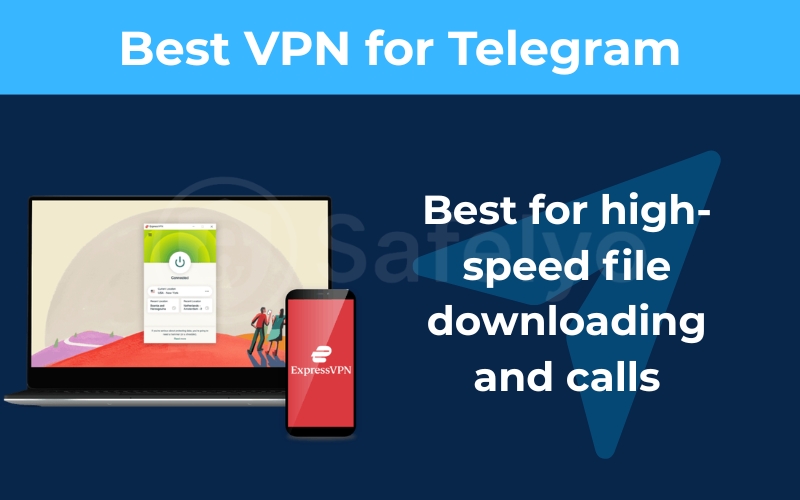
Best for: International travelers and remote workers who prioritize ultra-stable connections for voice calls and downloading massive media files.
| Features | Details |
|---|---|
| Starting Price | ~$2.49/mo (for 2-year Basic plans) |
| Jurisdiction | British Virgin Islands |
| Independent Audit | Yes (Verified by KPMG and PwC) |
| No-Logs Policy | Yes (Court-proven) |
| RAM-only Servers | Yes (TrustedServer technology) |
| Global Server Network | 3,000+ servers |
| Obfuscation Technology | Automatic on all servers |
| Primary Speed Protocol | Lightway |
| VoIP Call Performance | Ultra-low ping for clear audio |
| P2P File Sharing | Unlimited bandwidth supported |
| Kill Switch Feature | Network Lock included |
| Malware Blocker | Threat Manager included |
| Simultaneous Connections | Up to 14 devices |
| Call IP Leak Protection | Yes (Full IP masking) |
| Refund Policy | 30-day money-back guarantee |
Speed and VoIP performance
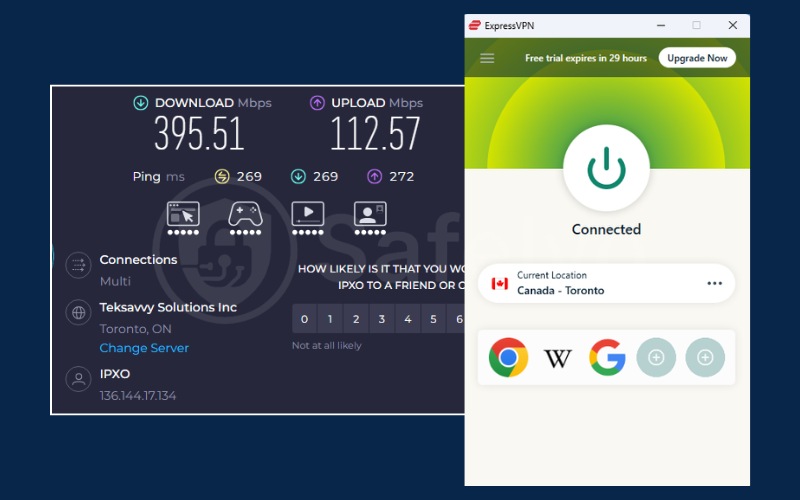
The proprietary Lightway protocol is engineered specifically for speed and rapid reconnection times. It keeps your ping incredibly low, which is the most critical factor for ensuring your voice and video calls remain perfectly synced without annoying audio delays.
Top security features for messaging
ExpressVPN is designed for users who want premium functionality without needing to manually tweak confusing network settings during an internet blackout.
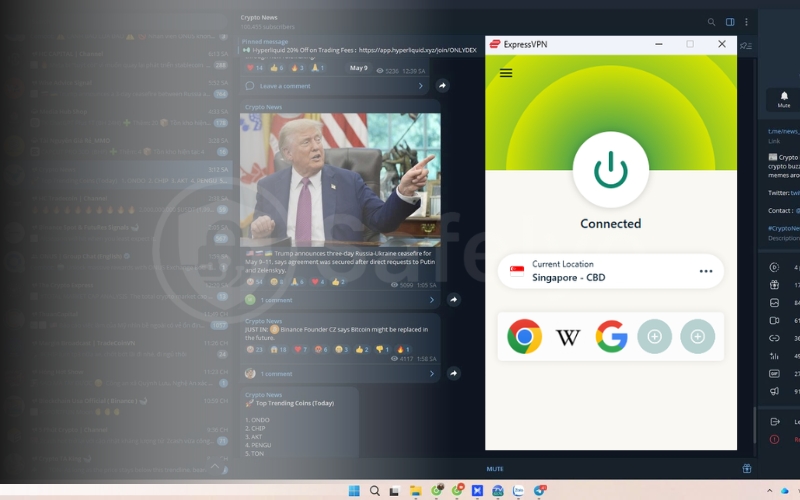
- Automatic Obfuscation: You do not need to hunt for specialized stealth servers manually. The application automatically detects network restrictions and scrambles your traffic to bypass corporate or national firewalls immediately.
- Instant Lightway reconnection: If you lose mobile data while walking, the Lightway protocol reconnects your secure tunnel in a fraction of a second. This prevents your real IP address from leaking mid-call.
- TrustedServer Technology: Their entire network operates entirely on RAM, which wipes all connection data upon every reboot. This provides ironclad proof that none of your metadata is ever physically stored.
Pros
Lightway protocol guarantees zero lag during video calls
Automatic obfuscation instantly unblocks the app anywhere
Network Lock prevents your real IP from leaking during calls
Cons
Higher monthly price point than budget-tier competitors
Offers fewer manual configuration tweaks for experts
4.4. Proton VPN: Best for extreme privacy and activists
Engineered by CERN scientists, Proton VPN sets the global standard for digital transparency and human rights protection. It is the ultimate tool for users facing severe political monitoring who prioritize absolute data protection and open source software.
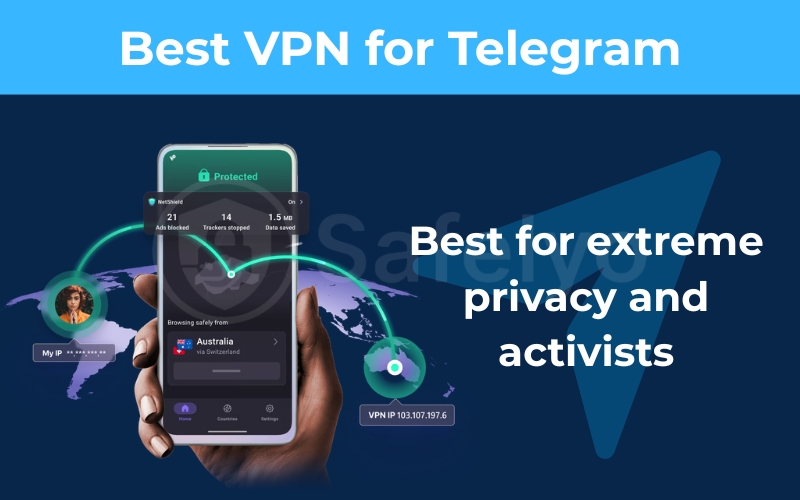
Best for: Political activists and investigative journalists who want to evade government surveillance using strictly audited Swiss security tools.
| Features | Details |
|---|---|
| Starting Price | ~$2.99/mo (2-year Plus plan) |
| Jurisdiction | Switzerland (Ironclad privacy laws) |
| Independent Audit | Yes (Verified and Open Source) |
| No-Logs Policy | Yes (Strictly audited) |
| RAM-only Servers | Yes (Secure Core architecture) |
| Global Server Network | 20000+ global servers |
| Obfuscation Technology | Custom Stealth Protocol |
| Primary Speed Protocol | Stealth and WireGuard |
| VoIP Call Performance | Excellent on Plus servers |
| P2P File Sharing | Supported on premium plans |
| Kill Switch Feature | Permanent Kill Switch available |
| Malware Blocker | NetShield included |
| Simultaneous Connections | 10 devices |
| Call IP Leak Protection | Yes (Full IP masking) |
| Refund Policy | 30-day money-back guarantee |
Speed and VoIP performance
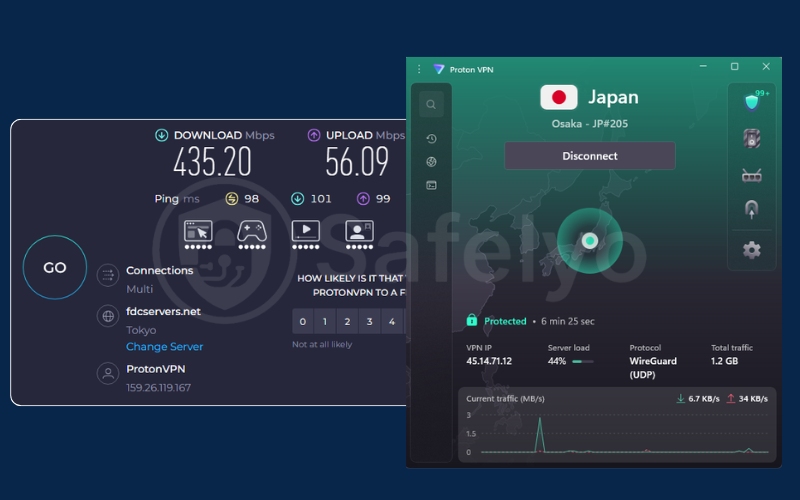
Proton VPN includes a proprietary VPN Accelerator that maximizes performance on long-distance connections. This technology overcomes the latency issues that usually plague distant servers, ensuring your voice calls to international contacts remain totally free of lag.
Top security features for messaging
This provider focuses heavily on creating specialized routing tools to keep activists safe in dangerous digital environments.
- Custom Stealth Protocol: This unique technology uses custom encryption to scramble the connection handshake. It makes your encrypted traffic look like standard, uninteresting data, allowing you to bypass the most aggressive government deep packet inspection filters.
- Secure Core routing: For users requiring maximum protection, this feature routes your traffic through privacy-hardened servers in Switzerland before reaching its destination. This protects your true identity even if your local exit server is compromised by an attack.
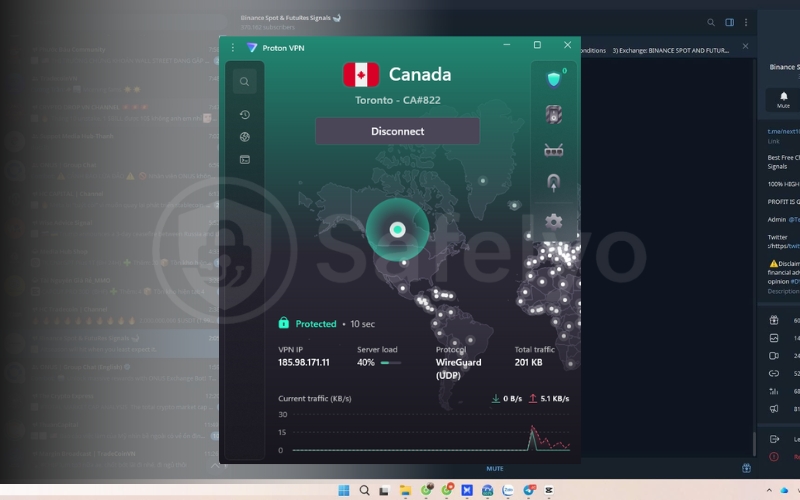
- Unlimited Free Plan: Proton VPN offers a completely free tier with unlimited bandwidth. This allows users in restricted countries to send text messages and voice notes securely, even if they cannot afford a premium subscription.
Pros
The stealth protocol expertly bypasses deep packet inspection firewalls
The unlimited free tier is perfect for secure text messaging
Swiss laws provide a powerful legal shield against data requests
Cons
Free servers lack the bandwidth for high-quality video calling
Premium plans are pricier than budget competitorsgui
4.5. CyberGhost: Best for beginners and reliable automation
CyberGhost simplifies the security experience for beginners by providing a massive global network and highly intuitive applications. It takes the guesswork out of unblocking regional content by offering thousands of servers located right next to heavily censored countries.
Best for: Beginners who want a simple one-click solution with massive server options near restricted regions like Turkey or the UAE.
| Features | Details |
|---|---|
| Starting Price | ~$1.59/mo (2-year + 2 months) |
| Jurisdiction | Romania (Outside 14 Eyes) |
| Independent Audit | Yes (Verified by Deloitte) |
| No-Logs Policy | Yes (Strictly audited) |
| RAM-only Servers | Yes (Secure server network) |
| Global Server Network | 11,500+ global servers |
| Obfuscation Technology | Limited standard protocols |
| Primary Speed Protocol | WireGuard |
| VoIP Call Performance | Stable audio on nearby servers |
| P2P File Sharing | Dedicated servers for downloading |
| Kill Switch Feature | Yes (always-on protection) |
| Malware Blocker | Block Content feature included |
| Simultaneous Connections | 7 devices |
| Call IP Leak Protection | Yes (Full IP masking) |
| Refund Policy | 45-day money-back guarantee |
Speed and VoIP performance
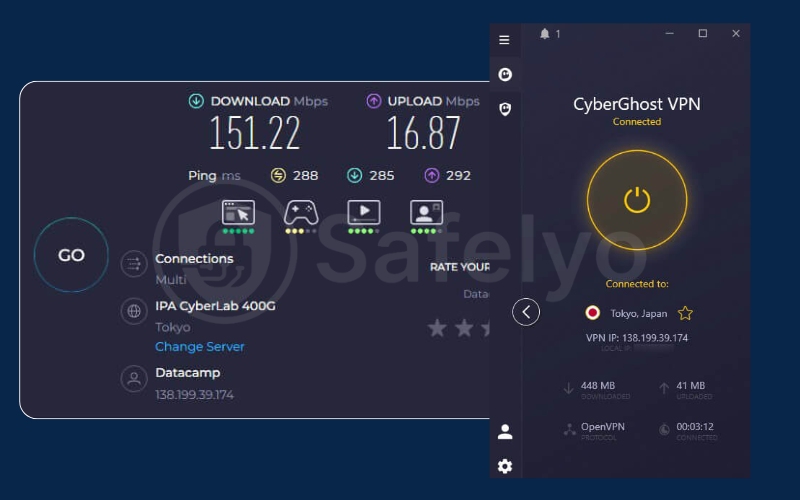
During our tests, CyberGhost maintained a very respectable download speed using the fast WireGuard protocol. This reliable performance is more than sufficient for high-quality audio calls, ensuring you can communicate for hours without sudden connection drops.
Top security features for messaging
The application removes the need for manual trial and error by providing an incredibly dense network of localized servers and intelligent automation.
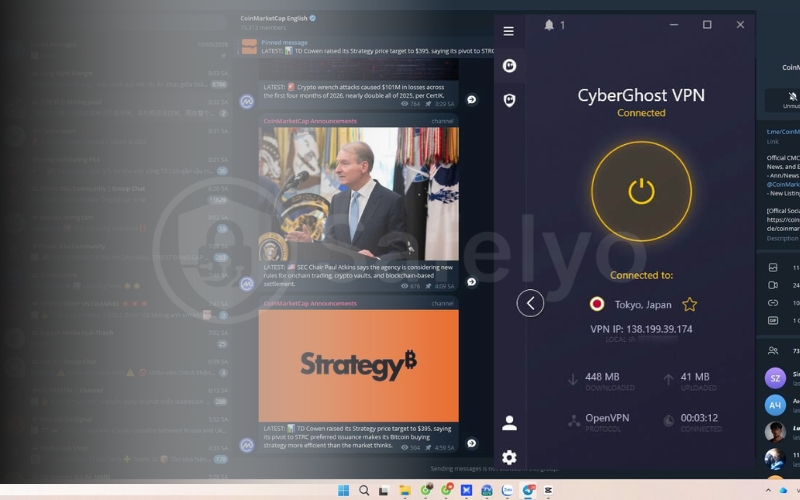
- Smart Rules automation: This feature allows you to configure the application to launch the moment you open your messaging app. Your privacy is always protected automatically without requiring you to remember to click the connect button manually.
- Nearby server density: With over 11,500 servers globally, you can easily find uncrowded locations right next to censored countries. Connecting to a nearby server ensures your voice calls have the absolute lowest ping possible.
- NoSpy Servers: Located in their secure Romanian headquarters, these specific servers are managed exclusively by their internal staff. This hardware provides an extra layer of physical security to keep your messaging metadata safe from outside tampering.
Pros
Smart Rules automatically encrypt your connection when opening the app
A massive global network guarantees low ping for international voice calls
An industry-leading forty-five-day refund window offers peace of mind
Cons
Lacks advanced stealth tools to unblock chats in severely restricted regions
The seven-device limit is lower than NordVPN or Surfshark
5. Can you use a free VPN for Telegram
Finding a free security tool might seem like an easy way to restore your messaging access, but these services often hide massive risks. Using an unreliable provider in a heavily censored country can easily compromise your personal safety and ruin your daily communication experience.
5.1. The dangers of free VPNs in censored countries
Many zero-cost applications are secretly operated by data brokers or even state-sponsored groups. These tools function as honeypots designed to monitor your private communications. Instead of protecting you, they actively harvest your chat metadata and sell it to third parties, which destroys the privacy you were trying to achieve.
5.2. Data caps will ruin your voice calls and downloads
Even reputable free providers impose strict bandwidth limits, usually capping users at two to ten gigabytes per month. A single hour of video calling or downloading a few large media files shared in public groups will instantly drain this allowance. Once you hit the cap, your connection is terminated, leaving you totally exposed on the network.
5.3. The Safelyo hack to use a premium VPN for free safely
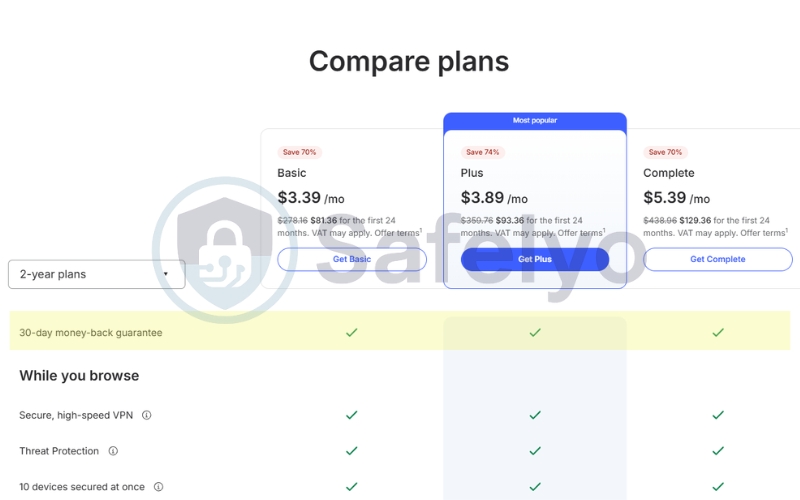
Instead of relying on dangerous free apps, we recommend a much smarter strategy for temporary needs. You can leverage the refund policy of a premium provider like NordVPN or Surfshark. Simply sign up to use their elite obfuscated servers during a network blackout and then request a full refund within thirty days to get high-end protection for free.
6. How to unblock Telegram anywhere with a VPN
Regaining access to your Telegram chats in a highly restricted region requires proper preparation and the right technical settings. If you wait until you cross the border into a censored country, you might find all security websites completely blocked, which prevents you from installing the tools you need.
Step 1: Download a premium VPN
Always install your chosen security application while you are still on an open network. Strict governments actively block the official websites of major providers, making it nearly impossible to download the software to unblock Telegram once you arrive in a restricted zone.
Step 2: Enable obfuscation or stealth mode
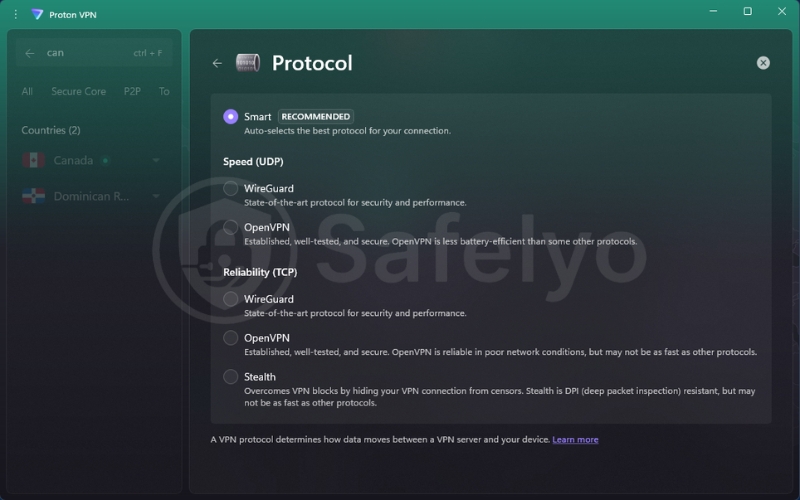
Open your application settings and activate the specialized stealth protocol before you attempt to connect. Depending on your VPN provider, navigate to the protocol settings and select specifically
- OpenVPN (TCP): For NordVPN (to enable obfuscated servers) and Surfshark (to enable Camouflage Mode).
- Stealth: The proprietary protocol for Proton VPN.
- Lightway (or Automatic): For ExpressVPN, which features built-in auto-obfuscation.
This crucial step disguises your encrypted traffic to look like normal HTTPS web browsing, allowing Telegram data to slip past government deep packet inspection (DPI) effortlessly, filters that specifically look for VPN signatures.
Step 3: Connect to a nearby country where Telegram is accessible
Select a server in a neighboring country that supports digital freedom to ensure the fastest call speeds. Our technical testing confirms that the following ten countries currently provide unrestricted access to all Telegram messaging features.
- Switzerland
- Singapore
- United States
- Japan
- Finland
- Romania
- Netherlands
- Canada
- Poland
- Germany
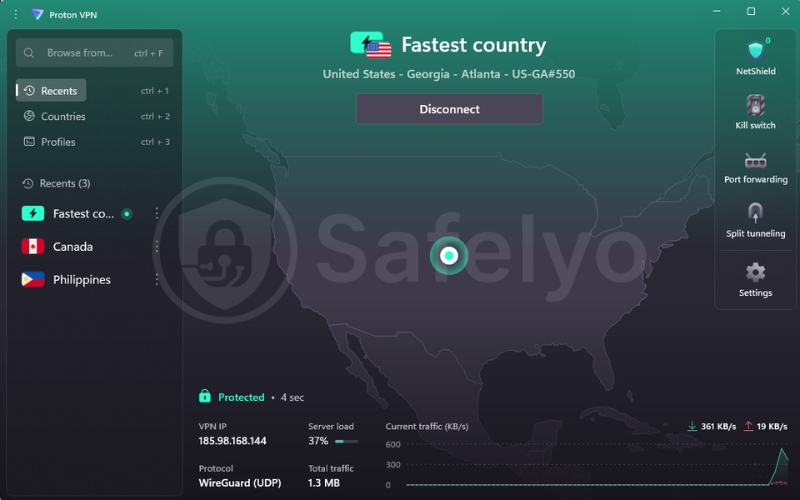
Step 4: Open the Telegram application
Wait for the security application to confirm a successful green connection status. You can now launch Telegram securely knowing your real IP address is completely hidden from local network administrators and government monitors who try to track your communications.
7. What to do if Telegram is not working with your VPN
Even with a premium service, you might occasionally experience connection issues due to aggressive updates in national firewalls. If your messages are stuck on a connecting status, you should follow these three technical fixes to restore your access immediately.
7.1. Change your VPN protocol to OpenVPN or Stealth
Government deep packet inspection often targets the specific digital signatures of fast protocols like WireGuard. If your connection is blocked, you should go to your application settings and manually select OpenVPN TCP or the specialized Stealth protocol. These methods add extra layers of data scrambling that make your tunnel much harder for network monitors to detect and drop.
7.2. Disable Telegram internal proxy settings
Many users forget that they have a free MTProto or SOCKS5 proxy active within the messaging application itself. Running an internal proxy alongside an active VPN tunnel creates severe network conflicts that often prevent any data from loading. You must navigate to the Telegram Data and Storage settings and ensure the connection type is set to use the default system network.
7.3. Switch to a different server location
Censorship systems frequently blacklist specific IP addresses once they are identified as belonging to a security provider. If you cannot reach your chats, you should disconnect and select a different city or country from the server list to get a fresh virtual identity. Frequently rotating your server prevents your internet service provider from identifying your traffic patterns and maintaining a block on your device.
8. Frequently asked questions
Which countries have banned Telegram?
Currently, several nations restrict or completely block the app to control the flow of public information. These include countries such as China, Russia, Iran, and Pakistan, where the government often targets the application due to its refusal to share private user data.
Is it legal to use a VPN with Telegram?
Using a security tool to protect your data privacy is perfectly legal in the vast majority of countries. However, you should always check your local regulations regarding encryption software because some highly restrictive regions have specific rules about using unauthorized network tools.
Does Telegram ban users for using a VPN?
No, the platform does not penalize accounts for using secure tunnels to access its messaging services. Telegram is a strong advocate for digital privacy and freedom of speech, so they actively encourage users to utilize any tools that help maintain an anonymous connection.
How do I hide my IP address when making a Telegram call?
The most effective way is to activate a premium VPN before you start a call to mask your virtual location. You can also go into the application settings and navigate to Privacy and Security, then select Calls and set Peer to Peer to Nobody to route calls through external servers.
Will a VPN slow down my Telegram media downloads?
Premium providers utilizing modern protocols like NordLynx or WireGuard result in a completely imperceptible speed reduction. You will easily maintain the bandwidth required to download large video files or make clear video calls without experiencing any significant buffering delays or echoes.
9. Conclusion
Finding the best VPN for Telegram in 2026 is a vital step for anyone living in a censored region or concerned about their digital footprint. A premium service ensures that your private chats remain accessible while protecting your real physical location from being exposed during voice and video calls to strangers.
Maintaining your online freedom requires a reliable combination of stealth technology and high-speed servers to ensure a frustration-free experience. To explore more in-depth reviews and find the perfect security setup for all your devices, we encourage you to visit the Best VPN category at Safelyo. Reclaim your digital independence and start chatting with absolute confidence today.
Enjoy our VPN for Telegram guides and secure messaging tips? Add Safelyo as a preferred source on Google to see more of our latest privacy tutorials and updates.